How to Set Decimal Precision for Money with EF Core and MySQL

Money belongs in a decimal, never a double, and the database column needs a precision you chose on purpose. This guide shows what MySQL column EF Core creates for a decimal when you don't configure it, how MySQL handles values that don't fit, and the three ways to set the precision: one property, an attribute, or one rule for every decimal in the model.
Precision and Scale in One Minute
A MySQL DECIMAL(M,D) column has a precision M, the total number of digits, and a scale D, the digits after the decimal point. The manual's DECIMAL page gives the rule that matters most: "A DECIMAL(M,D) column permits up to M - D digits to the left of the decimal point." So decimal(12,2) holds up to 10 digits before the point and exactly 2 after: prices up to 9999999999.99.
EF Core's entity properties page explains why it matters: "Some relational data types support the precision and scale facets; these control what values can be stored, and how much storage is needed for the column."
Prerequisites
- A .NET C# project using EF Core with MySQL. The examples use EF Core 10 with Oracle's
MySql.EntityFrameworkCoreand MySQL 9.7, from How to Connect a .NET C# Web API to a MySQL Database — Part 1. - The EF Core tools: How to Install dotnet-ef as a Local Tool in a .NET C# Project.
Step 1: See the Default
A product has a price:
public decimal UnitPrice { get; set; }
With no configuration at all, the first migration made it:
UnitPrice = table.Column<decimal>(type: "decimal(18,2)", nullable: false),
decimal(18,2): Oracle's provider chose 16 digits before the point and 2 after, and printed no warning about it. The size wasn't a decision; it was a default.
Step 2: See What MySQL Does at the Edges
Two values tell you everything about a DECIMAL column. A price with three decimals, and a number too big for the column:
INSERT INTO Products (Sku, Name, CategoryId, UnitPrice, QuantityOnHand, ReorderLevel, IsArchived, CreatedAtUtc, UpdatedAtUtc)
VALUES ('ADP-HDMI-01', 'USB-C to HDMI adapter', 2, 19.999, 8, 2, 0, UTC_TIMESTAMP(6), UTC_TIMESTAMP(6));
SHOW WARNINGS;
SELECT Sku, UnitPrice FROM Products;
Query OK, 1 row affected, 1 warning (0.001 sec)

+-------+------+------------------------------------------------+
| Level | Code | Message                                        |
+-------+------+------------------------------------------------+
| Note  | 1265 | Data truncated for column 'UnitPrice' at row 1 |
+-------+------+------------------------------------------------+
1 row in set (0.000 sec)

+-------------+-----------+
| Sku         | UnitPrice |
+-------------+-----------+
| ADP-HDMI-01 |     20.00 |
+-------------+-----------+
1 row in set (0.000 sec)
(EF Core had named the table Products at this point; a later step renamed it to lowercase.)
- Too many decimals are rounded, with only a Note:
19.999became20.00. MySQL's rounding page says inserts round "half away from zero", and that "Such truncation is not an error, even in strict SQL mode". - Too many whole digits are refused: a 17-digit number in
decimal(18,2)failed withERROR 1264 (22003): Out of range value for column 'UnitPrice' at row 1. That error has its own post.
EF Core doesn't check either for you: "Entity Framework does not do any validation of precision or scale before passing data to the provider. It is up to the provider or data store to validate as appropriate."
Step 3: Set the Precision for One Property
Choose a size for the kind of value. For prices, decimal(12,2), up to ten billion with cents, is plenty. In the entity's configuration:
builder.Property(p => p.UnitPrice)
    .HasPrecision(12, 2);
EF Core's page explains the two numbers' order: "Scale is never defined without first defining precision, so the Fluent API for defining the scale is HasPrecision(precision, scale)." The same can be written as an attribute on the property, [Precision(12, 2)], if you prefer to keep mapping next to the class.
Create and apply the migration:
dotnet ef migrations add SetUnitPricePrecision --project src/Dewiride.Inventory.Data --startup-project src/Dewiride.Inventory.Api
dotnet ef database update --project src/Dewiride.Inventory.Data --startup-project src/Dewiride.Inventory.Api
An operation was scaffolded that may result in the loss of data. Please review the migration for accuracy.
Done. To undo this action, use 'ef migrations remove'
…
Applying migration '20261103044154_SetUnitPricePrecision'.
      ALTER TABLE `products` MODIFY `UnitPrice` decimal(12,2) NOT NULL;
Done.
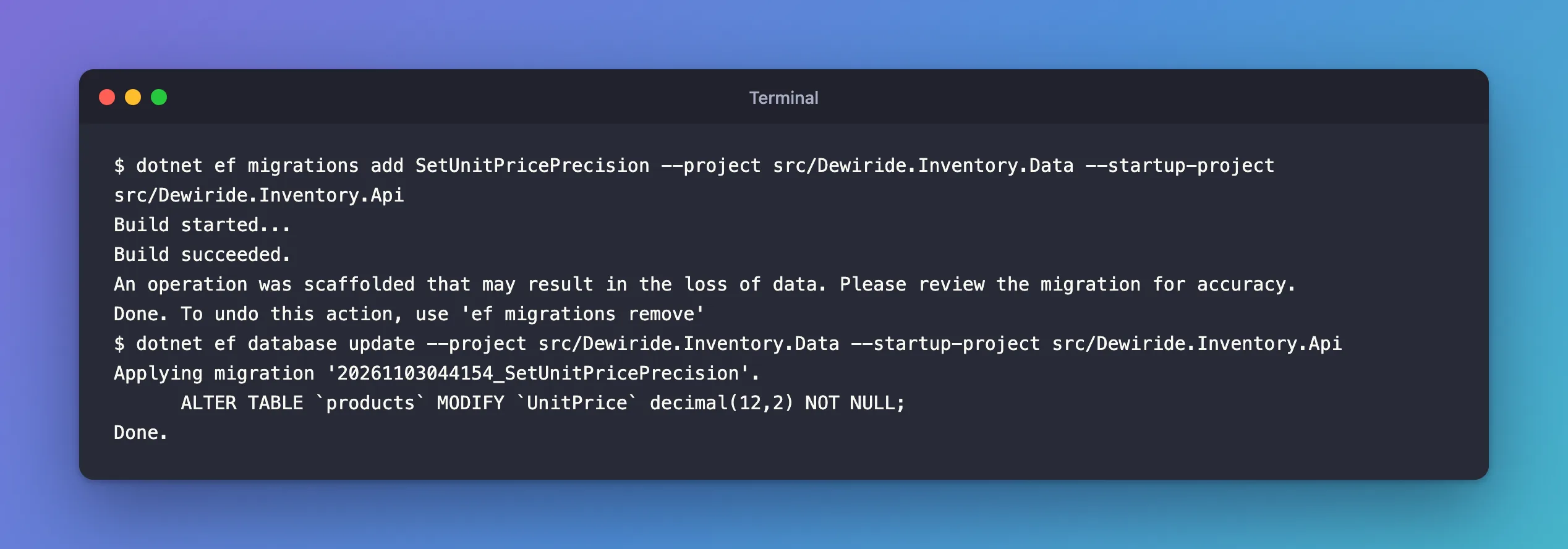
The warning appears because the column gets smaller: from 16 whole digits to 10. If any existing price were larger, the change would fail; check with a SELECT MAX(UnitPrice) before applying it to real data. The migration itself is a single AlterColumn:
migrationBuilder.AlterColumn<decimal>(
    name: "UnitPrice",
    table: "products",
    type: "decimal(12,2)",
    precision: 12,
    scale: 2,
    nullable: false,
    oldClrType: typeof(decimal),
    oldType: "decimal(18,2)");
The new column's limit, tested live:
Query OK, 1 row affected (0.003 sec)

ERROR 1264 (22003): Out of range value for column 'UnitPrice' at row 1
Step 4: One Rule for Every Decimal
An app with prices, totals and line amounts has many decimal properties, and configuring each one is easy to forget. ConfigureConventions in the DbContext sets them all at once:
protected override void ConfigureConventions(ModelConfigurationBuilder configurationBuilder)
{
    ArgumentNullException.ThrowIfNull(configurationBuilder);

    // Every amount of money: up to 10 digits before the decimal point and 2 after.
    configurationBuilder.Properties<decimal>()
        .HavePrecision(12, 2);
}
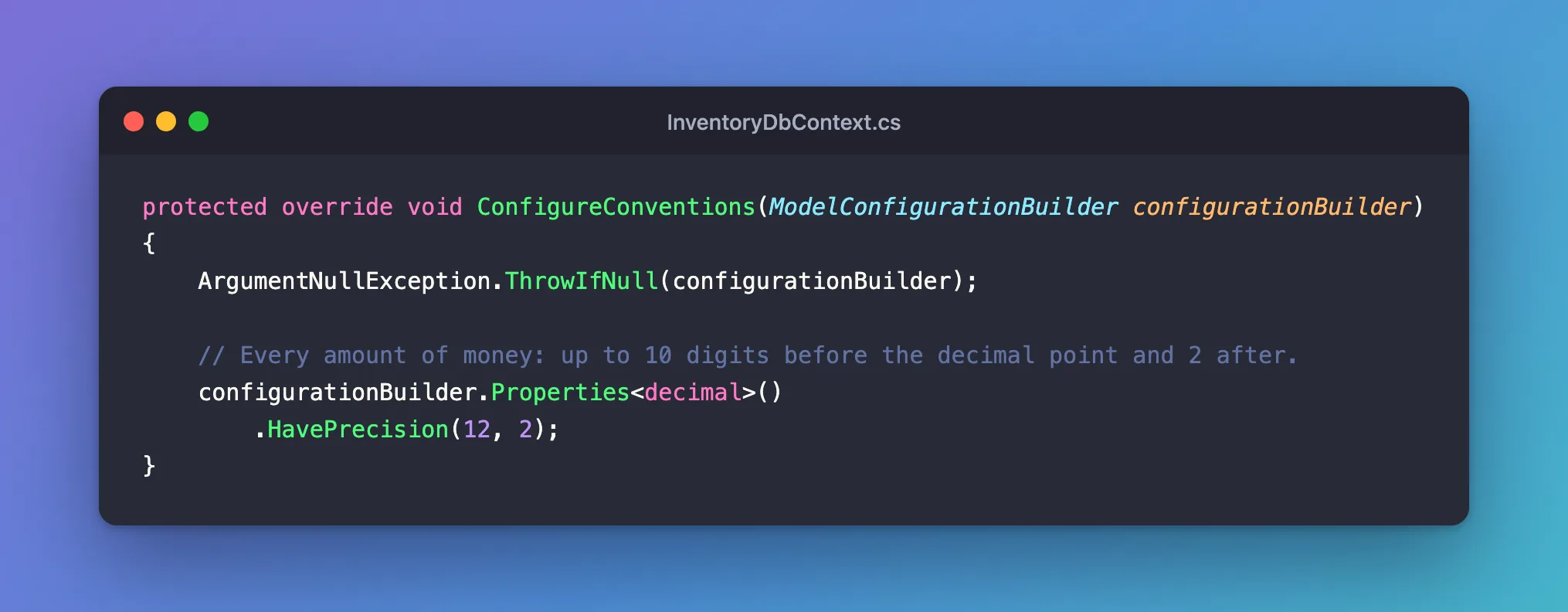
I moved the rule from the property (Step 3) to the convention and checked that the model was unchanged:
No changes have been made to the model since the last migration.
When one property needs a different size, configure it directly: a per-property setting wins. Adding builder.Property(p => p.UnitPrice).HasPrecision(10, 2) on top of the convention produced a migration from decimal(12,2) to decimal(10,2), which I then removed.
Common Mistakes
| Mistake | What happens | Do this instead |
|---|---|---|
double or float for money | Binary floating point can't store 0.10 exactly | Use decimal |
| Relying on the provider's default | A size nobody chose, here decimal(18,2) | Set HasPrecision, or a convention |
| Shrinking a column without checking the data | The migration fails, or the data doesn't fit | SELECT MAX(...) first |
| Expecting MySQL to refuse a third decimal | It rounds, with only a Note | Round in code, or check SHOW WARNINGS |
Troubleshooting
| Symptom | Likely cause | Fix |
|---|---|---|
ERROR 1264 … Out of range value | More whole digits than the column allows | Validate input, or widen the column |
| Prices end in rounded cents | The value had more decimals than the scale | Round deliberately before saving |
| The convention has no effect on one property | That property has its own configuration, which wins | Remove the per-property setting |
FAQ
Is decimal(12,2) right for every currency?
It holds 10 digits before the point and 2 after. Currencies with three minor digits, or values such as exchange rates, need a different scale: give those properties their own HasPrecision.
Does the scale have to be 2?
No. Use the precision the value needs: 2 for most money, more for unit costs or rates. Choose once, write it down in the model, and let the migration enforce it.
Conclusion
Without configuration, Oracle's MySQL provider maps a C# decimal to decimal(18,2). Choose the size yourself: HasPrecision(12, 2) for one property, [Precision(12, 2)] as an attribute, or configurationBuilder.Properties<decimal>().HavePrecision(12, 2) for every decimal, with per-property settings for the exceptions. MySQL rounds extra decimals with a Note and refuses numbers with too many whole digits, so the precision you choose is the limit your data lives with.
Additional Resources
- Entity Properties: Precision and Scale —
HasPrecisionand[Precision]. - Model Bulk Configuration —
ConfigureConventions. - DECIMAL Data Type Characteristics — MySQL's precision and scale.
