How to Set Column Types When Reading a CSV File with pandas

pandas.read_csv guesses each column's type from what it finds: whole numbers become int64, decimals float64, and words str. The dtype argument lets you decide instead, for example reading whole numbers as decimals, the only numeric type that can hold a missing value. This guide reads a small file both ways, with real output from pandas 3.1.1.
Syntax
frame = pd.read_csv(path, dtype={"column": "float64"})
| Part | What it means |
|---|---|
dtype={...} | A dictionary from column name to the type to read it as. Columns you don't list keep the type pandas picks |
"float64" | Decimal numbers. Other common choices: "int64" for whole numbers and "str" for text |
Step 1: Compare the Types With and Without dtype
The example file, customers.csv, has a name and two whole-number columns:
name,age,visits
ana,34,2
ben,51,7
Create read_types.py:
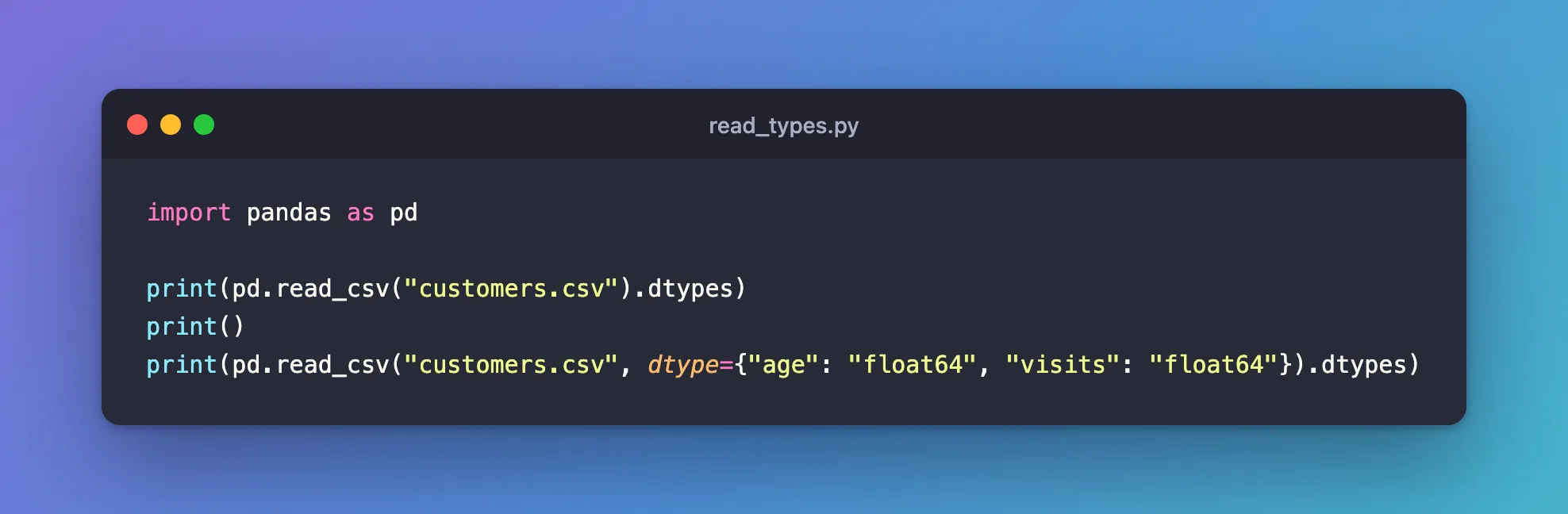
import pandas as pd

print(pd.read_csv("customers.csv").dtypes)
print()
print(pd.read_csv("customers.csv", dtype={"age": "float64", "visits": "float64"}).dtypes)
uv run python read_types.py
name        str
age       int64
visits    int64
dtype: object

name          str
age       float64
visits    float64
dtype: object
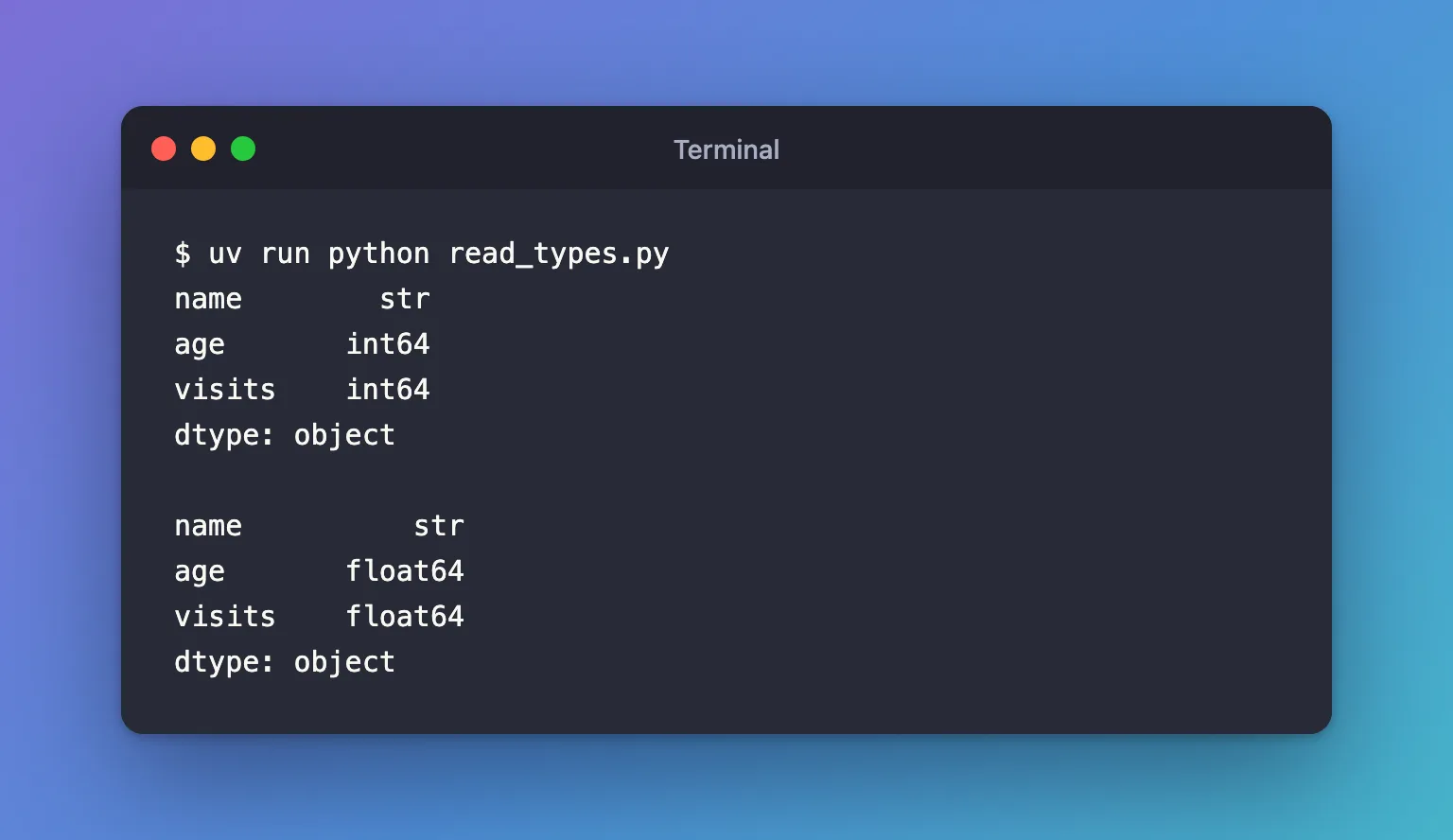
Without dtype, pandas read age and visits as int64. With it, as float64: 34 becomes 34.0. name wasn't listed, so it kept the type pandas chose, str.
Step 2: Know Why Missing Values Matter
An int64 column can't hold a missing value. When a whole-number column has an empty cell, pandas reads the whole column as float64 by itself, and forcing int64 fails. With a file gap.csv whose second customer has no age:
name,age
ana,34
ben,
pd.read_csv("gap.csv")readsageasfloat64, with the gap asNaN.pd.read_csv("gap.csv", dtype={"age": "int64"})fails:ValueError: Integer column has NA values in column 1.
That's why some tools ask for decimals up front: a column that may one day have a gap should be float64 from the start, so its type doesn't change from one file to the next.
Common Mistakes
| Mistake | What happens | Do this instead |
|---|---|---|
Forcing "int64" on a column with empty cells | ValueError: Integer column has NA values in column 1 | Read it as "float64" |
Misspelling a column name in dtype | That column keeps the type pandas guessed | Check frame.dtypes after reading |
| Converting types after reading the whole file | More code, and a second pass over the data | Pass dtype to read_csv |
Troubleshooting
| Symptom | Likely cause | Fix |
|---|---|---|
A whole-number column comes out as float64 | It has at least one empty cell | Expected: keep it, or fill the gaps first |
A number column comes out as str | Some rows hold text pandas doesn't treat as missing, such as unknown | Find them, or list them in na_values: na_values=["unknown"] |
FAQ
Is there an integer type that allows missing values?
Yes: pandas' "Int64", with a capital I, can hold a missing value, shown as <NA>. It's a pandas type, while float64 is the plain decimal type every numeric library reads.
Can I set one type for every column?
Yes, dtype="float64" applies to all of them, which only works when every column holds numbers: with the name column, it fails with ValueError: could not convert string to float: 'ana'.
Conclusion
pd.read_csv("customers.csv", dtype={"age": "float64", "visits": "float64"}) read the whole-number columns as decimals, while the other column kept the type pandas chose. Check frame.dtypes after reading, and read whole numbers as float64 whenever a value might be missing.
Additional Resources
- pandas.read_csv —
dtype,na_valuesand the other reading options.
