How to Set an Alias on a Model Version in MLflow with Python

An alias, such as champion, is a movable name for one version of a registered model. Code that loads models:/<name>@champion gets whichever version the alias points to, so releasing a new version is one call that moves the alias. This guide sets an alias with MlflowClient, moves it, and reads the result, with real output from MLflow 3.18.0.
Syntax
client = MlflowClient()
client.set_registered_model_alias(name, alias, version)
client.get_registered_model(name).aliases
| Part | What it means |
|---|---|
name | The registered model |
alias | The alias, such as champion; it's created, or moved if it already points to another version |
version | The version number it should point to, such as "2" |
.aliases | A dictionary of every alias of the registered model and the version it points to |
The reference for set_registered_model_alias: "Set a registered model alias pointing to a model version." On the name: "aliases of the format v<number>, such as v9 and v42, are reserved and cannot be set."
Prerequisites
- An MLflow tracking server with a database backend at
http://127.0.0.1:8080, such asmlflow server --port 8080with its default SQLite database. The registry needs one. mlflowandscikit-learnin your project, for example withuv add mlflow scikit-learn pandas.
Step 1: Set the Alias, Then Move It
The example registers two versions of a breast cancer classifier, cancer-screening: the second uses stronger regularization. It points champion at version 1, then at version 2, printing the aliases after each call:
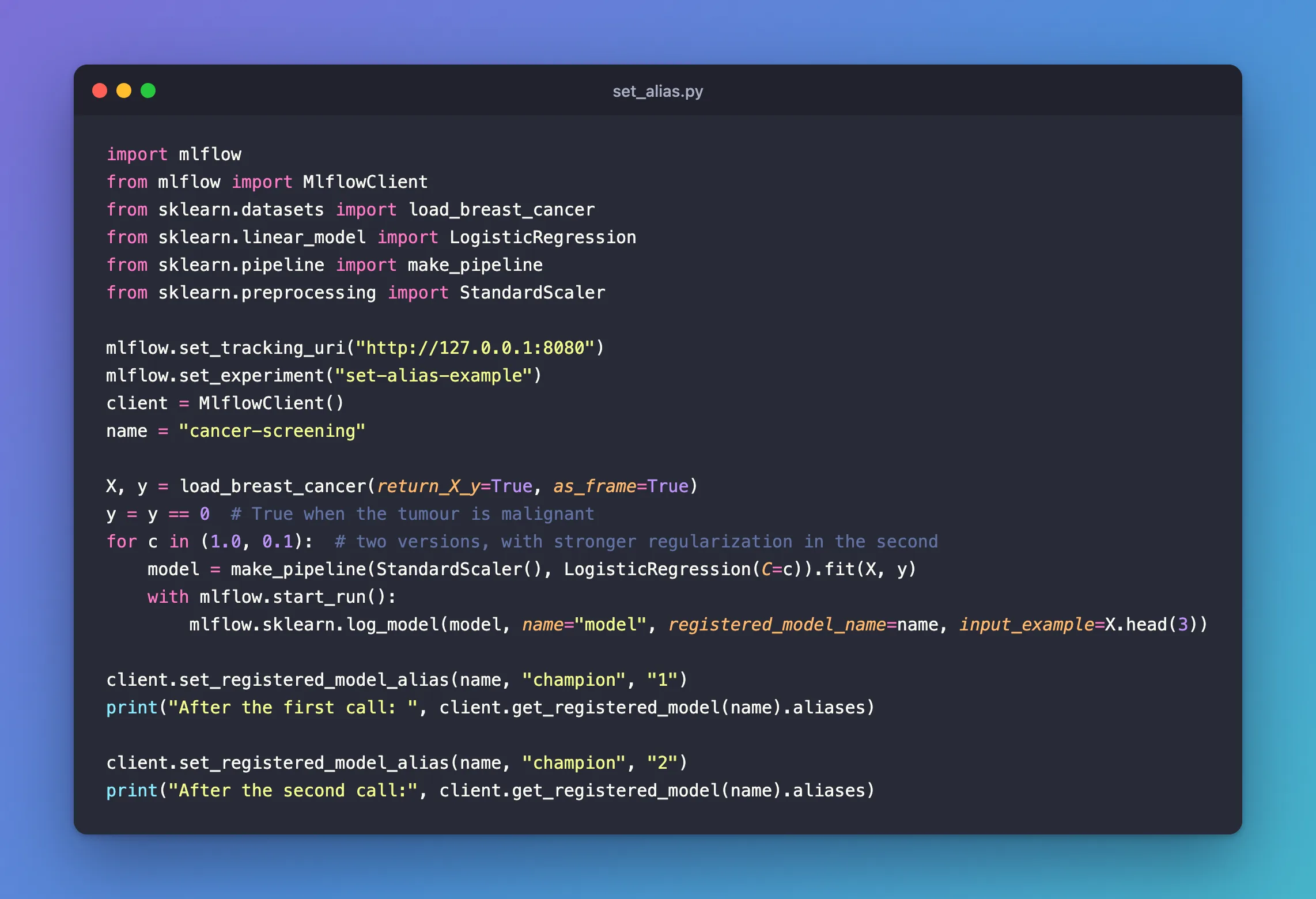
import mlflow
from mlflow import MlflowClient
from sklearn.datasets import load_breast_cancer
from sklearn.linear_model import LogisticRegression
from sklearn.pipeline import make_pipeline
from sklearn.preprocessing import StandardScaler

mlflow.set_tracking_uri("http://127.0.0.1:8080")
mlflow.set_experiment("set-alias-example")
client = MlflowClient()
name = "cancer-screening"

X, y = load_breast_cancer(return_X_y=True, as_frame=True)
y = y == 0  # True when the tumour is malignant
for c in (1.0, 0.1):  # two versions, with stronger regularization in the second
    model = make_pipeline(StandardScaler(), LogisticRegression(C=c)).fit(X, y)
    with mlflow.start_run():
        mlflow.sklearn.log_model(model, name="model", registered_model_name=name, input_example=X.head(3))

client.set_registered_model_alias(name, "champion", "1")
print("After the first call: ", client.get_registered_model(name).aliases)

client.set_registered_model_alias(name, "champion", "2")
print("After the second call:", client.get_registered_model(name).aliases)
uv run python set_alias.py
After the first call:  {'champion': '1'}
After the second call: {'champion': '2'}
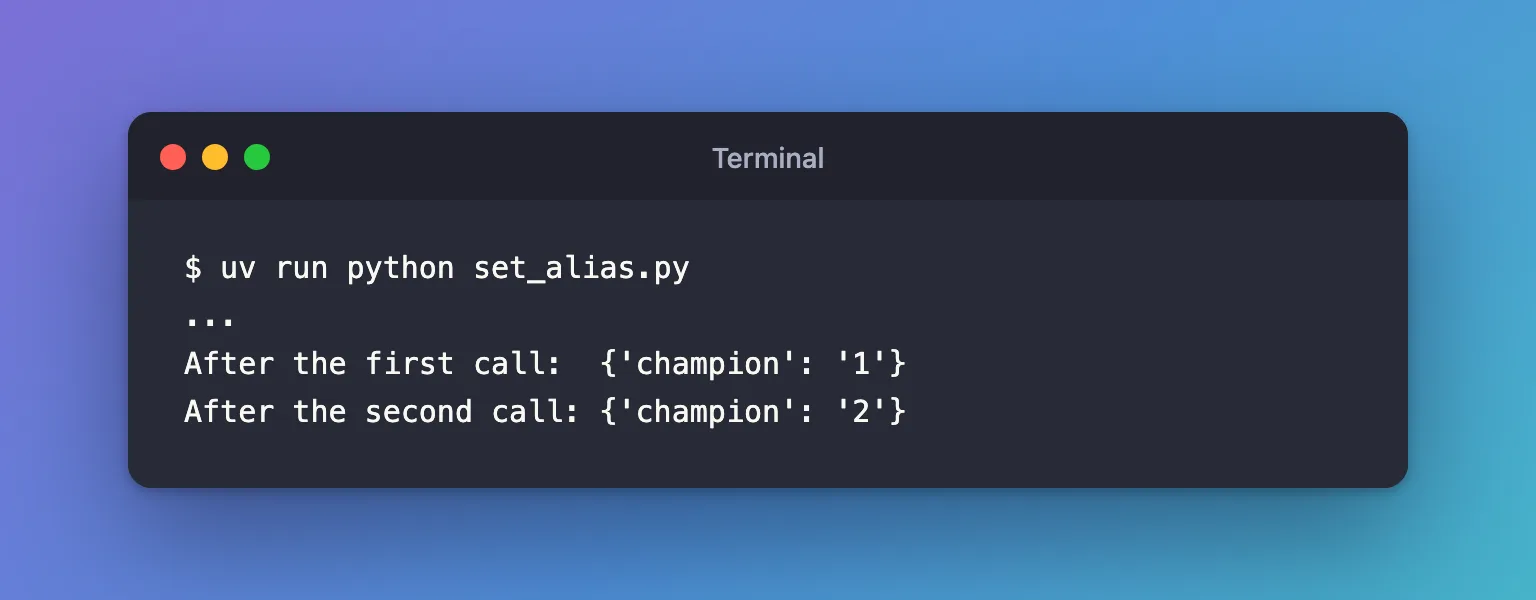
The first call created champion on version 1. The second didn't add a second champion: it moved the one alias to version 2. That move is a release: anything that loads models:/cancer-screening@champion now gets version 2.
Common Mistakes
| Mistake | What happens | Do this instead |
|---|---|---|
Naming an alias v2 | MLflow reserves v plus a number, so it can't be set | Use a word, such as champion or staging |
| Hard-coding version numbers in the code that loads the model | Every release needs a code change | Load models:/<name>@<alias> and move the alias |
Troubleshooting
| Symptom | Likely cause | Fix |
|---|---|---|
| The alias still points to the old version | The call went to another registered model or version | Print get_registered_model(name).aliases to check |
| The registry calls fail on your own server | The server stores runs in files, not a database | Start it with a database backend, such as its default SQLite database |
FAQ
How do I roll back?
Point the alias at the earlier version with the same call: client.set_registered_model_alias(name, "champion", "1").
Can I do this in the UI?
Yes, from the registered model's page: How to Add an Alias to a Model Version in the MLflow UI.
Conclusion
client.set_registered_model_alias("cancer-screening", "champion", "1") gave version 1 the alias, and the same call with "2" moved it, as get_registered_model(name).aliases showed: {'champion': '1'}, then {'champion': '2'}.
Additional Resources
- MlflowClient.set_registered_model_alias — the call and its reserved names.
- Model Registry workflows — setting and deleting aliases in code.
