How to Set a Lock Wait Timeout from EF Core

If another transaction holds a row, MySQL makes your statement wait up to 50 seconds by default. For a web request, that's far too long. Here's how to set a shorter limit from EF Core, on every connection, without relying on CommandTimeout, which doesn't do this job with MySql.Data.
Prerequisites
- A .NET C# project using EF Core and
MySql.EntityFrameworkCore. I used EF Core 10.0.14,MySql.EntityFrameworkCore10.0.12 and MySQL 9.7.4.
Step 1: Add a Setting
Put the number in configuration, with a sensible default:
/// <summary>How long, in seconds, a statement may wait for a row lock before MySQL refuses it with error 1205.</summary>
[Range(1, 60)]
public int LockWaitTimeoutSeconds { get; set; } = 5;
Step 2: Set It on Each Connection
innodb_lock_wait_timeout is a MySQL session variable, and the driver has no connection-string option for it. So set it each time a connection opens, using a connection interceptor:
private readonly string _setLimits =
    $"SET SESSION innodb_lock_wait_timeout = {lockWaitTimeoutSeconds}, " +
    $"max_execution_time = {queryTimeoutSeconds * 1000}";
options.AddInterceptors(new MySqlSessionLimitsInterceptor(
    database.LockWaitTimeoutSeconds,
    database.QueryTimeoutSeconds));
MySQL gets it just before the first statement:
+--------------+----------------------------------------------------------------------------+
| command_type | statement                                                                  |
+--------------+----------------------------------------------------------------------------+
| Init DB      | inventory                                                                  |
| Query        | SET SESSION innodb_lock_wait_timeout = 5, max_execution_time = 30000       |
| Query        | SELECT `p`.`Id`, `p`.`Sku`, `p`.`Name`, `p`.`Description`, `p`.`CategoryId |
+--------------+----------------------------------------------------------------------------+
Step 3: Turn Off the Driver's Limit
With a CommandTimeout lower than the lock wait, the request can hang for good, so turn it off:
// No time limit in the driver: an async statement that runs past it never returns.
// MySqlSessionLimitsInterceptor sets the limits on the server instead.
mySql.CommandTimeout(0);
Step 4: See It Working
With a row held in another session:
START TRANSACTION;
UPDATE products SET Description = 'Held for a while' WHERE Id = 2;
An order for that product fails in 5 seconds:
fail: Microsoft.EntityFrameworkCore.Database.Command[20102]
      Failed executing DbCommand (5,043ms) [Parameters=[@line_Quantity='?' (DbType = Int32), @p='?' (DbType = DateTime), @line_ProductId='?' (DbType = Int32)], CommandType='Text', CommandTimeout='0']
      UPDATE `products` AS `p`
      SET `QuantityOnHand` = `p`.`QuantityOnHand` - @line_Quantity,
          `UpdatedAtUtc` = @p
      WHERE ((`p`.`Id` = @line_ProductId) AND NOT (`p`.`IsArchived`)) AND (`p`.`QuantityOnHand` >= @line_Quantity)
MySql.Data.MySqlClient.MySqlException (0x80004005): Lock wait timeout exceeded; try restarting transaction
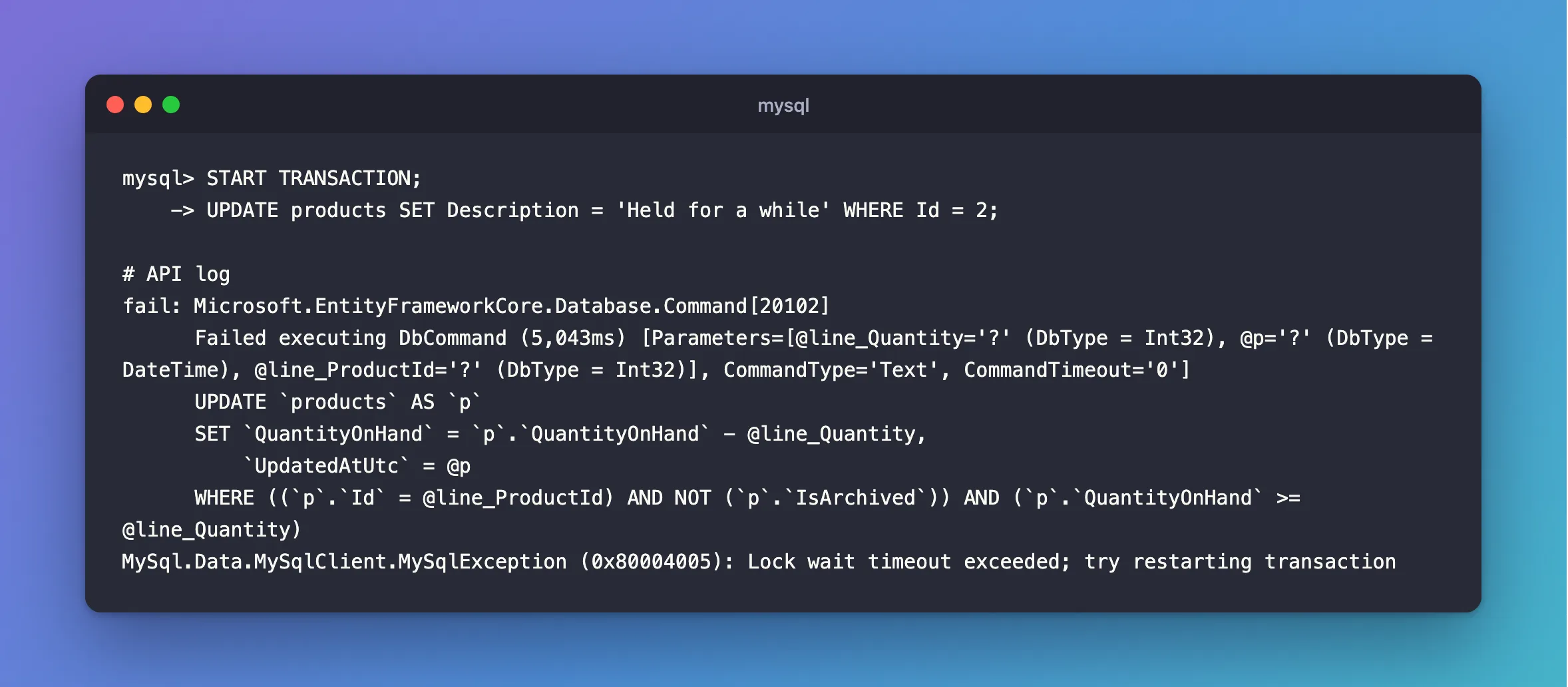
5,043ms, instead of 50 seconds.
Step 5: Answer the Client Properly
The error is 1205. Don't retry it, since each retry waits the whole limit again. Answer 503 with Retry-After:
HTTP/1.1 503 Service Unavailable
Content-Type: application/problem+json

{
  "type": "https://tools.ietf.org/html/rfc9110#section-15.6.4",
  "title": "The database can't do this right now.",
  "status": 503,
  "detail": "Try again in 5 seconds. Send the same Idempotency-Key, so a change can't be applied twice.",
  "traceId": "00-be9c3937ef6ae66c81c2ae2a3339273f-670d2b6b06441546-00"
}
How to Return 503 with a Retry-After Header in ASP.NET Core has the code.
Common Mistakes
| Mistake | What happens | Do this instead |
|---|---|---|
SET GLOBAL from the app | Every other app changes too, and it needs a privilege | Use SET SESSION |
| Setting it to 0 | The minimum is 1 | Use at least 1 |
Relying on CommandTimeout | It can hang | Set the limit on the server |
Troubleshooting
| Symptom | Likely cause | Fix |
|---|---|---|
| It still waits 50 seconds | The interceptor isn't registered | Check MySQL's log |
ERROR 1227 | You used SET GLOBAL | The fix |
| The statement is rolled back, not the transaction | That's how 1205 works | Leaving without a commit rolls back the rest |
Conclusion
Set innodb_lock_wait_timeout on each connection with an interceptor, turn off CommandTimeout, and answer 503 when it fires. That took my wait from 50 seconds to 5.
Additional Resources
- innodb_lock_wait_timeout — the variable.
- Interceptors — EF Core's interceptors.
