How to Run an ASP.NET Core App on a Fixed Port (launchSettings.json, --urls and ASPNETCORE_HTTP_PORTS)

A new ASP.NET Core project listens on a port the template picked at random, such as 5255. That's fine until you write it into a .http file, a README or another app's settings, and a teammate's copy uses a different one. There are three ways to choose the port, for different situations. This guide tries each one on the same .NET 10 Web API and shows which one wins.
Where the Random Port Comes From
Microsoft's Kestrel endpoints page: "The configuration selects a random HTTP port between 5000-5300 and a random HTTPS port between 7000-7300." And where it's kept: "The selected ports are stored in the generated Properties/launchSettings.json file and are modifiable by the developer." For this project, created with --no-https, the template picked 5255:
Using launch settings from src/Dewiride.Inventory.Api/Properties/launchSettings.json...
Building...
info: Microsoft.Hosting.Lifetime[14]
      Now listening on: http://localhost:5255
info: Microsoft.Hosting.Lifetime[0]
      Application started. Press Ctrl+C to shut down.
info: Microsoft.Hosting.Lifetime[0]
      Hosting environment: Development
Prerequisites
- An ASP.NET Core project, such as one from
dotnet new webapi. The examples use .NET 10, insrc/Dewiride.Inventory.Api.
Option 1: Change applicationUrl in launchSettings.json
This is the one to use for the port everyone develops on. Edit Properties/launchSettings.json:
{
  "$schema": "https://json.schemastore.org/launchsettings.json",
  "profiles": {
    "http": {
      "commandName": "Project",
      "dotnetRunMessages": true,
      "launchBrowser": false,
      "applicationUrl": "http://localhost:5190",
      "environmentVariables": {
        "ASPNETCORE_ENVIRONMENT": "Development"
      }
    }
  }
}
profiles.httpis a launch profile;dotnet runuses "the first profile in file order whosecommandNameit supports".applicationUrlis the address. Thedotnet rundocs: it "SetsASPNETCORE_URLSin the launched process."environmentVariablessetsASPNETCORE_ENVIRONMENTtoDevelopmentfor local runs.
Using launch settings from src/Dewiride.Inventory.Api/Properties/launchSettings.json...
Building...
info: Microsoft.Hosting.Lifetime[14]
      Now listening on: http://localhost:5190
info: Microsoft.Hosting.Lifetime[0]
      Application started. Press Ctrl+C to shut down.
info: Microsoft.Hosting.Lifetime[0]
      Hosting environment: Development
info: Microsoft.Hosting.Lifetime[0]
      Content root path: /Users/you/projects/dewiride-inventory-api/src/Dewiride.Inventory.Api
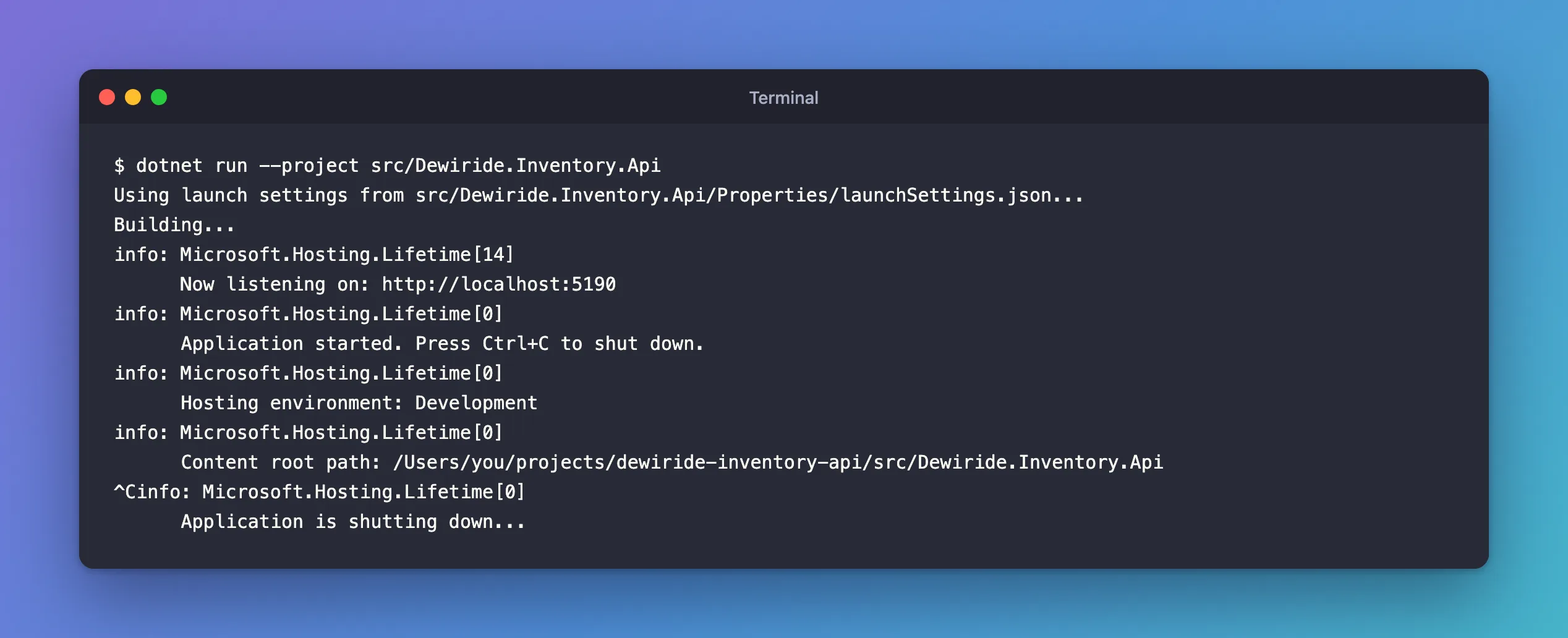
Commit the file, and everyone gets port 5190. It's for development only: the environments docs say launchSettings.json "Is only used on the local development machine" and "Isn't deployed when the app is published."
Option 2: Override It for One Run with --urls
For a second copy of the app, or a quick test on another port:
dotnet run --project src/Dewiride.Inventory.Api --urls http://localhost:5200
Using launch settings from src/Dewiride.Inventory.Api/Properties/launchSettings.json...
info: Microsoft.Hosting.Lifetime[14]
      Now listening on: http://localhost:5200
info: Microsoft.Hosting.Lifetime[0]
      Hosting environment: Development
The launch profile was still used, so the environment stayed Development, but the port came from --urls. dotnet run passes on what it doesn't recognize: "Any arguments that aren't recognized by dotnet run are passed to the application", and the app's command-line arguments rank first among the host's configuration sources. Nothing in any file changed.
Option 3: An Environment Variable, Without the Launch Profile
Outside development, there's no launchSettings.json, so the port comes from the environment. ASPNETCORE_HTTP_PORTS sets only the port. To see it the way a server would, I skipped the launch profile:
- bash / zsh
- PowerShell
ASPNETCORE_HTTP_PORTS=5300 dotnet run --project src/Dewiride.Inventory.Api --no-launch-profile
$env:ASPNETCORE_HTTP_PORTS = "5300"
dotnet run --project src/Dewiride.Inventory.Api --no-launch-profile
info: Microsoft.Hosting.Lifetime[14]
      Now listening on: http://[::]:5300
info: Microsoft.Hosting.Lifetime[0]
      Application started. Press Ctrl+C to shut down.
info: Microsoft.Hosting.Lifetime[0]
      Hosting environment: Production
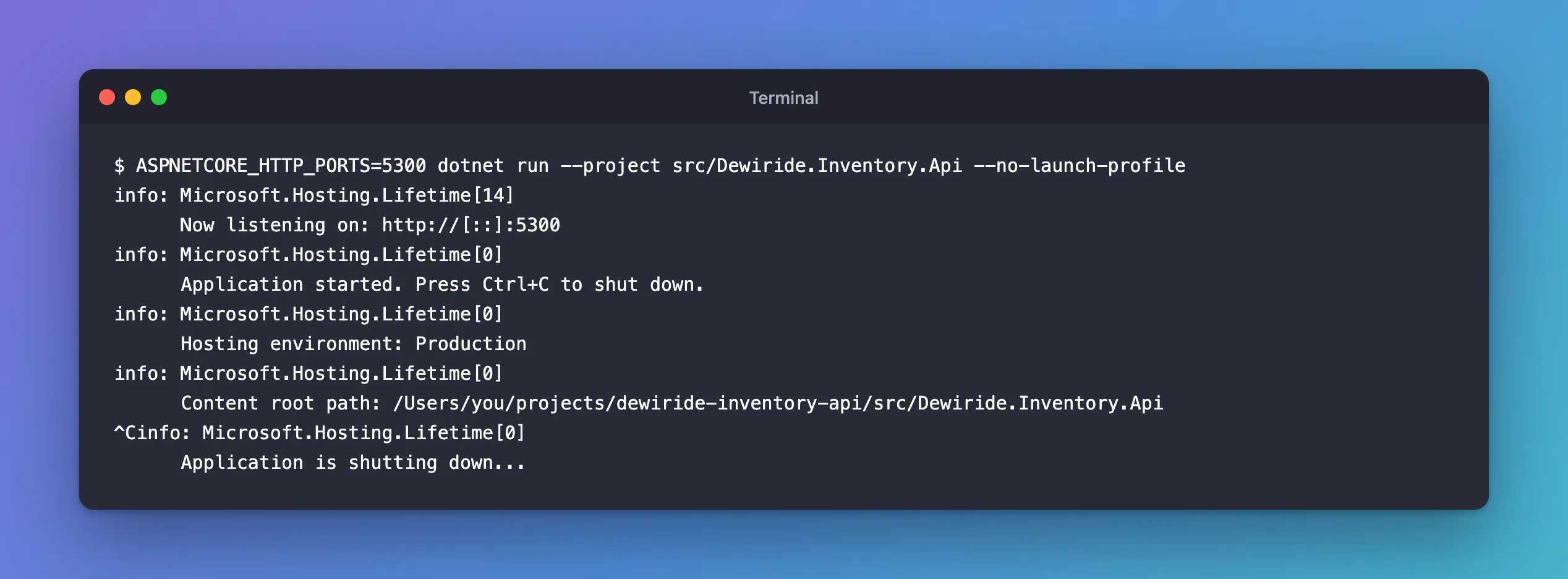
Two differences, both worth knowing:
http://[::]:5300, notlocalhost. A port alone means every network interface, so other machines on the network can reach the app, which is what a server wants and a laptop usually doesn't.Production.--no-launch-profile"Doesn't try to use launchSettings.json to configure the application", soASPNETCORE_ENVIRONMENT=Developmentfrom the profile was gone, and ASP.NET Core used its default environment. Development-only features, such as the OpenAPI document in this app, were off.
In PowerShell, the variable stays set for the rest of that window; remove it with Remove-Item Env:ASPNETCORE_HTTP_PORTS.
Which Setting Wins
| You set | When it applies |
|---|---|
applicationUrl in launchSettings.json | Local dotnet run with the profile. The docs: it "sets the ASPNETCORE_URLS environment variable and overrides values set in the environment" |
--urls on the command line | That run only; it overrode the profile's port here |
ASPNETCORE_URLS | Full URLs, from the environment. The docs: when set, it "overrides" ASPNETCORE_HTTP_PORTS and ASPNETCORE_HTTPS_PORTS |
ASPNETCORE_HTTP_PORTS | Ports only, all interfaces; "lower priority", so other URL settings override it |
| Nothing at all | Kestrel "binds to the http://localhost:5000 URL" |
Common Mistakes
| Mistake | What happens | Do this instead |
|---|---|---|
Setting ASPNETCORE_HTTP_PORTS and running with the launch profile | The profile's URL wins. Kestrel logs warn: … Overriding HTTP_PORTS '5300' and HTTPS_PORTS ''. Binding to values defined by URLS instead 'http://localhost:5190'. | Use --no-launch-profile, or change the profile |
Expecting launchSettings.json on the server | It's not published | Set the port in the server's environment |
| Two copies of the app on the same port | The second fails with "address already in use" | Give the second one --urls with another port |
| Using a port alone on a laptop | The app listens on every interface | Use a localhost URL for local work |
The third row has its own post: Fixed: "Failed to bind to address http://127.0.0.1:5190: address already in use."
FAQ
Can I set the port in code?
Yes, but configuration is easier to change: a port in code needs a rebuild to change. The options above keep the code the same everywhere.
What about HTTPS?
applicationUrl can hold several URLs separated by semicolons, such as an https:// one, and ASPNETCORE_HTTPS_PORTS is the HTTPS twin of ASPNETCORE_HTTP_PORTS. This project was created with --no-https, so it listens on HTTP only.
Conclusion
Set the development port in Properties/launchSettings.json, in the profile's applicationUrl, and commit it, so every copy of the project uses the same one. Override it for one run with dotnet run --urls, and use ASPNETCORE_URLS or ASPNETCORE_HTTP_PORTS where there's no launch profile, remembering that a port alone listens on every interface and that without the profile the environment is Production.
Additional Resources
- Configure endpoints for the ASP.NET Core Kestrel web server
- WebApplication: Working with ports
- dotnet run
