How to Set a Custom Color in Power Apps with RGBA

RGBA builds a color from red, green and blue values plus how opaque it is. Use it when you need an exact color the theme doesn't give you, such as the light yellow behind a warning.
Syntax
RGBA( Red, Green, Blue, Alpha )
- Red, Green, Blue: 0 to 255.
- Alpha: 0 (fully transparent) to 1 (fully opaque). A percentage, 0% to 100%, works too.
(Color enumeration and ColorFade, ColorValue, and RGBA functions)
Prerequisites
- A control with a color property, such as a Text control's Fill (How to Add a Text Control in Power Apps).
Example: A Warning Background
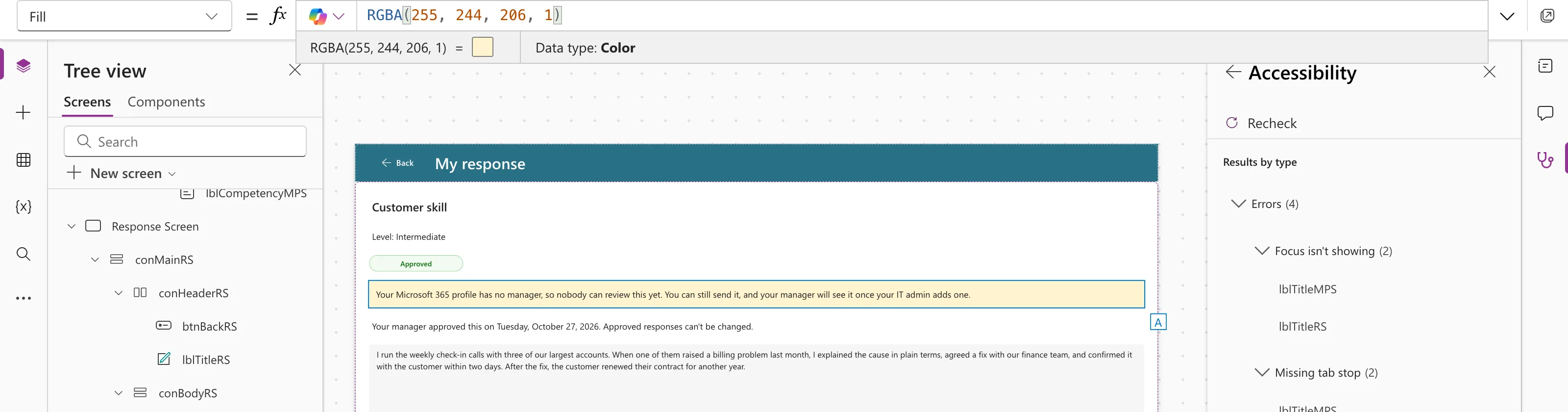
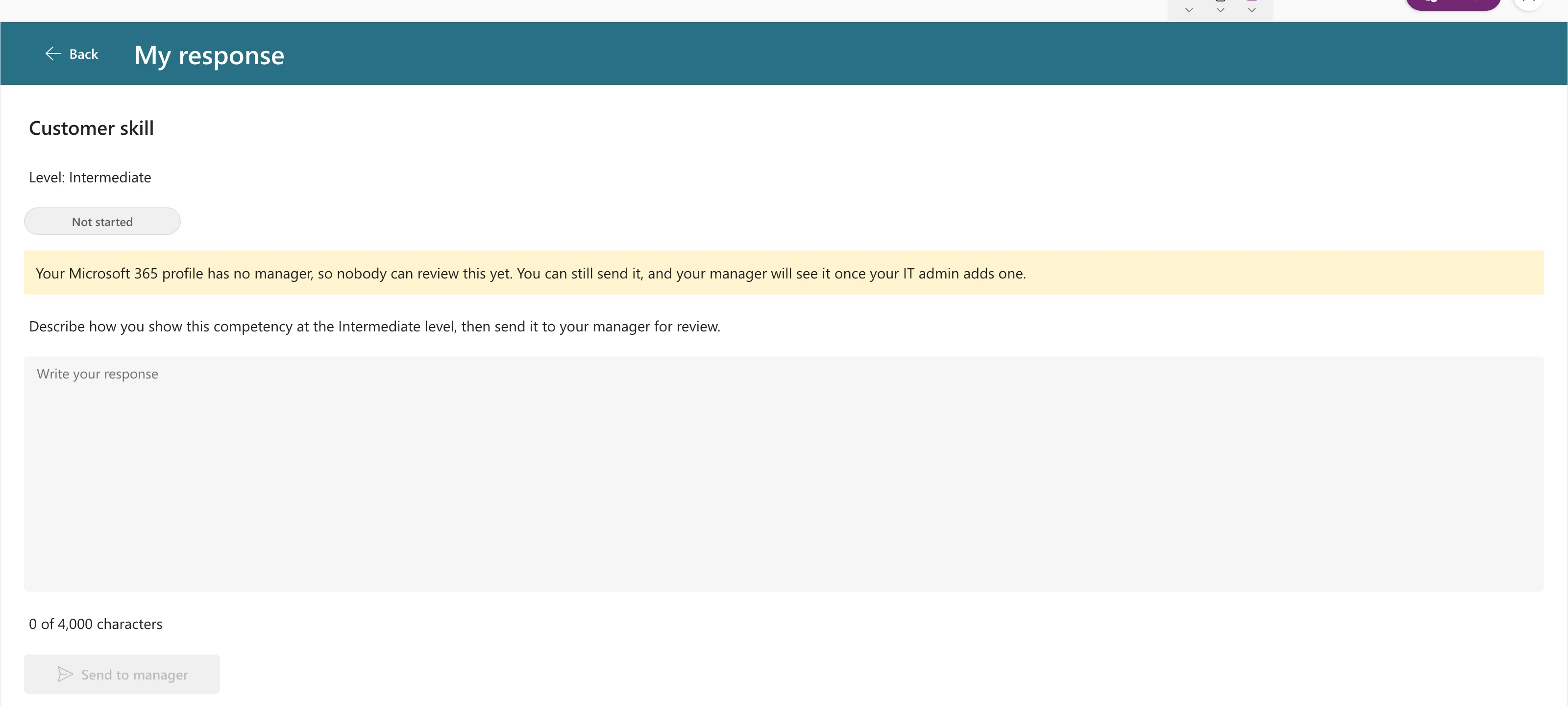
In the Career Development Plan app, the Response screen warns people who have no manager in Microsoft 365. The warning is a Text control, lblNoManagerRS, with a light yellow background:
RGBA(255, 244, 206, 1)
The preview strip shows the type, Color:
With PaddingTop, PaddingBottom, PaddingLeft and PaddingRight at 12, the text sits inside the yellow box:
The Same Color Three Ways
| Formula | When it fits |
|---|---|
RGBA(255, 244, 206, 1) | You have the color as numbers, or need transparency |
ColorValue("#fff4ce") | You have a hex code, for example from a design |
Color.LightYellow | A named CSS color is close enough |
ColorValue accepts CSS color names and hex values such as "#rrggbb"; Color.LightYellow is RGBA(255, 255, 224, 1), a slightly different yellow.
Prefer the Theme When It Fits
For colors that should follow the app's look, use the theme: App.Theme.Colors.Primary, App.Theme.Colors.Lighter80 and the others (How to Use Theme Colors and Fonts in Power Apps Formulas). Keep RGBA for one-off colors with a meaning of their own, like a warning.
Common Mistakes
| Mistake | What happens | Do this instead |
|---|---|---|
Alpha 0 by accident | The color is invisible | Use 1 for solid colors |
| Hard-coding every color | The app ignores theme changes | Use theme colors where they fit |
Troubleshooting
| Symptom | Likely cause | Fix |
|---|---|---|
| The color doesn't show | Alpha is 0, or the formula is on a different control | Check the alpha, and which control's Fill you set |
| Text is hard to read on it | Not enough contrast | Keep backgrounds light and text dark |
FAQ
Is there a hex function?
Yes: ColorValue("#fff4ce"). With eight digits, the last two are the alpha.
What does RGBA(0, 0, 0, 0) mean?
Transparent. It's the default Fill of many controls.
Conclusion
RGBA(red, green, blue, alpha) gives you an exact color, with 0–255 for each channel and 0–1 for opacity. Use it for meaningful one-off colors, and the theme for everything else.
