How to Send inputs or instances to an MLflow Model Server

A model trained on NumPy arrays has no column names: its signature says "four numbers per row", not "sepal length". For a model like that, an MLflow model server reads plain lists of numbers under the key inputs, or instances, which works the same. This guide sends both to a served model, with real output from MLflow 3.18.0.
Syntax
{"inputs": [[VALUE, ...], ...]}
{"instances": [[VALUE, ...], ...]}
| Part | What it means |
|---|---|
inputs | A list with one list of values per row, in the order the model was trained with |
instances | The same, under another name |
MLflow's guide to the inference server: "instances: Tensor input formatted as described in TF Serving's API docs where the provided inputs will be cast to Numpy arrays." and "inputs: Same as instances but with a different key."
Prerequisites
- An MLflow tracking server at
http://127.0.0.1:8080, such asmlflow server --port 8080. mlflowandscikit-learnin your project, for example withuv add mlflow scikit-learn pandas.
Step 1: Log a Model Trained on Arrays
load_iris() without as_frame=True returns NumPy arrays: four numbers per flower and no names. The example trains a logistic regression on them and logs it with three arrays as the input example:
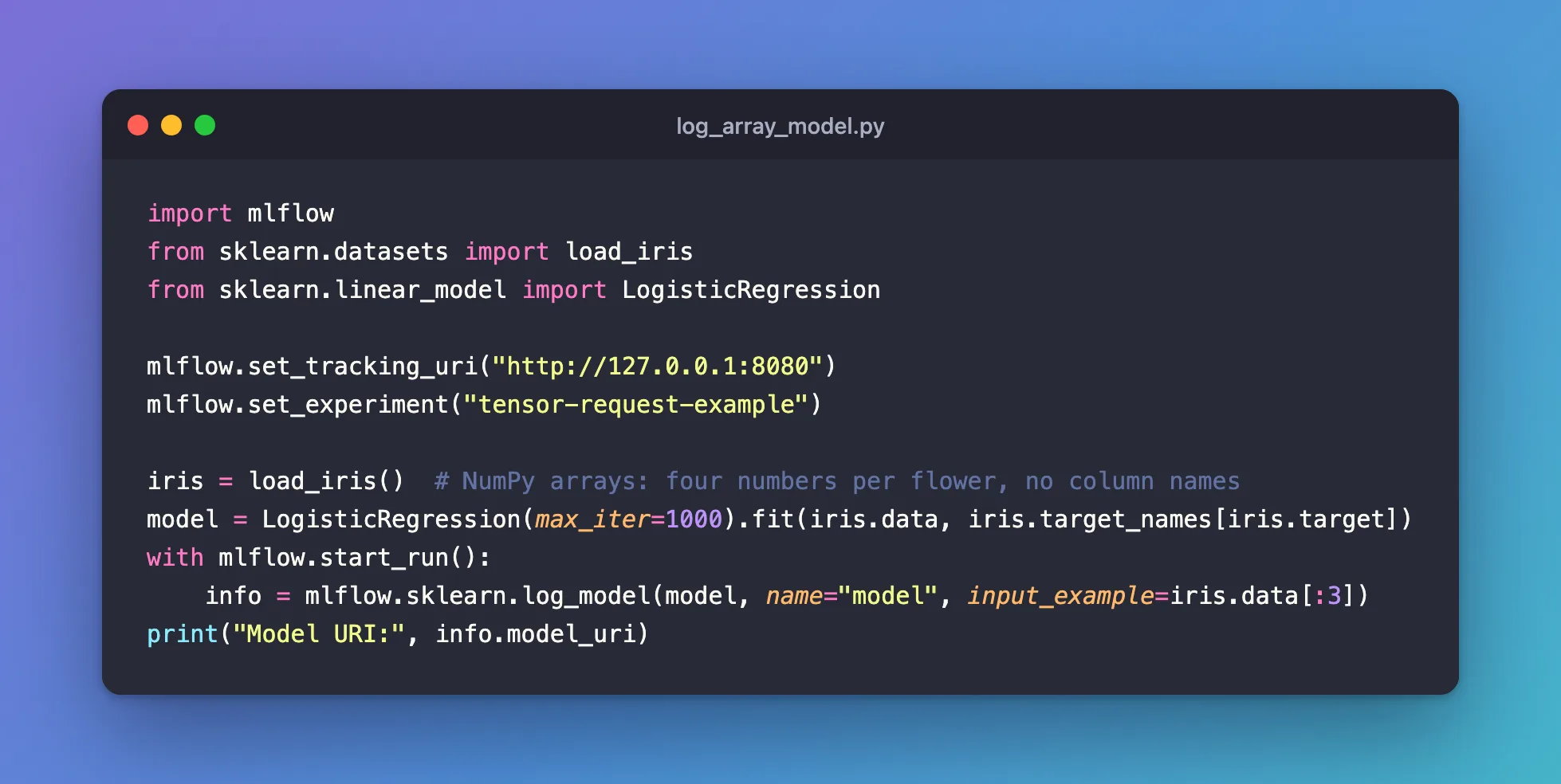
import mlflow
from sklearn.datasets import load_iris
from sklearn.linear_model import LogisticRegression

mlflow.set_tracking_uri("http://127.0.0.1:8080")
mlflow.set_experiment("tensor-request-example")

iris = load_iris()  # NumPy arrays: four numbers per flower, no column names
model = LogisticRegression(max_iter=1000).fit(iris.data, iris.target_names[iris.target])
with mlflow.start_run():
    info = mlflow.sklearn.log_model(model, name="model", input_example=iris.data[:3])
print("Model URI:", info.model_uri)
uv run python log_array_model.py
Model URI: models:/m-a40427edca224db0abe8be9e6e469c4a
The signature MLflow inferred from the arrays, as mlflow.models.get_model_info(...).signature prints it:
inputs:
  [Tensor('float64', (-1, 4))]
outputs:
  [Tensor('str', (-1,))]
params:
  None
Tensor('float64', (-1, 4)): any number of rows (-1), four decimals each. No column names.
Step 2: Serve the Model
- macOS / Linux
- Windows (PowerShell)
export MLFLOW_TRACKING_URI=http://127.0.0.1:8080
uv run mlflow models serve -m "models:/m-a40427edca224db0abe8be9e6e469c4a" -p 5001 --env-manager uv
$env:MLFLOW_TRACKING_URI = "http://127.0.0.1:8080"
uv run mlflow models serve -m "models:/m-a40427edca224db0abe8be9e6e469c4a" -p 5001 --env-manager uv
Step 3: Send inputs
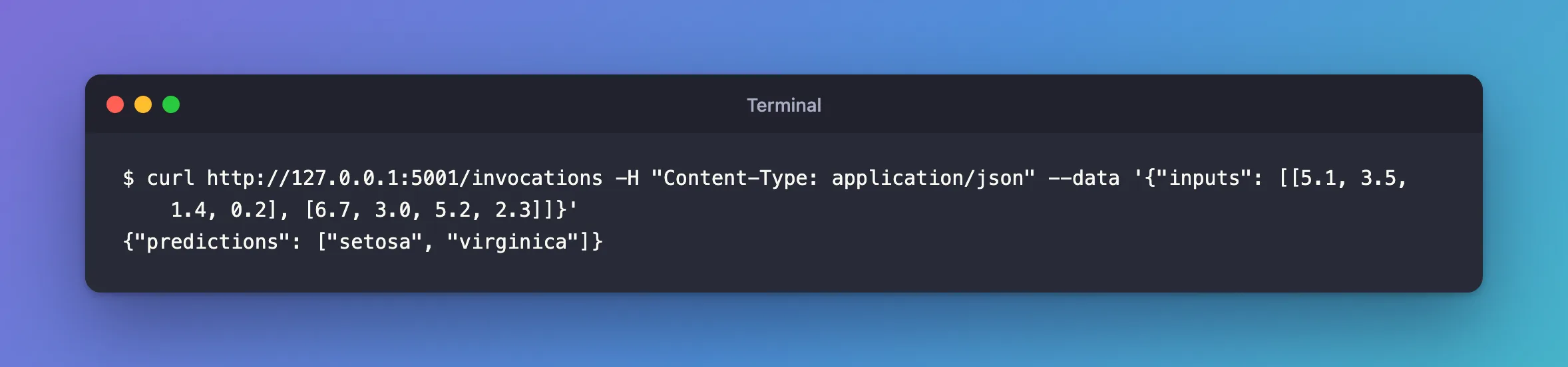
Two flowers, four numbers each, in the order the model was trained with: sepal length, sepal width, petal length and petal width:
- macOS / Linux
- Windows (PowerShell)
curl http://127.0.0.1:5001/invocations -H "Content-Type: application/json" --data '{"inputs": [[5.1, 3.5, 1.4, 0.2], [6.7, 3.0, 5.2, 2.3]]}'
{"predictions": ["setosa", "virginica"]}
Invoke-RestMethod http://127.0.0.1:5001/invocations -Method Post -ContentType "application/json" -Body '{"inputs": [[5.1, 3.5, 1.4, 0.2], [6.7, 3.0, 5.2, 2.3]]}'
predictions
-----------
{setosa, virginica}
Step 4: Send instances
The same flowers under instances:
- macOS / Linux
- Windows (PowerShell)
curl http://127.0.0.1:5001/invocations -H "Content-Type: application/json" --data '{"instances": [[5.1, 3.5, 1.4, 0.2], [6.7, 3.0, 5.2, 2.3]]}'
{"predictions": ["setosa", "virginica"]}
Invoke-RestMethod http://127.0.0.1:5001/invocations -Method Post -ContentType 'application/json' -Body '{"instances": [[5.1, 3.5, 1.4, 0.2], [6.7, 3.0, 5.2, 2.3]]}'
predictions
-----------
{setosa, virginica}
The same answer: the server reads the two keys the same way.
Common Mistakes
| Mistake | What happens | Do this instead |
|---|---|---|
dataframe_split for a model with type hints in predict | 400: Request payload must be a dictionary with 'inputs' key when the model contains a valid type hint | Send inputs |
Values for the old MLflow 1 layout, {"columns": ..., "data": ...} | 400, with a note that the scoring protocol changed in MLflow 2.0 | Wrap the rows in inputs |
Troubleshooting
| Symptom | Likely cause | Fix |
|---|---|---|
The input must be a JSON dictionary with exactly one of the input fields ... Received dictionary with input fields: [] | The request has none of the four keys | Put the rows under inputs or instances |
Shape of input (1, 3) does not match expected shape (-1, 4). | A row has three values, and the model takes four | Send four values per row here |
FAQ
Do inputs and instances work for a model with column names?
Yes, when the names are in the request: instances as a list of objects, one per row, or inputs as an object with one list per column. Both gave the right predictions for a model trained on a DataFrame. For such models, dataframe_split is the layout MLflow's guide shows first: How to Send a dataframe_split Request to an MLflow Model Server.
Why two names for the same thing?
MLflow reads both, as its guide says, "formatted as described in TF Serving's API docs": the two keys come from TensorFlow Serving's request format.
Conclusion
For an iris model trained on NumPy arrays, whose signature is Tensor('float64', (-1, 4)), the server read two flowers as plain lists under inputs and under instances, and answered ["setosa", "virginica"] to both.
Additional Resources
- Deploy MLflow Model as a Local Inference Server —
inputs,instancesand the other layouts. - Model signatures — tensor and column-based signatures.
