How to Send Errors to the Same Place as Output in bash and zsh with 2>&1

A command writes its normal output and its errors to two separate streams, so > file saves only the output, and the errors still land on the screen. Adding 2>&1 sends the errors to the same place. This guide saves both in one file, with real output from zsh 5.9 and bash 3.2.
Syntax
<command> > <file> 2>&1
| Part | What it means |
|---|---|
> <file> | Sends standard output, stream 1, to the file |
2>&1 | Sends standard error, stream 2, to wherever stream 1 goes at that moment |
The bash manual explains why 2>&1 comes last: "The order of redirections is significant. For example, the command ls > dirlist 2>&1 directs both standard output (file descriptor 1) and standard error (file descriptor 2) to the file dirlist, while the command ls 2>&1 > dirlist directs only the standard output to file dirlist, because the standard error was made a copy of the standard output before the standard output was redirected to dirlist."
Prerequisites
- zsh or bash. This guide uses zsh 5.9, the default shell on macOS, and checks every command in bash 3.2 too.
Step 1: See Where the Errors Go Without It
The folder holds notes.txt; missing.txt doesn't exist. List both into result.txt:
ls notes.txt missing.txt > result.txt
ls: missing.txt: No such file or directory
cat result.txt
notes.txt

The error appeared on the screen, and the file holds only notes.txt. cat prints a file's contents.
Step 2: Add 2>&1
ls notes.txt missing.txt > result.txt 2>&1
This time nothing appeared. The file holds both lines:
cat result.txt
ls: missing.txt: No such file or directory
notes.txt
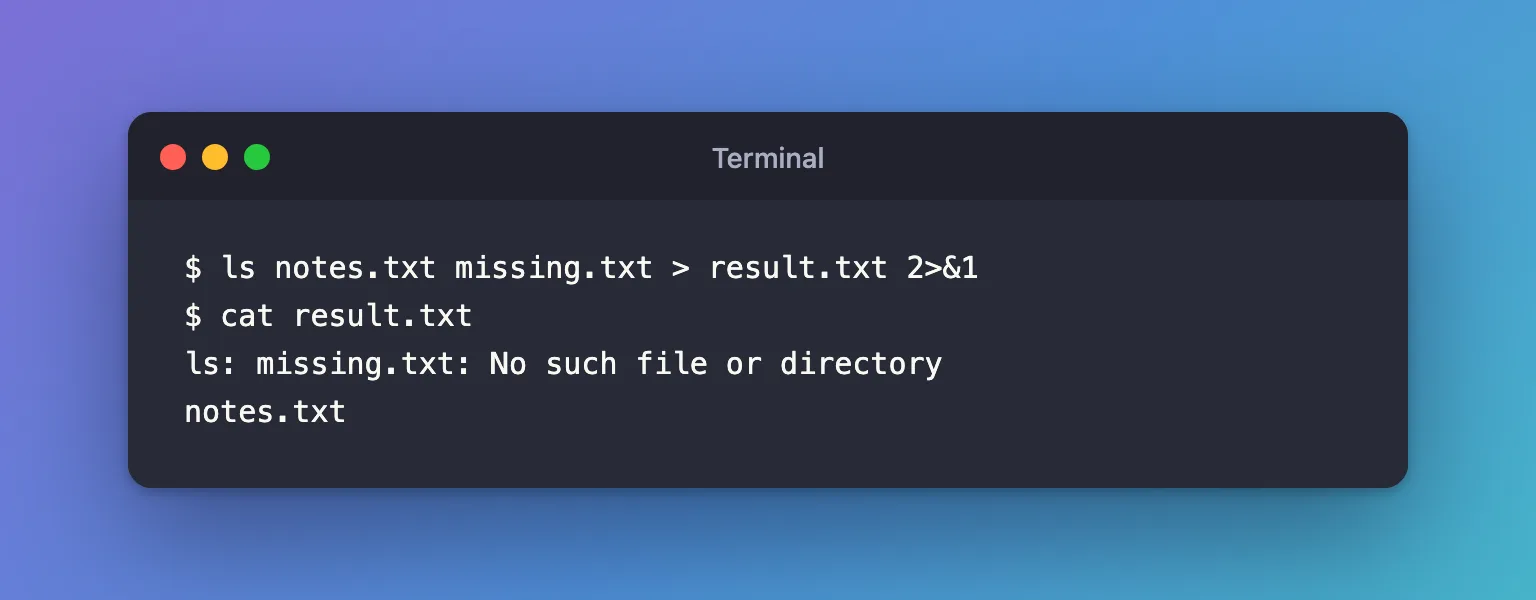
bash saved the same two lines.
Common Mistakes
| Mistake | What happens | Do this instead |
|---|---|---|
Putting 2>&1 first: ls notes.txt missing.txt 2>&1 > result.txt | The error still showed on the screen, and the file held only notes.txt | Put 2>&1 after > file |
Troubleshooting
| Symptom | Likely cause | Fix |
|---|---|---|
| Errors are missing from a log file | Only standard output was redirected, or 2>&1 came before > file | Add 2>&1 after > file |
FAQ
Is there a shorter way?
Yes: &> result.txt saved both lines too, in zsh and in bash. The bash manual calls it "semantically equivalent to > word 2>&1".
What do the numbers 1 and 2 mean?
They're file descriptors, the numbers of a program's streams. The bash manual: "standard output (file descriptor 1) and standard error (file descriptor 2)".
Conclusion
ls notes.txt missing.txt > result.txt 2>&1 wrote the error and the listing into result.txt and nothing to the screen. Put 2>&1 after > file, or use &> file.
Additional Resources
- Redirections —
>,2>&1,&>and the order of redirections in the bash manual. - zsh: Redirection — the same in zsh.
