How to Send a Welcome Message in the Microsoft 365 Agents SDK in C#

When someone opens a chat with your agent, the agent should speak first. In the Microsoft 365 Agents SDK, a person joining a conversation reaches your agent as a conversationUpdate activity, and one route turns it into a welcome message.
Syntax
OnConversationUpdate(ConversationUpdateEvents.MembersAdded, handler);
OnConversationUpdateis a method ofAgentApplication. Call it in your agent's constructor.ConversationUpdateEvents.MembersAddedpicks the conversation updates that add at least one member.ConversationUpdateEvents.MembersRemovedpicks the ones where members leave.handleris the method that runs, with the signatureTask Name(ITurnContext turnContext, ITurnState turnState, CancellationToken cancellationToken). The new members are inturnContext.Activity.MembersAdded.
The Example
The agent for this post does one thing: it welcomes everyone who joins its conversation, by name when the channel sends one.
using Microsoft.Agents.Builder;
using Microsoft.Agents.Builder.App;
using Microsoft.Agents.Builder.State;
using Microsoft.Agents.Core.Models;

namespace WelcomeDemo;

public class WelcomeAgent : AgentApplication
{
    public WelcomeAgent(AgentApplicationOptions options) : base(options)
    {
        OnConversationUpdate(ConversationUpdateEvents.MembersAdded, WelcomeAsync);
    }

    private async Task WelcomeAsync(ITurnContext turnContext, ITurnState turnState, CancellationToken cancellationToken)
    {
        foreach (ChannelAccount member in turnContext.Activity.MembersAdded)
        {
            // The agent is one of the members added; don't welcome it.
            if (member.Id == turnContext.Activity.Recipient.Id)
            {
                continue;
            }

            // Not every channel sends a member's name.
            string greeting = string.IsNullOrEmpty(member.Name) ? "Welcome!" : $"Welcome, {member.Name}!";
            await turnContext.SendActivityAsync($"{greeting} I greet everyone who joins this conversation.", cancellationToken: cancellationToken);
        }
    }
}
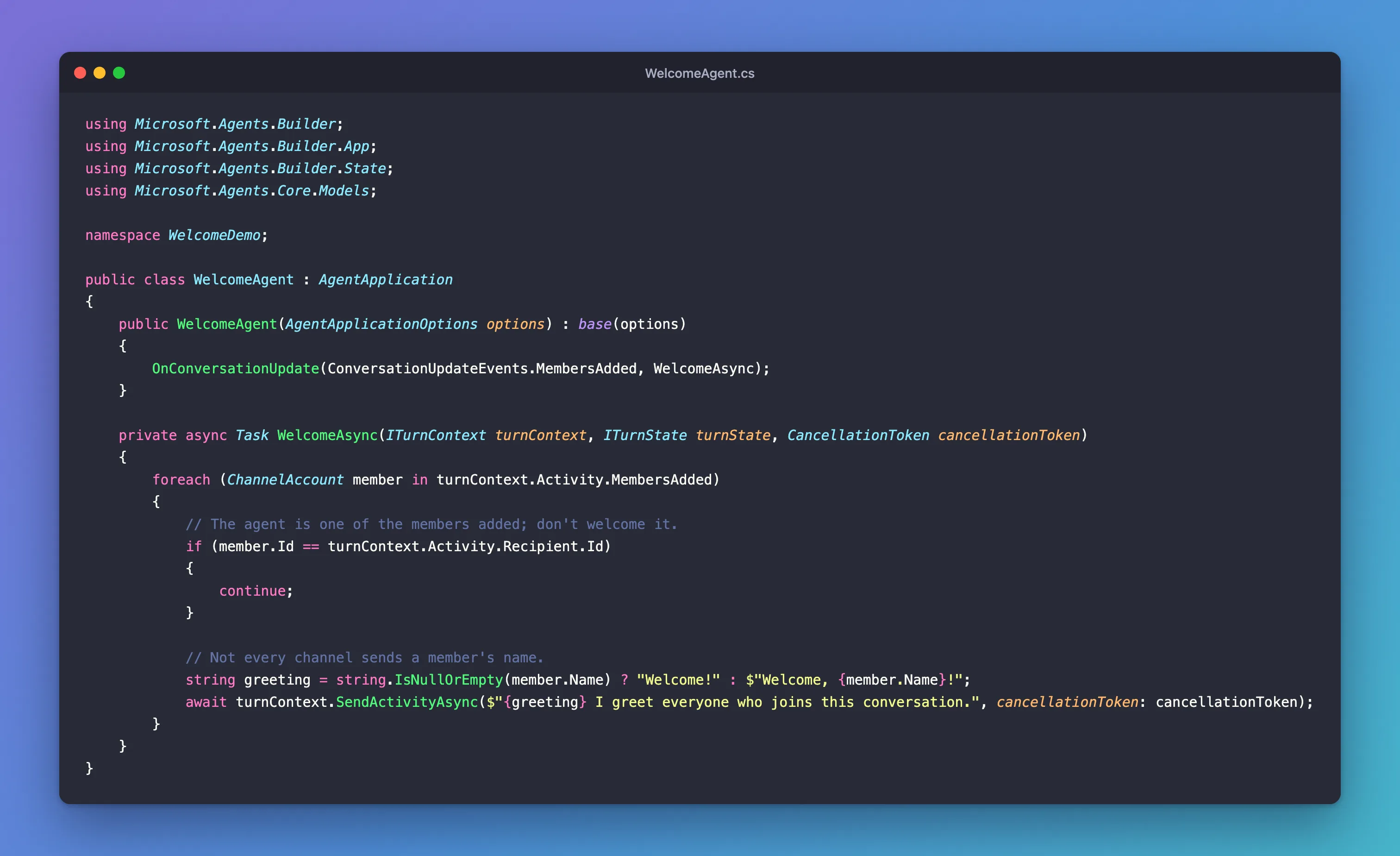
It's one class in an ASP.NET Core project with the Agents SDK, hosted with AddAgent<WelcomeAgent>() and listening on port 3978.
Prerequisites
- The Microsoft 365 Agents Playground, to try the welcome on your own machine.
agentsplayground --versionshould print0.2.30; if the command isn't found, install it withnpm install -g @microsoft/m365agentsplayground.
Step 1: Register the Route
Register the route in your agent's constructor:
public WelcomeAgent(AgentApplicationOptions options) : base(options)
{
    OnConversationUpdate(ConversationUpdateEvents.MembersAdded, WelcomeAsync);
}
The route runs only for conversation updates that add members. Updates that only remove members, or change something else about the conversation, never reach it.
Step 2: Welcome Everyone but the Agent
A conversation update lists every member it adds, and the agent is usually one of them. This is the update the Agents Playground sends when it connects, from its Log Panel:
{
  "type": "conversationUpdate",
  "id": "2f20a3c8-74f8-4a0b-bb03-be9ed709a2e9",
  "from": {
    "id": "user-id-0",
    "aadObjectId": "00000000-0000-0000-0000-0000000000020"
  },
  "timestamp": "2026-11-21T07:01:40.660Z",
  "serviceUrl": "http://localhost:56150/_connector",
  "conversation": {
    "conversationType": "personal",
    "tenantId": "00000000-0000-0000-0000-0000000000001",
    "id": "7ab6bc9a-df90-411f-91d4-cca423fde440"
  },
  "recipient": {
    "id": "00000000-0000-0000-0000-00000000000011",
    "name": "Test Bot"
  },
  "membersAdded": [
    {
      "id": "user-id-0",
      "aadObjectId": "00000000-0000-0000-0000-0000000000020"
    },
    {
      "id": "00000000-0000-0000-0000-00000000000011"
    }
  ],
  "channelData": {
    "tenant": {
      "id": "00000000-0000-0000-0000-0000000000001"
    }
  },
  "channelId": "emulator"
}
membersAdded holds two members: user-id-0, which is you, and an id that's the same as recipient.id, which is the agent itself. So the handler goes through the members one by one and skips the one whose Id is the agent's:
private async Task WelcomeAsync(ITurnContext turnContext, ITurnState turnState, CancellationToken cancellationToken)
{
    foreach (ChannelAccount member in turnContext.Activity.MembersAdded)
    {
        // The agent is one of the members added; don't welcome it.
        if (member.Id == turnContext.Activity.Recipient.Id)
        {
            continue;
        }

        // Not every channel sends a member's name.
        string greeting = string.IsNullOrEmpty(member.Name) ? "Welcome!" : $"Welcome, {member.Name}!";
        await turnContext.SendActivityAsync($"{greeting} I greet everyone who joins this conversation.", cancellationToken: cancellationToken);
    }
}
- The loop handles any number of new members, because one update can add several people.
member.Id == turnContext.Activity.Recipient.Idis true for the agent: an incoming activity'sRecipientis always the agent.- The greeting uses the member's
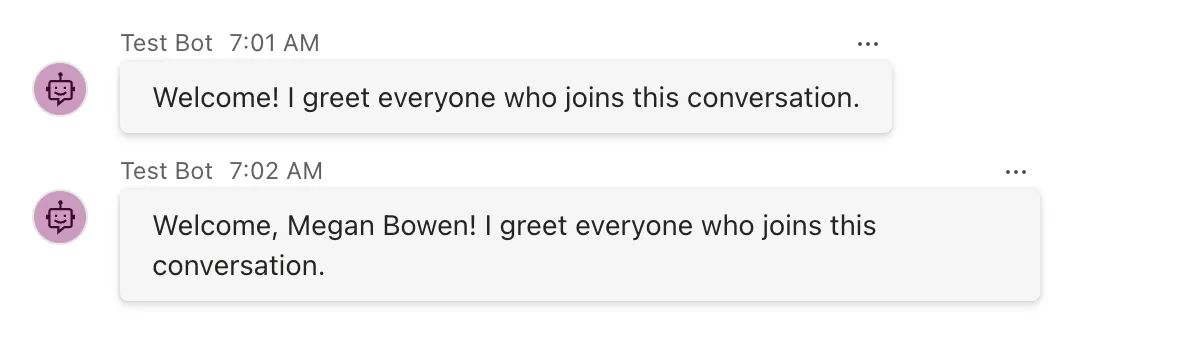
Namewhen the channel sent one. The update above has no name for you, so you get a plain Welcome!.
Step 3: Run It
Start your agent with dotnet run, then start the Agents Playground in a second terminal, as the emulator channel:
agentsplayground -e http://localhost:3978/api/messages -c emulator
The welcome arrives before you type anything:

Step 4: Welcome a Second Member
To see what happens when someone joins later, add a member yourself. Choose Mock an Activity → Add user in the Playground's toolbar. The Add user dialog opens with a conversationUpdate already addressed to your agent, and its membersAdded adds user-id-0 again. Change that member to someone new: Megan Bowen, one of the Playground's made-up users. Replace the member's two lines inside membersAdded with these:
"id": "user-id-1",
"name": "Megan Bowen"
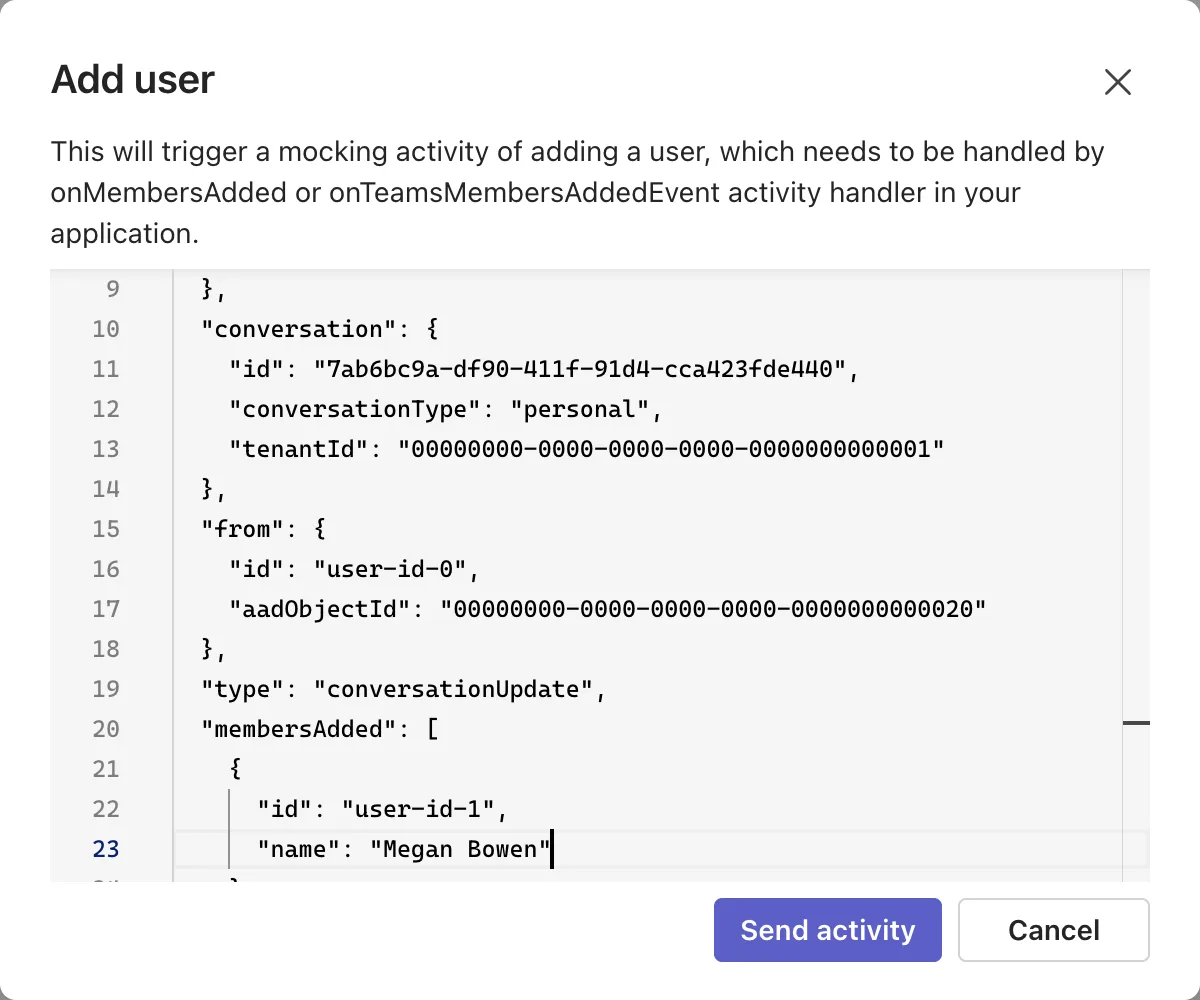
Select Send activity. This update carries a name, so the welcome uses it:
Common Mistakes
| Mistake | What happens | Do this instead |
|---|---|---|
Welcoming every member in MembersAdded | The agent welcomes itself | Skip the member whose Id equals turnContext.Activity.Recipient.Id |
| Sending one welcome for the whole update | Only one person is greeted when several join at once | Loop over MembersAdded |
| Assuming every member has a name | Greetings such as Welcome, ! | Fall back to a greeting without a name |
Using OnActivity(ActivityTypes.ConversationUpdate, ...) | The handler also runs when members leave or the conversation changes | Use ConversationUpdateEvents.MembersAdded |
Troubleshooting
| Symptom | Likely cause | Fix |
|---|---|---|
No welcome, and the Log Panel shows conversationUpdate 202 | The only member added is the agent itself | Expected when the agent joins a group chat; see the FAQ |
| The agent sends a welcome to itself | The handler doesn't skip Recipient.Id | Add the continue for the agent's own id |
| The welcome says Welcome! without a name | The channel sent the member without a name | Expected; the Playground's first update has no names |
FAQ
Why does nothing happen when I open the Playground's Group Chat?
Because nobody new joins you there: the agent does. Opening Group Chat sends a conversationUpdate whose membersAdded lists only the agent, so the handler skips it and sends nothing. If you want the agent to introduce itself when it's added to a group, send that introduction in the branch where member.Id equals Recipient.Id.
Does this work in Microsoft Teams?
Teams sends a members-added update when your agent itself is added to a conversation, and when a user is added to a conversation where the agent is installed. Microsoft's Teams documentation shows that the update for a one-to-one chat lists both the agent and the user, so this code welcomes the user there. When the agent is added to a team, the update lists only the agent, and Teams recommends its installationUpdate activity for the introduction.
Can I say goodbye when someone leaves?
Yes. Register OnConversationUpdate(ConversationUpdateEvents.MembersRemoved, handler), and read the members who left from turnContext.Activity.MembersRemoved.
Conclusion
To welcome people, register OnConversationUpdate(ConversationUpdateEvents.MembersAdded, handler), loop over turnContext.Activity.MembersAdded, skip the member whose Id is Recipient.Id, and greet everyone else, by name when the channel sends one. The Agents Playground sends the first update when it connects, and Mock an Activity → Add user sends more whenever you need them.
Additional Resources
- AgentApplication in Microsoft 365 Agents SDK — routes, including conversation updates.
- Conversation events for agents — when Teams sends members-added and members-removed updates.
