How to Send a POST Request to a Web API with curl and PowerShell

A POST request sends data to a web API: a new order, a message, a reminder. You don't need a separate tool to send one while you build or test an API. curl does it on macOS and Linux, and PowerShell has Invoke-RestMethod built in. This guide sends the same JSON request both ways, reads the status code, and shows the one header you can't leave out.
Syntax
- macOS / Linux
- Windows (PowerShell)
curl -X POST <url> -H "Content-Type: application/json" -d '<json>'
| Part | What it is |
|---|---|
-X POST | The HTTP method |
<url> | The address of the API endpoint |
-H "Content-Type: application/json" | A request header that says the body is JSON |
-d '<json>' | The body, in single quotes so the shell leaves the double quotes inside alone |
-i (optional) | Also print the response's status line and headers |
Invoke-RestMethod -Method Post -Uri <url> -ContentType "application/json" -Body '<json>'
| Part | What it is |
|---|---|
-Method Post | The HTTP method |
-Uri <url> | The address of the API endpoint |
-ContentType "application/json" | Says the body is JSON |
-Body '<json>' | The body, in single quotes so PowerShell leaves the double quotes inside alone |
Invoke-RestMethod turns a JSON response into a PowerShell object. Use Invoke-WebRequest with the same parameters when you want the status code and headers.
The Example
The API for this guide is a small ASP.NET Core minimal API with one endpoint: POST /orders takes an order as JSON and answers 201 Created with the order and its new ID. This is all of its Program.cs:
var builder = WebApplication.CreateBuilder(args);

var app = builder.Build();

app.MapPost("/orders", (OrderRequest order) =>
    Results.Created("/orders/1001", new { id = 1001, order.Item, order.Quantity }));

app.Run();

record OrderRequest(string Item, int Quantity);
The OrderRequest parameter tells ASP.NET Core to read the request's body as JSON. The commands on this page were run with curl 8.7 on macOS and PowerShell 7.6.
Prerequisites
- The .NET SDK, to run the example API.
dotnet --versionshould print a version number; this page used10.0.404.
Step 1: Start the API
In the API's project folder, start it on a fixed port, so the commands below work as written:
dotnet run --urls http://localhost:5080
info: Microsoft.Hosting.Lifetime[14]
      Now listening on: http://localhost:5080
info: Microsoft.Hosting.Lifetime[0]
      Application started. Press Ctrl+C to shut down.
Leave it running, and open a second terminal for the requests.
Step 2: Send the POST Request
- macOS / Linux
- Windows (PowerShell)
curl -X POST http://localhost:5080/orders -H "Content-Type: application/json" -d '{"item":"Coffee beans","quantity":2}'
{"id":1001,"item":"Coffee beans","quantity":2}
Invoke-RestMethod -Method Post -Uri http://localhost:5080/orders -ContentType 'application/json' -Body '{"item":"Coffee beans","quantity":2}'
  id item         quantity
  -- ----         --------
1001 Coffee beans        2
The API read the order and answered with it, plus its new id. curl prints the response exactly as it arrived. Invoke-RestMethod turned the JSON into an object and printed it as a table.
Step 3: See the Status Code and Headers
A web API says how the request went with a status code, and the response's headers carry more, such as where the new order lives.
- macOS / Linux
- Windows (PowerShell)
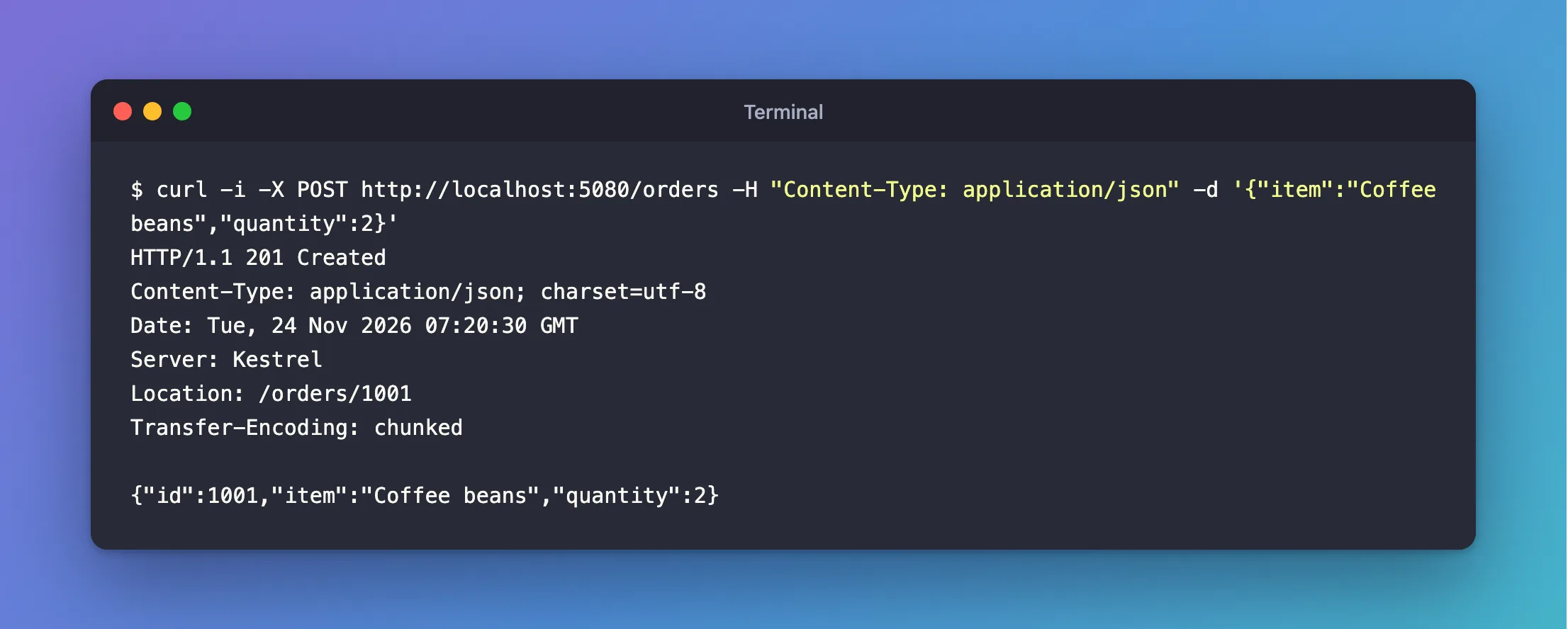
Add -i:
curl -i -X POST http://localhost:5080/orders -H "Content-Type: application/json" -d '{"item":"Coffee beans","quantity":2}'
HTTP/1.1 201 Created
Content-Type: application/json; charset=utf-8
Date: Tue, 24 Nov 2026 07:20:30 GMT
Server: Kestrel
Location: /orders/1001
Transfer-Encoding: chunked

{"id":1001,"item":"Coffee beans","quantity":2}
Use Invoke-WebRequest, and read its StatusCode:
(Invoke-WebRequest -Method Post -Uri http://localhost:5080/orders -ContentType 'application/json' -Body '{"item":"Coffee beans","quantity":2}').StatusCode
201
The object Invoke-WebRequest returns also has Headers and Content, for the rest of the response.
201 Created means the API created something, and its Location header says where.
Step 4: See What Happens Without the Content Type
Leave out the header and send the same body:
- macOS / Linux
- Windows (PowerShell)
curl -i -X POST http://localhost:5080/orders -d '{"item":"Coffee beans","quantity":2}'
HTTP/1.1 415 Unsupported Media Type
Content-Length: 0
Date: Tue, 24 Nov 2026 07:20:31 GMT
Server: Kestrel
Invoke-RestMethod -Method Post -Uri http://localhost:5080/orders -Body '{"item":"Coffee beans","quantity":2}'
Invoke-RestMethod: Response status code does not indicate success: 415 (Unsupported Media Type).
415 Unsupported Media Type: the API refused the request because of its label, not its content. Both tools label a POST without an explicit content type as a form. curl's manual says -d sends data using the content-type application/x-www-form-urlencoded. PowerShell's documentation says the same of Invoke-WebRequest and Invoke-RestMethod: For a POST method, the content type is application/x-www-form-urlencoded. Microsoft's ASP.NET Core documentation lists what happens when a minimal API endpoint that reads a JSON body gets anything else: Wrong content type (not application/json), status code 415.
So send the header every time you send JSON.
Common Mistakes
| Mistake | What happens | Do this instead |
|---|---|---|
| Leaving out the content type | 415 Unsupported Media Type | Add -H "Content-Type: application/json" or -ContentType "application/json" |
| Double quotes around the JSON in bash | 400 Bad Request: the shell removes the quotes inside, so the body isn't valid JSON | Put the JSON in single quotes |
Using curl in Windows PowerShell 5.1 | In that version, curl is an alias of Invoke-WebRequest, with different parameters | Use Invoke-RestMethod, or type curl.exe |
Troubleshooting
| Symptom | Likely cause | Fix |
|---|---|---|
| curl: (7) Failed to connect to localhost port 5080 | The API isn't running, or listens on another port | Start it, and check the address in its output |
| 400 Bad Request | The body isn't valid JSON, or doesn't match what the endpoint expects | Check the quotes and the property names |
| 404 Not Found | Wrong path | Check the endpoint's route, such as /orders |
FAQ
Why do the two tools show the answer differently?
curl prints the bytes of the response. Invoke-RestMethod reads the JSON and gives you a PowerShell object, which PowerShell prints as a table. You can use its properties, such as (Invoke-RestMethod ...).id.
How do I send a POST without a body?
Leave out -d or -Body. curl then sends no content type at all. PowerShell still labels the request as a form, so add -ContentType "application/json" if the endpoint accepts only JSON.
Conclusion
A POST request needs four things: the method, the address, the body, and a content type that says what the body is. curl takes them as -X POST, the URL, -d and -H "Content-Type: application/json". PowerShell's Invoke-RestMethod takes them as -Method Post, -Uri, -Body and -ContentType. Leave out the content type, and an API that expects JSON answers 415.
Additional Resources
- Invoke-RestMethod and Invoke-WebRequest — the parameters, and the default content type for POST.
- curl manual: -d, --data — what
-dsends. - Parameter binding in minimal APIs: binding failures — the 415 for a wrong content type.
