How to Send a Message with Enter and Add a New Line with Shift+Enter in React

Chat boxes have a convention: Enter sends the message, Shift+Enter starts a new line. A <textarea> does the opposite by default — Enter adds a line, and nothing sends. One onKeyDown handler swaps the two, and one more check keeps it from interrupting people who type with an input method, as for Japanese or Chinese. This guide builds the box and tests it in a real browser.
What Has to Happen
A <textarea> inside a <form> never submits the form when you press Enter; it inserts a line break. To make Enter send, the handler has to stop that line break and submit the form itself — but only when Shift isn't held, and only when the keypress isn't part of composing characters.
That last condition matters for people who type with an input method editor (IME): they type sounds, pick characters from a list, and press Enter to confirm the choice. That Enter must not send the message. While a choice is being composed, the browser marks keyboard events with isComposing.
Prerequisites
- A React app. The examples use React 19.3.1 in a Next.js 16.4.6 app.
Step 1: Handle the Key
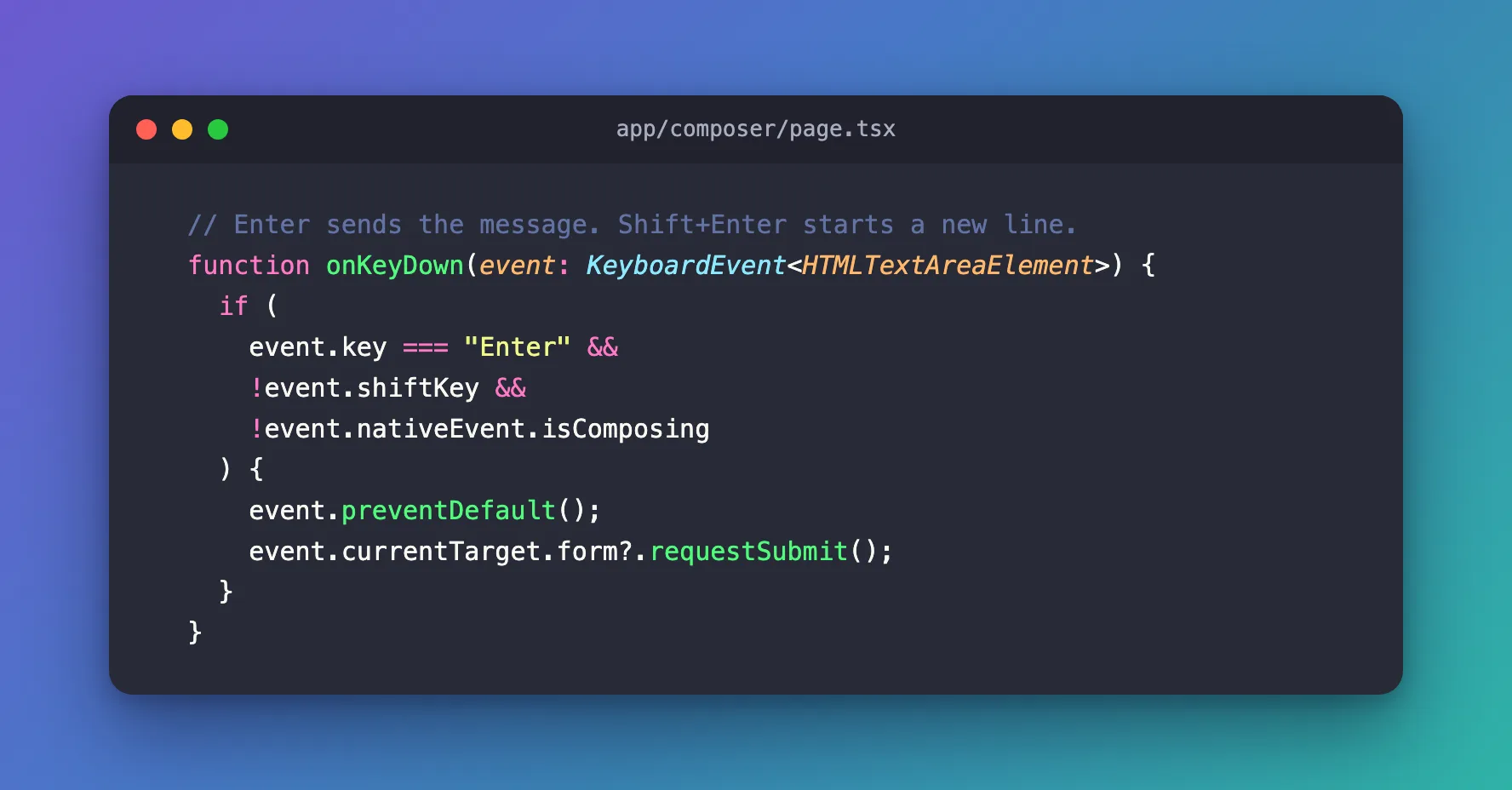
  // Enter sends the message. Shift+Enter starts a new line.
  function onKeyDown(event: KeyboardEvent<HTMLTextAreaElement>) {
    if (
      event.key === "Enter" &&
      !event.shiftKey &&
      !event.nativeEvent.isComposing
    ) {
      event.preventDefault();
      event.currentTarget.form?.requestSubmit();
    }
  }
| Code | What it does |
|---|---|
event.key === "Enter" | Only the Enter key |
!event.shiftKey | Shift+Enter is left alone, so the textarea adds a line as usual |
!event.nativeEvent.isComposing | An Enter that confirms characters in an input method is left alone too |
event.preventDefault() | Stops the line break that Enter would add |
event.currentTarget.form?.requestSubmit() | Submits the textarea's form the same way the Send button does, so the form's onSubmit runs and validation happens as usual |
requestSubmit() is the right call here: unlike form.submit(), it fires the submit event that React's onSubmit listens to.
Step 2: Put It in a Form
The complete page: a list of sent messages, and a form with the textarea and a Send button:
"use client";

import { type FormEvent, type KeyboardEvent, useState } from "react";

export default function ComposerPage() {
  const [draft, setDraft] = useState("");
  const [sent, setSent] = useState<string[]>([]);

  function onSubmit(event: FormEvent<HTMLFormElement>) {
    event.preventDefault();
    const text = draft.trim();
    if (text) {
      setSent((current) => [...current, text]);
      setDraft("");
    }
  }

  // Enter sends the message. Shift+Enter starts a new line.
  function onKeyDown(event: KeyboardEvent<HTMLTextAreaElement>) {
    if (
      event.key === "Enter" &&
      !event.shiftKey &&
      !event.nativeEvent.isComposing
    ) {
      event.preventDefault();
      event.currentTarget.form?.requestSubmit();
    }
  }

  return (
    <main style={{ padding: 48, maxWidth: 560, fontFamily: "system-ui" }}>
      <ul style={{ display: "grid", gap: 8, listStyle: "none" }}>
        {sent.map((text, index) => (
          <li
            // biome-ignore lint/suspicious/noArrayIndexKey: messages never move.
            key={index}
            style={{
              whiteSpace: "pre-wrap",
              padding: "8px 12px",
              borderRadius: 12,
              background: "var(--surface)",
            }}
          >
            {text}
          </li>
        ))}
      </ul>
      <form
        onSubmit={onSubmit}
        style={{ display: "flex", gap: 8, marginTop: 16 }}
      >
        <textarea
          aria-label="Message"
          value={draft}
          onChange={(event) => setDraft(event.target.value)}
          onKeyDown={onKeyDown}
          rows={3}
          style={{ flex: 1, font: "inherit", padding: 8 }}
        />
        <button type="submit">Send</button>
      </form>
    </main>
  );
}
onSubmit trims the text and ignores empty messages, so Enter in an empty box does nothing. whiteSpace: "pre-wrap" makes the sent message keep its line breaks.
Step 3: Try It
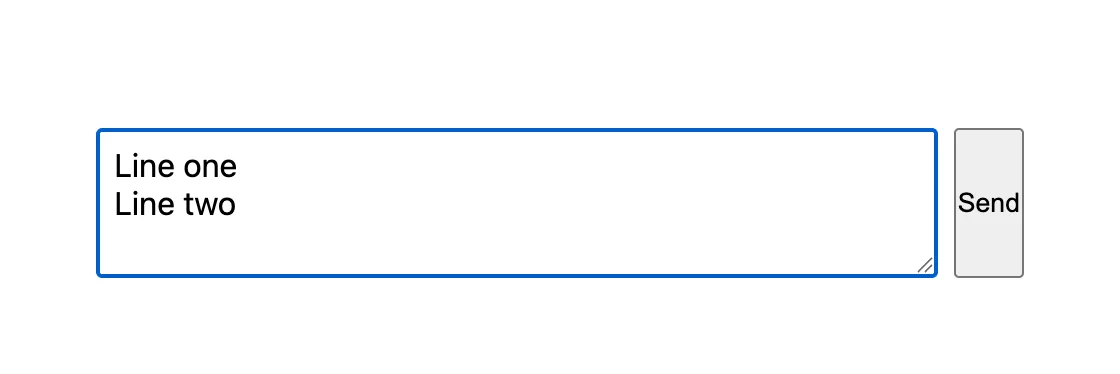
I drove the page in Chrome with real key presses: Line one, Shift+Enter, Line two. The box held both lines, and nothing was sent:
Then Enter. The message was sent with both lines, and the box was emptied:
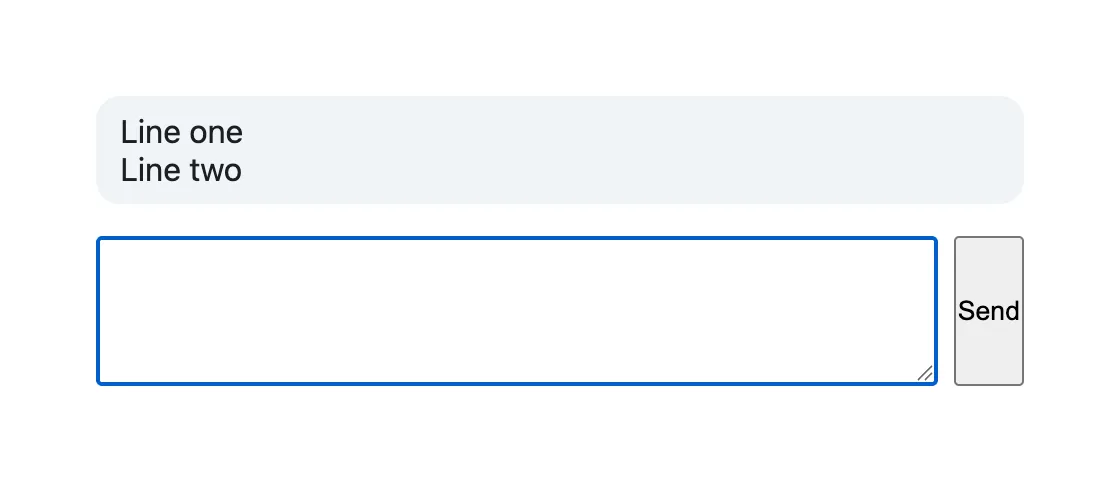
The sent text was exactly "Line one\nLine two". Pressing Enter in the empty box first sent nothing.
Common Mistakes
| Mistake | What happens | Do this instead |
|---|---|---|
Leaving out the isComposing check | People typing Japanese, Chinese or Korean send half-finished messages | Skip Enter while event.nativeEvent.isComposing is true |
Calling form.submit() | React's onSubmit doesn't run, and the page may reload | form.requestSubmit() |
Sending from onKeyDown directly, outside the form | Enter and the Send button behave differently | Submit the form, and keep sending in onSubmit |
Showing the message without white-space: pre-wrap | The line breaks disappear when it's displayed | Add pre-wrap to the message's style |
Troubleshooting
| Symptom | Likely cause | Fix |
|---|---|---|
| Enter still adds a line | preventDefault() isn't called, or the handler isn't on the textarea | Check onKeyDown={onKeyDown} on the <textarea> |
| Enter reloads the page | onSubmit doesn't call event.preventDefault() | Prevent the form's default submit |
| Shift+Enter sends | The shiftKey check is missing | Add !event.shiftKey |
FAQ
Why not use an input element?
An <input> already submits on Enter, but it can't hold several lines. A textarea lets people write longer, structured messages.
Should Ctrl+Enter send instead?
Some apps use it, so plain Enter can add lines. The convention in chat apps is Enter to send; whichever you pick, tell people with a hint near the box.
Conclusion
An onKeyDown handler that checks for Enter without Shift and outside an input method, prevents the default line break and calls form.requestSubmit() gives a textarea chat-style keys: Enter sends through your normal onSubmit, Shift+Enter starts a new line, and composing characters still works.
Additional Resources
- MDN: HTMLFormElement.requestSubmit() — submitting a form with its
submitevent. - MDN: KeyboardEvent.isComposing — keys pressed while composing characters.
- React: textarea — controlled text areas.
