How to Send a File in a POST Request with curl

When the body of a POST request is in a file, such as a JSON document or a CSV export, curl can read it from there: --data @file. For JSON that's all you need. For a file whose line breaks matter, --data is the wrong choice: it removes them, and --data-binary sends the file exactly as it is. This guide shows both against public test APIs, with real output from curl 8.7.1, plus PowerShell's -InFile.
Syntax
- macOS / Linux
- Windows (PowerShell)
curl URL -H "Content-Type: TYPE" --data @FILE
curl URL -H "Content-Type: TYPE" --data-binary @FILE
Invoke-RestMethod URL -Method Post -ContentType "TYPE" -InFile FILE
| Part | What it means |
|---|---|
--data @FILE | Send the file's contents as the body; the @ means "read from this file" |
--data-binary @FILE | The same, but exactly as it is, line breaks included |
-H "Content-Type: TYPE" | Say what the body is, such as application/json or text/csv |
-InFile FILE | PowerShell's way to send a file as the body |
curl's manual on --data: "When --data is told to read from a file like that, carriage returns, newlines and null bytes are stripped out." And on --data-binary: "Data is posted in a similar manner as --data does, except that newlines and carriage returns are preserved and conversions are never done." Both send POST by themselves.
Prerequisites
- curl, which comes with macOS, Linux and Windows 10 and later, or PowerShell 7 on Windows.
Step 1: Send a JSON File
post.json is a small blog post, for JSONPlaceholder, a public test API that answers as if it had saved it:
{"title": "Hello", "body": "My first post", "userId": 1}
- macOS / Linux
- Windows (PowerShell)
curl https://jsonplaceholder.typicode.com/posts -H "Content-Type: application/json" --data @post.json
{
  "title": "Hello",
  "body": "My first post",
  "userId": 1,
  "id": 101
}
Invoke-RestMethod https://jsonplaceholder.typicode.com/posts -Method Post -ContentType "application/json" -InFile post.json
title body          userId  id
----- ----          ------  --
Hello My first post      1 101
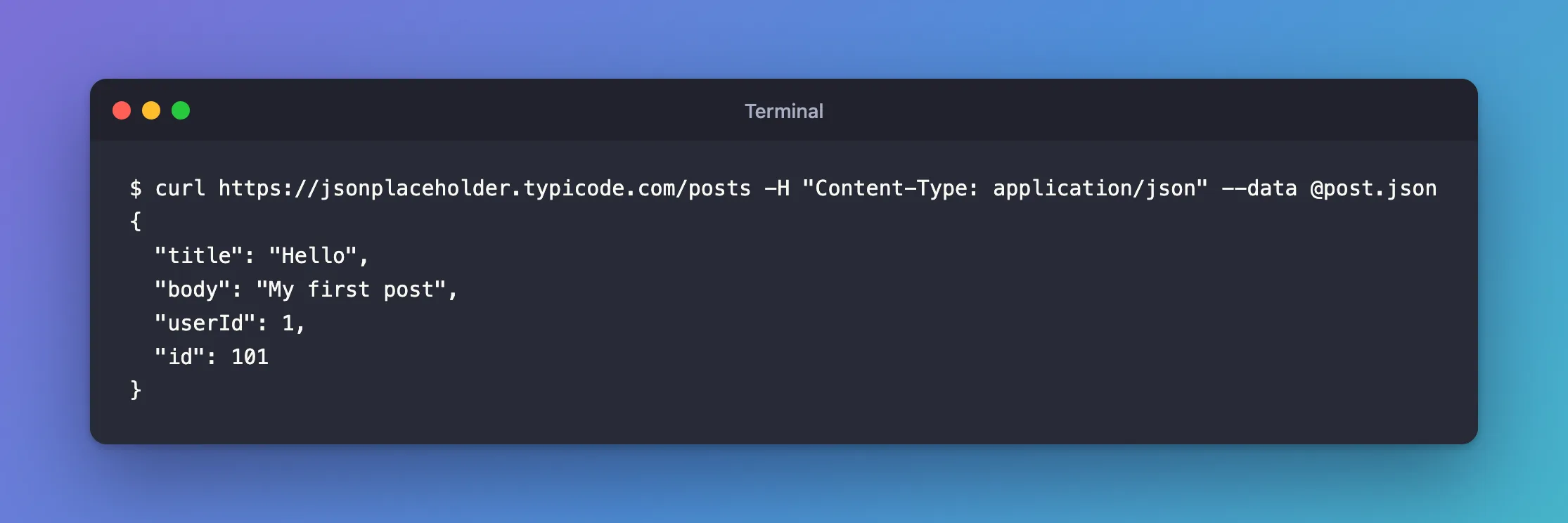
The API read the file and sent the post back with an id, 101. For JSON, removed line breaks don't matter.
Step 2: See What --data Does to Line Breaks
lines.txt has two lines:
first line
second line
httpbin.org's /post sends back what it received. grep '"data"', or Select-String '"data"' in PowerShell, keeps only the line with the body. In PowerShell, the @ needs quotes, '@lines.txt':
- macOS / Linux
- Windows (PowerShell)
curl -s https://httpbin.org/post -H 'Content-Type: text/plain' --data @lines.txt | grep '"data"'
"data": "first linesecond line",
curl -s https://httpbin.org/post -H 'Content-Type: text/plain' --data '@lines.txt' | Select-String '"data"'
"data": "first linesecond line",
The line break between the two lines is gone: --data stripped it, as the manual says.
Step 3: Keep Them with --data-binary
- macOS / Linux
- Windows (PowerShell)
curl -s https://httpbin.org/post -H 'Content-Type: text/plain' --data-binary @lines.txt | grep '"data"'
"data": "first line\nsecond line\n",
curl -s https://httpbin.org/post -H 'Content-Type: text/plain' --data-binary '@lines.txt' | Select-String '"data"'
"data": "first line\nsecond line\n",

Both line breaks arrived, written \n in the JSON answer. For CSV, where each line is a row, that's the difference between a file the server can read and one long line.
A file saved with Windows line endings keeps those too: the same command with a copy of lines.txt whose lines end in \r\n sent "first line\r\nsecond line\r\n".
Common Mistakes
| Mistake | What happens | Do this instead |
|---|---|---|
--data @file.csv for a CSV file | The rows run together into one line | --data-binary @file.csv |
Leaving out -H "Content-Type: ..." | curl labels the body application/x-www-form-urlencoded, which APIs that expect JSON or CSV refuse | Set the type |
--data @post.json in PowerShell | ParserError: The splatting operator '@' cannot be used to reference variables in an expression | Invoke-RestMethod ... -InFile post.json, or quote it, '@post.json' |
Troubleshooting
| Symptom | Likely cause | Fix |
|---|---|---|
curl: Failed to open ... and error encountered when reading a file | curl can't find the file after @ | Check the path; it's relative to the folder you run curl in |
415 Unsupported Media Type from the API | The Content-Type doesn't match what the API accepts | Use the type the API documents |
FAQ
What does the @ do?
It tells curl to read the body from the file that follows, instead of sending the text post.json.
Is the request still a POST?
Yes: --data and --data-binary make curl send POST, so -X POST isn't needed.
Conclusion
--data @post.json sent a JSON file to JSONPlaceholder, which answered with the post and an id, while a two-line text file sent with --data arrived as one line and with --data-binary arrived with both line breaks.
Additional Resources
- curl manual —
--data,--data-binaryand the@form. - Invoke-RestMethod —
-InFileand the other parameters.
