How to Send a dataframe_split Request to an MLflow Model Server

dataframe_split is the JSON layout MLflow's model server reads most directly: the column names once, then each row's values in the same order, just as pandas splits a DataFrame. This guide builds one from a DataFrame, sends it to a served model with curl and PowerShell, and reads the answer, with real output from MLflow 3.18.0.
Syntax
{"dataframe_split": {"columns": [COLUMN, ...], "data": [[VALUE, ...], ...]}}
| Part | What it means |
|---|---|
columns | The input column names, as in the model's signature |
data | One list per row, with its values in the same order as columns |
index | Optional: a label per row; the server doesn't need it |
MLflow's guide to the inference server describes it as "Pandas DataFrames in the split orientation", made with pandas_df.to_dict(orient="split"). It's sent with Content-Type: application/json to /invocations.
Prerequisites
- An MLflow tracking server at
http://127.0.0.1:8080, such asmlflow server --port 8080. mlflowandscikit-learnin your project, for example withuv add mlflow scikit-learn pandas.
Step 1: Log a Model and Save Two Rows
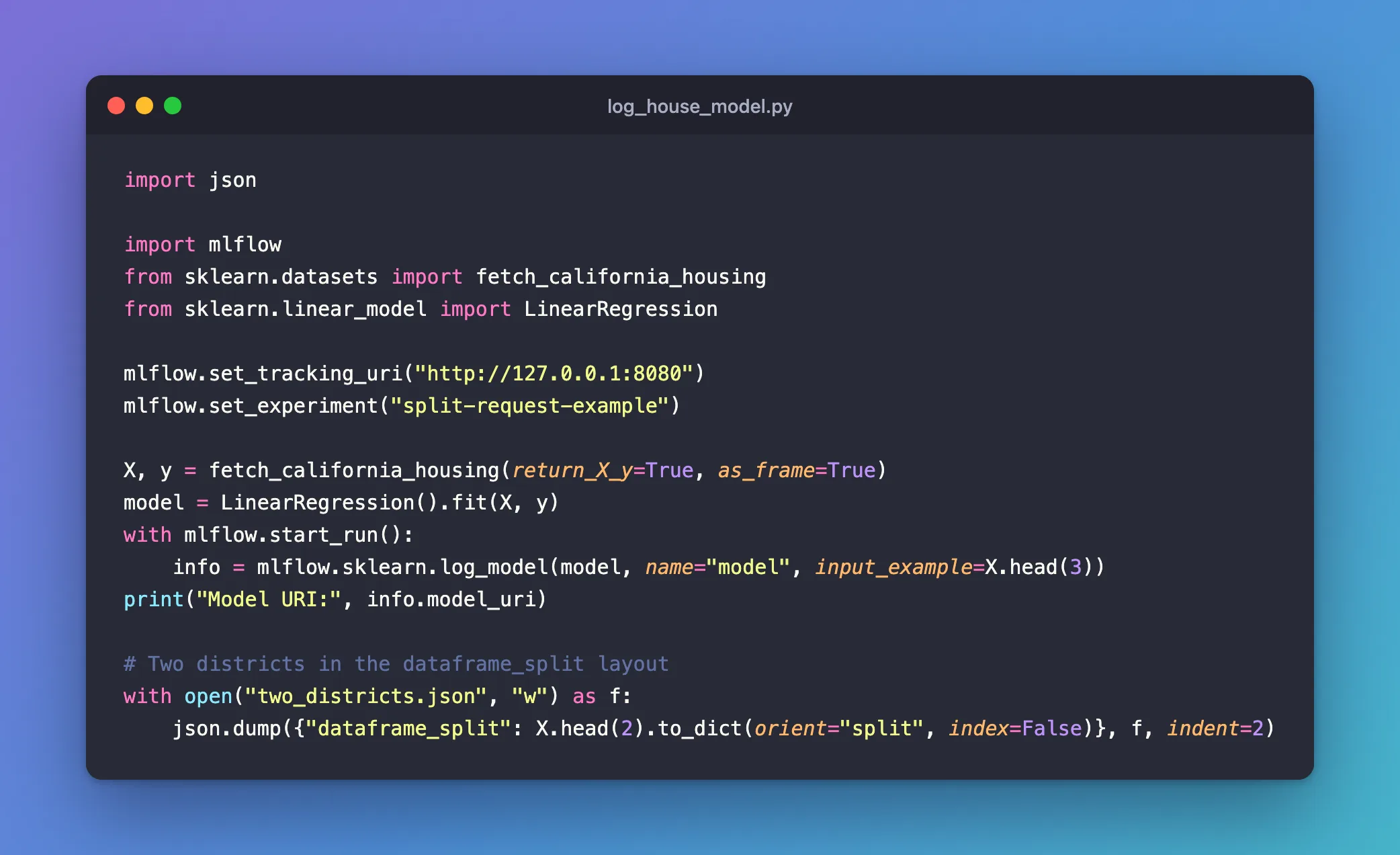
The example trains a linear regression on scikit-learn's California housing data, which predicts a district's median house value, in units of $100,000, from eight numbers such as the median income. It logs the model and saves the first two districts as a request:
import json

import mlflow
from sklearn.datasets import fetch_california_housing
from sklearn.linear_model import LinearRegression

mlflow.set_tracking_uri("http://127.0.0.1:8080")
mlflow.set_experiment("split-request-example")

X, y = fetch_california_housing(return_X_y=True, as_frame=True)
model = LinearRegression().fit(X, y)
with mlflow.start_run():
    info = mlflow.sklearn.log_model(model, name="model", input_example=X.head(3))
print("Model URI:", info.model_uri)

# Two districts in the dataframe_split layout
with open("two_districts.json", "w") as f:
    json.dump({"dataframe_split": X.head(2).to_dict(orient="split", index=False)}, f, indent=2)
uv run python log_house_model.py
Model URI: models:/m-af53e58e36974d81ad2986cc270a820b
to_dict(orient="split", index=False) turns the two rows into a dictionary with columns and data, and json.dump writes it. The file:
{
  "dataframe_split": {
    "columns": [
      "MedInc",
      "HouseAge",
      "AveRooms",
      "AveBedrms",
      "Population",
      "AveOccup",
      "Latitude",
      "Longitude"
    ],
    "data": [
      [
        8.3252,
        41.0,
        6.984126984126984,
        1.0238095238095237,
        322.0,
        2.5555555555555554,
        37.88,
        -122.23
      ],
      [
        8.3014,
        21.0,
        6.238137082601054,
        0.9718804920913884,
        2401.0,
        2.109841827768014,
        37.86,
        -122.22
      ]
    ]
  }
}
Step 2: Serve the Model
- macOS / Linux
- Windows (PowerShell)
export MLFLOW_TRACKING_URI=http://127.0.0.1:8080
uv run mlflow models serve -m "models:/m-af53e58e36974d81ad2986cc270a820b" -p 5001 --env-manager uv
$env:MLFLOW_TRACKING_URI = "http://127.0.0.1:8080"
uv run mlflow models serve -m "models:/m-af53e58e36974d81ad2986cc270a820b" -p 5001 --env-manager uv
Wait for Uvicorn running on http://127.0.0.1:5001.
Step 3: Send the Request
In another terminal, send the file to /invocations:
- macOS / Linux
- Windows (PowerShell)
curl http://127.0.0.1:5001/invocations -H "Content-Type: application/json" --data @two_districts.json
{"predictions": [4.1316498270767426, 3.9766064387043514]}
Invoke-RestMethod http://127.0.0.1:5001/invocations -Method Post -ContentType "application/json" -InFile two_districts.json
predictions
-----------
{4.13164982707674, 3.97660643870435}
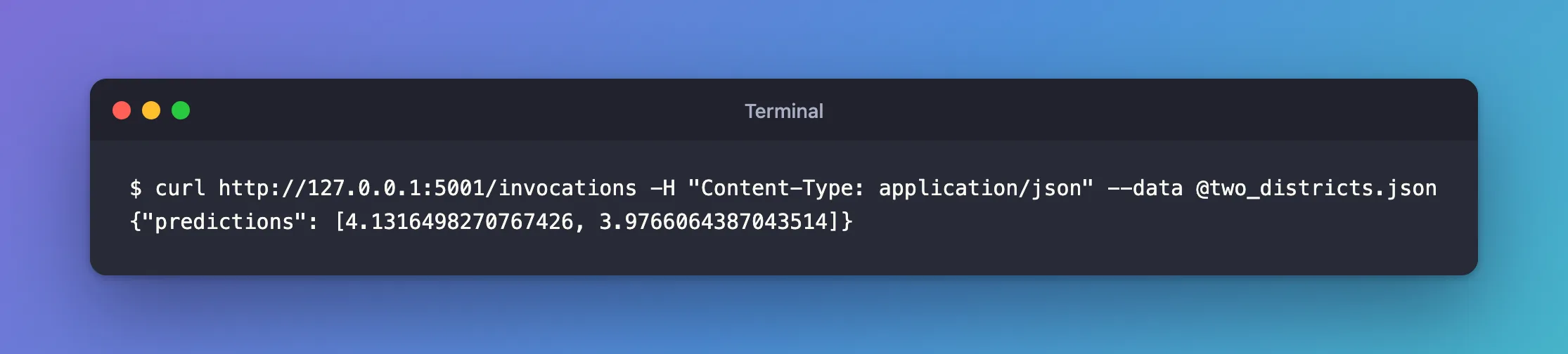
One prediction per row, in order: about $413,000 for the first district and $398,000 for the second. PowerShell rounds the numbers when it prints them.
Common Mistakes
| Mistake | What happens | Do this instead |
|---|---|---|
The JSON without the dataframe_split key, {"columns": ..., "data": ...} | 400: The input must be a JSON dictionary with exactly one of the input fields | Wrap it in {"dataframe_split": ...} |
| A missing column | 400 with Model is missing inputs | Send every column in the signature |
Troubleshooting
| Symptom | Likely cause | Fix |
|---|---|---|
Object of type int64 is not JSON serializable when you build the request with json.dumps | Values taken from NumPy directly, not through to_dict | Build it with DataFrame.to_dict(orient="split", index=False) |
415 Unsupported Media Type | The request has no Content-Type: application/json | Add the header |
FAQ
Do whole numbers need a decimal point?
No: the server turns each value into the type the model's signature asks for. When I sent another model's rows with whole numbers, such as 3 instead of 3.0, the predictions were the same.
Why dataframe_split and not dataframe_records?
dataframe_split writes each column name once and keeps the order. dataframe_records repeats the names in every row: How to Send a dataframe_records Request to an MLflow Model Server.
Conclusion
Two California districts, written with to_dict(orient="split", index=False) as columns plus one list of values per row and wrapped in {"dataframe_split": ...}, came back from the model server as two predictions, 4.13 and 3.98, in the same order.
Additional Resources
- Deploy MLflow Model as a Local Inference Server — all the JSON layouts the server reads.
- pandas.DataFrame.to_dict — the
splitorientation.
