How to See Why Git Ignores a File with git check-ignore

When a file never shows up in git status, a .gitignore rule is usually hiding it, but which one? git check-ignore -v names the file and the line that ignores a path. This guide checks a log file, a file in a build folder and a README, with real output from Git 2.56.
Syntax
git check-ignore -v <path> [<path> ...]
| Part | What it means |
|---|---|
<path> | A file or folder to check. It doesn't have to exist |
-v | Also prints the rule that matched: the file, its line number and the pattern |
Git's check-ignore documentation: for each path, it checks "whether the file is excluded by .gitignore (or other input files to the exclude mechanism) and output the path if it is excluded." And for -v: "Instead of printing the paths that are excluded, for each path that matches an exclude pattern, print the exclude pattern together with the path."
The Example
A repository called git-demo whose .gitignore has two lines:
*.log
build/
The folder holds README.md, app.log and build/output.txt.
Prerequisites
- Git. This guide uses Git 2.56.1.
Step 1: Check Three Paths
git check-ignore -v app.log
git check-ignore -v build/output.txt
git check-ignore -v README.md
.gitignore:1:*.log	app.log
.gitignore:2:build/	build/output.txt
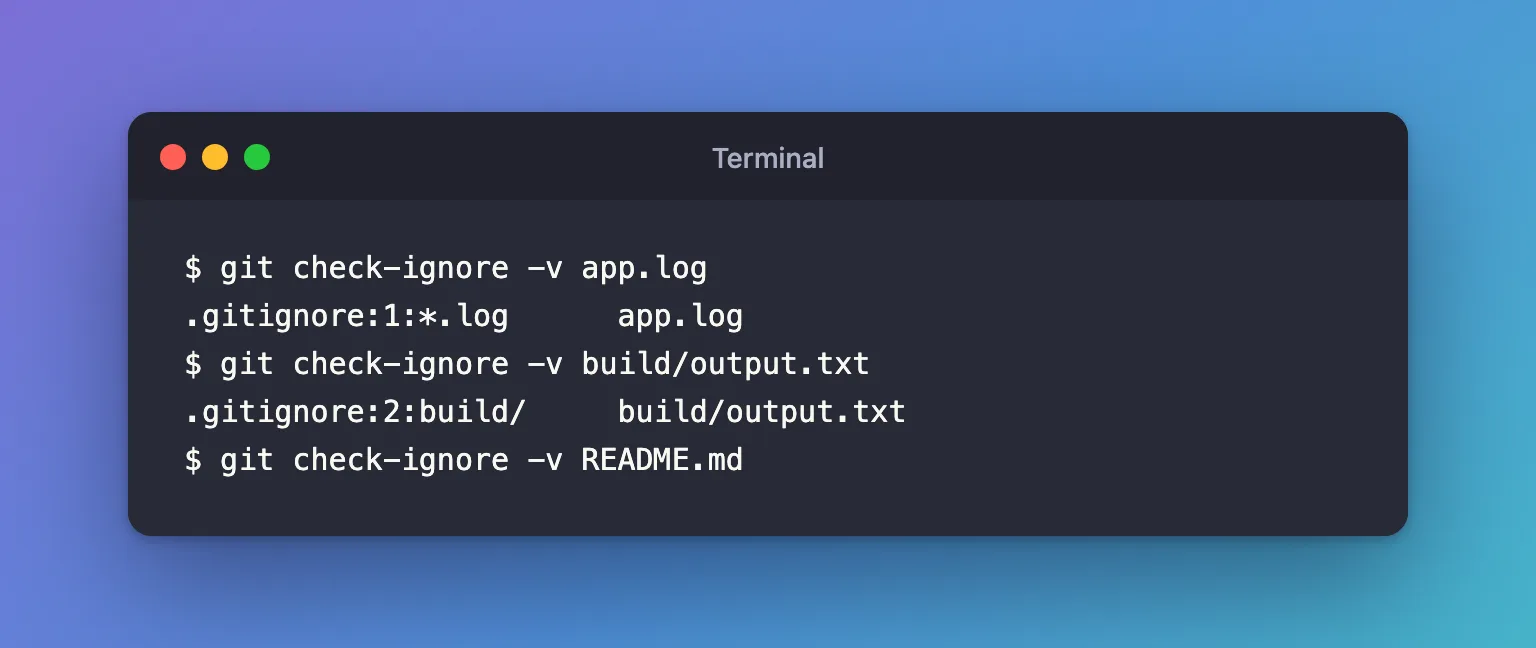
Each line reads: the file with the rule, the rule's line number, the pattern, then the path it matched. app.log is ignored by line 1, *.log, and build/output.txt by line 2, build/. README.md printed nothing: no rule ignores it.
Step 2: Read the Answer from the Exit Status
Commands that print nothing still answer with their exit status, which echo $? prints right after:
git check-ignore -v README.md
echo $?
1
The documentation lists the exit statuses: "0 One or more of the provided paths is ignored. 1 None of the provided paths are ignored. 128 A fatal error was encountered." 1: README.md isn't ignored.
Common Mistakes
| Mistake | What happens | Do this instead |
|---|---|---|
Leaving out -v | You learn that the path is ignored, but not which rule does it | Add -v |
| Expecting output for a file that isn't ignored | There is none | Read the exit status: 1 means not ignored |
Troubleshooting
| Symptom | Likely cause | Fix |
|---|---|---|
A new file never appears in git status | A .gitignore rule matches it | git check-ignore -v <file> names the rule |
FAQ
Does the file have to exist?
No. Git checks the path against the rules: git check-ignore -v nothere.log, for a file that doesn't exist, printed .gitignore:1:*.log and the name.
Can I check a whole folder?
Yes. git check-ignore -v build printed .gitignore:2:build/ and build: line 2 ignores the whole folder.
Conclusion
git check-ignore -v showed that line 1 of .gitignore, *.log, ignores app.log, and line 2, build/, ignores build/output.txt. README.md printed nothing, and the exit status, 1, confirmed that no rule ignores it.
Additional Resources
- git check-ignore — the command, its options and exit statuses.
- gitignore — how ignore patterns work.
