How to See What EF Core Will Save with ChangeTracker.DebugView

When SaveChangesAsync does something you didn't expect, or nothing at all, you need to see what EF Core thinks has changed. ChangeTracker.DebugView.LongView prints it: every tracked entity, its state, each property's value, and what changed from what. This guide reads it for a real change.
Prerequisites
- A .NET C# project with EF Core. The examples use EF Core 10, Oracle's
MySql.EntityFrameworkCore, MySQL 9.7, and aproductstable.
Step 1: Print It
DebugView is a property on the change tracker. EF Core's debug views page says it "provides a human-readable view of all entities being tracked". This endpoint prints it twice, before and after changing one property:
app.MapPost("/demo/debugview/{id:int}", async (int id, InventoryDbContext db) =>
{
    var product = await db.Products.FirstAsync(p => p.Id == id);
    var before = db.ChangeTracker.DebugView.LongView;

    product.ReorderLevel += 1;
    db.ChangeTracker.DetectChanges();
    var after = db.ChangeTracker.DebugView.LongView;

    var saved = await db.SaveChangesAsync();
    return Results.Text($"BEFORE\n{before}\nAFTER\n{after}\nSAVED {saved}\n");
});
DetectChanges() makes EF Core compare the objects with their original values now. SaveChangesAsync does this by itself, so you only need it to see the state before saving.
Step 2: Read the Output
BEFORE
Product {Id: 3} Unchanged
    Id: 3 PK
    ArchivedAtUtc: <null>
    CategoryId: 1 FK
    CreatedAtUtc: '04/11/2026 11:42:47 AM'
    Description: <null>
    IsArchived: 'False'
    Name: 'HDMI cable, 2 m'
    QuantityOnHand: 0
    ReorderLevel: 5
    Sku: 'CBL-HDMI-2M'
    UnitPrice: 12.25
    UpdatedAtUtc: '04/11/2026 11:42:47 AM'
    Version: 0
  Category: <null>

AFTER
Product {Id: 3} Modified
    Id: 3 PK
    ArchivedAtUtc: <null>
    CategoryId: 1 FK
    CreatedAtUtc: '04/11/2026 11:42:47 AM'
    Description: <null>
    IsArchived: 'False'
    Name: 'HDMI cable, 2 m'
    QuantityOnHand: 0
    ReorderLevel: 6 Modified Originally 5
    Sku: 'CBL-HDMI-2M'
    UnitPrice: 12.25
    UpdatedAtUtc: '04/11/2026 11:42:47 AM'
    Version: 0
  Category: <null>

SAVED 1
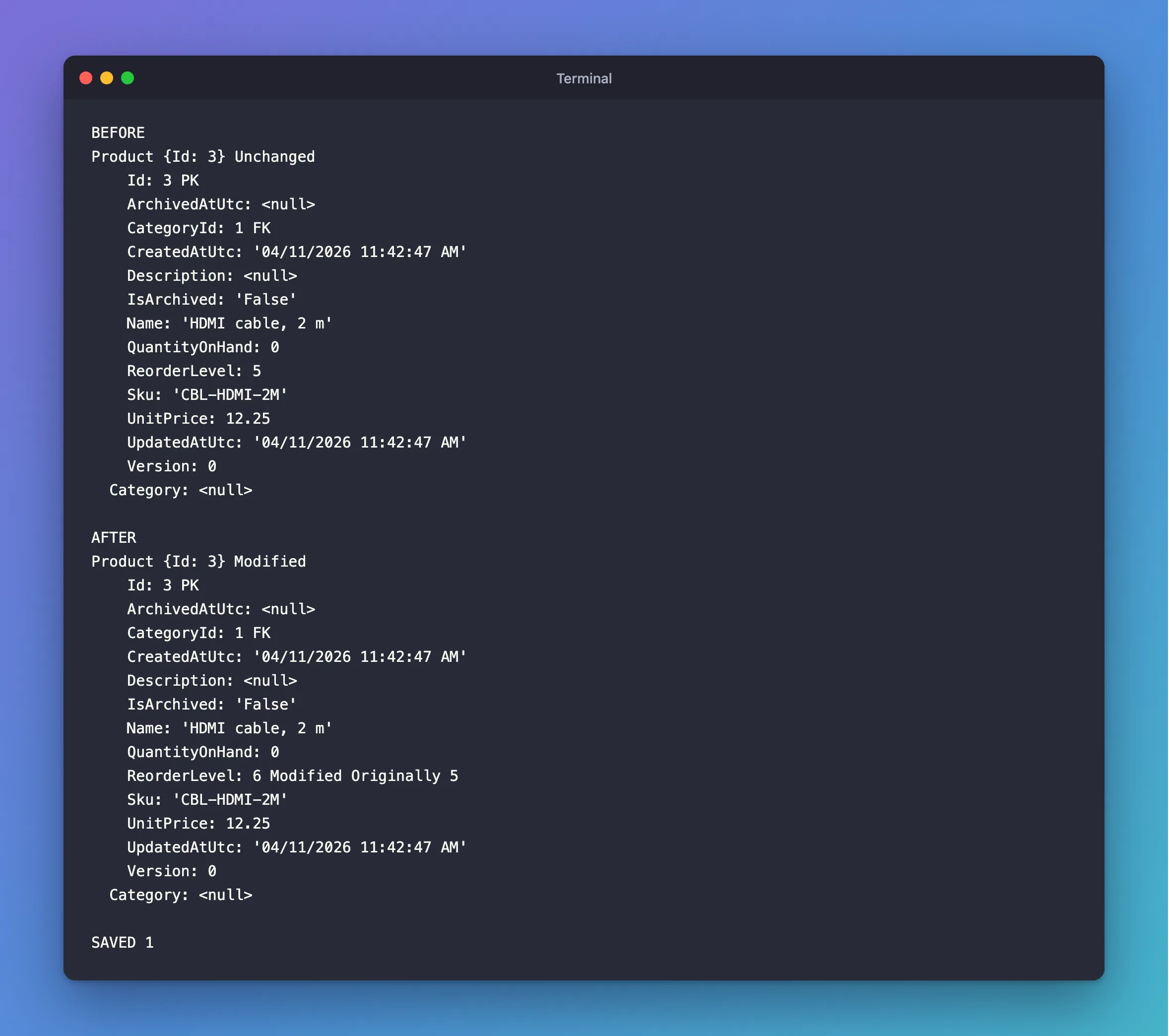
Line by line:
Product {Id: 3} Unchangedis the entity, its key and its state. After the change, it saysModified.Id: 3 PK,CategoryId: 1 FKmark the primary and foreign keys.ReorderLevel: 6 Modified Originally 5is the line you came for: the property's new value, and what it was.Category: <null>is the navigation. It wasn't loaded.SAVED 1at the end is whatSaveChangesAsyncreturned: one row.
The UPDATE that followed set only what's marked Modified:
info: Microsoft.EntityFrameworkCore.Database.Command[20101]
      Executed DbCommand (5ms) [Parameters=[@p1='?' (DbType = Int32), @p0='?' (DbType = Int32), @p2='?' (DbType = Int32)], CommandType='Text', CommandTimeout='30']
      UPDATE `products` SET `ReorderLevel` = @p0
      WHERE `Id` = @p1 AND `Version` = @p2;
      SELECT ROW_COUNT();
Use It to Debug
| What you see | What it means |
|---|---|
| The entity isn't listed | It isn't tracked, for example it came from AsNoTracking or Select, so saving won't touch it |
State Unchanged after you changed it | The value is the same as before, so there's nothing to save |
State Added for a row that exists | You called Add on an existing object |
State Modified on every property | Someone called Update, which marks them all |
For a quick look in the debugger, there's also ShortView, with one line per entity. Don't leave either in production code: they're for debugging.
Common Mistakes
| Mistake | What happens | Do this instead |
|---|---|---|
Reading LongView without DetectChanges | Changes you made may not be marked yet | Call DetectChanges first |
| Returning it from a real endpoint | It exposes your data | Use it in development only |
| Logging it in production | It has every value of every tracked entity | Keep it out of production logs |
FAQ
Does reading DebugView change anything?
No. It only reports. DetectChanges updates the tracker's own state, which SaveChangesAsync would have done anyway.
Where do I see it without changing code?
In a debugger, expand db.ChangeTracker.DebugView and read LongView.
Conclusion
db.ChangeTracker.DebugView.LongView lists every tracked entity, its state, and each property, with Modified Originally … on what changed. Call DetectChanges() first, read it when SaveChangesAsync surprises you, and keep it out of production.
Additional Resources
- Change Tracker Debugging —
LongView,ShortViewand debug logging. - Change Detection and Notifications — when EF Core compares values.
