How to See the Structure of a MySQL Table (DESCRIBE and SHOW CREATE TABLE)

When you need to know exactly what a MySQL table looks like, which columns, which types, what can be empty and which keys exist, three statements answer at different levels of detail. DESCRIBE gives a quick table of columns, SHOW CREATE TABLE gives the complete definition with every index and constraint, and INFORMATION_SCHEMA.COLUMNS lets you query the answer. This guide runs all of them on a real MySQL 9.7 table created by EF Core.
Prerequisites
- A MySQL server and the mysql client. The examples use MySQL 9.7 in Docker, from How to Run MySQL in Docker with Docker Compose, and its built-in client:
docker compose exec mysql mysql --user=inventory_app --password inventory
- A table to look at. The examples use the
productsandcategoriestables of an inventory app, created by EF Core migrations from C# classes. How to List the Tables in a MySQL Database shows how to see which tables you have.
Step 1: DESCRIBE for a Quick Look
DESCRIBE products;
+----------------+---------------+------+-----+---------+----------------+
| Field          | Type          | Null | Key | Default | Extra          |
+----------------+---------------+------+-----+---------+----------------+
| Id             | int           | NO   | PRI | NULL    | auto_increment |
| Sku            | varchar(32)   | NO   | UNI | NULL    |                |
| Name           | varchar(200)  | NO   |     | NULL    |                |
| Description    | longtext      | YES  |     | NULL    |                |
| CategoryId     | int           | NO   | MUL | NULL    |                |
| UnitPrice      | decimal(12,2) | NO   |     | NULL    |                |
| QuantityOnHand | int           | NO   |     | NULL    |                |
| ReorderLevel   | int           | NO   |     | NULL    |                |
| IsArchived     | tinyint(1)    | NO   |     | NULL    |                |
| ArchivedAtUtc  | datetime(6)   | YES  |     | NULL    |                |
| CreatedAtUtc   | datetime(6)   | NO   |     | NULL    |                |
| UpdatedAtUtc   | datetime(6)   | NO   |     | NULL    |                |
+----------------+---------------+------+-----+---------+----------------+
12 rows in set (0.001 sec)
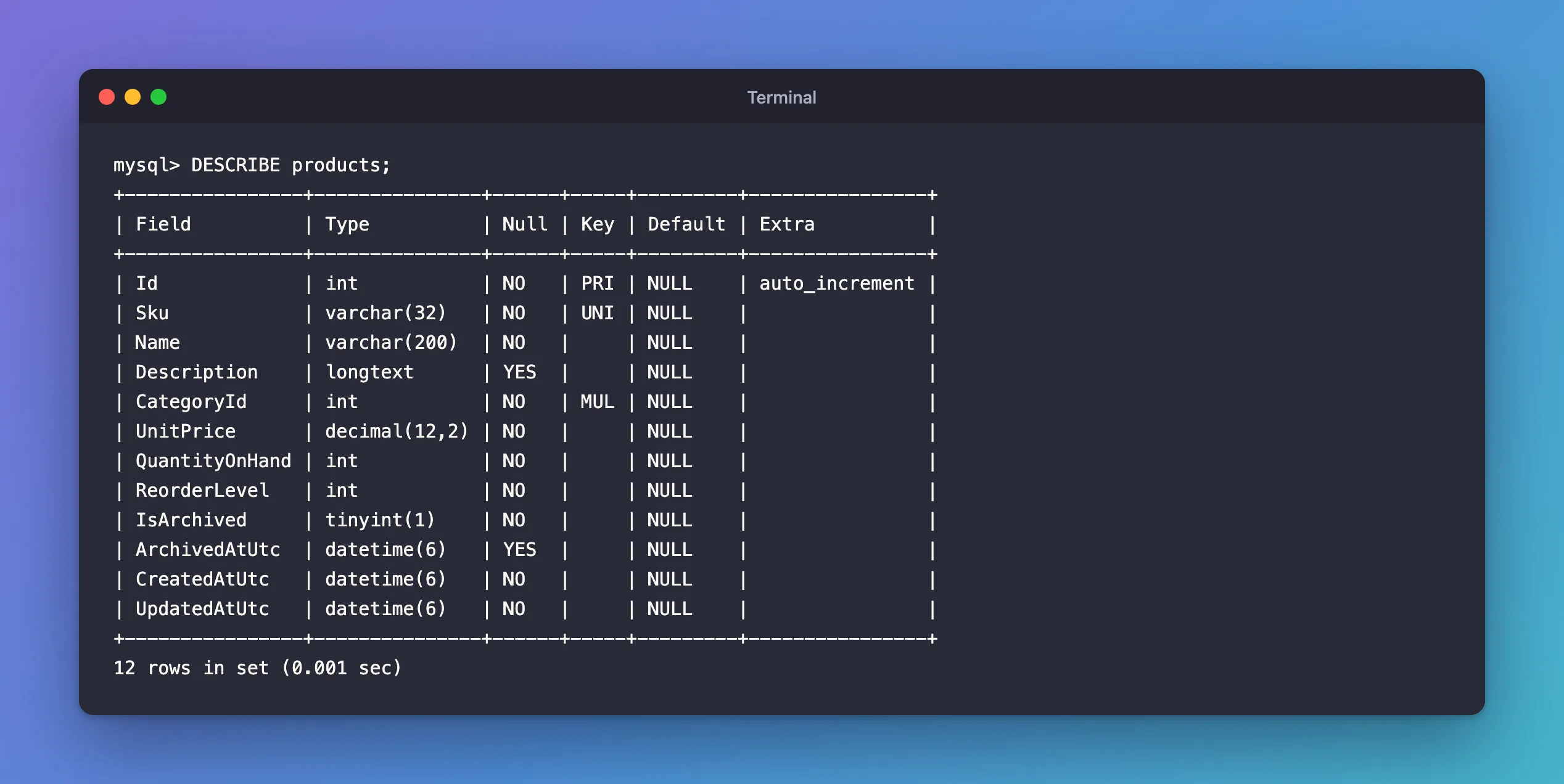
One row per column:
| Column | Meaning |
|---|---|
Field | The column's name |
Type | Its data type: varchar(32) is text up to 32 characters, decimal(12,2) a number with 2 decimals, datetime(6) a date and time to the microsecond, tinyint(1) MySQL's true/false |
Null | YES if the column may be empty (NULL) |
Key | Whether an index starts with this column, explained below |
Default | The value used when an INSERT leaves the column out. NULL here means there is no default |
Extra | Anything else, such as auto_increment: MySQL numbers new rows itself |
The Key column is the one people misread. The manual's SHOW COLUMNS page defines each value:
PRI: "the column is a PRIMARY KEY or is one of the columns in a multiple-column PRIMARY KEY."UNI: "the column is the first column of a UNIQUE index." Here, no two products may share a SKU.MUL: "the column is the first column of a nonunique index in which multiple occurrences of a given value are permitted within the column."CategoryIdhas one because it's a foreign key: many products may share a category.- Empty: "the column either is not indexed or is indexed only as a secondary column in a multiple-column, nonunique index." So an empty
Keydoesn't always mean "no index".
DESCRIBE is a short form of another statement. The manual's EXPLAIN page says: "DESCRIBE is a shortcut for SHOW COLUMNS." SHOW COLUMNS FROM products; prints the same table.
Step 2: SHOW FULL COLUMNS for Collations
SHOW FULL COLUMNS FROM categories;
+--------------+--------------+--------------------+------+-----+---------+----------------+---------------------------------+---------+
| Field        | Type         | Collation          | Null | Key | Default | Extra          | Privileges                      | Comment |
+--------------+--------------+--------------------+------+-----+---------+----------------+---------------------------------+---------+
| Id           | int          | NULL               | NO   | PRI | NULL    | auto_increment | select,insert,update,references |         |
| Name         | varchar(100) | utf8mb4_0900_ai_ci | NO   | UNI | NULL    |                | select,insert,update,references |         |
| CreatedAtUtc | datetime(6)  | NULL               | NO   |     | NULL    |                | select,insert,update,references |         |
+--------------+--------------+--------------------+------+-----+---------+----------------+---------------------------------+---------+
3 rows in set (0.001 sec)
The manual: "The optional FULL keyword causes the output to include the column collation and comments, as well as the privileges you have for each column." The collation matters for text columns. utf8mb4_0900_ai_ci compares text without regard to accents (ai) or case (ci), so this table's unique Name treats Adapters and adapters as the same name. The privileges are yours, not the table's: they show what the account you signed in with may do with each column.
Step 3: SHOW CREATE TABLE for the Whole Definition
DESCRIBE shows columns, but not foreign keys or CHECK constraints. SHOW CREATE TABLE prints the complete CREATE TABLE statement that would rebuild the table. End it with \G instead of ; so the long statement prints as a block instead of a wide table:
SHOW CREATE TABLE products\G
*************************** 1. row ***************************
       Table: products
Create Table: CREATE TABLE `products` (
  `Id` int NOT NULL AUTO_INCREMENT,
  `Sku` varchar(32) NOT NULL,
  `Name` varchar(200) NOT NULL,
  `Description` longtext,
  `CategoryId` int NOT NULL,
  `UnitPrice` decimal(12,2) NOT NULL,
  `QuantityOnHand` int NOT NULL,
  `ReorderLevel` int NOT NULL,
  `IsArchived` tinyint(1) NOT NULL,
  `ArchivedAtUtc` datetime(6) DEFAULT NULL,
  `CreatedAtUtc` datetime(6) NOT NULL,
  `UpdatedAtUtc` datetime(6) NOT NULL,
  PRIMARY KEY (`Id`),
  UNIQUE KEY `IX_products_Sku` (`Sku`),
  KEY `IX_products_CategoryId` (`CategoryId`),
  CONSTRAINT `FK_products_categories_CategoryId` FOREIGN KEY (`CategoryId`) REFERENCES `categories` (`Id`) ON DELETE RESTRICT,
  CONSTRAINT `CK_products_QuantityOnHand` CHECK ((`QuantityOnHand` >= 0)),
  CONSTRAINT `CK_products_ReorderLevel` CHECK ((`ReorderLevel` >= 0)),
  CONSTRAINT `CK_products_UnitPrice` CHECK ((`UnitPrice` >= 0))
) ENGINE=InnoDB AUTO_INCREMENT=6 DEFAULT CHARSET=utf8mb4 COLLATE=utf8mb4_0900_ai_ci
1 row in set (0.000 sec)
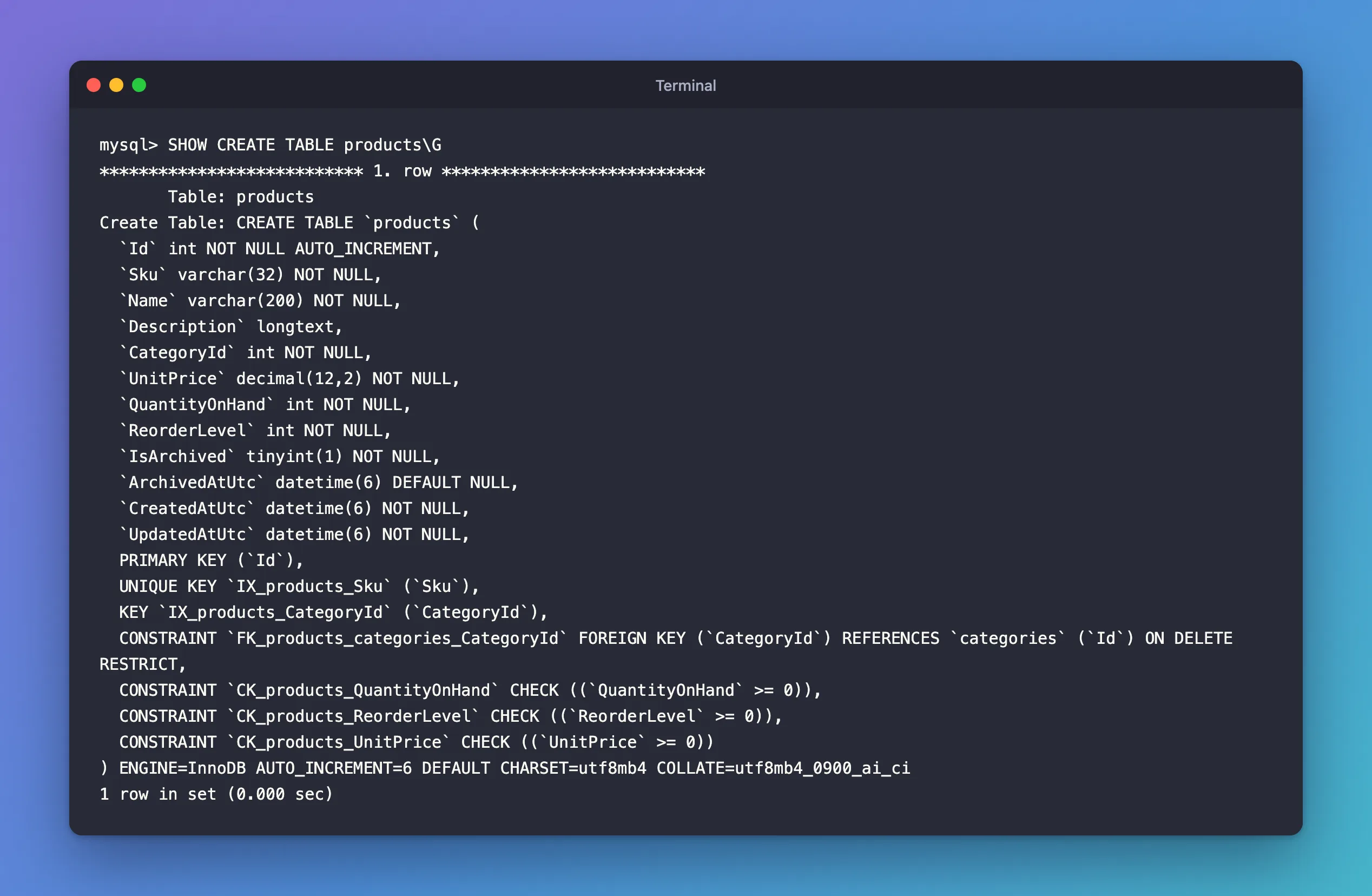
Everything DESCRIBE couldn't show is here:
- Indexes by name:
PRIMARY KEY, theUNIQUE KEYcalledIX_products_Skuand the plainKEYcalledIX_products_CategoryId. The names follow EF Core's convention,IX_<table>_<column>. - The foreign key
FK_products_categories_CategoryId, with what happens when a category is deleted:ON DELETE RESTRICT, so MySQL refuses while products use it. - CHECK constraints: rules MySQL enforces on every insert and update, such as
UnitPrice >= 0. The manual's SHOW CREATE TABLE page notes that it "displays all CHECK constraints as table constraints", which is why they're listed at the end rather than next to their columns. - Table options: the storage engine, the next
AUTO_INCREMENTnumber, and the default character set and collation.
NULL columns show up as DEFAULT NULL here, or with no NOT NULL for longtext. That's the same information as YES in DESCRIBE's Null column, written as SQL.
Step 4: INFORMATION_SCHEMA.COLUMNS for Queries
When you want the structure as data, for a script, a comparison or a report, query INFORMATION_SCHEMA.COLUMNS:
SELECT COLUMN_NAME, COLUMN_TYPE, IS_NULLABLE, COLUMN_KEY, EXTRA
FROM information_schema.COLUMNS
WHERE TABLE_SCHEMA = 'inventory' AND TABLE_NAME = 'stock_movements'
ORDER BY ORDINAL_POSITION;
+----------------+--------------+-------------+------------+----------------+
| COLUMN_NAME    | COLUMN_TYPE  | IS_NULLABLE | COLUMN_KEY | EXTRA          |
+----------------+--------------+-------------+------------+----------------+
| Id             | bigint       | NO          | PRI        | auto_increment |
| ProductId      | int          | NO          | MUL        |                |
| Type           | varchar(32)  | NO          |            |                |
| QuantityChange | int          | NO          |            |                |
| Reason         | varchar(200) | YES         |            |                |
| Reference      | varchar(64)  | YES         |            |                |
| OccurredAtUtc  | datetime(6)  | NO          |            |                |
+----------------+--------------+-------------+------------+----------------+
7 rows in set (0.001 sec)
The same facts as DESCRIBE, but you can filter, join and sort them. ORDER BY ORDINAL_POSITION keeps the columns in table order. Here, ProductId is MUL even though the table's only index on it covers two columns, ProductId and OccurredAtUtc: Key only looks at the first column of each index.
Which One to Use
| Question | Statement |
|---|---|
| What columns does the table have, and can they be empty? | DESCRIBE products; |
| How are text columns compared? | SHOW FULL COLUMNS FROM products; |
| Which indexes, foreign keys and CHECK constraints exist? | SHOW CREATE TABLE products\G |
| I need the columns of many tables in a script | INFORMATION_SCHEMA.COLUMNS |
Common Mistakes
| Mistake | What happens | Do this instead |
|---|---|---|
Reading an empty Key as "no index" | You miss columns that are second in a multi-column index | Check SHOW CREATE TABLE or SHOW INDEX |
SHOW CREATE TABLE products; with ; | A very wide, hard-to-read table | End it with \G |
Expecting foreign keys in DESCRIBE | They aren't there | Use SHOW CREATE TABLE |
| Wrong letter case in the table name on Linux | ERROR 1146 (42S02): Table 'inventory.Products' doesn't exist | Use the table's exact name |
Troubleshooting
| Symptom | Likely cause | Fix |
|---|---|---|
ERROR 1146 (42S02): Table … doesn't exist | Wrong name, wrong case, or wrong database | SHOW TABLES; and use the exact name |
ERROR 1046 (3D000): No database selected | You connected without choosing a database | USE inventory; or write inventory.products |
| The definition differs from your C# model | A migration hasn't been applied | Apply it, then look again |
FAQ
Is DESCRIBE the same as EXPLAIN?
The manual says they're synonyms: "The DESCRIBE and EXPLAIN statements are synonyms, used either to obtain information about table structure or query execution plans." With a table name, both describe the table. With a query, both show its execution plan.
Can I copy the output of SHOW CREATE TABLE to create the table elsewhere?
Yes, that's what it's for. Remove the AUTO_INCREMENT=6 option first if you want the new table to start numbering at 1.
Why is Description a longtext?
Its C# property has no maximum length, so EF Core's MySQL provider chose longtext, which holds up to 4 GB. How to Set a Maximum String Length in EF Core shows how to get a varchar instead.
Conclusion
DESCRIBE shows a table's columns, types, nullability and keys at a glance; read PRI, UNI and MUL with the manual's definitions in mind. SHOW FULL COLUMNS adds collations, SHOW CREATE TABLE … \G shows the complete definition with indexes, foreign keys and CHECK constraints, and INFORMATION_SCHEMA.COLUMNS gives you the same facts as data you can query.
Additional Resources
- SHOW COLUMNS Statement — every column of the output, including
Key. - SHOW CREATE TABLE Statement — the full definition.
- The INFORMATION_SCHEMA COLUMNS Table — the columns as data.
