How to See the SQL of a LINQ Query with ToQueryString in EF Core

ToQueryString() gives you the SQL a LINQ query would send, as a string, without running it. It's handy for one query you want to look at, with no need to turn on logging for the whole app. This guide shows it with a constant and a variable.
Prerequisites
- A .NET C# project with EF Core. The examples use EF Core 10, Oracle's
MySql.EntityFrameworkCoreand MySQL 9.7.
Step 1: Call It on a Query
Call it where you'd call ToListAsync, on the query before it runs:
app.MapGet("/demo/queryable-sql", (InventoryDbContext db) =>
{
    var query = db.Products
        .Where(p => !p.IsArchived && p.UnitPrice < 20)
        .OrderBy(p => p.Name)
        .Select(p => new { p.Sku, p.Name });

    return Results.Text(query.ToQueryString());
});
SELECT `p`.`Sku`, `p`.`Name`
FROM `products` AS `p`
WHERE NOT (`p`.`IsArchived`) AND (`p`.`UnitPrice` < 20.0)
ORDER BY `p`.`Name`
It's a plain string, so you can log it, or look at it in the debugger. The query didn't run: the API's log has no Executed DbCommand line for this request.
Step 2: See How Variables Appear
Use a variable instead of a constant:
app.MapGet("/demo/queryable-sql-param", (decimal max, InventoryDbContext db) =>
{
    var query = db.Products
        .Where(p => !p.IsArchived && p.UnitPrice < max)
        .OrderBy(p => p.Name)
        .Select(p => new { p.Sku, p.Name });

    return Results.Text(query.ToQueryString());
});
SET @max = 20.0;

SELECT `p`.`Sku`, `p`.`Name`
FROM `products` AS `p`
WHERE NOT (`p`.`IsArchived`) AND (`p`.`UnitPrice` < @max)
ORDER BY `p`.`Name`
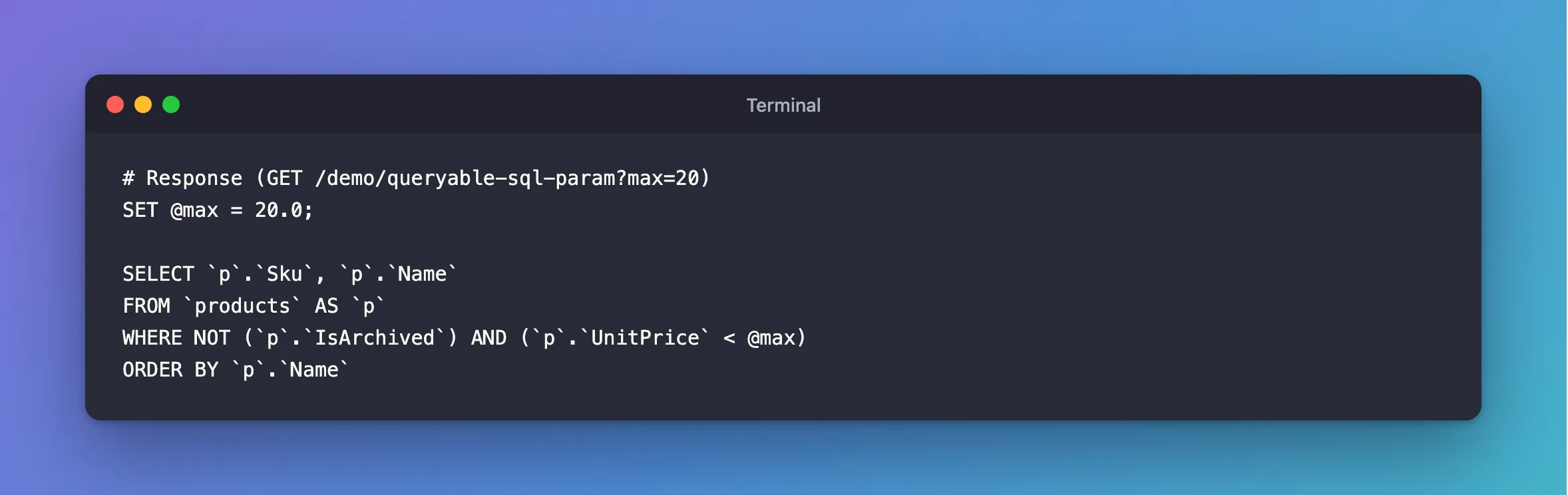
SET @max = 20.0; is added so you can paste the whole thing into the mysql client and run it. The real command sends @max as a parameter. The value shows up here even though logs hide it by default, so don't write this string to production logs if the values are private.
ToQueryString or Logging?
| You want to | Use |
|---|---|
| Look at one query while developing | ToQueryString |
| See every statement the app sends, including saves | SQL logging |
| See how long a query took | SQL logging: Executed DbCommand (5ms) |
See the SQL for SaveChangesAsync | SQL logging: ToQueryString only works on queries |
Common Mistakes
| Mistake | What happens | Do this instead |
|---|---|---|
Calling it after ToListAsync | A list has no such method | Call it on the query |
| Calling it on the query before you've finished building it | You see only the part so far | Call it at the end |
| Logging it in production | Parameter values end up in the logs | Use it while developing |
Expecting it from FirstOrDefaultAsync | That runs the query, and returns a row | Call it on the Where and Select before that |
FAQ
Is the SQL exactly what's sent?
Nearly. The SET lines are an addition for your convenience, and methods that run the query can change it, for example FirstOrDefaultAsync adds LIMIT 1.
Does it need a database connection?
No: EF Core builds the SQL from the model alone.
Conclusion
Call query.ToQueryString() on a LINQ query to get the SQL it would send, without running it. Variables appear as SET @name = value; lines above the statement. Use it for one query while developing, and SQL logging when you want to see everything.
Additional Resources
- EntityFrameworkQueryableExtensions.ToQueryString — the API reference.
