How to See the Serial Number Behind a Date in Excel

Behind every date in Excel is a number: how many days it is since 1 January 1900. 1 October 2026 is 46296. You can see it by giving the cell the General format. Knowing this explains why you can subtract dates, add months, and why a date can suddenly show as a five-digit number.
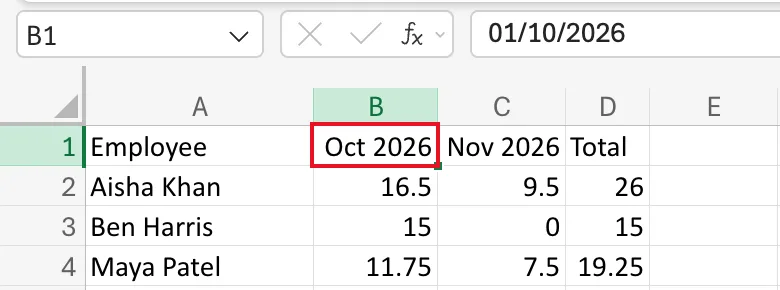
The example is the Monthly totals sheet of the old overtime timesheet from Part 1 of the Overtime Timesheet series. Cell B1 holds 01/10/2026, shown as Oct 2026.
Prerequisites
- A cell with a date in it.
Step 1: Select the Date
Select the cell, here B1. It shows Oct 2026 because of its custom format, and the formula bar shows the date, 01/10/2026:
Step 2: Switch to General
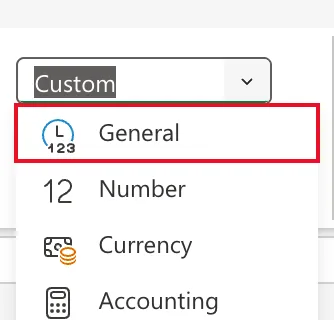
On the Home tab, open the Number Format list, which shows Custom, and select General:
Step 3: Read the Number
B1 shows 46296, and so does the formula bar:
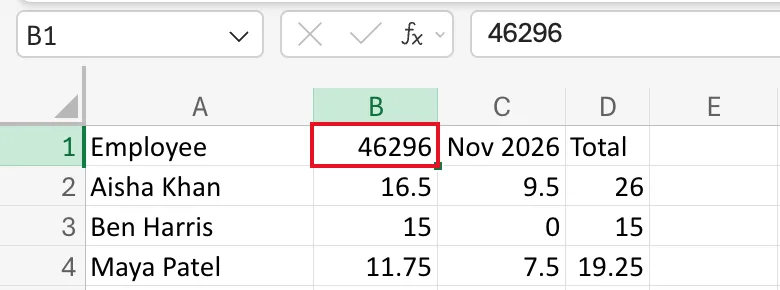
46296 is the number of days in Excel's count up to 1 October 2026, starting from 1 January 1900 as day 1.
Step 4: Put the Format Back
Press Ctrl+Z (Cmd+Z on a Mac) to undo. B1 shows Oct 2026 again, and the formula bar 01/10/2026.
Why It Matters
- Date maths is number maths. The next month's first day,
EDATE, a difference in days,B10-A10: all work on these numbers. - Times are fractions of a day. 12:00 is 0.5, so 1 October 2026 at 12:00 is 46296.5.
- A date showing as a number isn't broken. It has the General format; give it a date format.
########is often just width. A date needs room to show; see Fixed: Excel Shows ######## Instead of Dates After Pasting.
Common Mistakes
| Mistake | What happens | Do this instead |
|---|---|---|
| Typing 46296 to mean a date | It's a date only if the cell has a date format | Type the date, such as 01/10/2026 |
| Treating a date that shows as a number as an error | It's the same date with the General format | Apply a date format |
Troubleshooting
| Symptom | Likely cause | Fix |
|---|---|---|
| A date shows as a five-digit number | The cell has the General format | Short Date, or a custom format |
| A number shows as a date in 1900 | A small number has a date format | Set General or Number |
FAQ
Does the Mac use the same numbers?
Excel for Mac can use a 1904 date system, where the numbers differ. Date systems in Excel explains both. Excel for the web used the 1900 system here.
Can I see it without changing the cell?
Copy the date to a spare cell and give that one the General format. The original keeps its format.
Conclusion
Every Excel date is a count of days, and every time a fraction of one. Switch a date to General to see its number, and undo to get the date back.
