How to See the Response Headers with curl -i

By default, curl prints only the body of a response, the page or JSON you asked for. The status code and the headers, which say what kind of answer it is, stay hidden. curl -i prints them first. This guide fetches a small JSON document and reads its headers, with real output from curl 8.7.1.
Syntax
curl -i URL
curl -I URL
| Part | What it means |
|---|---|
-i | Include the status line and the response headers before the body |
-I | Send a HEAD request, which asks for the headers only, and print them |
URL | The address to request |
curl 8.7.1's own help, curl --help all, lists them as -i, --include Include response headers in output and -I, --head Show document info only. Newer curl versions call -i --show-headers, and -i works in all of them. The commands are the same in PowerShell 7, where curl runs the curl program.
Prerequisites
- curl, which comes with macOS, Linux and Windows 10 and later.
Step 1: Include the Headers
curl -i https://httpbin.org/json
HTTP/2 200
access-control-allow-credentials: true
access-control-allow-origin: *
access-control-expose-headers: Retry-After, RateLimit, RateLimit-Policy, WWW-Authenticate
content-length: 429
content-type: application/json
x-content-type-options: nosniff
date: Sat, 28 Nov 2026 12:23:03 GMT

{
  "slideshow": {
    "author": "Yours Truly",
    "date": "date of publication",
    "slides": [
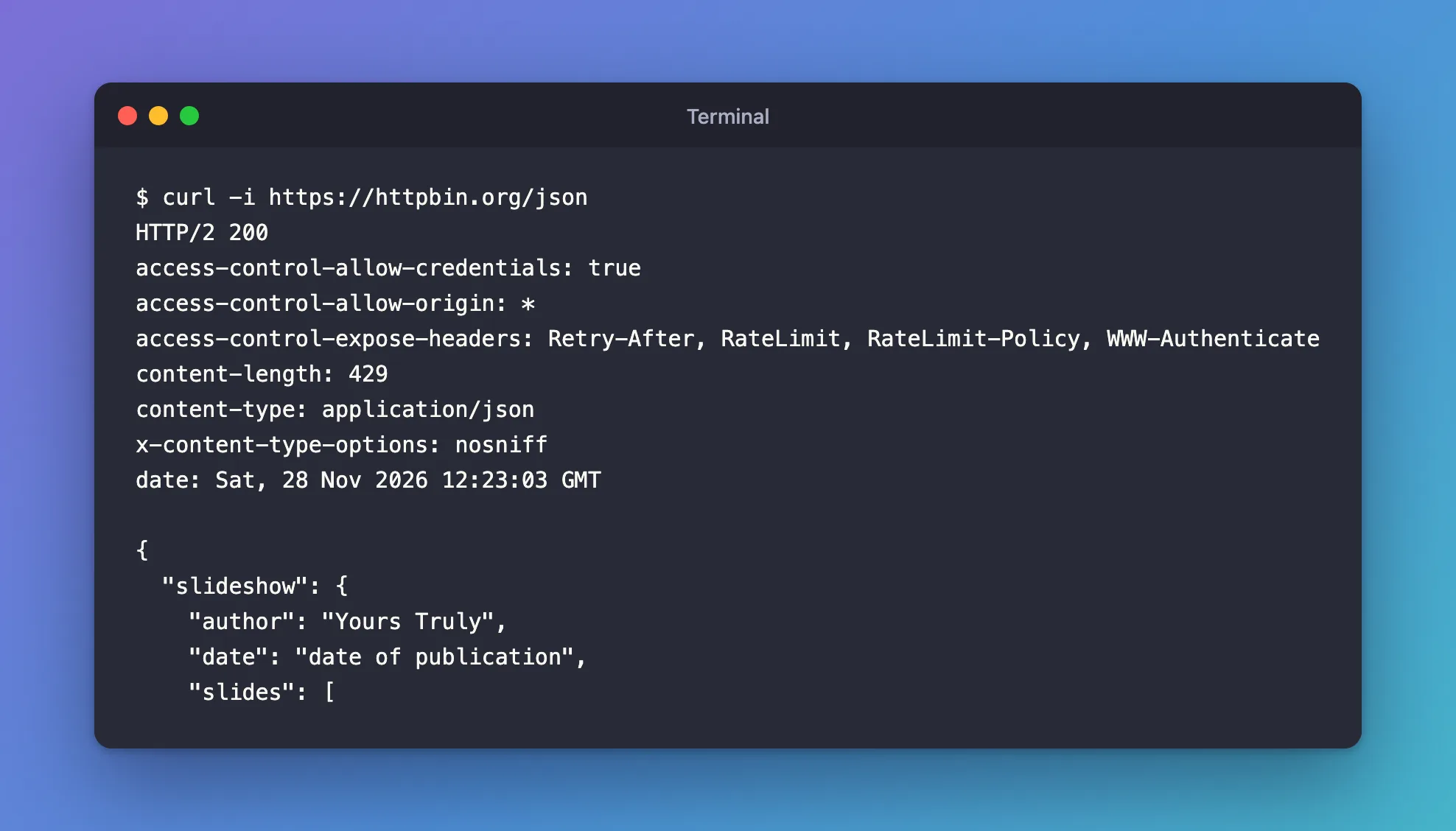
HTTP/2 200: the protocol, HTTP/2, and the status code, 200 OK.content-type: application/json: the body is JSON.content-length: 429: the body is 429 bytes.- A blank line, then the body itself, as plain
curlwould print it.
Step 2: Headers Only
curl -I https://httpbin.org/json
HTTP/2 200
access-control-allow-credentials: true
access-control-allow-origin: *
access-control-expose-headers: Retry-After, RateLimit, RateLimit-Policy, WWW-Authenticate
content-length: 429
content-type: application/json
x-content-type-options: nosniff
date: Sat, 28 Nov 2026 12:23:04 GMT
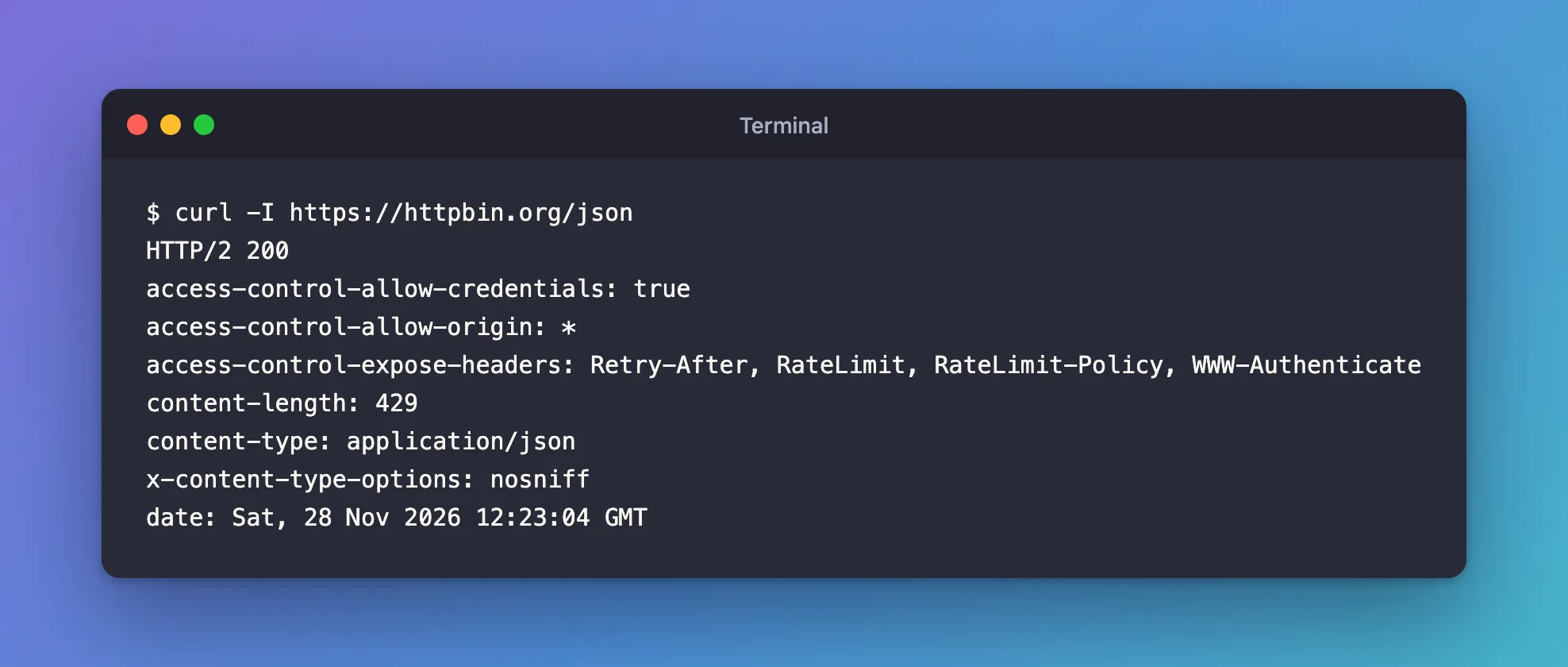
The same headers, and no body: -I asked the server for the headers alone.
Common Mistakes
| Mistake | What happens | Do this instead |
|---|---|---|
Mixing up -i and -I | -I sends a different request: the man page says it uses the HEAD command "to get nothing but the header of a document", not the GET you meant to test | Use -i to see the headers of the real request |
| Reading only the body when a call fails | The status code that explains it isn't shown | Add -i and look at the first line |
Troubleshooting
| Symptom | Likely cause | Fix |
|---|---|---|
| The headers scroll away above a long body | -i prints them first | Use -I for headers only, or save the body with -o file |
FAQ
Are header names case-sensitive?
No. RFC 9110, the HTTP standard: "Field names are case-insensitive". This server sent them in lowercase over HTTP/2 and, with --http1.1, over HTTP/1.1 too.
Does it work in PowerShell?
Yes. In PowerShell 7, curl runs the curl program, and curl -i https://httpbin.org/json printed the same HTTP/2 200 and headers.
Conclusion
curl -i https://httpbin.org/json printed HTTP/2 200, the response headers and then the JSON; curl -I printed the headers alone.
Additional Resources
- curl man page: -i, --include — the option.
- curl man page: -I, --head — headers only.
