How to See the MySql.Data Connection Pool Working

Opening a MySQL connection takes many round trips: TCP, TLS, then signing in. So MySql.Data keeps connections open after you close them, and hands them out again. A few lines of C# let you watch it work, and see what it saves.
The Program
MySqlConnection.ServerThread is MySQL's id for the connection, so if it stays the same, the connection was reused. Save this as pool-demo.cs, in the folder with the tester from How to Write a MySQL Connection String for .NET C#:
#:package MySql.Data@26.10.0

using System.Diagnostics;
using MySql.Data.MySqlClient;

var connectionString = Environment.GetEnvironmentVariable("MYSQL_CONNECTION_STRING")
    ?? throw new InvalidOperationException("Set the MYSQL_CONNECTION_STRING environment variable first.");

// Opens and closes a connection, then prints MySQL's id for it and how long opening took.
for (var i = 1; i <= 4; i++)
{
    var timer = Stopwatch.StartNew();
    await using var connection = new MySqlConnection(connectionString);
    await connection.OpenAsync();
    Console.WriteLine($"Open {i}: connection id {connection.ServerThread}, took {timer.ElapsedMilliseconds} ms");
}
Run It with the Pool
Pooling is on by default, so a normal connection string does it:
- macOS / Linux
- Windows (PowerShell)
export MYSQL_CONNECTION_STRING="Server=127.0.0.1;Port=3306;Database=inventory;User ID=inventory_app;Password=$(grep '^MYSQL_PASSWORD=' ../dewiride-inventory-api/.env | cut -d= -f2-);SslMode=Required"
dotnet run pool-demo.cs
$password = (Get-Content ../dewiride-inventory-api/.env | Where-Object { $_ -like 'MYSQL_PASSWORD=*' }).Substring('MYSQL_PASSWORD='.Length)
$env:MYSQL_CONNECTION_STRING = "Server=127.0.0.1;Port=3306;Database=inventory;User ID=inventory_app;Password=$password;SslMode=Required"
dotnet run pool-demo.cs
Open 1: connection id 17, took 187 ms
Open 2: connection id 17, took 2 ms
Open 3: connection id 17, took 1 ms
Open 4: connection id 17, took 0 ms
The first open takes 187 ms. Then it's the same connection, at about 1 ms. await using closed each one, and "closing" put it back in the pool.
Run It Without the Pool
Add Pooling=false:
…;SslMode=Required;Pooling=false
Open 1: connection id 18, took 163 ms
Open 2: connection id 19, took 13 ms
Open 3: connection id 20, took 15 ms
Open 4: connection id 21, took 11 ms
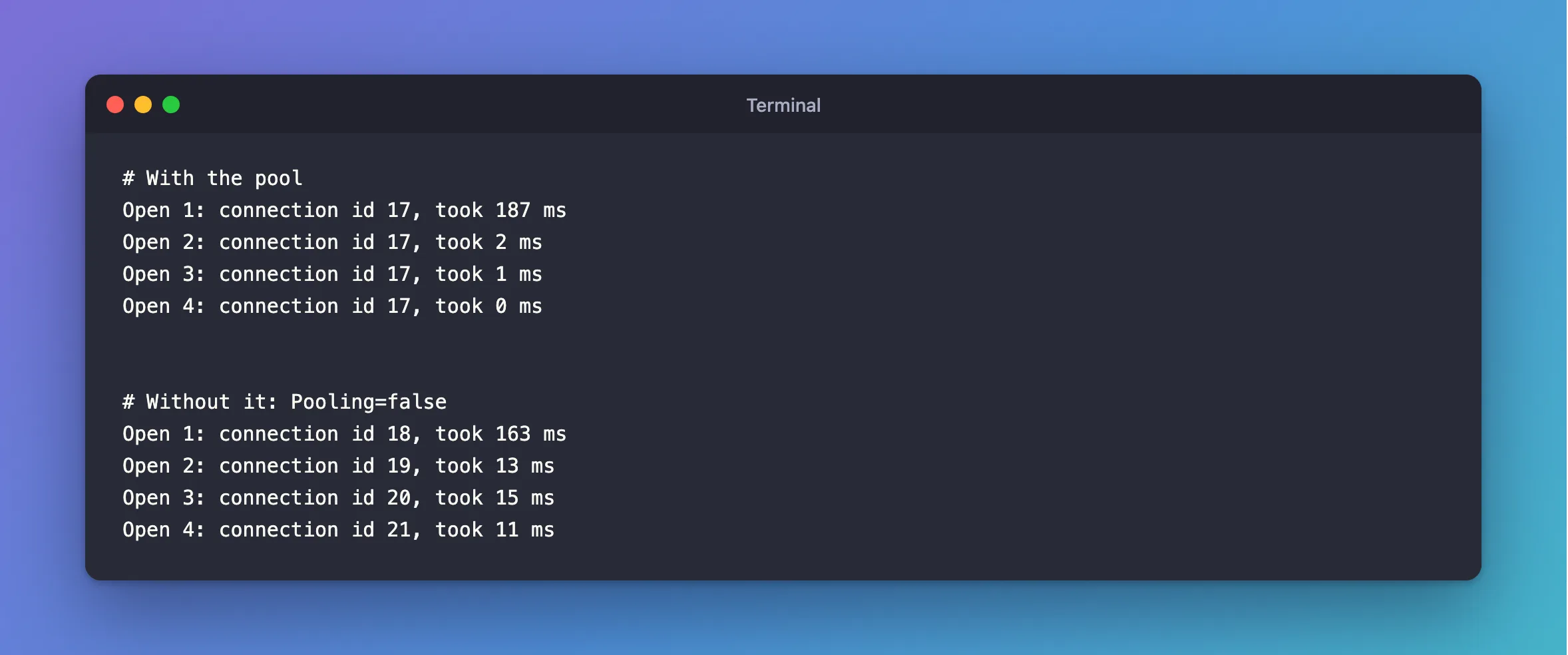
A new connection each time, at 11 to 15 ms instead of 0 to 2, even on the same computer. Over a real network, each of those round trips takes longer. The first open of a program is always slower, because .NET is loading code as well.
Why This Matters
- Close connections quickly. Closing is cheap, so there's no reason to hold one.
await usingdoes it for you, and EF Core does it by itself. - Don't keep one open for the life of the app. Oracle's guidelines say "Do not create a globally accessible instance of MySqlConnection and then manually open and close it."
- The pool has a limit,
Maximum Pool Size, 100 by default. What happens above that matters a great deal, as How to Size the MySql.Data Connection Pool shows.
There's one pool per connection string, so two strings that differ at all get two pools. EF Core's readiness check with Oracle's provider connects without a database, and so has a pool of its own.
Common Mistakes
| Mistake | What happens | Do this instead |
|---|---|---|
Pooling=false to "fix" something | Every open pays the full price | Find the real cause |
| Holding a connection for the whole request | Others wait for it | Open late, close early |
Expecting SET values to reset | A pooled connection keeps them | Connection state stays |
Troubleshooting
| Symptom | Likely cause | Fix |
|---|---|---|
| The id changes every time, with pooling on | The strings differ, or the connection was closed by the server | Compare them |
Timeout expired … from the pool | All connections are busy | The fix |
Set the MYSQL_CONNECTION_STRING environment variable first | It's not set in this terminal | Run the first command |
Conclusion
The pool makes opening a connection almost free: same id, about 1 ms. So close connections as soon as you can, and let it do its work.
Additional Resources
- Managing a Connection Pool in Connector/NET — the guidelines quoted above.
- Connector/NET Connection Options — the pool's settings.
