How to See Nested Runs in the MLflow UI

When runs are nested, the MLflow UI shows only the parents at first, each with a + that unfolds its children. From there, every run's page links to the others in its group. This guide walks through the three places that show the family, with screenshots from MLflow 3.18.0.
Prerequisites
- An MLflow tracking server at
http://127.0.0.1:8080, with its UI open in your browser. MLflow's tracking server guide shows how to start one.
Step 1: Create a Parent with Three Children
The example is a learning-rate test: a parent run with one child per rate, each logging its loss. Create nested_ui_runs.py:
import mlflow

mlflow.set_tracking_uri("http://127.0.0.1:8080")
mlflow.set_experiment("nested-ui-demo")

with mlflow.start_run(run_name="learning-rate-test"):
    for rate, loss in [(0.01, 0.48), (0.1, 0.31), (1.0, 0.66)]:
        with mlflow.start_run(run_name=f"rate-{rate}", nested=True):
            mlflow.log_param("learning_rate", rate)
            mlflow.log_metric("loss", loss)
uv run python nested_ui_runs.py
It prints a View run link for each child, then one for learning-rate-test. How to Create Nested Runs in MLflow explains nested=True.
Step 2: Unfold the Parent in the Runs Table
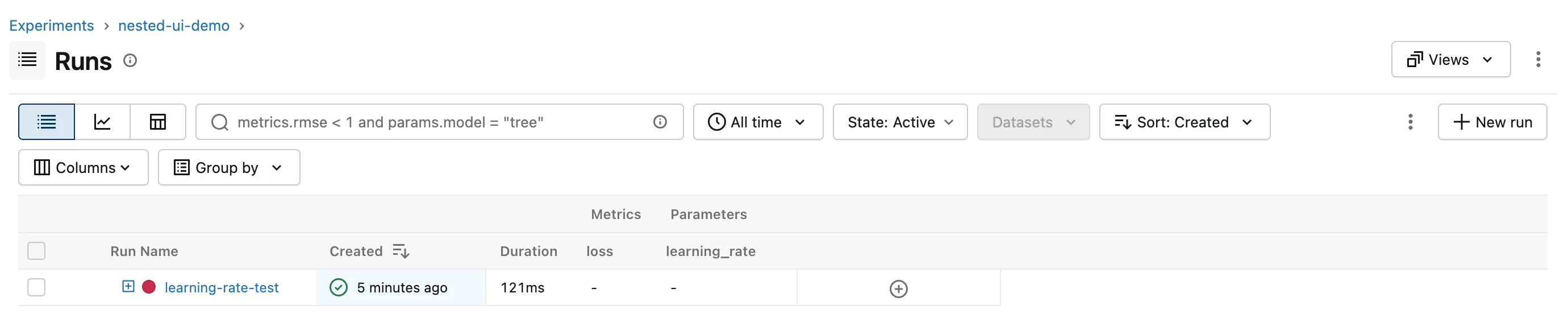
Open the experiment nested-ui-demo. The table lists one run, learning-rate-test, with a + before its name:
Click the +. The children appear indented under their parent, and the + becomes a − that folds them again:
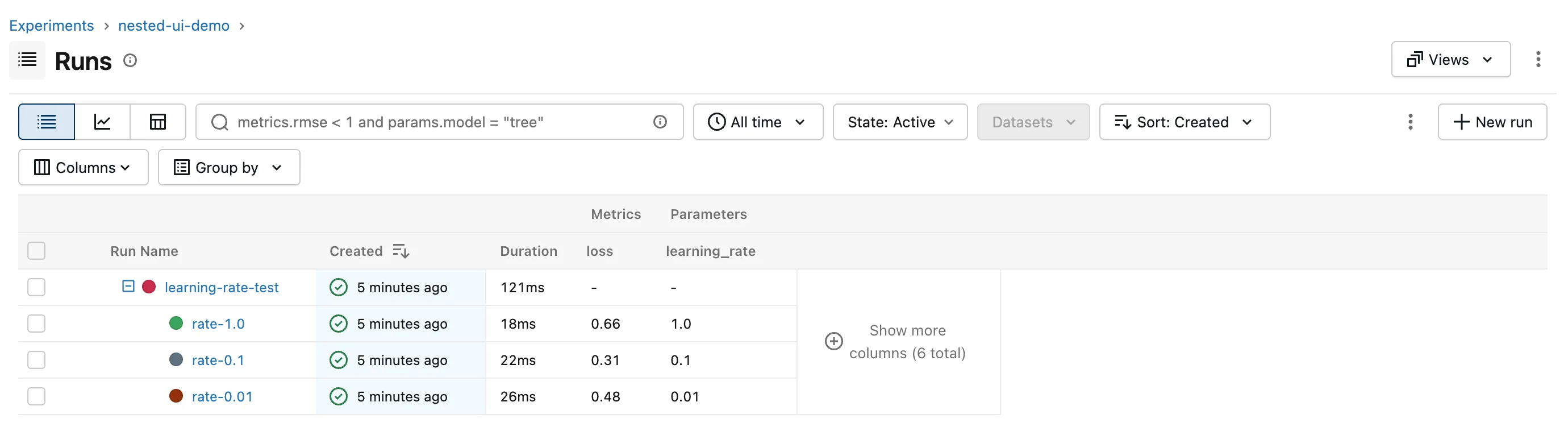
The loss and learning_rate columns were added with the table's Columns button. rate-0.1 has the lowest loss, 0.31.
Step 3: Move Between Parent and Children
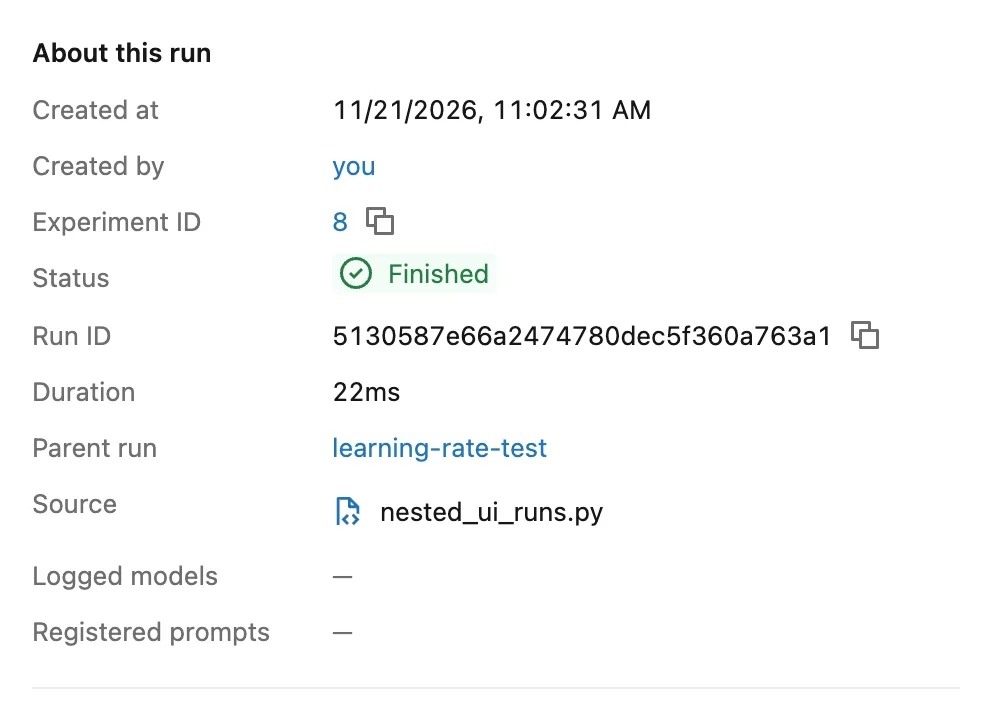
Click a child, rate-0.1. On its page, About this run has a Parent run row that links back:
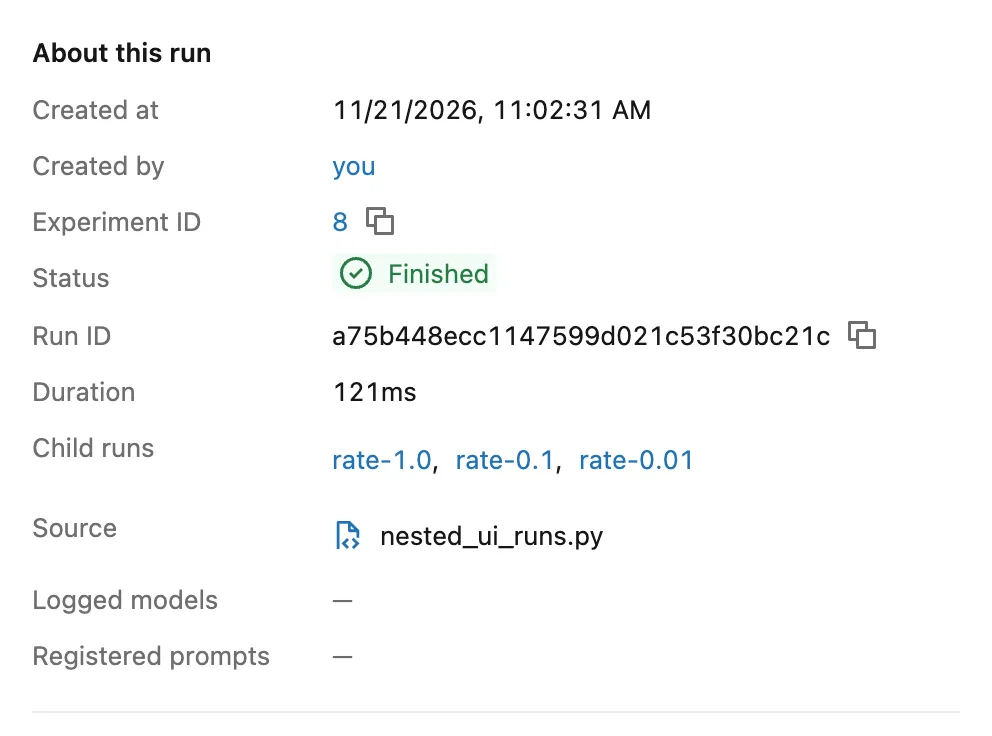
Click learning-rate-test. The parent's page has a Child runs row listing every child as a link:
Common Mistakes
| Mistake | What happens | Do this instead |
|---|---|---|
| Looking for the children as rows of their own | They're folded under the parent | Click the + before the parent's name |
| Expecting the parent's columns to show the children's metrics | A parent only shows what was logged on the parent itself | Unfold it, or log a summary on the parent |
Troubleshooting
| Symptom | Likely cause | Fix |
|---|---|---|
| No + before a run you expected to be a parent | Its children weren't started inside it with nested=True | Check the code that starts the runs |
| A child shows as a loose row | It was started when no parent run was open | Start it inside the parent's with block |
FAQ
Can I find the children from Python instead?
Yes, by their mlflow.parentRunId tag: How to Find the Child Runs of a Parent Run in MLflow.
Can I compare the children side by side?
Tick their boxes and click Compare: How to Compare Runs with a Parallel Coordinates Plot in the MLflow UI.
Conclusion
The + before learning-rate-test unfolded its three children in the runs table, the child's Parent run row linked back up, and the parent's Child runs row linked down to all three.
Additional Resources
- MLflow Tracking UI — MLflow's overview of tracking and its UI.
