How to See Every Message in a Microsoft Agent Framework Agent Run in C#

An agent's answer hides how it got there. Did the model call your tool, with which arguments, and what did the tool return? In Microsoft Agent Framework, every agent run keeps the messages it produced, and each message says who wrote it and what it contains. This guide prints them all for a small C# agent that rolls dice.
Syntax
AgentResponse <response> = await <agent>.RunAsync(<message>);

foreach (ChatMessage <chatMessage> in <response>.Messages)
{
    // <chatMessage>.Role: who wrote it
    foreach (AIContent <content> in <chatMessage>.Contents)
    {
        // <content> is a FunctionCallContent, a FunctionResultContent, a TextContent, ...
    }
}
| Part | What it is |
|---|---|
Messages | Every message the run produced, in order. Microsoft's guide to running agents: AgentResponse allows access to the produced messages via the Messages property |
Role | Who wrote the message: assistant for the model, tool for a tool's result |
Contents | What the message holds. A message can hold several items, each a type that derives from AIContent |
FunctionCallContent | A request by an inference service to invoke a function tool: the tool's name and the arguments the model chose |
FunctionResultContent | The result of a function tool invocation |
TextContent | Text, such as the model's answer |
The descriptions in italics are from Microsoft's guide. The message and content types come from Microsoft.Extensions.AI, which Agent Framework uses for all of its messages.
The Example
A console app runs an agent with one tool, roll_die, which rolls a die with any number of sides. The user asks the agent to roll a 20-sided die. First the app prints only the answer, then every message of the run.
Prerequisites
- A model deployment in a Microsoft Foundry project, and the Foundry User role on the Foundry resource for your account. The app calls the model as you.
- The .NET 10 SDK (
dotnet --versionprints a version that starts with10.0) and the Azure CLI, signed in withaz login.
Step 1: Create a Console App
In a terminal, in the folder where you keep your projects, create a console app, move into it and add two packages:
dotnet new console -n DiceAgent
cd DiceAgent
dotnet add package Microsoft.Agents.AI.Foundry --version 1.28.0-preview.261106.1
dotnet add package Azure.Identity --version 1.21.0
The template "Console App" was created successfully.

Processing post-creation actions...
Restoring /Users/you/source/DiceAgent/DiceAgent.csproj:
Restore succeeded.
| Package | What it gives the app |
|---|---|
Microsoft.Agents.AI.Foundry | AsAIAgent, which turns a model in a Foundry project into an agent, and AIFunctionFactory, which turns a method into a tool |
Azure.Identity | AzureCliCredential, which signs the app in to Foundry with your Azure CLI sign-in |
Microsoft Agent Framework 1.28.0 is generally available, but its Foundry package ships only as a preview of the same release, so it needs its exact --version. Open the DiceAgent folder in VS Code, or DiceAgent.csproj in Visual Studio.
Step 2: Run the Agent and Print Its Answer
Replace everything in Program.cs with:
using System.ComponentModel;
using Azure.AI.Projects;
using Azure.Identity;
using Microsoft.Agents.AI;
using Microsoft.Extensions.AI;

AIAgent agent = new AIProjectClient(
        new Uri("https://foundry-devblogs-exp.services.ai.azure.com/api/projects/proj-devblogs-exp"),
        new AzureCliCredential())
    .AsAIAgent(
        model: "gpt-5.6-luna",
        instructions: "You roll dice for board game players. Answer in one sentence.",
        tools: [AIFunctionFactory.Create(RollDie, name: "roll_die")]);

AgentResponse response = await agent.RunAsync("Roll a 20-sided die for me.");
Console.WriteLine(response.Text);

[Description("Rolls one die and returns the number it lands on.")]
static int RollDie([Description("How many sides the die has.")] int sides) => Random.Shared.Next(1, sides + 1);
- The
AIProjectClientURI andgpt-5.6-lunaare my Foundry project's endpoint and model deployment. Use your own; How to Create a Microsoft Foundry Resource and Deploy a Model shows where to find them. RollDiereturns a random number from 1 tosides.AIFunctionFactory.Createturns it into the toolroll_die; How to Add a Function Tool to a Microsoft Agent Framework Agent in C# explains tools in depth.response.Textis the answer: Microsoft's guide says it aggregates allTextContentof the response, and nothing else.
Run the app:
- VS Code
- Visual Studio
In the terminal, in the DiceAgent folder, run:
dotnet run
Press Ctrl+F5 (Debug > Start Without Debugging). The output appears in a console window.
You rolled an **11**.
The asterisks are Markdown that makes the number bold. But was the die really rolled, or did the model just name a number? The answer alone can't tell you.
Step 3: Print Every Message of the Run
Replace the line Console.WriteLine(response.Text); with:
// Every message the run produced, in order, and what each one contains.
foreach (ChatMessage message in response.Messages)
{
    Console.WriteLine($"[{message.Role}]");
    foreach (AIContent content in message.Contents)
    {
        Console.WriteLine(content switch
        {
            FunctionCallContent call => $"  call {call.Name}, arguments: {string.Join(", ", call.Arguments ?? new Dictionary<string, object?>())}",
            FunctionResultContent result => $"  result: {result.Result}",
            TextContent text => $"  text: {text.Text}",
            _ => $"  {content.GetType().Name}",
        });
    }
}
- The outer loop prints each message's role.
- The
switchprints each item by its type: a tool call with its name and arguments, a tool result, or text. Any other type prints its type's name, so nothing is skipped. call.Argumentsis a dictionary of the arguments the model chose. It can benull, hence the empty dictionary after??.
Run the app again:
[assistant]
  call roll_die, arguments: [sides, 20]
[tool]
  result: 13
[assistant]
  text: You rolled a 13.
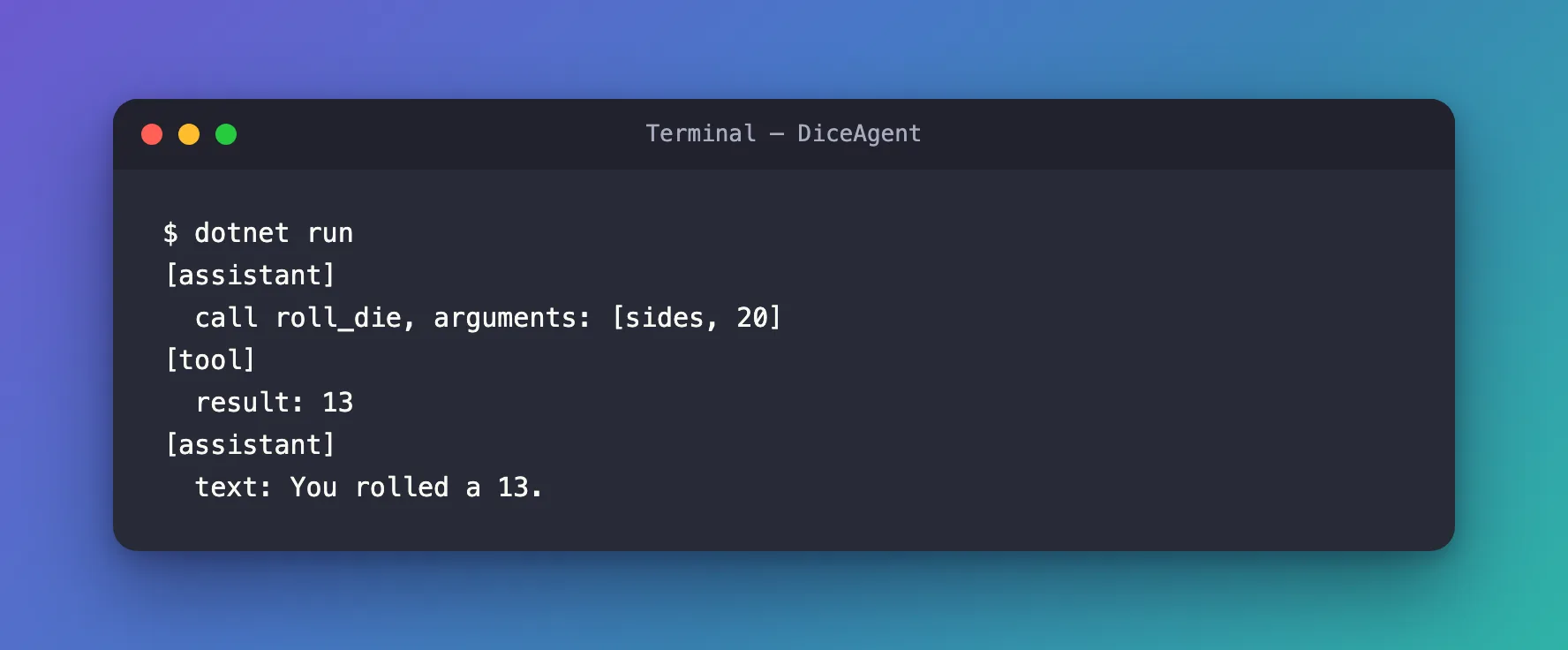
Now the whole run is visible, in three messages:
- The model asked for the tool. An
assistantmessage holds aFunctionCallContent: callroll_diewithsidesset to20. The model turned a 20-sided die into that argument. - The tool answered. A
toolmessage holds aFunctionResultContentwithRollDie's return value,13. Agent Framework ran your method in between; you didn't write that step. - The model answered. A last
assistantmessage holds the text, built from the tool's result.
The die is random, so every run shows another number, but always the same one in the result and in the text. Your own question isn't in the list: Messages holds only what the run produced.
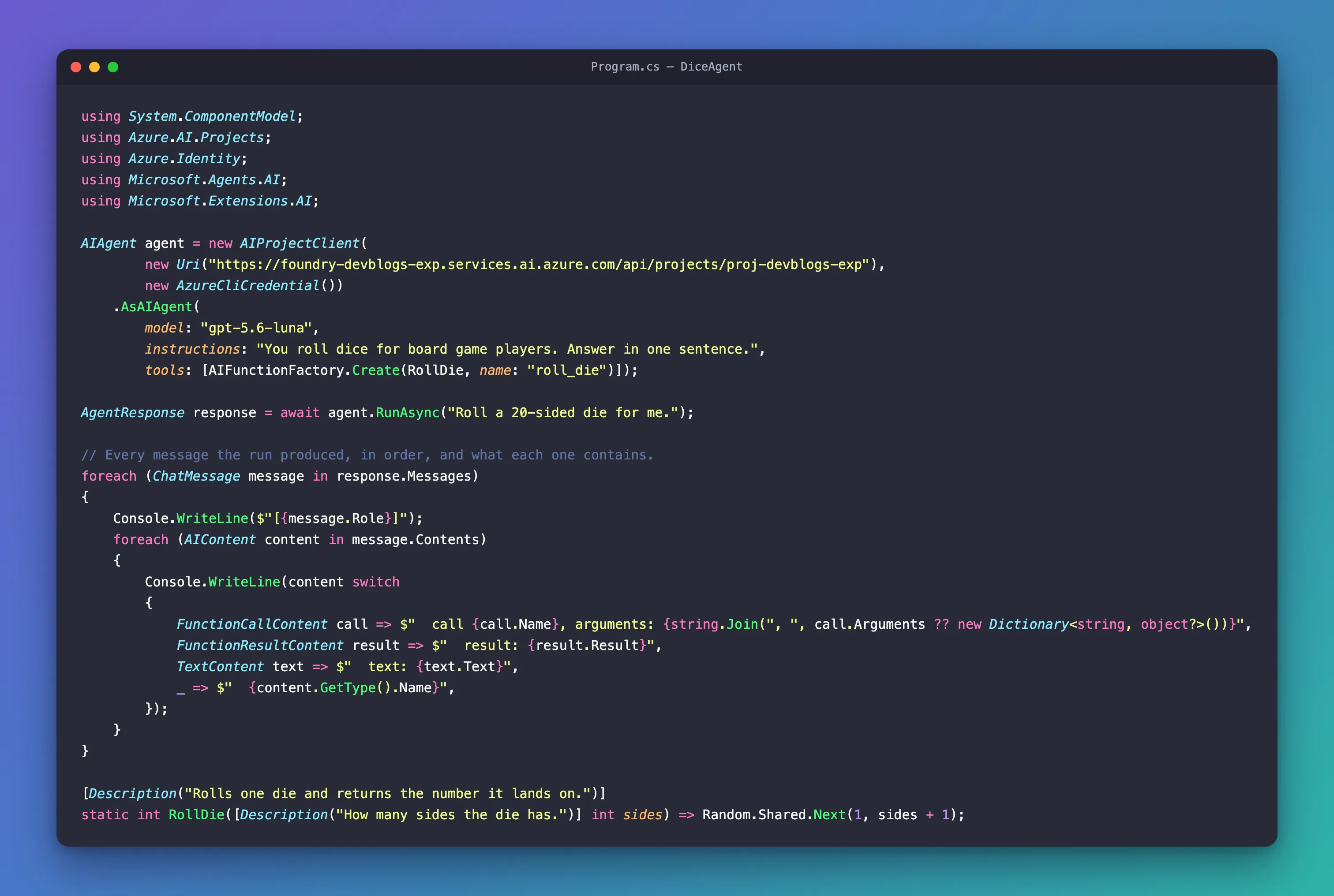
The Complete File
using System.ComponentModel;
using Azure.AI.Projects;
using Azure.Identity;
using Microsoft.Agents.AI;
using Microsoft.Extensions.AI;

AIAgent agent = new AIProjectClient(
        new Uri("https://foundry-devblogs-exp.services.ai.azure.com/api/projects/proj-devblogs-exp"),
        new AzureCliCredential())
    .AsAIAgent(
        model: "gpt-5.6-luna",
        instructions: "You roll dice for board game players. Answer in one sentence.",
        tools: [AIFunctionFactory.Create(RollDie, name: "roll_die")]);

AgentResponse response = await agent.RunAsync("Roll a 20-sided die for me.");

// Every message the run produced, in order, and what each one contains.
foreach (ChatMessage message in response.Messages)
{
    Console.WriteLine($"[{message.Role}]");
    foreach (AIContent content in message.Contents)
    {
        Console.WriteLine(content switch
        {
            FunctionCallContent call => $"  call {call.Name}, arguments: {string.Join(", ", call.Arguments ?? new Dictionary<string, object?>())}",
            FunctionResultContent result => $"  result: {result.Result}",
            TextContent text => $"  text: {text.Text}",
            _ => $"  {content.GetType().Name}",
        });
    }
}

[Description("Rolls one die and returns the number it lands on.")]
static int RollDie([Description("How many sides the die has.")] int sides) => Random.Shared.Next(1, sides + 1);
Other Content You May See
The _ line of the switch catches every other type. Two that turned up in my runs of other agents:
TextReasoningContent, in front of a tool call, when the model reasoned before it acted.UsageContent, when the answer is streamed. WithRunStreamingAsync, eachAgentResponseUpdatehas aContentslist of the same types, arriving one piece at a time: in a streamed run of this agent the updates held the call, aUsageContent, the tool's result, the answer in pieces of a word or two, and a lastUsageContent.
Microsoft's guide also lists DataContent and UriContent, for images, audio and video sent to or from the model.
Common Mistakes
| Mistake | What happens | Do this instead |
|---|---|---|
Checking response.Text to see whether a tool ran | Text joins only the text items, so tool calls never show | Loop over response.Messages and their Contents |
Looking for your own question in Messages | It isn't there | Messages holds only what the run produced |
| Printing only the content types you expect | A new type in a later run goes unnoticed | Keep a catch-all _ case |
Troubleshooting
| Symptom | Likely cause | Fix |
|---|---|---|
Only one assistant message, with text and no call | The model answered without the tool, which is right when the question doesn't need it | If the question does need the tool, say in the tool's [Description] when to use it |
FAQ
Why is the tool result a separate message?
Because the model sees the conversation as messages, and a tool's result is one of them, with the role tool. The agent sends it back to the model in a second call, and the model writes its answer from it.
Can I see the messages while the answer streams?
Yes. With RunStreamingAsync, loop over the updates and read each update's Role and Contents. The same types arrive, a piece at a time, as the section above shows.
Do I need this in a real app?
To check that the agent uses its tools the way you meant, yes. It's the quickest way to see a wrong argument, a missed tool call, or a tool result the model misread.
Conclusion
AgentResponse.Messages holds everything a run produced: the model's tool calls with their arguments, the tools' results and the final text, each in a message that says who wrote it. Loop over the messages and their contents, and print each item by its type, to see exactly what happened between the question and the answer.
Additional Resources
- Running Agents — responses, messages and content types.
- FunctionCallContent class — a tool call, with its name and arguments.
- FunctionResultContent class — a tool's result.
