How to See EF Core Transactions in the Logs

When a transaction doesn't do what you expected, the first question is whether it began and committed at all. EF Core logs both, at Debug level, under a category of their own. One line in your settings shows them, without turning on everything else.
Prerequisites
- An ASP.NET Core project using EF Core. I used EF Core 10.0.14.
Step 1: Turn On the Category
In appsettings.Development.json, add the category under Logging:LogLevel:
{
  "Logging": {
    "LogLevel": {
      "Default": "Information",
      "Microsoft.AspNetCore": "Warning",
      "Microsoft.EntityFrameworkCore.Database.Command": "Information",
      "Microsoft.EntityFrameworkCore.Database.Transaction": "Debug"
    }
  }
}
The last line is the new one. Log categories work like namespaces, and a longer one overrides a shorter one, so this shows transactions and leaves the rest of EF Core at Information.
Step 2: Save Something
The API needs a restart to read that file if it isn't already reloading it. Then send any request that saves:
POST http://localhost:5190/api/v1/categories
Content-Type: application/json

{"name":"Docks"}
dbug: Microsoft.EntityFrameworkCore.Database.Transaction[20209]
      Beginning transaction with isolation level 'Unspecified'.
dbug: Microsoft.EntityFrameworkCore.Database.Transaction[20200]
      Began transaction with isolation level 'Unspecified'.
info: Microsoft.EntityFrameworkCore.Database.Command[20101]
      Executed DbCommand (5ms) [Parameters=[@p0='?' (DbType = DateTime), @p1='?' (Size = 100)], CommandType='Text', CommandTimeout='30']
      INSERT INTO `categories` (`CreatedAtUtc`, `Name`)
      VALUES (@p0, @p1);
      SELECT `Id`
      FROM `categories`
      WHERE ROW_COUNT() = 1 AND `Id` = LAST_INSERT_ID();
dbug: Microsoft.EntityFrameworkCore.Database.Transaction[20210]
      Committing transaction.
dbug: Microsoft.EntityFrameworkCore.Database.Transaction[20202]
      Committed transaction.
dbug: Microsoft.EntityFrameworkCore.Database.Transaction[20204]
      Disposing transaction.
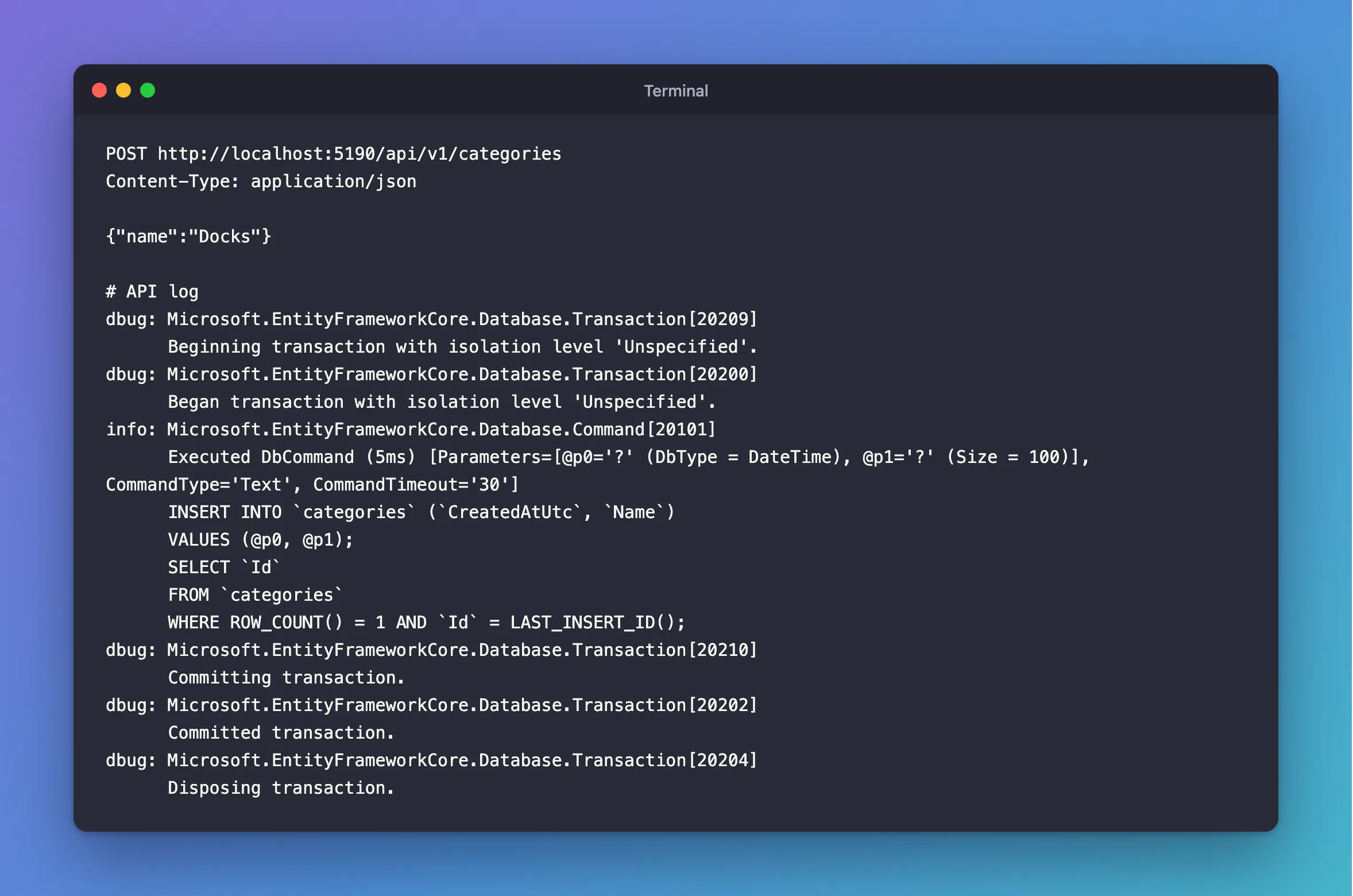
You didn't start a transaction here. That's the one SaveChangesAsync starts by itself.
Step 3: Read the Lines
| Line | What it means |
|---|---|
Beginning transaction / Began transaction | BEGIN is on its way, and then done |
Creating transaction savepoint | A SaveChangesAsync inside your own transaction |
Committing transaction / Committed transaction | COMMIT went out, and MySQL answered |
Rolling back transaction | An explicit RollbackAsync, or a rollback on dispose |
Disposing transaction | The end of the await using block |
An error occurred using a transaction | Something failed on the transaction itself |
isolation level 'Unspecified' means you didn't ask for one, and the driver then uses REPEATABLE READ.
Committed transaction is the line to look for when data seems to be missing. If it isn't there, the work wasn't saved.
Common Mistakes
| Mistake | What happens | Do this instead |
|---|---|---|
Setting all of Microsoft.EntityFrameworkCore to Debug | Pages of query compilation output | Use this one category |
Putting it in appsettings.json | Production logs it all too | Use the Development file |
| Trusting the log line for what's on the server | It's the client's view | Use MySQL's general query log |
Troubleshooting
| Symptom | Likely cause | Fix |
|---|---|---|
| Nothing appears | The environment isn't Development, or the level is too high | Check both |
Failed executing DbCommand, and no rollback line | The rollback comes from Disposing | Read the general query log |
| Two sets of lines per request | Two calls, each with its own transaction | Check whether that's what you want |
Conclusion
Set Microsoft.EntityFrameworkCore.Database.Transaction to Debug in development, and every begin, commit and rollback shows up in the log.
Additional Resources
- Logging in .NET — categories and levels.
- EF Core logging — EF Core's categories.
