How to See a Docker Container's CPU and Memory Use with docker stats

Is a container using too much memory, or keeping the processor busy? docker stats shows each running container's CPU, memory, network and disk use. This guide checks a small web-server container, with real output from Docker 29.9.3.
Syntax
docker stats --no-stream CONTAINER
docker stats --no-stream --format "table {{.Name}}\t{{.CPUPerc}}\t{{.MemUsage}}" CONTAINER
| Part | What it means |
|---|---|
CONTAINER | The container's name or ID. Without it, every running container |
--no-stream | Print one snapshot and stop, instead of a live view |
--format "table ..." | Only the columns you name, such as {{.Name}}, {{.CPUPerc}} and {{.MemUsage}} |
The reference: "Display a live stream of container(s) resource usage statistics", and for --no-stream: "Disable streaming stats and only pull the first result". The same commands work in PowerShell.
Prerequisites
- Docker: Docker Desktop on Mac or Windows, running.
- A running container, such as one started with
docker run -d --name web nginx:alpine.
Step 1: Take a Snapshot
docker stats --no-stream web
CONTAINER ID   NAME      CPU %     MEM USAGE / LIMIT     MEM %     NET I/O     BLOCK I/O       PIDS
df06ddb56bd9   web       0.00%     10.25MiB / 7.651GiB   0.13%     1kB / 84B   664kB / 4.1kB   11
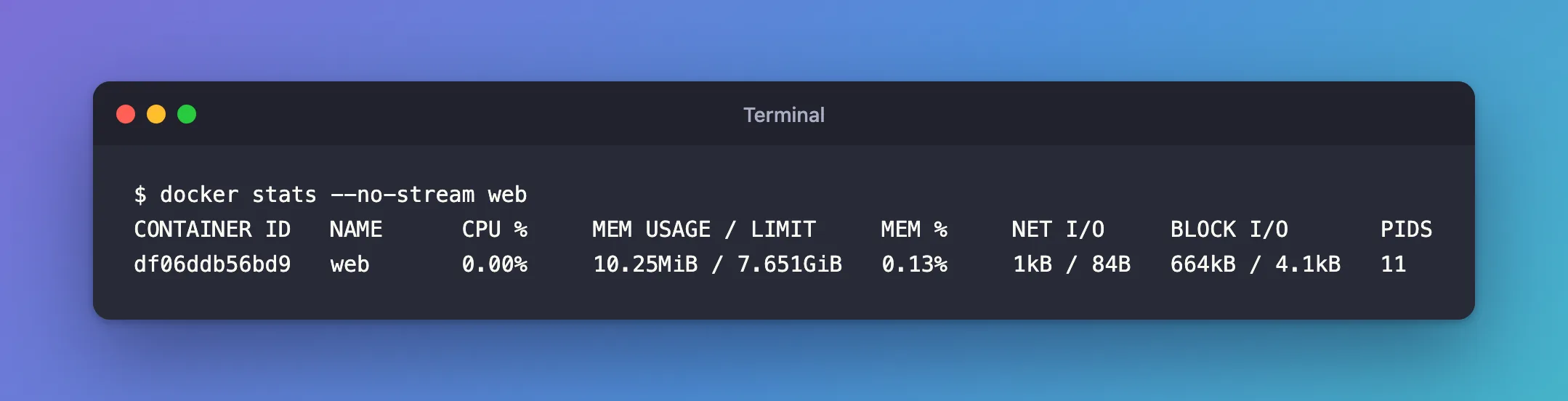
CPU %:0.00%, the idle web server isn't working.MEM USAGE / LIMIT: 10.25 MiB used of the 7.651 GiB Docker may give it.PIDS: the number of processes in the container, 11.
Step 2: Keep Only Some Columns
docker stats --no-stream --format "table {{.Name}}\t{{.CPUPerc}}\t{{.MemUsage}}" web
NAME      CPU %     MEM USAGE / LIMIT
web       0.00%     10.23MiB / 7.651GiB
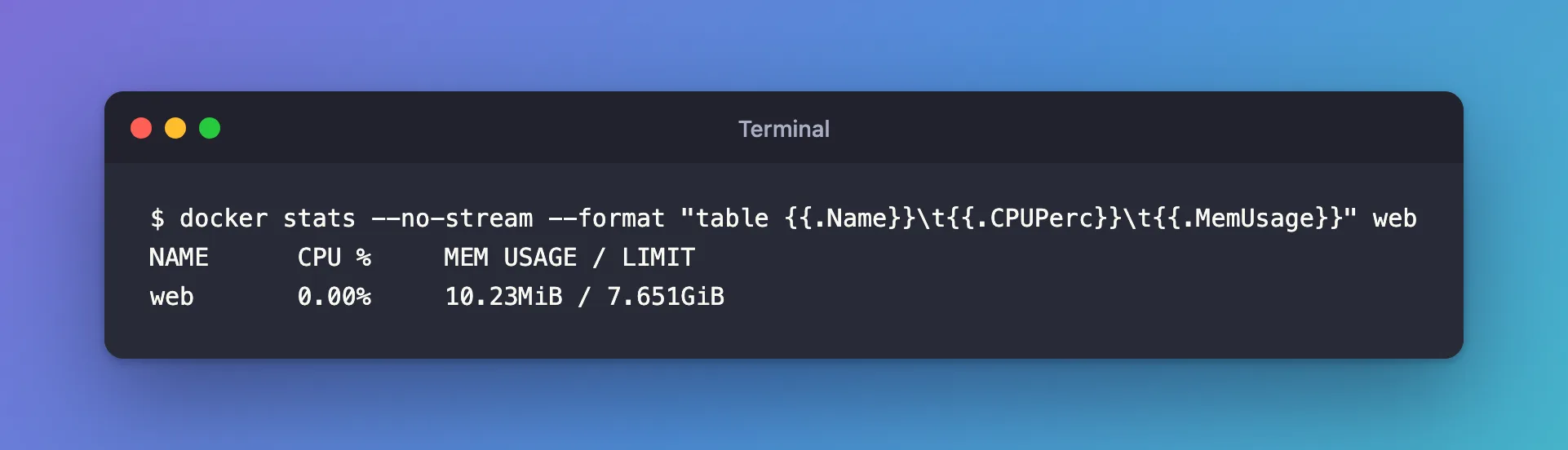
table keeps the column headers, and \t separates the columns. The command printed the same in PowerShell 7.
Common Mistakes
| Mistake | What happens | Do this instead |
|---|---|---|
Leaving out --no-stream | A live view that refreshes until you press Ctrl+C | Add --no-stream for one snapshot |
| Expecting a stopped container in the list | The reference, for -a: "Show all containers (default shows just running)" | Start it first, or check it's running with docker ps |
Troubleshooting
| Symptom | Likely cause | Fix |
|---|---|---|
| The command never ends | It's the live view | Press Ctrl+C: the live view stopped at once |
FAQ
Why is the memory limit so large?
Without a limit of its own, a container may use all the memory Docker has, 7.651 GiB on this computer. Start it with --memory to set a lower one: a container run with --memory 64m showed 9.574MiB / 64MiB.
Can I watch several containers?
Yes: leave out the name and docker stats shows every running container.
Conclusion
docker stats --no-stream web showed the container at 0.00% CPU and 10.25 MiB of memory, and --format "table ..." kept only the columns needed.
Additional Resources
- docker container stats — the columns and options.
- Format command and log output — Docker's
--formattemplates.
