How to Search Text with EF Core on MySQL: Contains, StartsWith and LIKE

EF Core gives you several ways to search text, and on MySQL with Oracle's provider they behave differently in ways that matter: some ignore case, some don't, and one treats % as a wildcard. This guide runs each one on the same data, and reads the SQL, so you can choose.
Prerequisites
- A .NET C# project with EF Core. The examples use EF Core 10, Oracle's
MySql.EntityFrameworkCore10.0.12, MySQL 9.7, and aproducts.Namecolumn with the collationutf8mb4_0900_ai_ci, which ignores case and accents.
The Results Side by Side
Each search ran against the same eight products. Five of them start with USB-C:
| Search | Rows found | Ignores case? | % is a wildcard? |
|---|---|---|---|
p.Name.Contains("usb") | 5 | Yes | No |
p.Name.StartsWith("usb") | 0 | No | No |
p.Name.StartsWith("USB") | 5 | No | No |
p.Name.EndsWith("ADAPTER") | 0 | No | No |
EF.Functions.Like(p.Name, "usb%") | 5 | Yes | Yes |
Contains
var names = await db.Products.Where(p => p.Name.Contains(q)).Select(p => p.Name).ToListAsync();
info: Microsoft.EntityFrameworkCore.Database.Command[20101]
      Executed DbCommand (1ms) [Parameters=[@q='?' (Size = 200)], CommandType='Text', CommandTimeout='30']
      SELECT `p`.`Name`
      FROM `products` AS `p`
      WHERE (@q LIKE '') OR (LOCATE(@q, `p`.`Name`) > 0)
With Oracle's provider, Contains becomes LOCATE, which finds text anywhere in the column, and follows the column's collation. @q LIKE '' keeps an empty search matching everything, as C# does. Because it's LOCATE, % and _ are plain characters. A search for % looks for a real percent sign:
HTTP/1.1 200 OK
Content-Type: application/json; charset=utf-8

[]
StartsWith and EndsWith
var names = await db.Products.Where(p => p.Name.StartsWith(q)).Select(p => p.Name).ToListAsync();
info: Microsoft.EntityFrameworkCore.Database.Command[20101]
      Executed DbCommand (1ms) [Parameters=[@q='?' (Size = 200)], CommandType='Text', CommandTimeout='30']
      SELECT `p`.`Name`
      FROM `products` AS `p`
      WHERE (`p`.`Name` LIKE CONCAT(@q, '%')) AND (LEFT(`p`.`Name`, CHAR_LENGTH(CONVERT(@q USING utf8mb4) COLLATE utf8mb4_bin)) = CONVERT(@q USING utf8mb4) COLLATE utf8mb4_bin)
Here the provider adds COLLATE utf8mb4_bin, which compares exact characters, so usb doesn't match USB-C. This post goes through how I found that.
EF.Functions.Like
EF.Functions.Like sends a LIKE as written, and you write the pattern:
var names = await db.Products.Where(p => EF.Functions.Like(p.Name, q)).Select(p => p.Name).ToListAsync();
HTTP/1.1 200 OK
Content-Type: application/json; charset=utf-8

[
  "USB-C cable, 2 m",
  "USB-C cable, 1 m",
  "USB-C charger, 20 W",
  "USB-C charger, 65 W",
  "USB-C to USB-A adapter"
]
info: Microsoft.EntityFrameworkCore.Database.Command[20101]
      Executed DbCommand (1ms) [Parameters=[@q='?' (Size = 200)], CommandType='Text', CommandTimeout='30']
      SELECT `p`.`Name`
      FROM `products` AS `p`
      WHERE `p`.`Name` LIKE @q
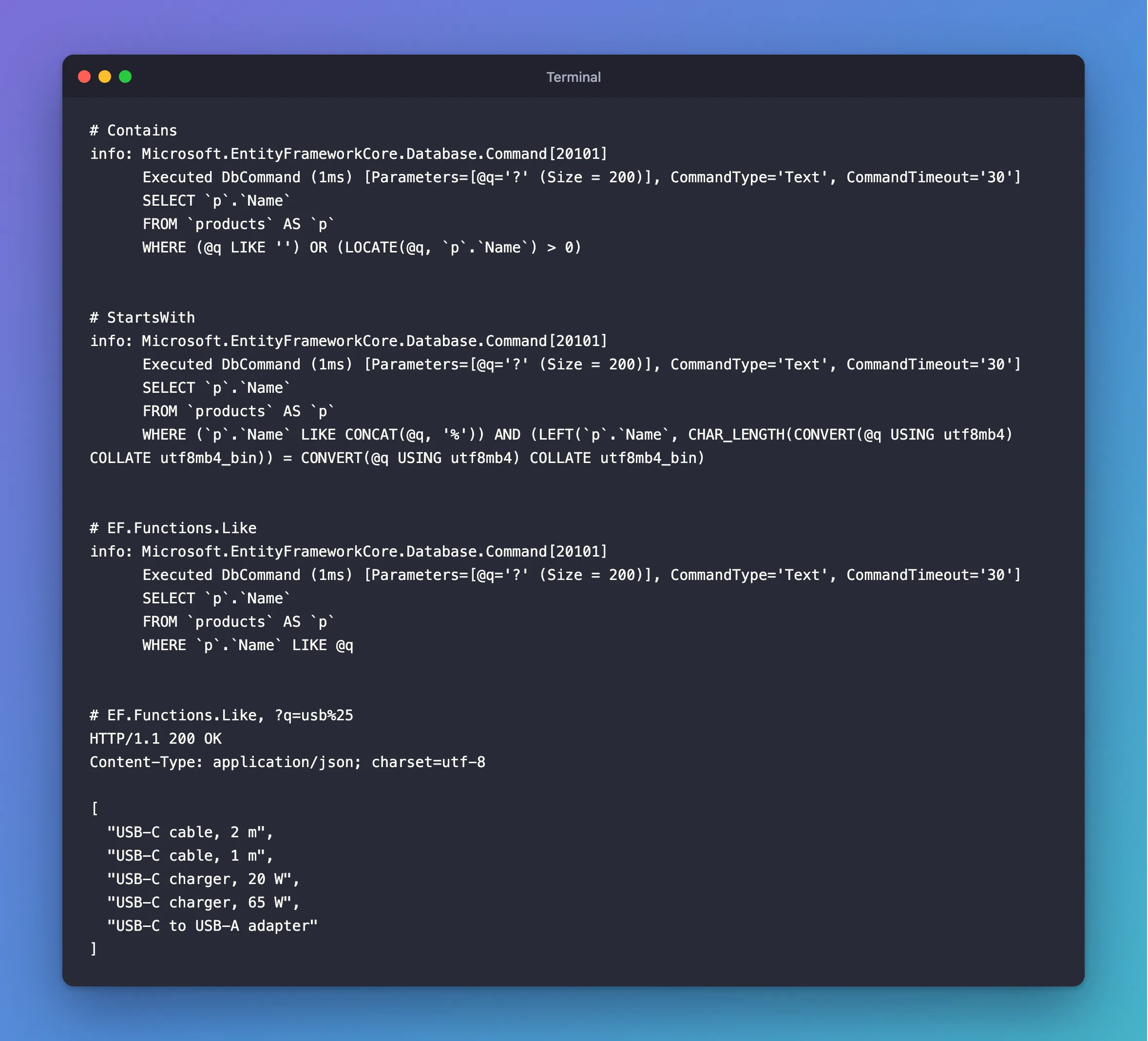
% means "anything", and _ means "any one character", so a search box needs care. % alone matched everything:
HTTP/1.1 200 OK
Content-Type: application/json; charset=utf-8

[
  "USB-C cable, 2 m",
  "USB-C cable, 1 m",
  "HDMI cable, 2 m",
  "Lightning cable, 1 m",
  "USB-C charger, 20 W",
  "USB-C charger, 65 W",
  "HDMI to VGA adapter",
  "USB-C to USB-A adapter"
]
Which to Use
| You want | Use |
|---|---|
| A search box: find this text anywhere | Contains, which treats the user's text literally |
| Names that start with this, ignoring case | EF.Functions.Like(p.Name, search + "%"), escaping % and _ in search |
| An exact match, ignoring case | p.Sku == search, which follows the collation |
| Fast search over a lot of text | A FULLTEXT index, which neither LOCATE nor LIKE '%x%' can use |
Only a pattern with a fixed start, such as usb%, can use a normal index. How to Check if a MySQL Query Uses an Index shows how to check.
Search Several Columns
Combine them with ||, which becomes OR. In the inventory API:
if (!string.IsNullOrWhiteSpace(query.Search))
{
    var search = query.Search.Trim();
    products = products.Where(p => p.Name.Contains(search) || p.Sku.Contains(search));
}
Common Mistakes
| Mistake | What happens | Do this instead |
|---|---|---|
Assuming StartsWith ignores case like Contains | Lowercase searches find nothing | Use EF.Functions.Like |
Passing StringComparison to Contains | An exception | Leave it out |
Passing a user's text straight to Like | % matches everything | Escape it, or use Contains |
ToLower() on the column | It adds work, and no index can help | Rely on the collation |
FAQ
Is this safe from SQL injection?
Yes. The text travels as the parameter @q in every case. % in a LIKE is a matching problem, not an injection one.
Does Contains use an index?
No. LOCATE has to look through every row, which is fine for thousands of rows, and not for millions.
Conclusion
On MySQL with Oracle's provider, Contains becomes LOCATE: it follows the column's collation, and treats % literally. StartsWith and EndsWith add COLLATE utf8mb4_bin, so they're case-sensitive. EF.Functions.Like follows the column, and treats % as a wildcard. Test your search with lowercase text, because that's where the differences show.
Additional Resources
- Collations and Case Sensitivity — how EF Core treats text comparisons.
- String Comparison Functions and Operators —
LIKEin MySQL.
