How to Search Text in MySQL with LIKE and LOCATE

To find rows by part of a column's text in MySQL, use LIKE with a pattern, or LOCATE with plain text. They look alike and differ in what they do with %. This guide runs both on a real table on MySQL 9.7, including the part that surprises people: searching for usb finds USB.
Prerequisites
- MySQL, and a way to run SQL. The examples use MySQL 9.7.4 in Docker, and the
mysqlclient from How to Connect to MySQL in a Docker Container. - A table with text in it. The examples use
products.Name, whose collation isutf8mb4_0900_ai_ci. How to Check the MySQL Character Set and Collation shows how to see yours.
Step 1: Find Text Anywhere with LIKE
In a pattern, % means any number of characters, so %cable% means "with cable somewhere in it":
SELECT Name FROM products WHERE Name LIKE '%cable%';
+----------------------+
| Name                 |
+----------------------+
| USB-C cable, 2 m     |
| USB-C cable, 1 m     |
| HDMI cable, 2 m      |
| Lightning cable, 1 m |
+----------------------+
4 rows in set (0.000 sec)
Step 2: Find Text at the Start
Leave off the first %. Notice I searched in lowercase:
SELECT Name FROM products WHERE Name LIKE 'usb%';
+------------------------+
| Name                   |
+------------------------+
| USB-C cable, 2 m       |
| USB-C cable, 1 m       |
| USB-C charger, 20 W    |
| USB-C charger, 65 W    |
| USB-C to USB-A adapter |
+------------------------+
5 rows in set (0.000 sec)
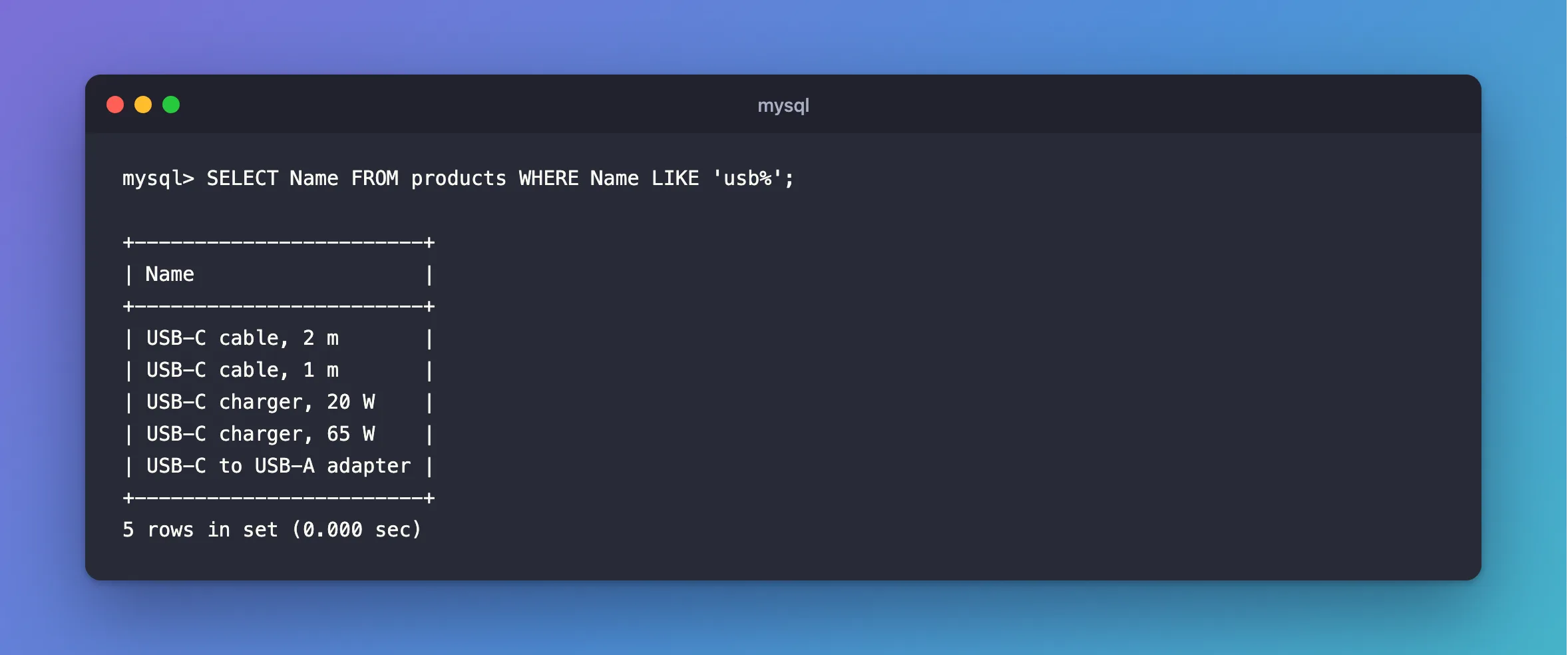
Upper and lower case made no difference, because the column's collation ignores case. How to Make a MySQL Text Comparison Case-Sensitive changes that.
Step 3: Match One Unknown Character
_ means exactly one character:
SELECT Name FROM products WHERE Name LIKE '_DMI%';
+---------------------+
| Name                |
+---------------------+
| HDMI cable, 2 m     |
| HDMI to VGA adapter |
+---------------------+
2 rows in set (0.000 sec)
MySQL's string comparison page defines both: "% matches any number of characters, even zero characters", and "_ matches exactly one character".
Step 4: Find Plain Text with LOCATE
LOCATE has no wildcards. It returns the position of the first match, or 0, so > 0 means "contains":
SELECT Name FROM products WHERE LOCATE('adapter', Name) > 0;
+------------------------+
| Name                   |
+------------------------+
| HDMI to VGA adapter    |
| USB-C to USB-A adapter |
+------------------------+
2 rows in set (0.000 sec)
The string functions page says: "The first syntax returns the position of the first occurrence of substring substr in string str." Mind the order, with the text you're looking for first. It's what EF Core's Contains becomes on MySQL.
Step 5: Search for a Real % or _
With LIKE, put a backslash in front. None of these products has a % in its name, and the pattern looks for exactly that, so nothing comes back:
SELECT Name FROM products WHERE Name LIKE '%\%%';
Empty set (0.000 sec)
Without the backslash, '%%%' would match everything. That's the risk of passing a user's search box straight into a LIKE pattern. LOCATE avoids it, because % is an ordinary character there.
All Three Follow the Collation
SELECT 'USB-C' = 'usb-c', 'USB-C' LIKE 'usb%', LOCATE('usb', 'USB-C');
+-------------------+---------------------+------------------------+
| 'USB-C' = 'usb-c' | 'USB-C' LIKE 'usb%' | LOCATE('usb', 'USB-C') |
+-------------------+---------------------+------------------------+
|                 1 |                   1 |                      1 |
+-------------------+---------------------+------------------------+
1 row in set (0.000 sec)
Which to Use
| You want | Use |
|---|---|
| Starts with this, and able to use an index | LIKE 'text%' |
| Contains this, from a search box | LOCATE('text', col) > 0 |
| A pattern of your own | LIKE with % and _ |
| Fast search through a lot of text | A FULLTEXT index |
How to Check if a MySQL Query Uses an Index shows the difference an index makes.
Common Mistakes
| Mistake | What happens | Do this instead |
|---|---|---|
LIKE '%text%' on a big table | It reads every row | Use a prefix, or FULLTEXT |
A user's % going straight into LIKE | It matches everything | Escape it, or use LOCATE |
LOCATE(Name, 'text') | Looks for the column inside the text | Text first, column second |
LOWER(Name) LIKE … to ignore case | It's already ignored, and an index can't help | Rely on the collation |
FAQ
What's the difference between LOCATE and INSTR?
Their arguments go the other way round. The string functions page has both.
Does LIKE need a space to match a word?
No. It matches characters, not words, so %cable% also finds cables.
Conclusion
LIKE uses % and _ as wildcards, and \ to escape them. LOCATE looks for plain text, and returns 0 when it isn't there. Both follow the column's collation, which on a default column means upper and lower case match each other.
Additional Resources
- String Comparison Functions and Operators —
LIKE. - String Functions and Operators —
LOCATE.
