How to Search Model Versions in MLflow

Once a registered model has a few versions, you start asking questions about them: which ones passed review, which was registered last, which came from a given run. MlflowClient.search_model_versions answers them with a filter, like a search over runs. This guide lists every version of a model, then only the approved ones, newest first, with real output from MLflow 3.18.0.
Syntax
versions = MlflowClient().search_model_versions(filter_string, order_by=[order], max_results=n)
| Part | What it means |
|---|---|
filter_string | Which versions to return, such as "name = 'species-classifier' AND tags.validation_status = 'approved'" |
order | A column and a direction, such as "version_number DESC" |
n | The most versions to return; the default is 10,000 |
versions | A list of ModelVersion objects |
The filter is built from these parts, as the search_model_versions reference lists them:
| Part | Choices |
|---|---|
| What to compare | name, run_id, source_path, or tags.<key> for a version tag |
| How to compare | =, !=, LIKE (case-sensitive pattern), ILIKE (case-insensitive pattern), and IN for run_id only |
| The value | A quoted string, such as 'approved' |
| Joining conditions | AND only |
Prerequisites
- An MLflow tracking server with a database backend at
http://127.0.0.1:8080, such asmlflow server --port 8080with its default SQLite database. The registry needs one. mlflowandscikit-learnin your project, for example withuv add mlflow scikit-learn pandas.
Step 1: List the Versions, Then Filter Them
The example registers three versions of an iris classifier as species-classifier, each with a validation_status tag: approved, rejected, then approved. It lists all three by version number, then searches for the approved ones, newest first:
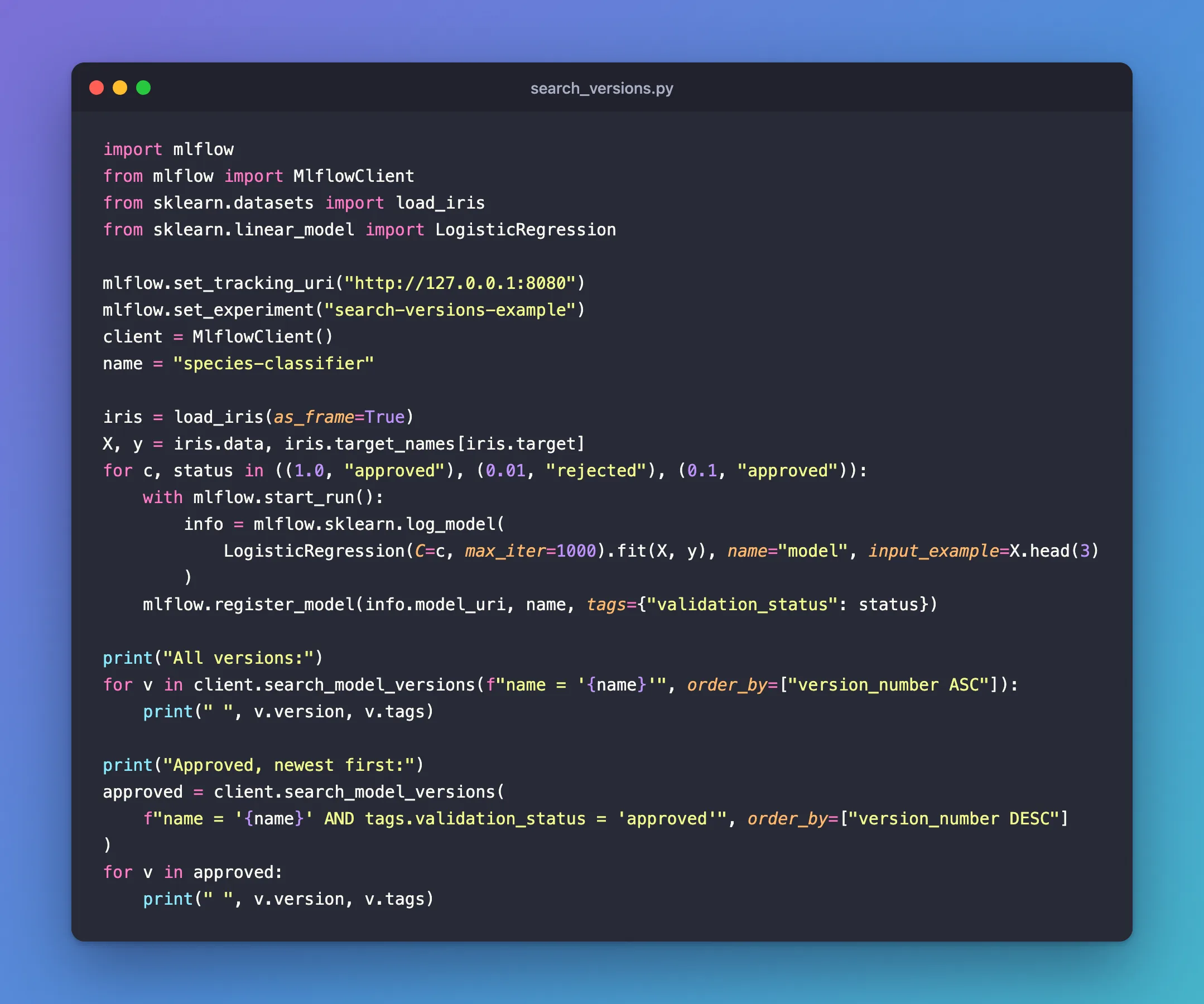
import mlflow
from mlflow import MlflowClient
from sklearn.datasets import load_iris
from sklearn.linear_model import LogisticRegression

mlflow.set_tracking_uri("http://127.0.0.1:8080")
mlflow.set_experiment("search-versions-example")
client = MlflowClient()
name = "species-classifier"

iris = load_iris(as_frame=True)
X, y = iris.data, iris.target_names[iris.target]
for c, status in ((1.0, "approved"), (0.01, "rejected"), (0.1, "approved")):
    with mlflow.start_run():
        info = mlflow.sklearn.log_model(
            LogisticRegression(C=c, max_iter=1000).fit(X, y), name="model", input_example=X.head(3)
        )
    mlflow.register_model(info.model_uri, name, tags={"validation_status": status})

print("All versions:")
for v in client.search_model_versions(f"name = '{name}'", order_by=["version_number ASC"]):
    print(" ", v.version, v.tags)

print("Approved, newest first:")
approved = client.search_model_versions(
    f"name = '{name}' AND tags.validation_status = 'approved'", order_by=["version_number DESC"]
)
for v in approved:
    print(" ", v.version, v.tags)
uv run python search_versions.py
All versions:
  1 {'validation_status': 'approved'}
  2 {'validation_status': 'rejected'}
  3 {'validation_status': 'approved'}
Approved, newest first:
  3 {'validation_status': 'approved'}
  1 {'validation_status': 'approved'}
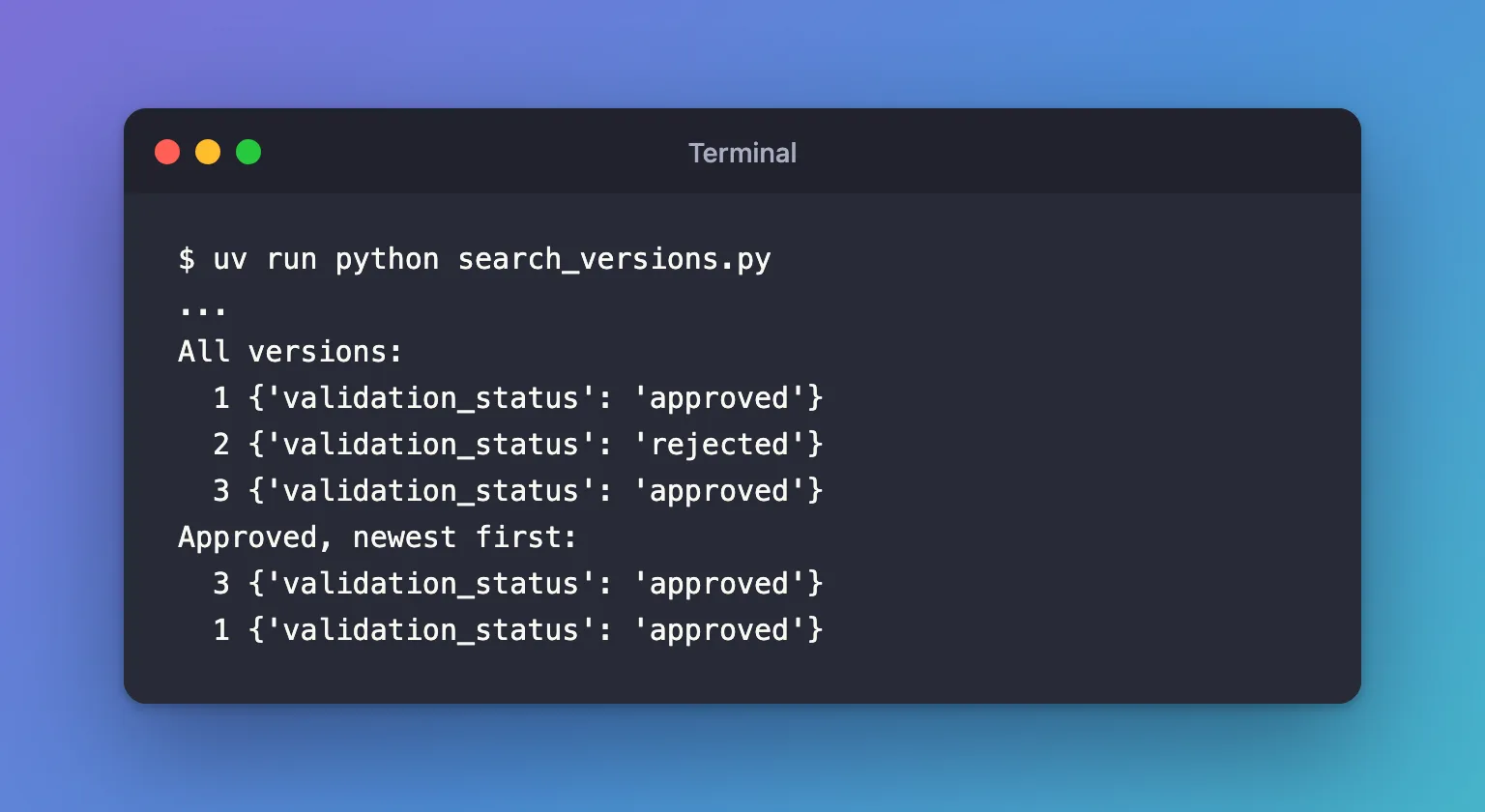
- All versions: the filter on
namealone returned all three, in version order. - Approved, newest first: adding
AND tags.validation_status = 'approved'dropped the rejected version 2, andversion_number DESCput version 3 first.
Common Mistakes
| Mistake | What happens | Do this instead |
|---|---|---|
Reading aliases from the search results | They come back empty, even for a version that has an alias; the reference warns that search results "may not have aliases populated for performance reasons" | Read aliases with get_model_version or get_registered_model(name).aliases |
Leaving out the name condition | The search covers every registered model on the server | Start the filter with name = '...' |
Troubleshooting
| Symptom | Likely cause | Fix |
|---|---|---|
INVALID_PARAMETER_VALUE: Invalid clause(s) in filter string: OR | The filter joins conditions with OR | Run one search per condition and combine the results in Python |
INVALID_PARAMETER_VALUE: Expected a quoted string value or a list of quoted string values for attributes. Got value species-classifier | The value isn't in quotes | Write name = 'species-classifier' |
FAQ
How do I get only the newest version?
Sort by version_number DESC and ask for one result: How to Get the Latest Version of a Registered Model in MLflow.
How do I find the versions registered from one run?
Filter on run_id, such as f"run_id = '{run_id}'", an example the reference itself gives.
Conclusion
search_model_versions("name = 'species-classifier'") listed all three versions, and adding AND tags.validation_status = 'approved' with order_by=["version_number DESC"] returned the approved versions 3 and 1, newest first.
Additional Resources
- MlflowClient.search_model_versions — the filter syntax and examples.
- Model Registry workflows — listing and searching models.
