How to Search MLflow Runs in Python with search_runs

mlflow.search_runs() is the Python way to look through an experiment's runs: one call returns them as a pandas DataFrame, one row per run, with a column for every metric, parameter and tag. You can filter, sort and limit the result on the server. This guide searches three small runs, reads the columns MLflow returns, and narrows them to the best runs, with real output from MLflow 3.18.0.
Syntax
runs = mlflow.search_runs(
    experiment_names=["<experiment name>"],
    filter_string="<filter>",
    order_by=["<column> ASC|DESC"],
    max_results=<number>,
    output_format="pandas",
)
| Argument | What it means |
|---|---|
experiment_names | The experiments to search, by name. experiment_ids does the same by ID; use one or the other, not both. With neither, MLflow searches the active experiment |
filter_string | Which runs to keep, such as "metrics.r2 > 0.75". Empty by default: all runs |
order_by | A list of columns to sort by, each with an optional ASC or DESC. "The default ordering is to sort by start_time DESC", newest first |
max_results | The most runs to return. "Default is 100,000" |
output_format | "pandas", the default, for a DataFrame, or "list" for a list of Run objects |
run_view_type and search_all_experiments are covered in How to Include Deleted Runs in an MLflow Search in Python and the function's reference.
Prerequisites
- An MLflow tracking server at
http://127.0.0.1:8080. MLflow's tracking server guide shows how to start one.
Step 1: Create Three Runs
The example is three forests with 50, 100 and 200 trees, each with the R² it scored. Create forest_runs.py:
import mlflow

mlflow.set_tracking_uri("http://127.0.0.1:8080")
mlflow.set_experiment("python-search-demo")

for trees, r2 in [(50, 0.71), (100, 0.76), (200, 0.78)]:
    with mlflow.start_run(run_name=f"{trees}-trees"):
        mlflow.log_param("n_estimators", trees)
        mlflow.log_metric("r2", r2)
uv run python forest_runs.py
It prints a View run link for each of the three runs.
Step 2: Search the Experiment
Create search_runs.py. It searches the experiment twice: once for everything, once for the runs with an R² above 0.75, best first:
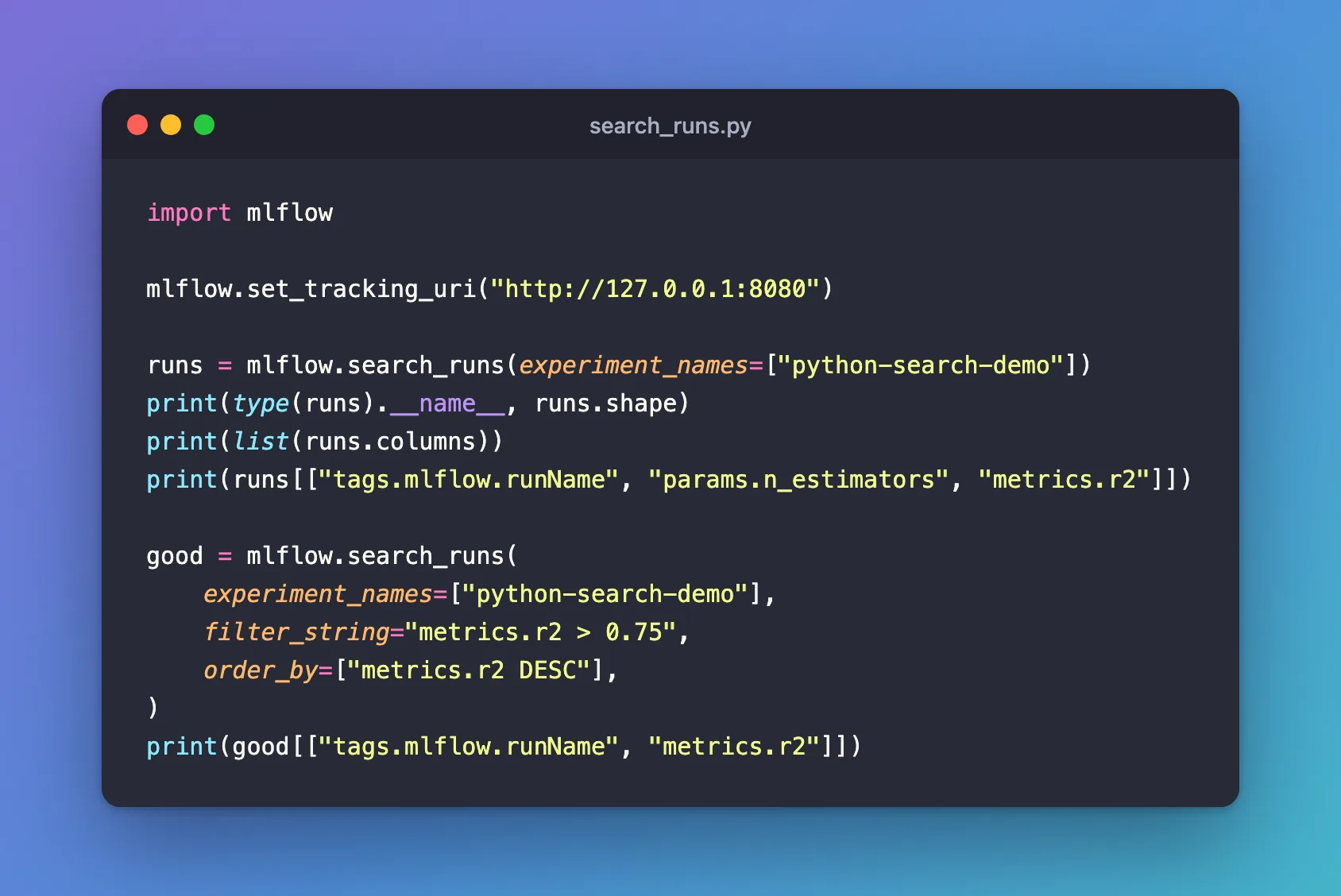
import mlflow

mlflow.set_tracking_uri("http://127.0.0.1:8080")

runs = mlflow.search_runs(experiment_names=["python-search-demo"])
print(type(runs).__name__, runs.shape)
print(list(runs.columns))
print(runs[["tags.mlflow.runName", "params.n_estimators", "metrics.r2"]])

good = mlflow.search_runs(
    experiment_names=["python-search-demo"],
    filter_string="metrics.r2 > 0.75",
    order_by=["metrics.r2 DESC"],
)
print(good[["tags.mlflow.runName", "metrics.r2"]])
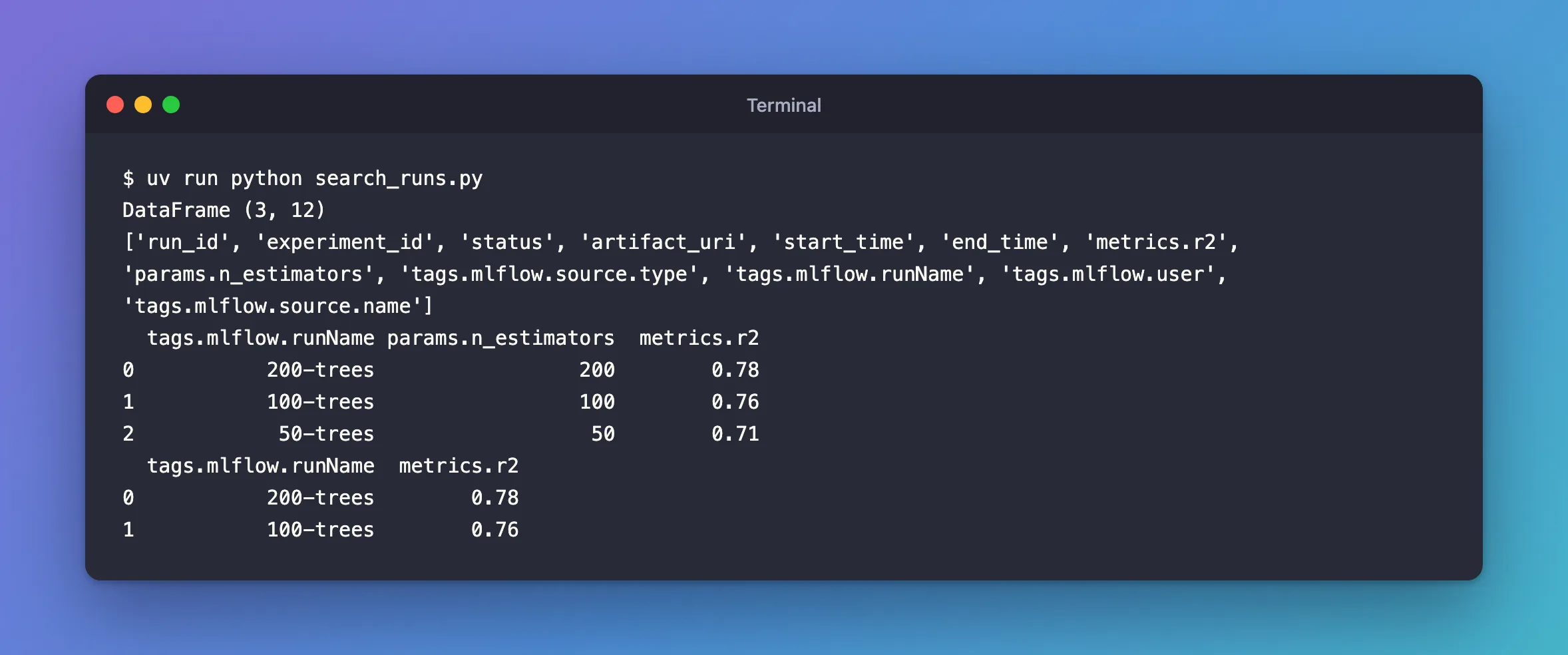
uv run python search_runs.py
DataFrame (3, 12)
['run_id', 'experiment_id', 'status', 'artifact_uri', 'start_time', 'end_time', 'metrics.r2', 'params.n_estimators', 'tags.mlflow.source.type', 'tags.mlflow.runName', 'tags.mlflow.user', 'tags.mlflow.source.name']
  tags.mlflow.runName params.n_estimators  metrics.r2
0           200-trees                 200        0.78
1           100-trees                 100        0.76
2            50-trees                  50        0.71
  tags.mlflow.runName  metrics.r2
0           200-trees        0.78
1           100-trees        0.76
Step 3: Read the Result
- One row per run, three here, and 12 columns.
- The run's own fields come first:
run_id,experiment_id,status,artifact_uri,start_timeandend_time. - Everything the run logged follows, with a prefix:
metrics.r2,params.n_estimators, and the tags, including the ones MLflow sets itself, such astags.mlflow.runName, the run's name. - Newest first:
200-treeswas logged last, so it's row 0. - Parameters are text:
params.n_estimatorsholds'200', not 200. Metrics are numbers.
The second search kept the two runs with an R² above 0.75 and ordered them by R², highest first. Filtering and ordering happen on the tracking server, so only those runs are sent back. How to Write a Search Filter for MLflow Runs lists every kind of filter.
Step 4: Get Run Objects Instead
With output_format="list", the same search returns a list of Run objects, the type mlflow.get_run() returns. Create run_objects.py:
import mlflow

mlflow.set_tracking_uri("http://127.0.0.1:8080")

runs = mlflow.search_runs(experiment_names=["python-search-demo"], output_format="list")
print(runs[0].info.run_name, runs[0].data.params, runs[0].data.metrics)
uv run python run_objects.py
200-trees {'n_estimators': '200'} {'r2': 0.78}
run.info holds the run's own fields and run.data what it logged. A list is handier when you want one run's values; a DataFrame when you want a table.
Common Mistakes
| Mistake | What happens | Do this instead |
|---|---|---|
Passing both experiment_ids and experiment_names | MlflowException: Only experiment_ids or experiment_names can be used, but not both | Pick one |
Indexing the DataFrame like a list, runs[0] | KeyError: 0, because [0] looks for a column called 0 | Use runs.iloc[0] for the first row, or output_format="list" |
Leaving out the experiment, without mlflow.set_experiment() | MLflow searches the active experiment, Default, and finds nothing here | Name the experiment |
Troubleshooting
| Symptom | Likely cause | Fix |
|---|---|---|
KeyError: 'metrics.r2' | None of the returned runs logged that metric, so the column doesn't exist | Check the name, or use runs.columns to see what's there |
| An empty DataFrame | The experiment name is wrong, or no run matches the filter | Search without filter_string to see whether the experiment has runs |
TypeError: Invalid comparison between dtype=str and int | A parameter column, which holds text, was compared with a number | Convert it first: runs["params.n_estimators"].astype(int) > 100 |
FAQ
How many runs does it return?
Up to 100,000 by default; max_results sets a smaller limit, and max_results=2 here returned the two newest runs.
Can I search several experiments at once?
Yes: list them all in experiment_names. search_all_experiments=True searches every experiment.
What's the difference from MlflowClient().search_runs()?
MlflowClient().search_runs() takes experiment IDs, returns Run objects one page at a time, and returns 1,000 runs per call by default. mlflow.search_runs() collects the pages for you and can return a DataFrame.
Conclusion
mlflow.search_runs(experiment_names=[...]) returned the experiment's runs as a DataFrame, newest first, with metrics., params. and tags. columns. filter_string, order_by and max_results narrowed and sorted them on the server, and output_format="list" returned Run objects instead.
Additional Resources
- mlflow.search_runs — the function's reference.
- Search Runs — MLflow's guide to searching runs.
