How to Search MLflow Runs by Dataset

When a run records the data it trained on with mlflow.log_input(), you can search runs by that data: every run trained on a given dataset, or only those that used exactly the same rows. MLflow offers three dataset fields to search: the name you gave the dataset, its digest, a short fingerprint of its contents, and the context it was used in. This guide searches three runs by each, with real results from MLflow 3.18.0.
Syntax
datasets.name = '<dataset name>'
datasets.digest = '<digest>'
datasets.context = '<context>'
datasets.name IN ('<name>', '<name>')
| Part | What it means |
|---|---|
datasets.name | The name given to the dataset when it was logged |
datasets.digest | The dataset's digest: the same rows and columns give the same digest |
datasets.context | What the run used it for, such as training |
=, !=, LIKE, ILIKE, IN | Every value is text, in quotes. IN takes a list in parentheses |
A run matches when any of its datasets meets the condition.
Prerequisites
- An MLflow tracking server at
http://127.0.0.1:8080. MLflow's tracking server guide shows how to start one.
Step 1: Create Three Runs with Datasets
The example is a month of house sales in a pandas table: January's three sales and February's two. Two runs train on January and one on February. Create dataset_runs.py:
import mlflow
import pandas as pd

mlflow.set_tracking_uri("http://127.0.0.1:8080")
mlflow.set_experiment("dataset-search-demo")

january = pd.DataFrame({"size_m2": [48.0, 72.0, 95.0], "price": [150.0, 210.0, 280.0]})
february = pd.DataFrame({"size_m2": [60.0, 110.0], "price": [190.0, 330.0]})

for run_name, data, name in [
    ("trained-on-january", january, "sales-january"),
    ("trained-on-february", february, "sales-february"),
    ("january-again", january, "sales-january"),
]:
    dataset = mlflow.data.from_pandas(data, name=name, targets="price")
    with mlflow.start_run(run_name=run_name):
        mlflow.log_input(dataset, context="training")
    print(f"{run_name:20} {dataset.name:15} digest {dataset.digest}")
uv run python dataset_runs.py
trained-on-january   sales-january   digest 24ead94a
trained-on-february  sales-february  digest 307c867b
january-again        sales-january   digest 24ead94a
The two January runs got the same digest, 24ead94a, because their rows are identical. How to Log a Dataset in MLflow explains from_pandas and log_input.
Step 2: Search by Name, Digest and Context
Create find_by_dataset.py. A small function returns the names of the runs that match a filter:
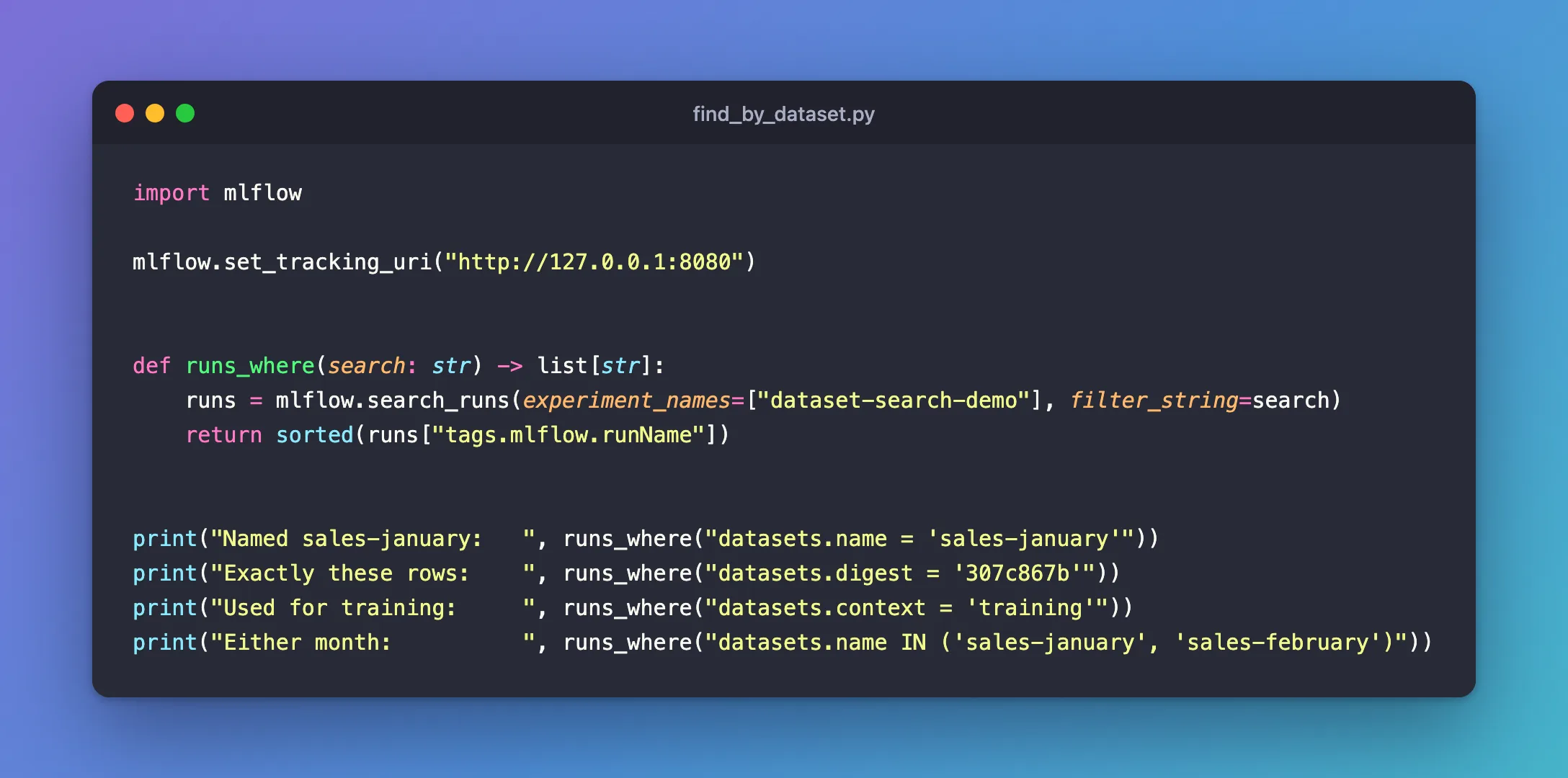
import mlflow

mlflow.set_tracking_uri("http://127.0.0.1:8080")


def runs_where(search: str) -> list[str]:
    runs = mlflow.search_runs(experiment_names=["dataset-search-demo"], filter_string=search)
    return sorted(runs["tags.mlflow.runName"])


print("Named sales-january:   ", runs_where("datasets.name = 'sales-january'"))
print("Exactly these rows:    ", runs_where("datasets.digest = '307c867b'"))
print("Used for training:     ", runs_where("datasets.context = 'training'"))
print("Either month:          ", runs_where("datasets.name IN ('sales-january', 'sales-february')"))
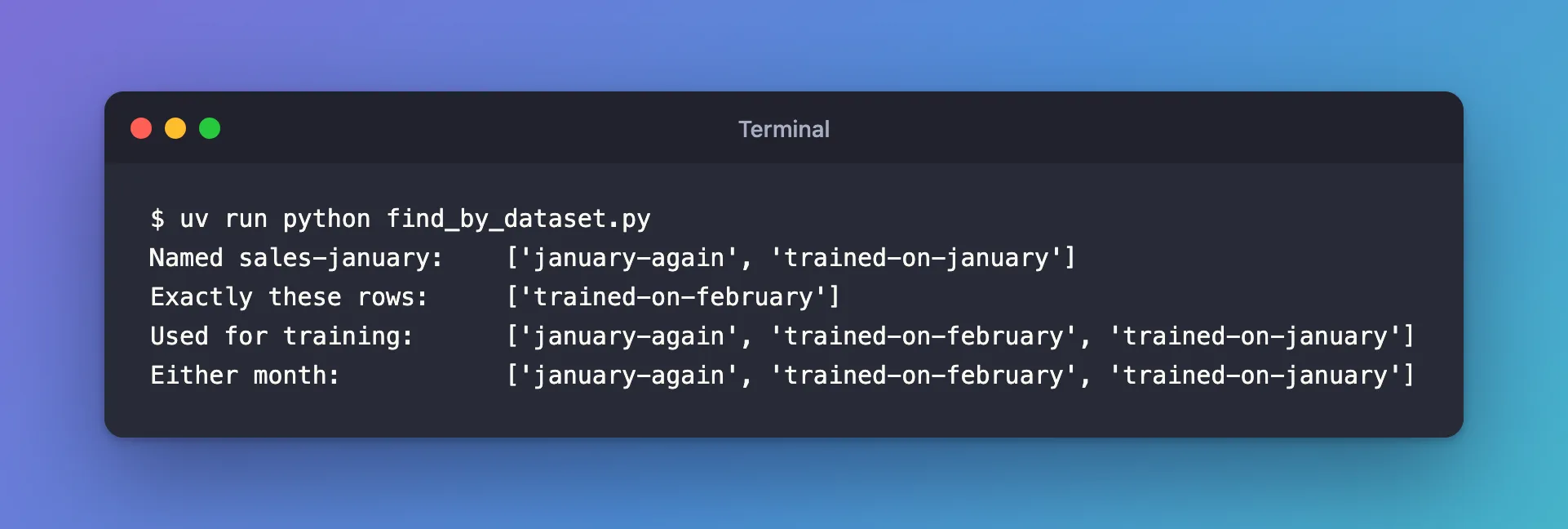
uv run python find_by_dataset.py
Named sales-january:    ['january-again', 'trained-on-january']
Exactly these rows:     ['trained-on-february']
Used for training:      ['january-again', 'trained-on-february', 'trained-on-january']
Either month:           ['january-again', 'trained-on-february', 'trained-on-january']
Step 3: Choose Name or Digest
- The name is a label you choose. Two runs with the same name could have trained on different rows, if the data changed between them.
- The digest comes from the data itself.
datasets.digest = '307c867b'finds the runs that used exactly February's rows, whatever the dataset was called.
To check whether two runs used the same data, compare digests: How to Check Whether Two MLflow Runs Used the Same Data.
Common Mistakes
| Mistake | What happens | Do this instead |
|---|---|---|
A digest without quotes, datasets.digest = 24ead94a | Invalid clause(s) in filter string: 'datasets.digest = 24ead94a' | Quote it: '24ead94a' |
A field other than name, digest and context, such as datasets.rows | Invalid dataset key 'rows' specified. Valid keys are '{'context', 'name', 'digest'}' | Search by one of the three |
| Trusting the name to mean the same data | Runs with the same dataset name can have different rows | Search by digest |
Troubleshooting
| Symptom | Likely cause | Fix |
|---|---|---|
| No runs match a dataset name | The runs never called log_input, so they have no datasets | Log the data with log_input in your training code |
datasets.context = 'testing' finds nothing | The data was logged with another context, training here | Use the context the runs logged, shown next to the dataset in the UI |
| Different digests for data you think is the same | A value, a column name or the row order differs | Compare the two tables row by row |
FAQ
Can I search by dataset in the UI?
Yes: type the same filter into the runs table's search box, or use the Datasets button next to it, which lists the experiment's datasets to choose from.
Can I use LIKE on dataset names?
Yes: datasets.name LIKE 'sales-%' matched all three runs here.
Does the search look at the data itself?
No. MLflow stores a dataset's name, digest, context, schema and profile with the run, not its rows, and searches those.
Conclusion
datasets.name found the runs by the dataset's label, datasets.digest by its exact contents, and datasets.context by how it was used, with IN for a list of values. Search by digest when the question is "which runs used exactly this data?".
Additional Resources
- Search Runs — MLflow's guide, with its section on dataset fields.
- mlflow.log_input — the function that records a run's datasets.
