How to Scale Features with StandardScaler in scikit-learn

Many models work best when every feature is on a similar scale, but real data mixes heights in centimeters with weights in kilograms. StandardScaler rescales each feature to a mean of 0 and a spread of 1. This guide scales a small table of heights and weights, with real output from scikit-learn 1.9.1.
Syntax
from sklearn.preprocessing import StandardScaler

<scaler> = StandardScaler()
<scaled_train> = <scaler>.fit_transform(<train>)
<scaled_new> = <scaler>.transform(<new rows>)
| Part | What it means |
|---|---|
fit_transform(<train>) | Learns each column's mean and standard deviation from the training data, then scales it |
transform(<new rows>) | Scales other rows with the numbers learned from the training data |
<scaler>.mean_, <scaler>.scale_ | The learned means and standard deviations |
The scikit-learn reference: "Standardize features by removing the mean and scaling to unit variance. The standard score of a sample x is calculated as: z = (x - u) / s where u is the mean of the training samples or zero if with_mean=False, and s is the standard deviation of the training samples or one if with_std=False."
Prerequisites
- scikit-learn in your project, for example with
uv add scikit-learn. This guide uses scikit-learn 1.9.1 on Python 3.15.2.
Step 1: Write the Script
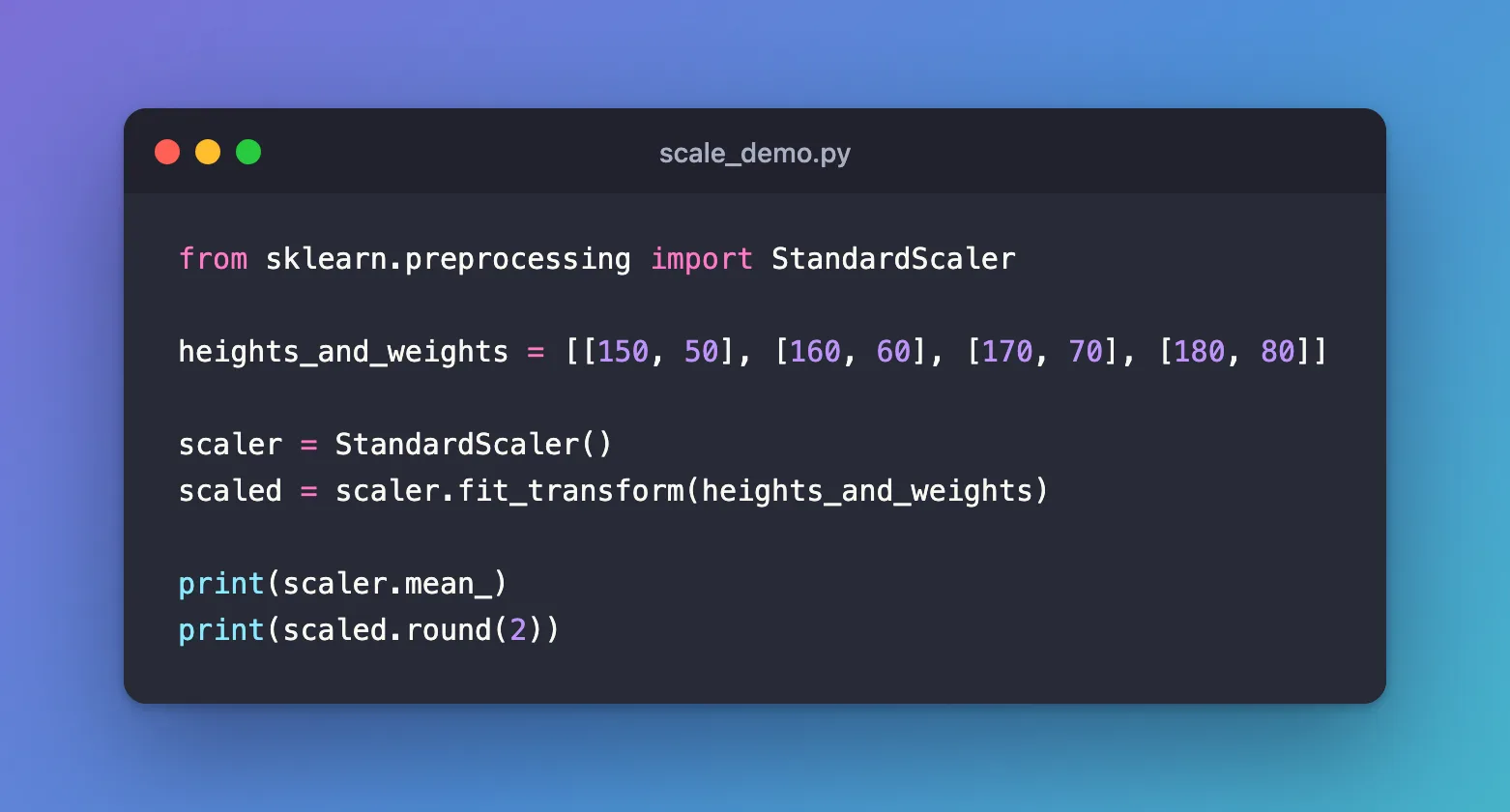
Four people's heights in centimeters and weights in kilograms:
from sklearn.preprocessing import StandardScaler

heights_and_weights = [[150, 50], [160, 60], [170, 70], [180, 80]]

scaler = StandardScaler()
scaled = scaler.fit_transform(heights_and_weights)

print(scaler.mean_)
print(scaled.round(2))
Step 2: Run It
uv run python scale_demo.py
[165.  65.]
[[-1.34 -1.34]
 [-0.45 -0.45]
 [ 0.45  0.45]
 [ 1.34  1.34]]
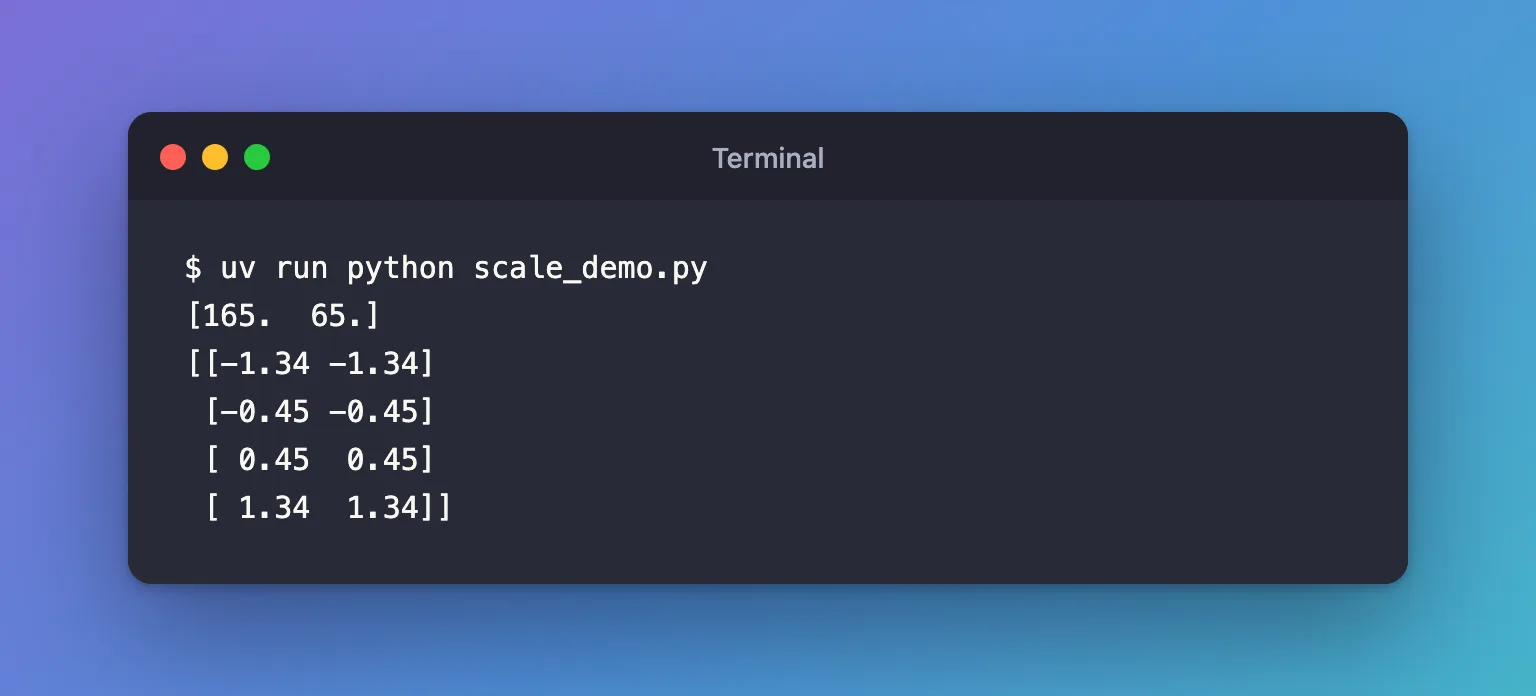
The means were 165 cm and 65 kg. After scaling, both columns run from -1.34 to 1.34 around 0, so neither outweighs the other just because of its unit.
Common Mistakes
| Mistake | What happens | Do this instead |
|---|---|---|
| Fitting a new scaler on the test data | The test data is scaled by its own numbers: a single new row [175, 72] came out as [[0. 0.]] | transform it with the scaler fitted on the training data: [[0.89 0.63]] |
| Scaling before splitting into training and test data | The scaler learns from the test rows too | Split first, or put the scaler in a pipeline |
Troubleshooting
| Symptom | Likely cause | Fix |
|---|---|---|
| You need the original units back | Predictions or values are in scaled units | scaler.inverse_transform(...): the first scaled row came back as [[150. 50.]] |
FAQ
What did the scaler learn besides the means?
The standard deviations, in scale_: [11.18 11.18] here. Each value is scaled as (value − mean) / standard deviation.
Does every model need scaled features?
No. The decision tree guide lists among trees' advantages: "Requires little data preparation. Other techniques often require data normalization". Linear models, such as logistic regression, are among those that do.
Conclusion
StandardScaler().fit_transform learned means of 165 and 65 and put both columns on the same scale. Fit it on training data only, and transform everything else with it.
Additional Resources
- StandardScaler — the class and its attributes.
- Preprocessing data — standardization and other scalers.
