How to Save and Restore a Microsoft Agent Framework Session in C#

An AgentSession lives in memory, so a conversation ends when the app does. To pick it up later, save the session as JSON with SerializeSessionAsync, and turn the JSON back into a session with DeserializeSessionAsync when the app starts again.
Syntax
// Save
JsonElement <state> = await <agent>.SerializeSessionAsync(<session>);
await File.WriteAllTextAsync("<file>", <state>.GetRawText());

// Restore
JsonElement <saved> = JsonSerializer.Deserialize<JsonElement>(await File.ReadAllTextAsync("<file>"));
AgentSession <session> = await <agent>.DeserializeSessionAsync(<saved>);
| Part | What it is |
|---|---|
SerializeSessionAsync(<session>) | Returns the session as a JsonElement. Microsoft's reference: it enables saving conversation sessions to persistent storage, allowing conversations to resume across application restarts |
GetRawText() | The JSON as text, ready to write to a file or a database |
JsonSerializer.Deserialize<JsonElement>(…) | Reads the saved text back into a JsonElement |
DeserializeSessionAsync(<saved>) | Returns a session of this agent with the saved state |
<agent> | The same agent, with the same settings, that created the session |
The Example
A small agent helps people learn languages. The first time the app starts, you tell it which Spanish word you learned today, and the app saves the conversation to conversation.json. The next time it starts, it restores the conversation and asks which word that was.
Prerequisites
- A model deployment in a Microsoft Foundry project, and the Foundry User role on the Foundry resource for your account. The app calls the model as you.
- The .NET 10 SDK (
dotnet --versionprints a version that starts with10.0) and the Azure CLI, signed in withaz login.
Step 1: Create a Console App
dotnet new console -n StudyBuddy
cd StudyBuddy
dotnet add package Microsoft.Agents.AI.Foundry --version 1.28.0-preview.261106.1
dotnet add package Azure.Identity --version 1.21.0
Microsoft.Agents.AI.Foundry turns a model in a Foundry project into an agent, and brings in Agent Framework. Azure.Identity signs the app in with your Azure CLI sign-in. Open the folder in VS Code, or StudyBuddy.csproj in Visual Studio.
Step 2: Restore or Start, Then Save
Replace everything in Program.cs:
using System.Text.Json;
using Azure.AI.Projects;
using Azure.Identity;
using Microsoft.Agents.AI;

AIAgent agent = new AIProjectClient(
        new Uri("https://foundry-devblogs-exp.services.ai.azure.com/api/projects/proj-devblogs-exp"),
        new AzureCliCredential())
    .AsAIAgent(
        model: "gpt-5.6-luna",
        instructions: "You help people learn languages. Answer in one sentence.",
        name: "StudyBuddy");

const string SavedConversation = "conversation.json";
AgentSession session;
string message;

if (File.Exists(SavedConversation))
{
    // Restore: read the saved JSON, and turn it back into a session of this agent.
    JsonElement saved = JsonSerializer.Deserialize<JsonElement>(await File.ReadAllTextAsync(SavedConversation));
    session = await agent.DeserializeSessionAsync(saved);
    message = "Which Spanish word did I learn today?";
}
else
{
    session = await agent.CreateSessionAsync();
    message = "I'm learning Spanish. Today I learned the word 'gato'.";
}

AgentResponse response = await agent.RunAsync(message, session);
Console.WriteLine($"> {message}");
Console.WriteLine(response.Text);

// Save: turn the session into JSON, and write it to a file.
JsonElement state = await agent.SerializeSessionAsync(session);
await File.WriteAllTextAsync(SavedConversation, state.GetRawText());
Console.WriteLine($"(saved to {SavedConversation})");
File.Existsdecides which run this is. With a saved conversation, the app restores it and asks about the earlier message; without one, it creates a new session.DeserializeSessionAsync(saved)gives back a session of this agent, with the state from the file.SerializeSessionAsync(session)at the end saves the session as it is after this run, so the next start continues from here.
Use your own Foundry project endpoint and model deployment.
Step 3: Run It Twice
Run dotnet run twice in VS Code's terminal, or press Ctrl+F5 twice in Visual Studio:
$ dotnet run
> I'm learning Spanish. Today I learned the word 'gato'.
“Gato” means “cat” in English.
(saved to conversation.json)

$ dotnet run
> Which Spanish word did I learn today?
You learned the Spanish word “gato.”
(saved to conversation.json)
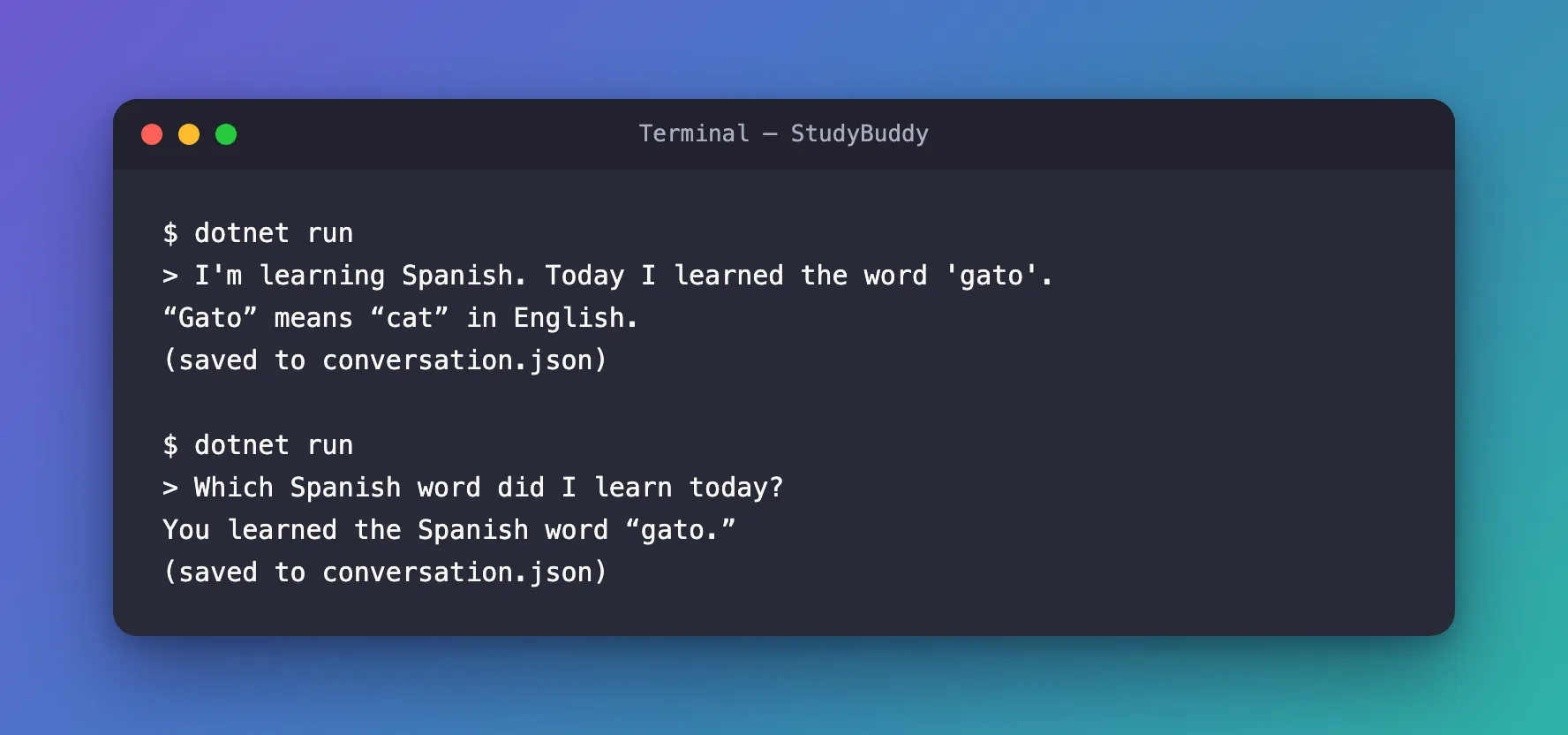
The second start is a new process, and it still knew the word: it restored the conversation from the file. conversation.json is small. With an agent on Microsoft Foundry, it holds the ID of the conversation's newest response, and Foundry keeps the messages:
{"conversationId":"resp_…","stateBag":{"InMemoryChatHistoryProvider":{"messages":[]}}}
The Complete File
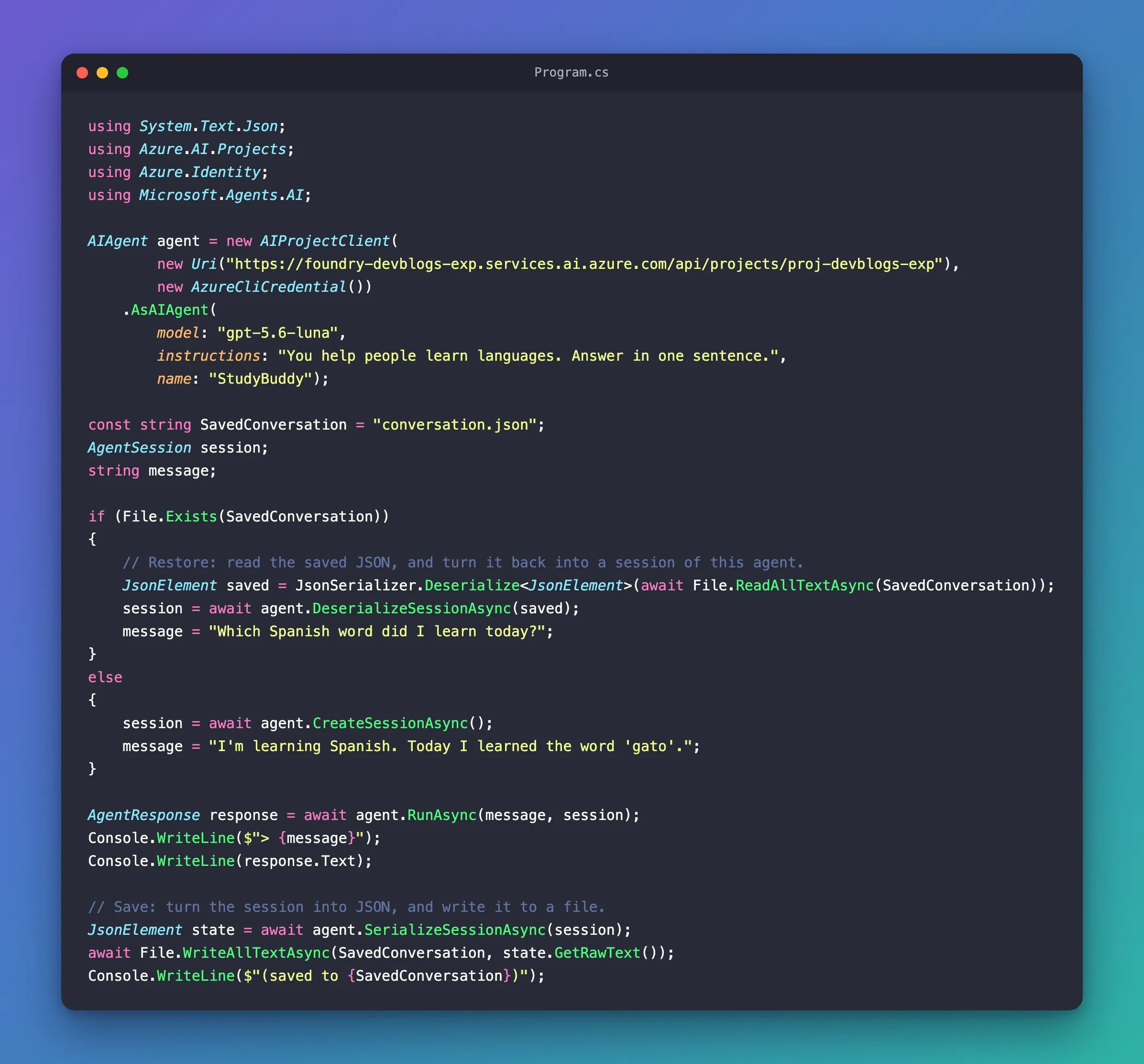
Program.cs from Step 2 is the whole program.
Common Mistakes
| Mistake | What happens | Do this instead |
|---|---|---|
| Saving the session before the run | The file holds the state from before the run | Save after RunAsync |
| Restoring with a different agent | Microsoft's documentation: Reusing a session with a different agent configuration or provider can lead to invalid context | Restore with the agent that created the session |
| Treating the file as harmless | The reference warns that saved sessions may contain conversation content, session identifiers, and other potentially sensitive data including PII | Store it like other private data |
FAQ
Where should a real app keep the saved sessions?
Where it keeps other private data for that user, such as a database, and only restore a session for the person it belongs to. The reference: Treat restoring a session from an untrusted source as equivalent to accepting untrusted input.
How do I start a new conversation?
Delete the saved JSON, or don't restore it: CreateSessionAsync starts an empty session.
Conclusion
To keep a conversation across restarts, save the session after each run with SerializeSessionAsync and GetRawText, and restore it at the next start with JsonSerializer.Deserialize<JsonElement> and DeserializeSessionAsync, using the same agent. With Microsoft Foundry, the saved JSON only holds the conversation's ID; the conversation itself stays in Foundry.
Additional Resources
- Session — what a session holds, and serialization.
- AIAgent.SerializeSessionAsync — saving a session, and its security considerations.
- AIAgent.DeserializeSessionAsync — restoring one.
