How to Save and Read DateTime as UTC with EF Core and MySQL

You save DateTime.UtcNow with EF Core, read it back from MySQL, and the Z that marks UTC is gone from your API's JSON. Worse, a DateTime.Now slipped in somewhere is stored as local time, hours away from everything else. This guide shows both problems with a real .NET C# Web API and MySQL 9.7, explains why they happen, and fixes them for every DateTime in the model with one small value converter.
Why MySQL Forgets That a Time Is UTC
A .NET DateTime carries a Kind: Utc, Local or Unspecified. MySQL's DATETIME type stores the date and time only. The manual's DATETIME page makes the contrast with TIMESTAMP explicit: "MySQL converts TIMESTAMP values from the current time zone to UTC for storage, and back from UTC to the current time zone for retrieval. (This does not occur for other types such as DATETIME.)" So the Kind is lost on the way in, and the value comes back as Unspecified.
EF Core's value conversions page describes the same thing for SQL Server, "DateTime values coming back from the database always have a DateTimeKind of Unspecified", and recommends the usual answer: "it is common to always store UTC time … and then either ignore the Kind flag or set it to the appropriate value using a value converter." Step 1 shows that MySQL behaves the same way.
Prerequisites
- A .NET C# Web API using EF Core with MySQL, for example from How to Connect a .NET C# Web API to a MySQL Database — Part 1. The examples use EF Core 10, Oracle's
MySql.EntityFrameworkCoreand MySQL 9.7. EF Core mapsDateTimetodatetime(6), aDATETIMEwith microseconds. - curl, to call the API.
Step 1: See the Problem
A category has a creation time:
public DateTime CreatedAtUtc { get; set; }
To watch a value travel, I added two temporary endpoints to the API's Program.cs: one saves a category, with either DateTime.UtcNow or, on request, DateTime.Now, and one reads it back. Both return the time and its Kind:
// Temporary endpoints to see how a DateTime travels to MySQL and back. Remove them when you're done.
app.MapPost("/try/categories", async (string name, bool? useLocalTime, InventoryDbContext db) =>
{
    var category = new Category
    {
        Name = name,
        CreatedAtUtc = useLocalTime == true ? DateTime.Now : DateTime.UtcNow,
    };
    db.Categories.Add(category);
    await db.SaveChangesAsync();
    return Results.Ok(new { category.Id, category.CreatedAtUtc, Kind = category.CreatedAtUtc.Kind.ToString() });
});

app.MapGet("/try/categories/{id:int}", async (int id, InventoryDbContext db) =>
{
    var category = await db.Categories.AsNoTracking().SingleOrDefaultAsync(c => c.Id == id);
    return category is null
        ? Results.NotFound()
        : Results.Ok(new { category.Id, category.CreatedAtUtc, Kind = category.CreatedAtUtc.Kind.ToString() });
});
With the API running, save one category with UTC and one with local time, and read each back. This Mac's time zone is India Standard Time, UTC+05:30:
curl -s -X POST "http://localhost:5190/try/categories?name=Cables"
curl -s http://localhost:5190/try/categories/7
curl -s -X POST "http://localhost:5190/try/categories?name=Cases&useLocalTime=true"
curl -s http://localhost:5190/try/categories/8
{"id":7,"createdAtUtc":"2026-11-03T04:47:51.810728Z","kind":"Utc"}
{"id":7,"createdAtUtc":"2026-11-03T04:47:51.810728","kind":"Unspecified"}
{"id":8,"createdAtUtc":"2026-11-03T10:17:52.628164+05:30","kind":"Local"}
{"id":8,"createdAtUtc":"2026-11-03T10:17:52.628164","kind":"Unspecified"}
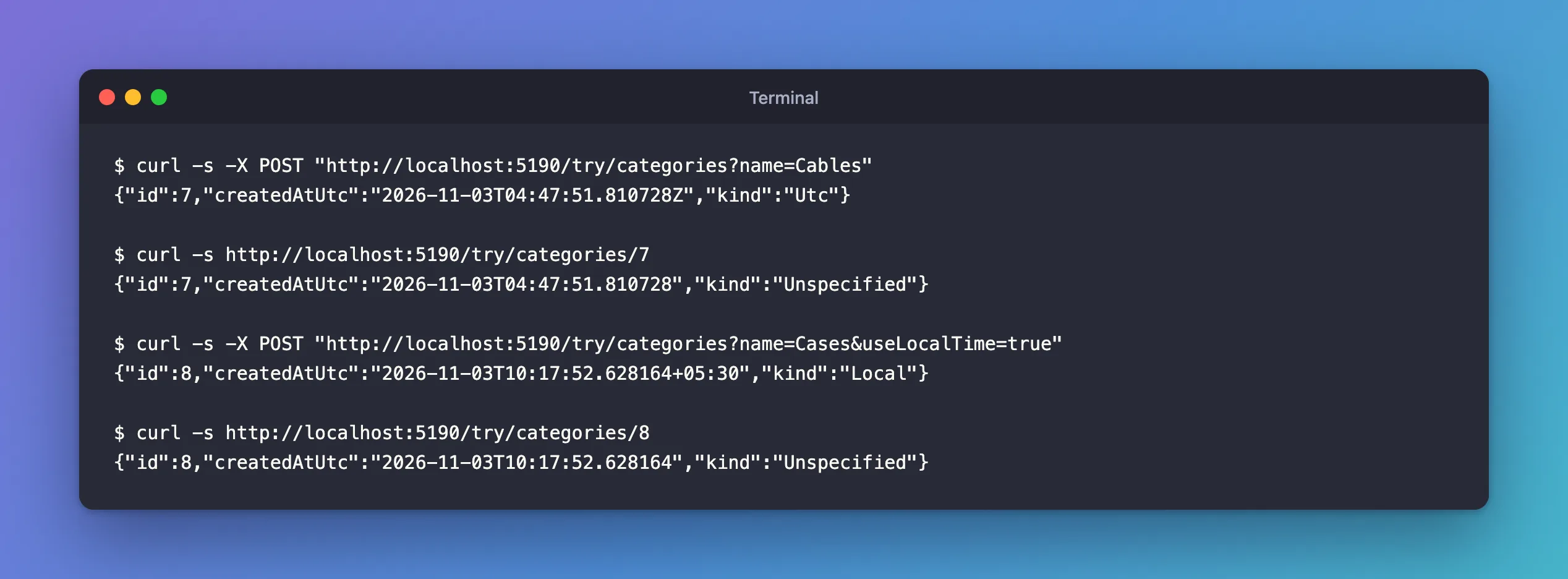
Two problems:
- Category 7 went in as UTC and came back as
Unspecified, so the JSON lost itsZ. A browser reading2026-11-03T04:47:51.810728treats it as the reader's local time: in India, 5½ hours off. - Category 8 went in as local time, and MySQL stored the local clock reading,
10:17, while every UTC value says04:47. MySQL's own view shows it:
+----+--------+----------------------------+
| Id | Name   | CreatedAtUtc               |
+----+--------+----------------------------+
|  7 | Cables | 2026-11-03 04:47:51.810728 |
|  8 | Cases  | 2026-11-03 10:17:52.628164 |
+----+--------+----------------------------+
Step 2: Write a Converter
A value converter changes a value on its way to the database and back. This one does both jobs: it turns a local time into UTC before saving, and marks everything read back as UTC. Create a Conversions folder in the data project:
using Microsoft.EntityFrameworkCore.Storage.ValueConversion;

namespace Dewiride.Inventory.Data.Conversions;

/// <summary>
/// Saves every DateTime as UTC and marks every DateTime read back from MySQL as UTC.
/// MySQL's DATETIME type stores no time zone, so without this, values come back with
/// DateTimeKind.Unspecified.
/// </summary>
public sealed class UtcDateTimeConverter : ValueConverter<DateTime, DateTime>
{
    public UtcDateTimeConverter()
        : base(
            value => value.Kind == DateTimeKind.Local ? value.ToUniversalTime() : value,
            value => DateTime.SpecifyKind(value, DateTimeKind.Utc))
    {
    }
}
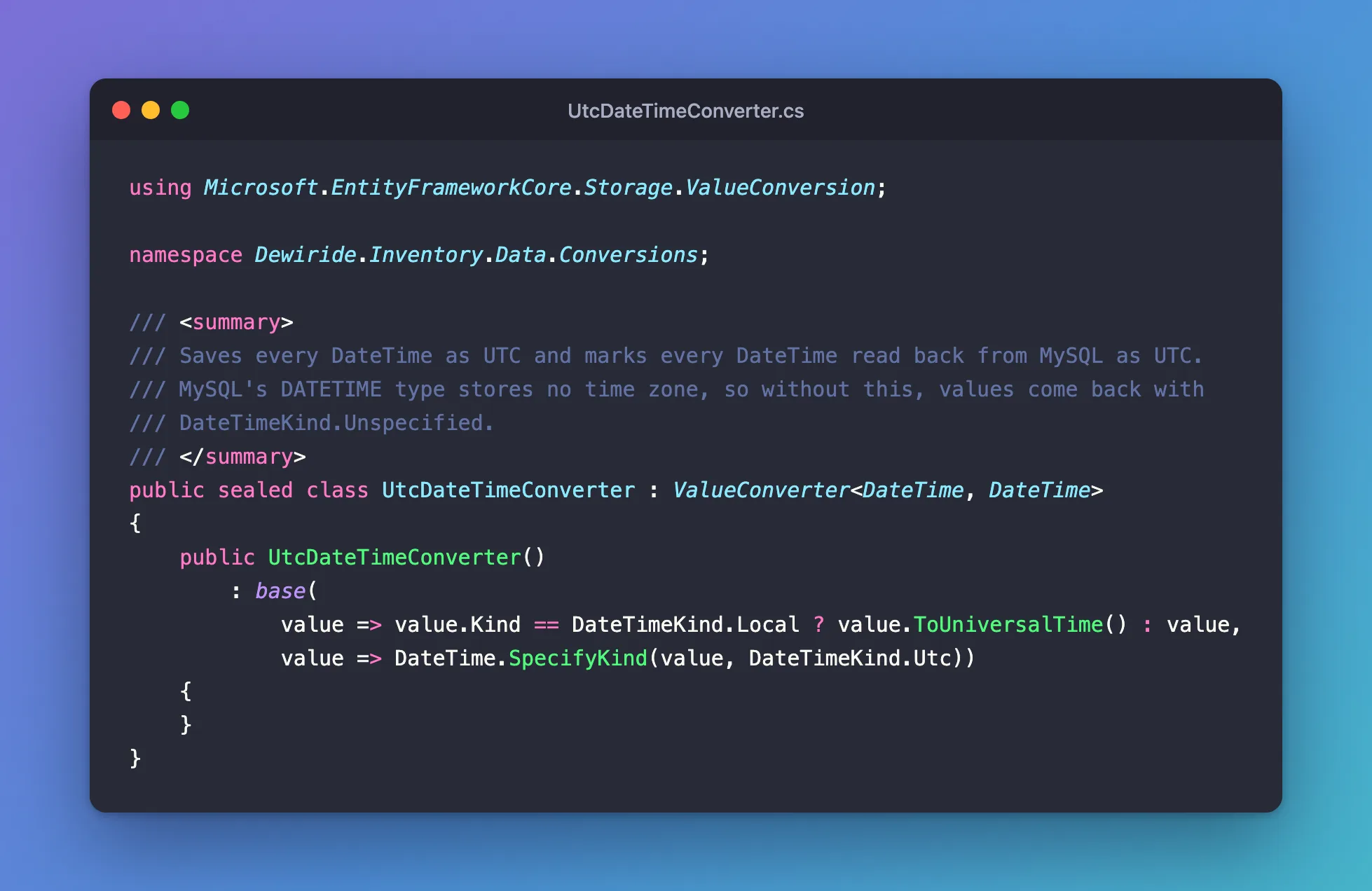
- The first function runs when saving. A
Localtime becomes UTC withToUniversalTime();UtcandUnspecifiedvalues pass through unchanged. - The second runs when reading.
DateTime.SpecifyKindkeeps the same clock reading and marks it as UTC.
Treating Unspecified as already-UTC is the convention this rule depends on: everything in the database is UTC, so code must never save a local time without saying so.
Step 3: Apply It to Every DateTime
Rather than configure each property, register the converter for every DateTime in the model, in the DbContext:
protected override void ConfigureConventions(ModelConfigurationBuilder configurationBuilder)
{
    ArgumentNullException.ThrowIfNull(configurationBuilder);

    // Every date and time is stored as UTC and read back as UTC.
    configurationBuilder.Properties<DateTime>()
        .HaveConversion<UtcDateTimeConverter>();
}
This covers DateTime? properties too: EF Core's docs note that "A null value will never be passed to a value converter", so a nullable date that's empty stays empty, and one with a value goes through the converter.
The converter doesn't change any column, so there's no migration to create:
No changes have been made to the model since the last migration.
Step 4: Check the Fix
Restart the API and repeat both saves:
{"id":9,"createdAtUtc":"2026-11-03T04:48:11.376503Z","kind":"Utc"}
{"id":9,"createdAtUtc":"2026-11-03T04:48:11.376503Z","kind":"Utc"}
{"id":10,"createdAtUtc":"2026-11-03T10:18:12.304481+05:30","kind":"Local"}
{"id":10,"createdAtUtc":"2026-11-03T04:48:12.304481Z","kind":"Utc"}
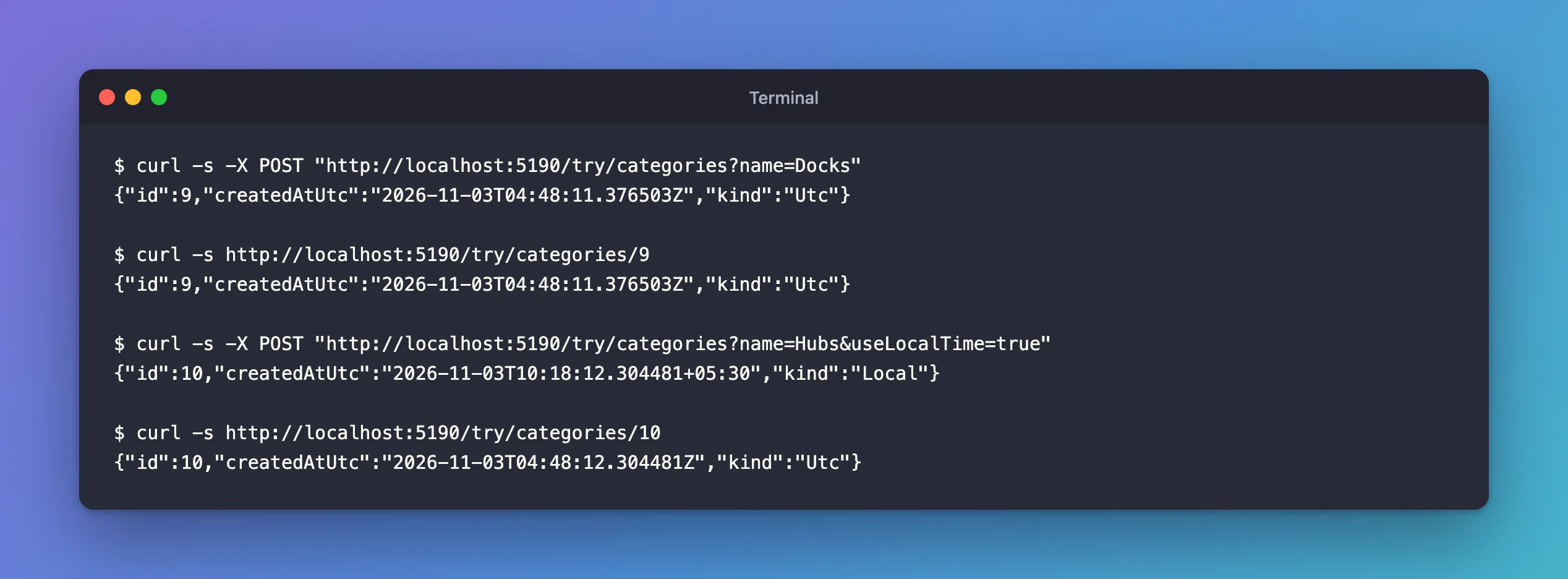
- Category 9 reads back as
Utc, with theZ. - Category 10 was saved with
DateTime.Now, and MySQL now holds04:48:12, the UTC time. Reading it back givesUtcwith theZ.
One detail to notice: the POST response for category 10 still shows +05:30 and Local. The converter changes what goes to MySQL, not the object in memory. Code that keeps using that object after saving still holds a local time; reading it again gives the UTC one.
Remove the temporary endpoints when you're done.
Common Mistakes
| Mistake | What happens | Do this instead |
|---|---|---|
Mixing DateTime.Now and DateTime.UtcNow | Rows hours apart for the same moment | Always use UTC; the converter catches mistakes |
Switching the column to TIMESTAMP to get time zones | Values stop at 2038 and depend on the session's time zone | Keep DATETIME, store UTC |
Fixing the Z in JSON settings only | The stored values are still mixed | Fix the values with the converter |
| Forgetting existing local-time rows | Old rows stay hours off | Correct them once with an UPDATE |
Troubleshooting
| Symptom | Likely cause | Fix |
|---|---|---|
JSON dates have no Z | Values come back Unspecified | Register the converter |
| Some rows are hours off | Saved with DateTime.Now before the converter | Correct those rows; the converter prevents new ones |
| Times have no microseconds | The column isn't datetime(6) | Let EF Core map DateTime; it uses datetime(6) |
FAQ
Should I use DateTimeOffset instead?
DateTimeOffset carries its offset, but MySQL has no column type that stores an offset either, so the same question comes back. Storing UTC DateTime values with this converter is the simpler, common pattern.
Does TimeProvider help?
Yes, for testing: injecting TimeProvider and calling GetUtcNow() instead of DateTime.UtcNow lets tests control the clock. The converter still guards the database.
Conclusion
MySQL's DATETIME stores no time zone, so EF Core reads every value back as DateTimeKind.Unspecified, and a DateTime.Now is stored as local time. A ValueConverter<DateTime, DateTime> that converts local times to UTC when saving and calls DateTime.SpecifyKind(…, DateTimeKind.Utc) when reading fixes both, and configurationBuilder.Properties<DateTime>().HaveConversion<UtcDateTimeConverter>() applies it to every DateTime in the model without a migration.
Additional Resources
- Value Conversions — converters, including the DateTimeKind example.
- The DATE, DATETIME, and TIMESTAMP Types — how MySQL stores dates and times.
