How to Save a scikit-learn Model in the skops Format with MLflow

MLflow can save a scikit-learn model in three formats: pickle, cloudpickle and skops. Only skops checks what it builds when the model is loaded, which is why scikit-learn and MLflow recommend it. For most models it needs nothing from you; for models that hold a type skops doesn't trust by default, you list that type once, when logging. This guide logs such a model, with real output from MLflow 3.18.0.
Syntax
mlflow.sklearn.log_model(
    sk_model,
    name="...",
    serialization_format="skops",
    skops_trusted_types=["module.path.TypeName", ...],
)
| Part | What it means |
|---|---|
serialization_format="skops" | Save the model as model.skops. Outside Databricks it's already the default; writing it out makes the choice visible |
skops_trusted_types | The types in the model that skops doesn't trust by default and that you reviewed. MLflow saves the list in MLmodel and loads the model with it |
MLflow's reference on the formats: "The 'skops' format guarantees safe deserialization", while cloudpickle "requires exercising caution because these formats rely on Python's object serialization mechanism, which can execute arbitrary code during deserialization."
Prerequisites
- An MLflow tracking server at
http://127.0.0.1:8080. MLflow's tracking server guide shows how to start one. mlflowandscikit-learnin your project, for example withuv add mlflow scikit-learn pandas. skops is installed with MLflow.
Step 1: Log a Model That Needs a Trusted Type
A HistGradientBoostingRegressor keeps each of its trees in a TreePredictor, a type skops doesn't trust by default; How to Find the Untrusted Types in a scikit-learn Model with skops shows how to find such types. The example trains one on scikit-learn's diabetes data, logs it in the skops format with that type listed, then loads it back:
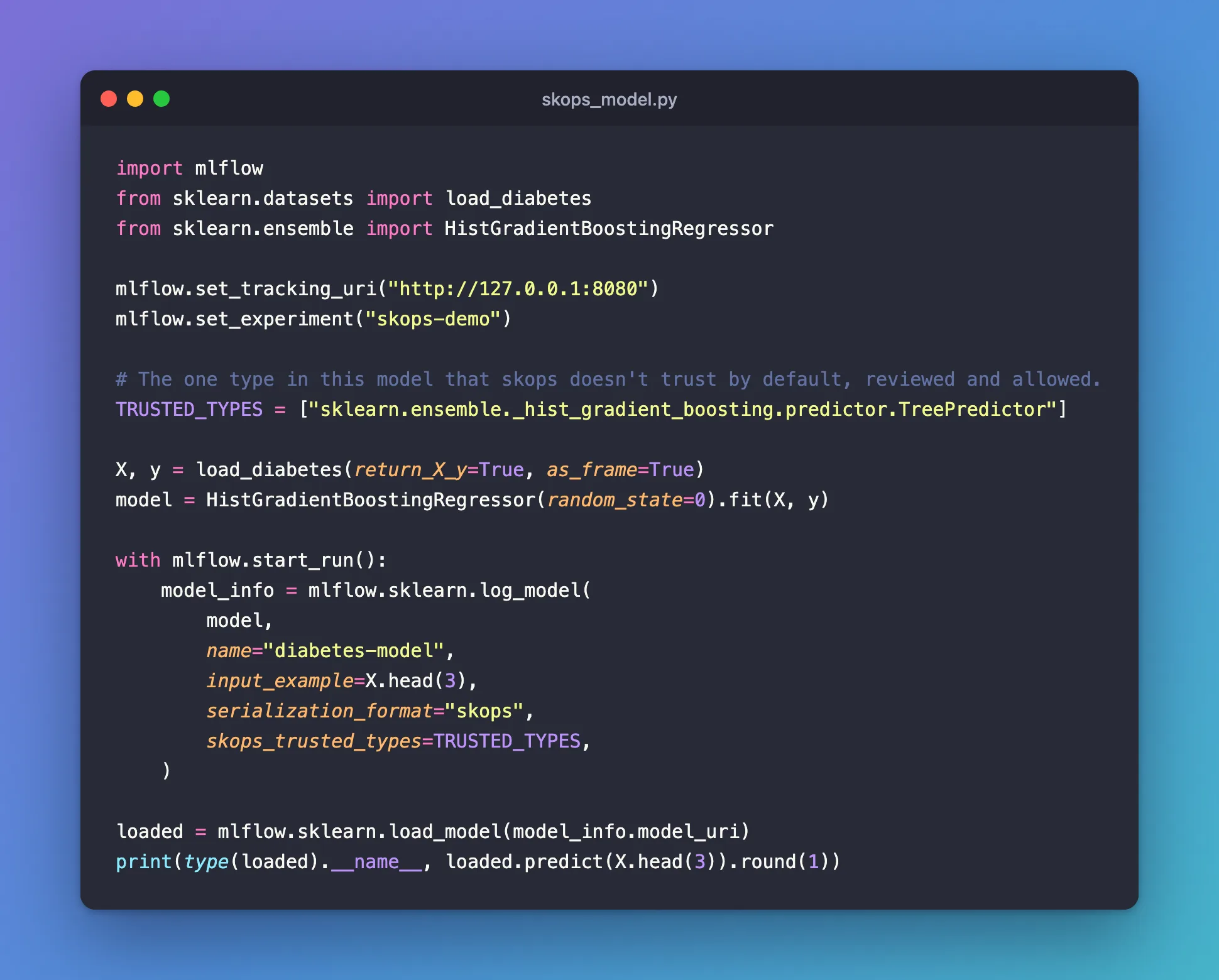
import mlflow
from sklearn.datasets import load_diabetes
from sklearn.ensemble import HistGradientBoostingRegressor

mlflow.set_tracking_uri("http://127.0.0.1:8080")
mlflow.set_experiment("skops-demo")

# The one type in this model that skops doesn't trust by default, reviewed and allowed.
TRUSTED_TYPES = ["sklearn.ensemble._hist_gradient_boosting.predictor.TreePredictor"]

X, y = load_diabetes(return_X_y=True, as_frame=True)
model = HistGradientBoostingRegressor(random_state=0).fit(X, y)

with mlflow.start_run():
    model_info = mlflow.sklearn.log_model(
        model,
        name="diabetes-model",
        input_example=X.head(3),
        serialization_format="skops",
        skops_trusted_types=TRUSTED_TYPES,
    )

loaded = mlflow.sklearn.load_model(model_info.model_uri)
print(type(loaded).__name__, loaded.predict(X.head(3)).round(1))
uv run python skops_model.py
2026/11/21 14:12:18 INFO mlflow.tracking.fluent: Experiment with name 'skops-demo' does not exist. Creating a new experiment.
2026/11/21 14:12:19 INFO mlflow.utils.uv_utils: Detected uv project: found uv.lock and pyproject.toml in /Users/you/source/mlflow-demo
2026/11/21 14:12:19 INFO mlflow.utils.uv_utils: Detected uv project: found uv.lock and pyproject.toml in /Users/you/source/mlflow-demo
2026/11/21 14:12:19 INFO mlflow.utils.environment: Detected uv project at /Users/you/source/mlflow-demo. Attempting to export requirements via 'uv export'.
2026/11/21 14:12:19 INFO mlflow.utils.uv_utils: Exported 91 dependencies via uv
2026/11/21 14:12:19 INFO mlflow.utils.environment: Successfully exported 91 requirements from uv project. Skipping package capture based inference.
🏃 View run casual-mole-223 at: http://127.0.0.1:8080/#/experiments/8/runs/524464d390184c2791bc6acbd2a1e72d
🧪 View experiment at: http://127.0.0.1:8080/#/experiments/8
HistGradientBoostingRegressor [167.3  75.9 133.3]
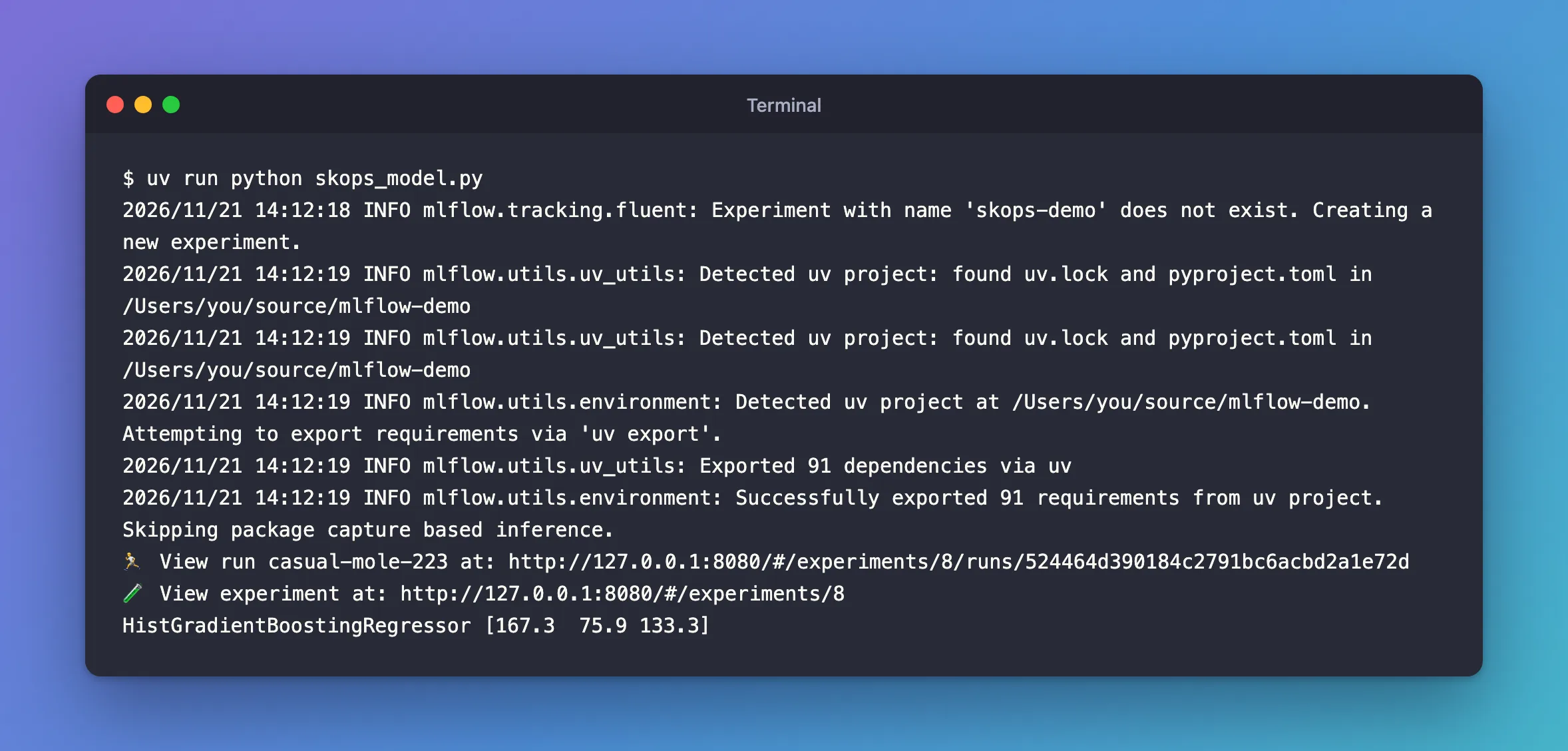
The model was saved and loaded back without any warning, and load_model didn't need the trusted list: MLflow read it from the model.
Step 2: See the Format in MLmodel
Open the model from the experiment's Models tab, then Artifacts and MLmodel:
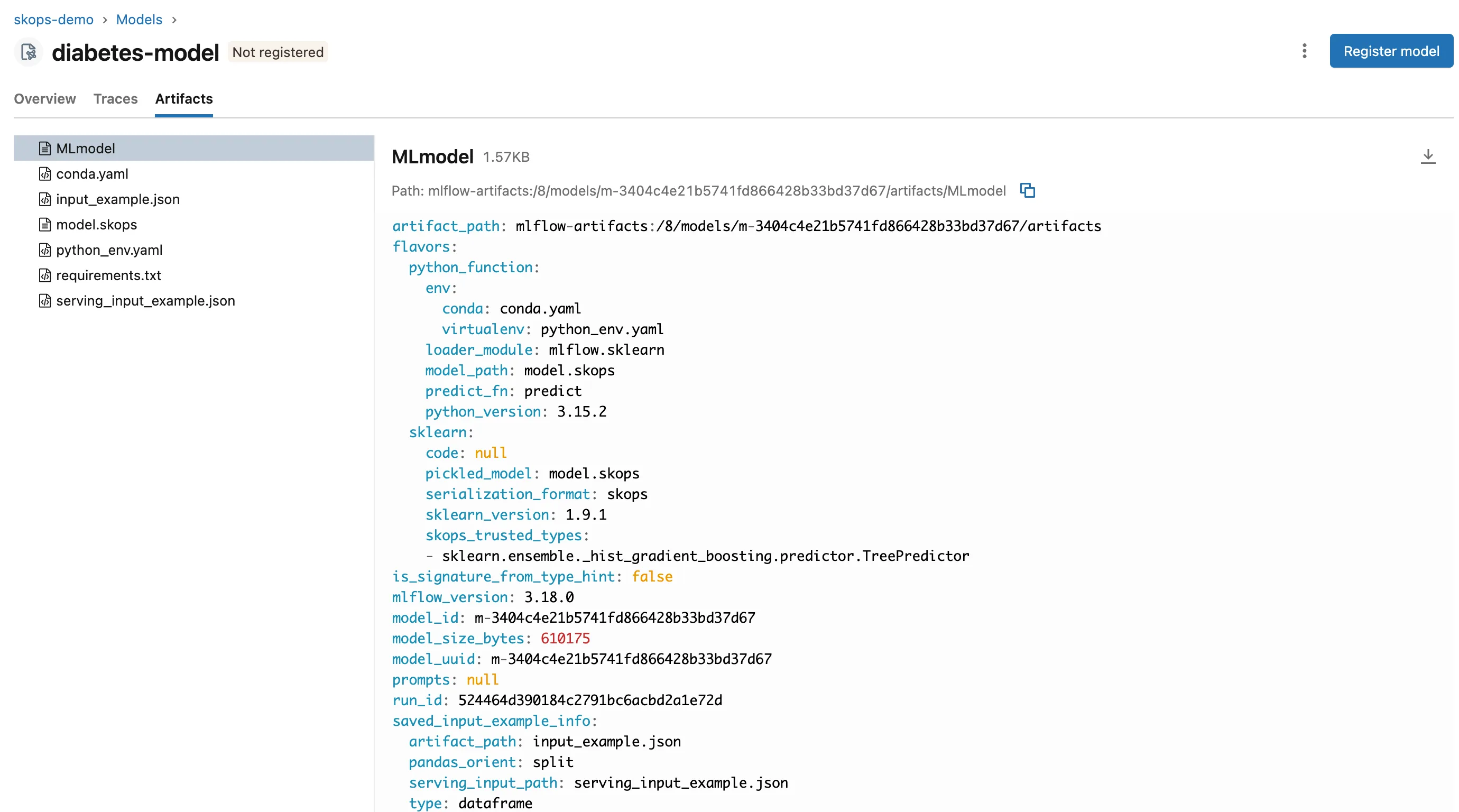
  sklearn:
    code: null
    pickled_model: model.skops
    serialization_format: skops
    sklearn_version: 1.9.1
    skops_trusted_types:
    - sklearn.ensemble._hist_gradient_boosting.predictor.TreePredictor
That list is also why skops isn't a free pass: whoever logs a model writes its trusted types, and anyone loading it gets that list. Load models only from people you trust, and see How to Refuse to Load Untrusted Models in MLflow for the setting that blocks loading altogether.
Common Mistakes
| Mistake | What happens | Do this instead |
|---|---|---|
Logging a HistGradientBoosting* model without skops_trusted_types | MlflowException: The saved sklearn model references untrusted types | List TreePredictor after reviewing it |
Trusting everything get_untrusted_types reports, unread | The check no longer protects anyone | Review each type and write out the list |
| Turning on skops through autologging for such a model | Autologging has no trusted types setting, and the model isn't saved | Fixed: Encountered unexpected error during sklearn autologging |
Troubleshooting
| Symptom | Likely cause | Fix |
|---|---|---|
MlflowException: The saved sklearn model references untrusted types... | A type skops doesn't trust by default | Fixed: The saved sklearn model references untrusted types |
WARNING mlflow.sklearn: Saving scikit-learn models in the pickle or cloudpickle format requires exercising caution... | The model is saved as cloudpickle | Fixed: the pickle or cloudpickle caution |
FAQ
Do I need skops_trusted_types for every model?
No. A linear regression, for example, holds only types skops trusts: How to Log a scikit-learn Model in MLflow logged one in the skops format with skops_trusted_types: null.
Do I pass the trusted types again when loading?
No. MLflow saved them in MLmodel and used them: mlflow.sklearn.load_model above took only the model URI.
Conclusion
serialization_format="skops" saved the gradient-boosted model as model.skops, and skops_trusted_types let skops build its TreePredictor objects. MLflow kept the list in MLmodel, so loading the model needed nothing more than its URI.
Additional Resources
- mlflow.sklearn —
serialization_formatandskops_trusted_types. - Model persistence — scikit-learn's comparison of the formats.
