How to Save a Command's Output in a Variable in the Terminal

today=$(date -u +%Y-%m-%d) runs date and keeps what it prints in a variable named today. PowerShell does the same with a plain assignment: $today = Get-Date -AsUTC -Format 'yyyy-MM-dd'.
The Bash manual calls this command substitution: Command substitution allows the output of a command to replace the command itself. zsh works the same way. PowerShell needs no special syntax, because the output of a command can go straight into a variable.
Syntax
In zsh and bash:
<name>=$(<command>)
echo "$<name>"
| Part | What it does |
|---|---|
<name> | The variable to fill. No spaces on either side of = |
$(<command>) | Runs <command> and puts what it prints in its place |
"$<name>" | Reads the variable. Keep the double quotes |
The Bash manual: Bash performs command substitution by executing command in a subshell environment and replacing the command substitution with the standard output of the command, with any trailing newlines deleted.
In PowerShell:
$<name> = <command>
| Part | What it does |
|---|---|
$<name> | The variable to fill |
<command> | Any command or pipeline. What it outputs goes into the variable |
Microsoft's reference: Because the assignment operator = has a lower precedence than the pipeline operator |, parentheses aren't required to assign the result of a command pipeline to a variable.
The Example
The example saves today's date, in UTC, in a variable and uses it in a line of text. Then it saves the list of files in a folder that holds two empty files, notes.txt and plan.txt.
Step 1: Save a Command's Output
- macOS / Linux
- Windows (PowerShell)
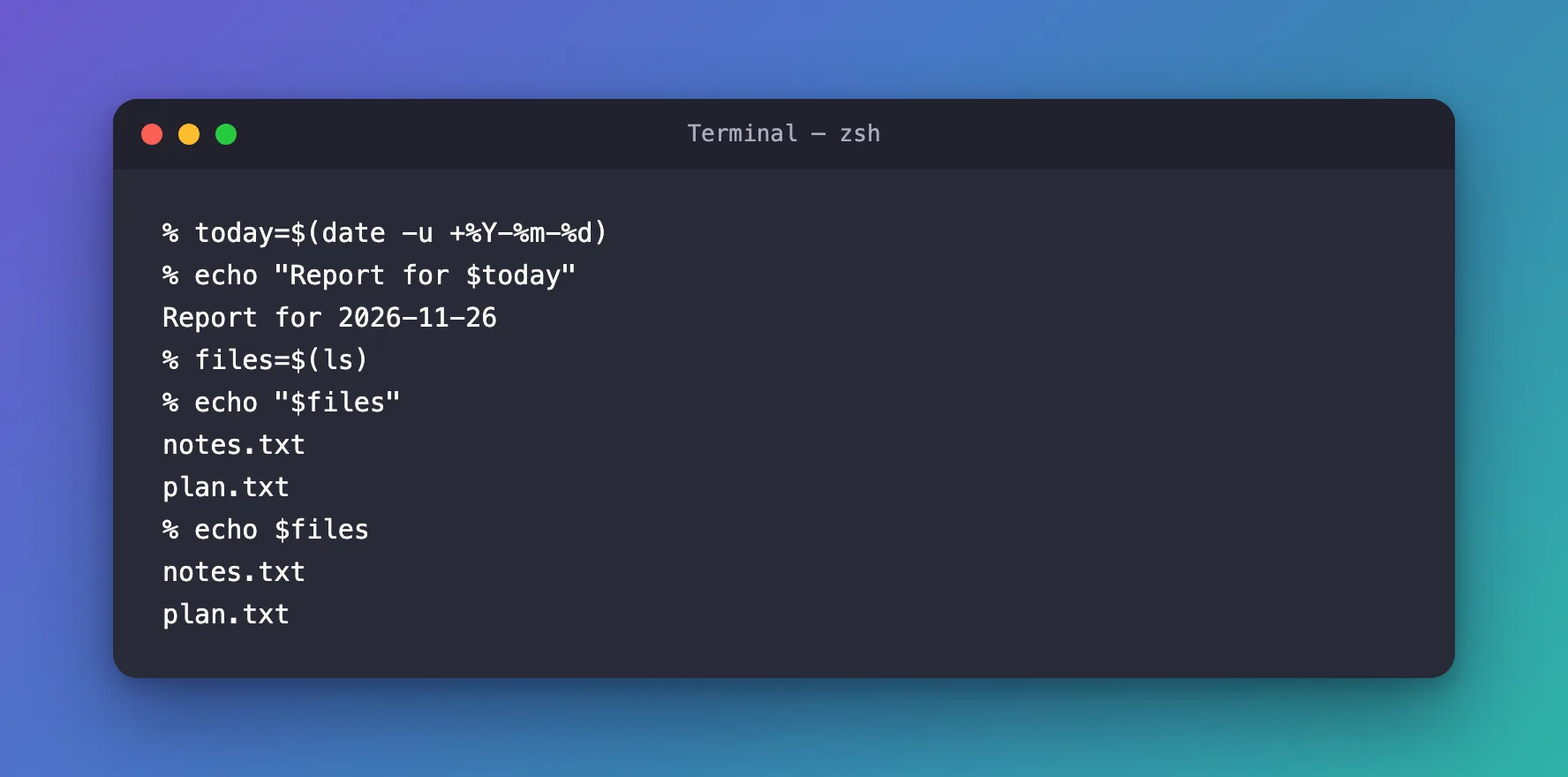
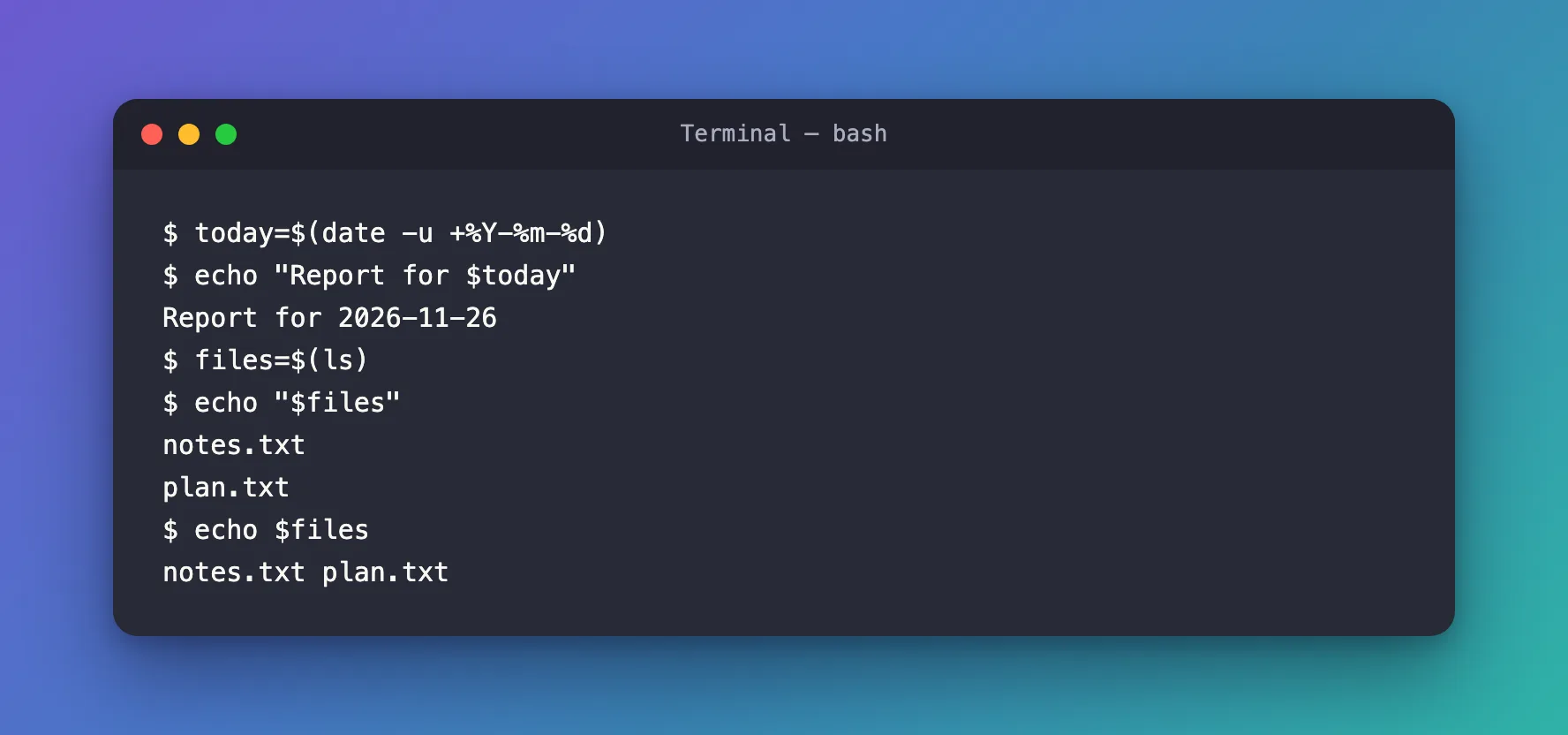
today=$(date -u +%Y-%m-%d)
echo "Report for $today"
Report for 2026-11-26
date -u +%Y-%m-%d prints today's date in UTC as the year, the month and the day, and $(...) puts that text into today. Your output shows the day you run it.
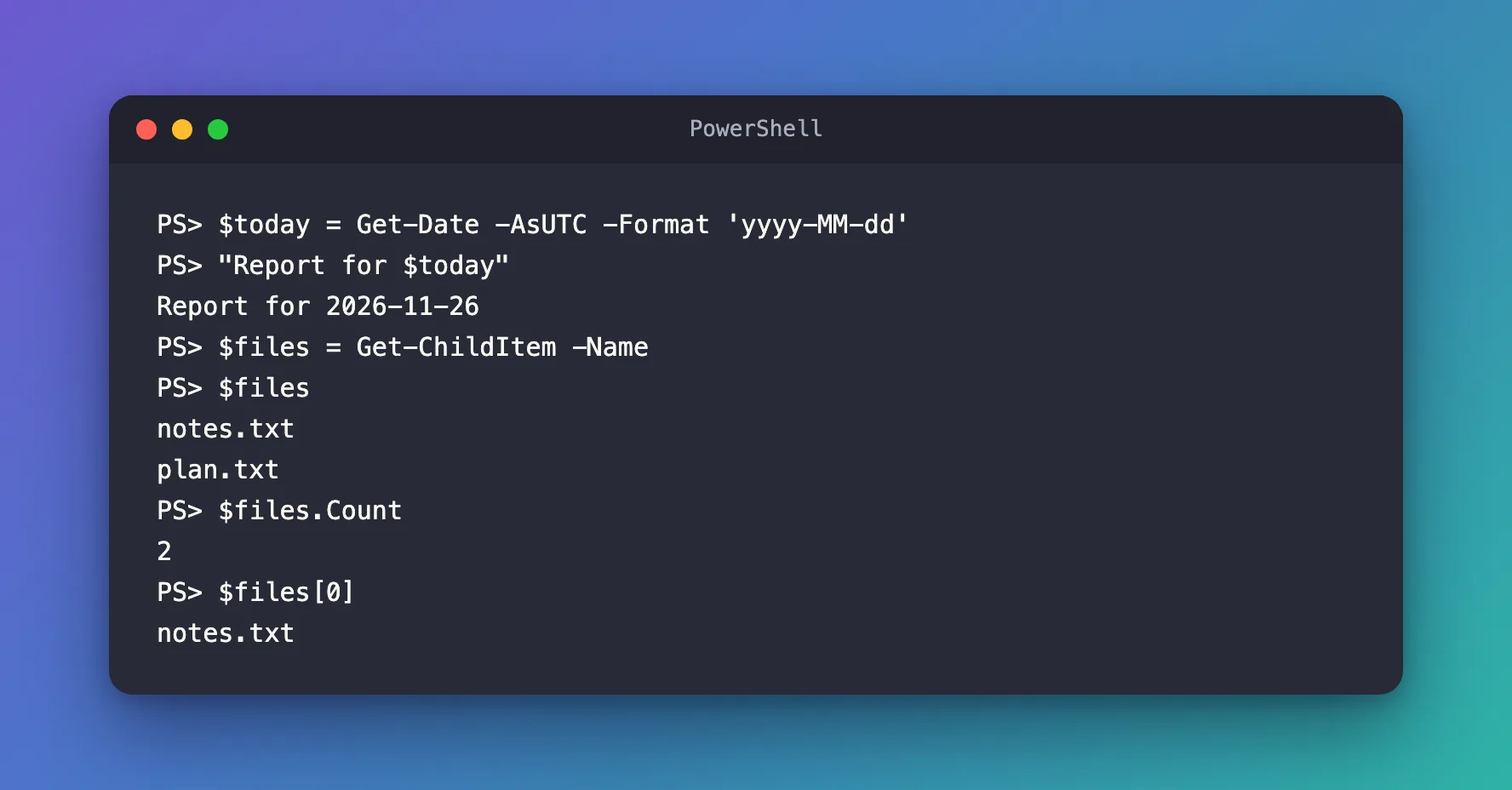
$today = Get-Date -AsUTC -Format 'yyyy-MM-dd'
"Report for $today"
Report for 2026-11-26
Get-Date -AsUTC -Format 'yyyy-MM-dd' returns today's date in UTC as text, and = stores it. A string on a line of its own is printed, so the second line needs no echo.
Step 2: Save Output That Has Several Lines
Run these in the folder with the two files:
- macOS / Linux
- Windows (PowerShell)
files=$(ls)
echo "$files"
notes.txt
plan.txt
In double quotes, the variable keeps its line break. Without the quotes, zsh and bash differ:
echo $files
notes.txt
plan.txt
notes.txt plan.txt
bash split the unquoted variable into words, and echo printed them with spaces between. The Bash manual: The shell scans the results of parameter expansion, command substitution, and arithmetic expansion that did not occur within double quotes for word splitting. zsh splits unquoted variables only when its SH_WORD_SPLIT option is on: Causes field splitting to be performed on unquoted parameter expansions. The zsh manual marks that option as on by default only when zsh emulates ksh or sh.
$files = Get-ChildItem -Name
$files
$files.Count
$files[0]
notes.txt
plan.txt
2
notes.txt
Get-ChildItem -Name lists the names of the files in the folder. With two files, $files holds an array: its Count is 2, and $files[0] is the first name. Microsoft's guide: Many cmdlets return collections of objects as arrays when you assign them to a variable.
Common Mistakes
| Mistake | What happens | Do this instead |
|---|---|---|
Spaces around = in zsh or bash | today = $(date -u +%Y-%m-%d) runs a command named today: zsh reported command not found: today, and bash today: command not found | Write today=$(...) with no spaces |
| Leaving the variable unquoted in bash | The lines are joined: echo $files printed notes.txt plan.txt | Quote it: echo "$files" |
| Expecting error messages in the variable | $(...) keeps only the standard output: missing=$(ls /does-not-exist) printed the error in the terminal and left missing empty | Add 2>&1 inside the parentheses to keep the errors too. On a Mac, missing then held ls: /does-not-exist: No such file or directory |
FAQ
Can I use backticks instead?
They work: today=`date -u +%Y-%m-%d` gave the same date. But the Bash manual lists the backtick form as deprecated, next to the standard $(command) form.
Does the variable keep the last line break?
No, trailing line breaks are dropped: text=$(printf "done\n\n\n") stored just done, and echo "[$text]" printed [done]. The zsh manual says the same: the command is replaced with its standard output, with any trailing newlines deleted.
Conclusion
In zsh and bash, name=$(command) saves what a command prints in a variable. Read it back in double quotes, "$name", to keep its line breaks. In PowerShell, $name = command does the same, and output with several items becomes an array.
Additional Resources
- Command Substitution, in the Bash manual — the standard and the deprecated forms.
- Command Substitution, in the zsh manual — the same expansion in zsh.
- about_Assignment_Operators — assigning output in PowerShell.
