How to Run SQL When a Connection Opens in EF Core

Some settings belong to a connection, not a statement: a time limit, a session variable, a time zone. EF Core has a hook for exactly that. A DbConnectionInterceptor runs your SQL each time a connection opens, and it's inexpensive enough not to think about.
Prerequisites
- A .NET C# project using EF Core. I used EF Core 10.0.14 and MySQL 9.7.4.
Step 1: Write the Interceptor
Inherit from DbConnectionInterceptor, and override the two methods that run after a connection opens, one for sync code and one for async:
using System.Data.Common;
using Microsoft.EntityFrameworkCore.Diagnostics;

namespace Dewiride.Inventory.Data.Interceptors;

/// <summary>
/// Sets MySQL's own time limits on every connection the app opens. The limits have to be on the
/// server: MySql.Data's async calls don't stop at CommandTimeout.
/// </summary>
public sealed class MySqlSessionLimitsInterceptor(int lockWaitTimeoutSeconds, int queryTimeoutSeconds)
    : DbConnectionInterceptor
{
    private readonly string _setLimits =
        $"SET SESSION innodb_lock_wait_timeout = {lockWaitTimeoutSeconds}, " +
        $"max_execution_time = {queryTimeoutSeconds * 1000}";

    public override void ConnectionOpened(DbConnection connection, ConnectionEndEventData eventData)
    {
        ArgumentNullException.ThrowIfNull(connection);

        using var command = connection.CreateCommand();
        command.CommandText = _setLimits;
        command.ExecuteNonQuery();
    }

    public override async Task ConnectionOpenedAsync(
        DbConnection connection,
        ConnectionEndEventData eventData,
        CancellationToken cancellationToken = default)
    {
        ArgumentNullException.ThrowIfNull(connection);

        await using var command = connection.CreateCommand();
        command.CommandText = _setLimits;
        await command.ExecuteNonQueryAsync(cancellationToken);
    }
}
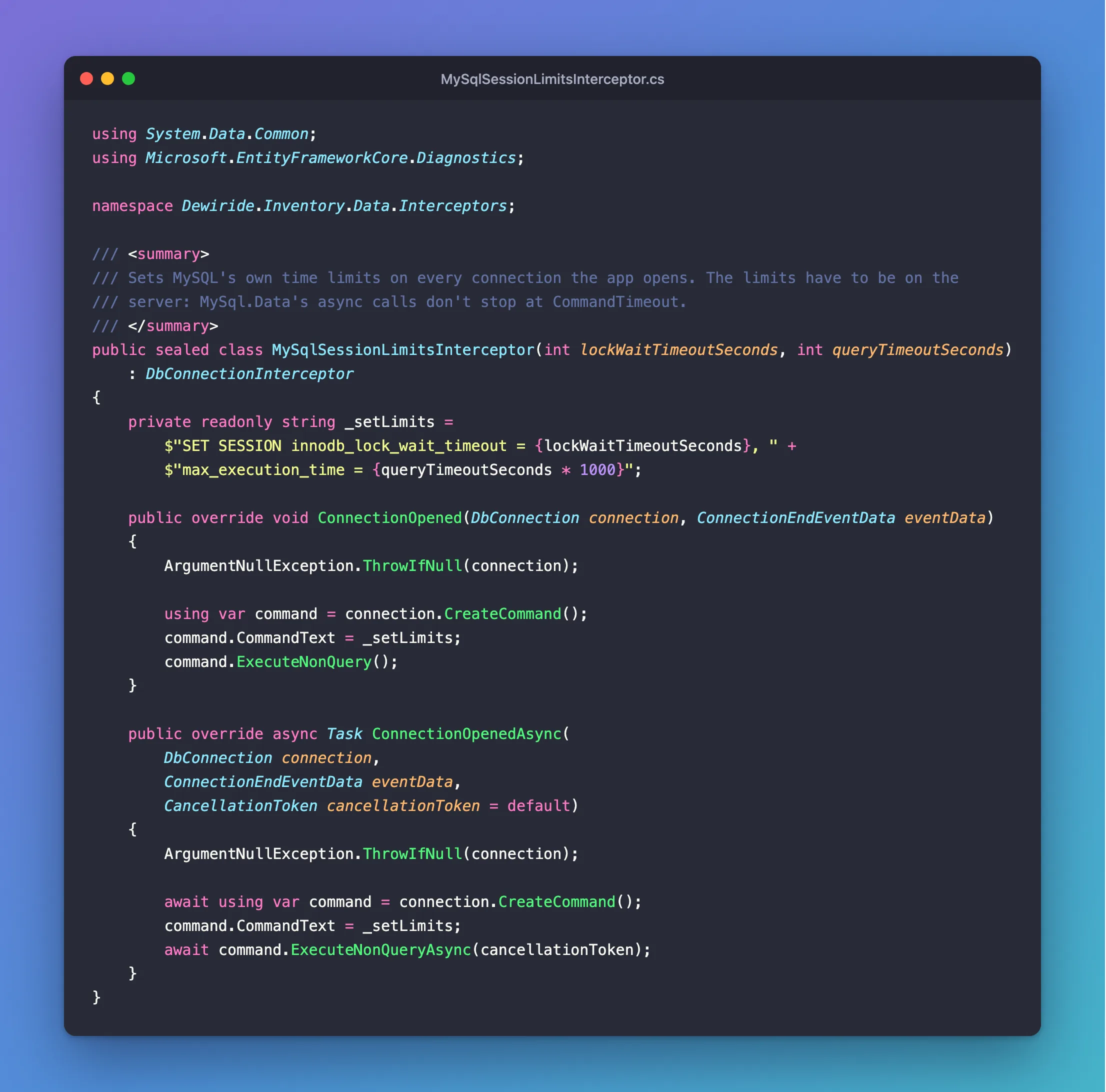
The SQL has only numbers in it, from your own configuration, so it's built once as a string.
Step 2: Register It
Add it in AddDbContext, next to UseMySQL:
options.AddInterceptors(new MySqlSessionLimitsInterceptor(
    database.LockWaitTimeoutSeconds,
    database.QueryTimeoutSeconds));
Step 3: See It Run
MySQL's general query log, for one request:
+--------------+----------------------------------------------------------------------------+
| command_type | statement                                                                  |
+--------------+----------------------------------------------------------------------------+
| Init DB      | inventory                                                                  |
| Query        | SET SESSION innodb_lock_wait_timeout = 5, max_execution_time = 30000       |
| Query        | SELECT `p`.`Id`, `p`.`Sku`, `p`.`Name`, `p`.`Description`, `p`.`CategoryId |
+--------------+----------------------------------------------------------------------------+
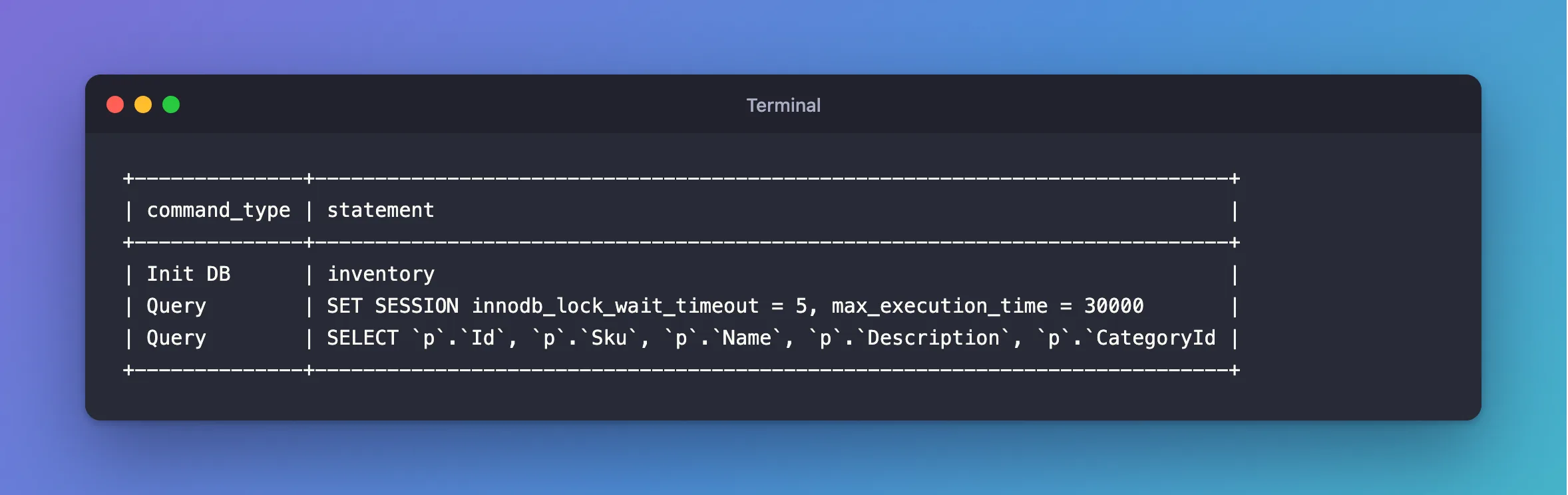
Here's the order: the driver selects the database, your SQL runs, and then the request's own statement goes out.
Step 4: Know When It Runs
Every time EF Core opens the connection, which is often once per request or more, even when the pool hands back an existing one. A brand-new connection has none of your settings, and your code can't tell a new one from a pooled one, so the simple and safe choice is to run it every time.
Step 5: Check What It Costs
It adds a round trip. On my machine, against MySQL on the same computer, over 250 requests:
median 2.83 ms, p95 3.71 ms
median 2.76 ms, p95 3.23 ms
That's 0.07 ms on the median. A database on another machine would add its network round trip.
Common Mistakes
| Mistake | What happens | Do this instead |
|---|---|---|
| Overriding only the sync method | Async code skips it | Override both |
Using ConnectionOpening | There's no open connection yet | Use ConnectionOpened |
| Putting user input in the SQL | SQL injection | Keep it to your own configuration |
| Disposing the connection | It's EF Core's | Dispose only the command |
Troubleshooting
| Symptom | Likely cause | Fix |
|---|---|---|
| The setting has no effect | It's SET GLOBAL, or another variable overrides it | Check SELECT @@session.innodb_lock_wait_timeout |
ERROR 1227 | The variable needs more privileges | The fix |
| It doesn't run | It isn't registered | Check AddInterceptors |
Conclusion
Inherit from DbConnectionInterceptor, override ConnectionOpened and ConnectionOpenedAsync, and register it with AddInterceptors. Your SQL then runs on every connection, for about the cost of one more round trip.
Additional Resources
- Interceptors — EF Core's interceptors.
- Connection Pooling with Connector/NET — what a pooled connection keeps.
