How to Run MySQL in Docker with Docker Compose

You don't need to install MySQL to use it. With Docker Desktop, one small compose.yaml file runs the official MySQL 9.7 image with its data stored safely in a volume, and one command starts it. This guide builds that file line by line, starts MySQL for the first time, and shows exactly what to look for in the output.
Why Run MySQL in Docker
- No installer. MySQL runs inside a container, separate from the rest of your computer.
- The same version for everyone. The file names the exact MySQL line, so every developer and every machine runs the same database.
- Easy to stop and remove. One command stops it; your data waits in a volume until you start it again.
This is the development database for the series How to Connect a .NET C# Web API to a MySQL Database, but nothing here is specific to .NET.
Which MySQL version
Oracle publishes two kinds of MySQL release. When I checked Docker Hub on 2 November 2026, the official mysql image tags pointed here:
| Tag | Version | What it is |
|---|---|---|
9.7, lts | 9.7.4 | Long-term support (LTS): years of bug and security fixes, no surprise changes |
latest, innovation | 26.10.0 | Innovation: the newest features, replaced every quarter |
This guide uses mysql:9.7. It follows the 9.7 LTS line and picks up its patch releases, and it never jumps to a new major version on its own.
What it costs
MySQL Community Server and the official Docker image are free. Docker Desktop is free for personal use, education, non-commercial open source and small businesses ("fewer than 250 employees AND less than $10 million in annual revenue"); larger organizations need a paid Docker subscription, according to the Docker Desktop license agreement. On Linux you can use the free Docker Engine instead (How to Install Docker on Ubuntu Server).
Prerequisites
- Docker Desktop, installed and running. Check both tools in a terminal:
docker --version
docker compose version
Docker version 29.9.2, build a82e528
Docker Compose version v5.6.1
- About 1 GB of free disk space. The MySQL 9.7 image takes 954 MB once downloaded.
- A text editor such as VS Code.
Every docker command in this guide works unchanged in bash, zsh and PowerShell.
Step 1: Create a Project Folder
mkdir dewiride-inventory-api
cd dewiride-inventory-api
Compose treats this folder as the project: it looks for compose.yaml and .env here.
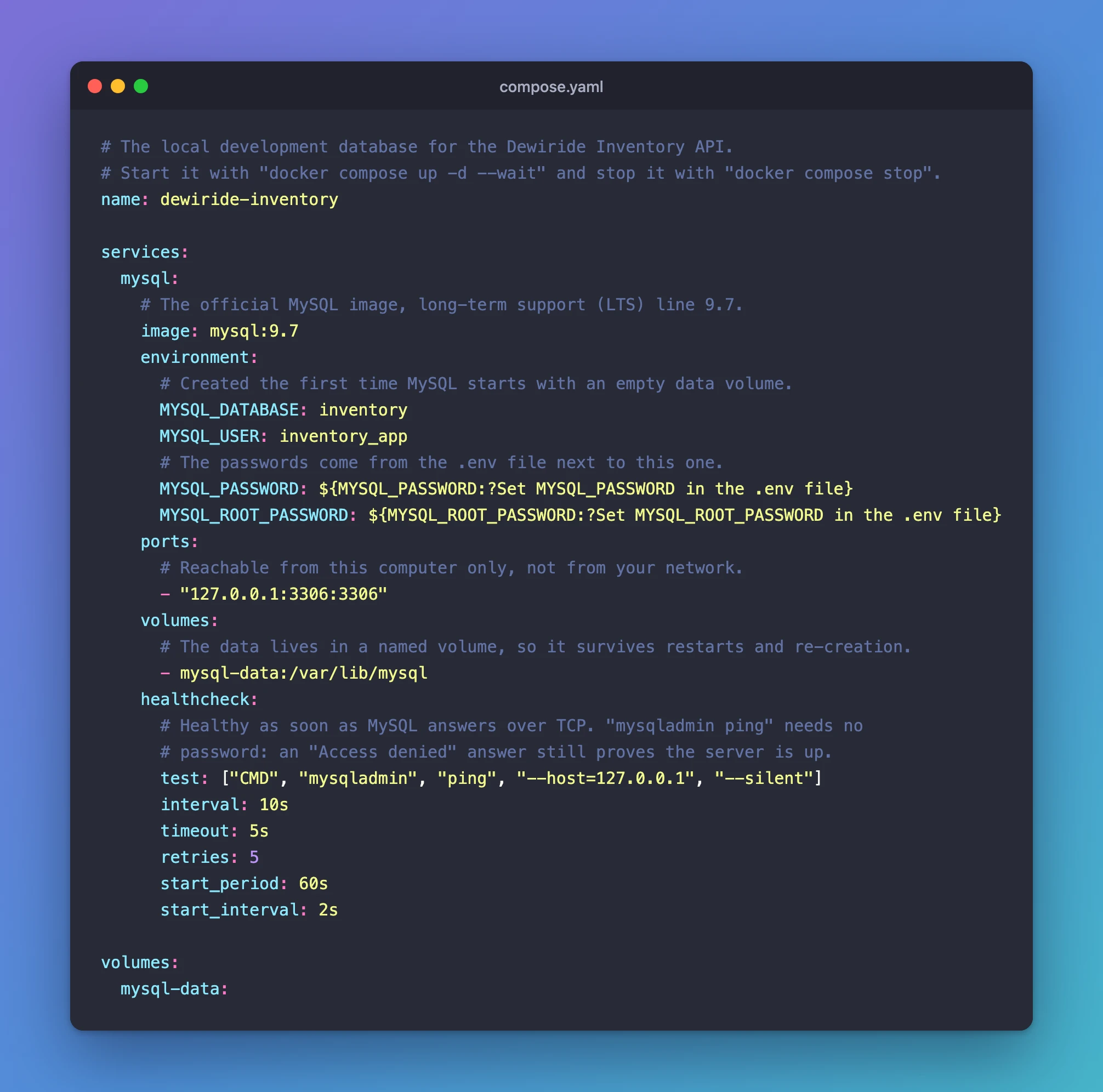
Step 2: Write compose.yaml
Create a file named compose.yaml in the folder. Build it in small pieces.
Name the project. This name prefixes everything Compose creates (the container, its network and its volume), so you can recognize them later:
name: dewiride-inventory
Add the MySQL service and its image. A service is one container that Compose manages:
services:
  mysql:
    # The official MySQL image, long-term support (LTS) line 9.7.
    image: mysql:9.7
Create a database and an app account on the first start. The official image reads these environment variables when its data folder is empty:
    environment:
      # Created the first time MySQL starts with an empty data volume.
      MYSQL_DATABASE: inventory
      MYSQL_USER: inventory_app
      # The passwords come from the .env file next to this one.
      MYSQL_PASSWORD: ${MYSQL_PASSWORD:?Set MYSQL_PASSWORD in the .env file}
      MYSQL_ROOT_PASSWORD: ${MYSQL_ROOT_PASSWORD:?Set MYSQL_ROOT_PASSWORD in the .env file}
MYSQL_DATABASEcreates an empty database namedinventory.MYSQL_USERandMYSQL_PASSWORDcreate an account that gets full rights on that one database, and nothing else. Your app signs in with this account.MYSQL_ROOT_PASSWORDsets the password ofroot, MySQL's administrator.${…:?…}takes each password from.envand refuses to start if it's missing. How to Keep Passwords Out of compose.yaml with an .env File explains this syntax.
Publish MySQL's port to your own computer only:
    ports:
      # Reachable from this computer only, not from your network.
      - "127.0.0.1:3306:3306"
3306 is MySQL's standard port. The part before it, 127.0.0.1, means "this computer only". Without it, Docker listens on every network interface, and anyone on your network could try to sign in. On Linux servers, Docker's published ports even bypass the firewall, as Self-Host Dewiride Analytics — Part 2 shows.
Keep the data in a named volume:
    volumes:
      # The data lives in a named volume, so it survives restarts and re-creation.
      - mysql-data:/var/lib/mysql
/var/lib/mysql is where MySQL stores its files inside the container. Mapping it to a named volume, mysql-data, keeps the data outside the container, so stopping, removing or upgrading the container doesn't lose it.
Add a health check:
    healthcheck:
      # Healthy as soon as MySQL answers over TCP. "mysqladmin ping" needs no
      # password: an "Access denied" answer still proves the server is up.
      test: ["CMD", "mysqladmin", "ping", "--host=127.0.0.1", "--silent"]
      interval: 10s
      timeout: 5s
      retries: 5
      start_period: 60s
      start_interval: 2s
Docker runs test regularly and marks the container healthy once it succeeds. Two details make this check reliable:
- No password is needed. MySQL's manual says
mysqladmin pingreturns success "even in case of an error such as Access denied, because this means that the server is running but refused the connection". --host=127.0.0.1forces a TCP connection. On its first start, the image runs a temporary MySQL with networking switched off while it creates your database. A TCP ping fails during that phase, so the container only turns healthy once the real server is listening on port 3306.
start_period gives the first start up to 60 seconds before failures count, and start_interval checks every 2 seconds during that time.
Declare the volume at the end of the file, with no indentation:
volumes:
  mysql-data:
The complete file:
# The local development database for the Dewiride Inventory API.
# Start it with "docker compose up -d --wait" and stop it with "docker compose stop".
name: dewiride-inventory

services:
  mysql:
    # The official MySQL image, long-term support (LTS) line 9.7.
    image: mysql:9.7
    environment:
      # Created the first time MySQL starts with an empty data volume.
      MYSQL_DATABASE: inventory
      MYSQL_USER: inventory_app
      # The passwords come from the .env file next to this one.
      MYSQL_PASSWORD: ${MYSQL_PASSWORD:?Set MYSQL_PASSWORD in the .env file}
      MYSQL_ROOT_PASSWORD: ${MYSQL_ROOT_PASSWORD:?Set MYSQL_ROOT_PASSWORD in the .env file}
    ports:
      # Reachable from this computer only, not from your network.
      - "127.0.0.1:3306:3306"
    volumes:
      # The data lives in a named volume, so it survives restarts and re-creation.
      - mysql-data:/var/lib/mysql
    healthcheck:
      # Healthy as soon as MySQL answers over TCP. "mysqladmin ping" needs no
      # password: an "Access denied" answer still proves the server is up.
      test: ["CMD", "mysqladmin", "ping", "--host=127.0.0.1", "--silent"]
      interval: 10s
      timeout: 5s
      retries: 5
      start_period: 60s
      start_interval: 2s

volumes:
  mysql-data:
Step 3: Create the .env File
Create .env in the same folder, with two strong random passwords. This command writes them without showing them on screen (How to Generate a Strong Random Password in the Terminal):
- macOS / Linux
- Windows (PowerShell)
printf "MYSQL_ROOT_PASSWORD=%s\nMYSQL_PASSWORD=%s\n" "$(openssl rand -hex 24)" "$(openssl rand -hex 24)" > .env
$rng = [System.Security.Cryptography.RandomNumberGenerator]::Create(); $root = [byte[]]::new(24); $app = [byte[]]::new(24); $rng.GetBytes($root); $rng.GetBytes($app); Set-Content -Path .env -Value @("MYSQL_ROOT_PASSWORD=$(-join ($root | ForEach-Object { $_.ToString("x2") }))", "MYSQL_PASSWORD=$(-join ($app | ForEach-Object { $_.ToString("x2") }))")
MySQL stores the accounts in its volume on the very first start. Changing .env later doesn't change them, and the new password fails with ERROR 1045. Fixed: ERROR 1045 (28000): Access denied for user shows how to change it properly.
Step 4: Check the File
docker compose config --quiet
No output means compose.yaml and .env are valid. (Leave out --quiet and the command prints the file with your real passwords filled in, so keep it.)
Step 5: Start MySQL
docker compose up -d --wait
upcreates and starts everything incompose.yaml.-d(detached) runs MySQL in the background and gives your terminal back.--waitwaits until the health check says healthy before returning.
The first time, Docker downloads the image, so it takes a minute or two (50 seconds for me). The output, with the download lines shortened:
 Image mysql:9.7 Pulling
 …
 Image mysql:9.7 Pulled
 Network dewiride-inventory_default Creating
 Volume dewiride-inventory_mysql-data Creating
 Volume dewiride-inventory_mysql-data Creating
 Network dewiride-inventory_default Creating
 Volume dewiride-inventory_mysql-data Created
 Volume dewiride-inventory_mysql-data Created
 Network dewiride-inventory_default Created
 Network dewiride-inventory_default Created
 Container dewiride-inventory-mysql-1 Creating
 Container dewiride-inventory-mysql-1 Created
 Container dewiride-inventory-mysql-1 Starting
 Container dewiride-inventory-mysql-1 Started
 Container dewiride-inventory-mysql-1 Waiting
 Container dewiride-inventory-mysql-1 Healthy
Compose created a network, the dewiride-inventory_mysql-data volume and the container, then waited until it was Healthy. (In a normal terminal you see a live progress view instead of these lines. It finishes with the same result.)
Step 6: Check That It's Healthy
docker compose ps
NAME                         IMAGE       COMMAND                  SERVICE   CREATED          STATUS                    PORTS
dewiride-inventory-mysql-1   mysql:9.7   "docker-entrypoint.s…"   mysql     26 seconds ago   Up 25 seconds (healthy)   127.0.0.1:3306->3306/tcp
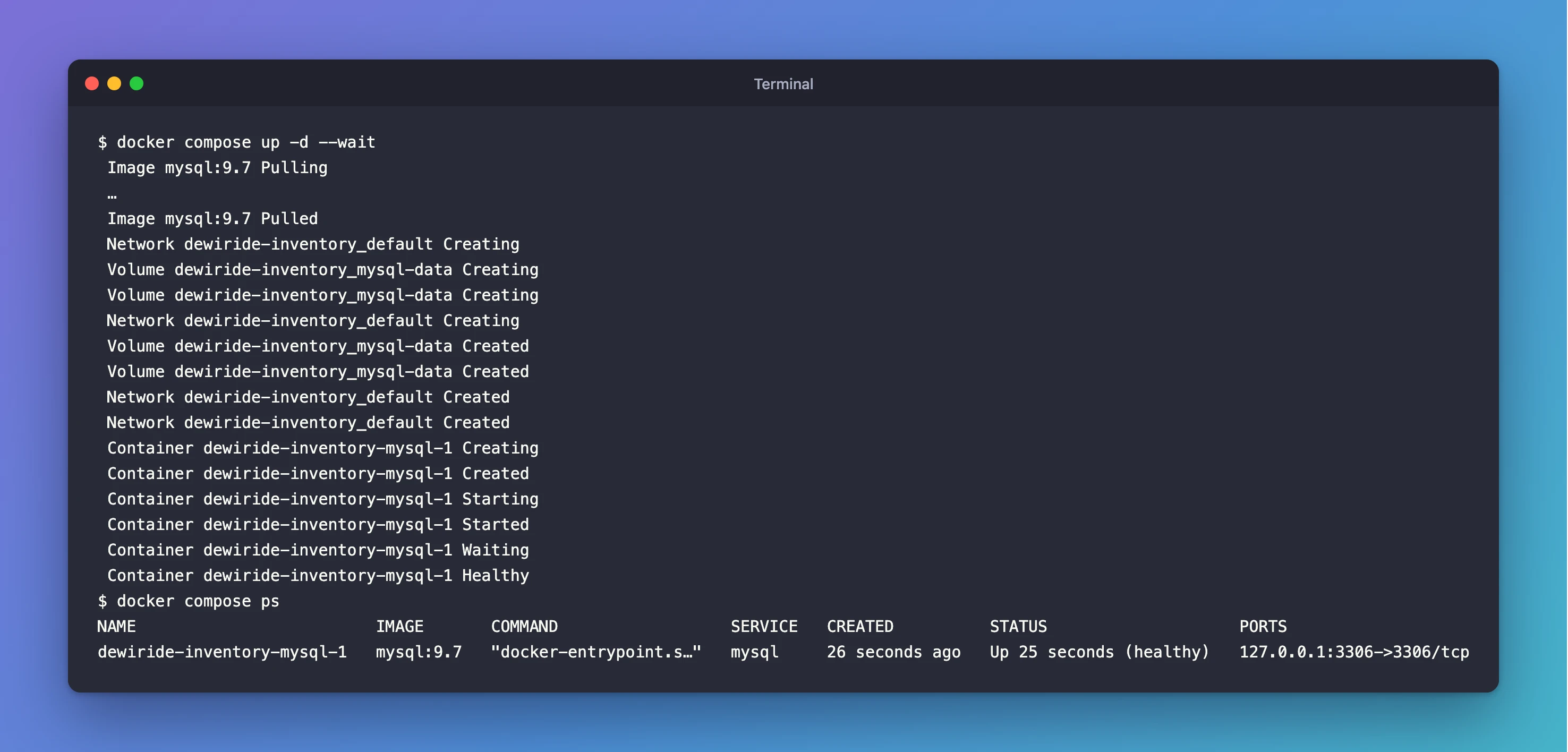
The two things to check are (healthy) and 127.0.0.1:3306->3306/tcp. MySQL is running, and only your own computer can reach it on port 3306.
Step 7: Read the Start-up Log
docker compose logs mysql
The first start prints about 50 lines. These are the ones that tell the story (the rest are shortened to …):
mysql-1  | 2026-11-02 14:48:46+00:00 [Note] [Entrypoint]: Entrypoint script for MySQL Server 9.7.4-1.el9 started.
…
mysql-1  | 2026-11-02 14:48:46+00:00 [Note] [Entrypoint]: Initializing database files
…
mysql-1  | 2026-11-02T14:48:47.663552Z 6 [Warning] [MY-010453] [Server] root@localhost is created with an empty password ! Please consider switching off the --initialize-insecure option.
…
mysql-1  | 2026-11-02T14:48:50.317659Z 0 [Warning] [MY-010068] [Server] CA certificate ca.pem is self signed.
…
mysql-1  | 2026-11-02T14:48:50.330314Z 0 [System] [MY-010931] [Server] /usr/sbin/mysqld: ready for connections. Version: '9.7.4'  socket: '/var/run/mysqld/mysqld.sock'  port: 0  MySQL Community Server - GPL.
mysql-1  | 2026-11-02 14:48:50+00:00 [Note] [Entrypoint]: Temporary server started.
…
mysql-1  | 2026-11-02 14:48:51+00:00 [Note] [Entrypoint]: Creating database inventory
mysql-1  | 2026-11-02 14:48:51+00:00 [Note] [Entrypoint]: Creating user inventory_app
mysql-1  | 2026-11-02 14:48:51+00:00 [Note] [Entrypoint]: Giving user inventory_app access to schema inventory
…
mysql-1  | 2026-11-02 14:48:53+00:00 [Note] [Entrypoint]: MySQL init process done. Ready for start up.
…
mysql-1  | 2026-11-02T14:48:54.140715Z 0 [System] [MY-010931] [Server] /usr/sbin/mysqld: ready for connections. Version: '9.7.4'  socket: '/var/run/mysqld/mysqld.sock'  port: 3306  MySQL Community Server - GPL.
Read from top to bottom:
- The image initializes an empty data folder, then starts a temporary server with
port: 0, which means no network at all. That's why the health check pings over TCP. - It creates the
inventorydatabase and theinventory_appaccount, then stops the temporary server. - The real server starts, and
ready for connections. Version: '9.7.4' … port: 3306means MySQL is ready.
The two warnings look alarming but are expected:
root@localhost is created with an empty password: the image's start-up script initializes MySQL with--initialize-insecureand sets yourMYSQL_ROOT_PASSWORDimmediately afterwards, before the real server starts.CA certificate ca.pem is self signed: MySQL generated its own TLS certificates, so connections can be encrypted from the start. How to Check if a MySQL Connection Uses TLS shows the result.
On every later start, the log skips straight to ready for connections. The data is already there.
Step 8: Connect to It
MySQL is running. To run SQL against it, use the mysql client that's already inside the container: How to Connect to MySQL in a Docker Container with the mysql Client.
When you're done for the day, stop it with docker compose stop. How to Stop, Start and Remove Docker Compose Containers Without Losing Data explains which commands keep your data and which one deletes it.
Common Mistakes
| Mistake | What happens | Do this instead |
|---|---|---|
ports: - "3306:3306" without 127.0.0.1 | MySQL accepts connections from your whole network | Use "127.0.0.1:3306:3306" |
No volume for /var/lib/mysql | Removing the container deletes the data | Map a named volume, as in Step 2 |
image: mysql or mysql:latest | You get whatever is newest, including a new Innovation release every quarter | Pin the line you want, such as mysql:9.7 |
| A health check that pings over the socket | The container can turn healthy while the temporary set-up server is still running | Ping with --host=127.0.0.1 |
Running docker compose up before creating .env | Compose stops: required variable MYSQL_PASSWORD is missing a value | Create .env first |
Troubleshooting
| Symptom | Likely cause | Fix |
|---|---|---|
Cannot connect to the Docker daemon | Docker Desktop isn't running | Start Docker Desktop and wait until it says it's running |
docker compose up reports that port 3306 is already in use | Another MySQL, or another container, is using port 3306 | Stop the other one, or publish a different port, such as "127.0.0.1:3307:3306" |
Stuck at Waiting, then unhealthy | MySQL failed to start; often a broken data volume from an earlier experiment | Read docker compose logs mysql for the [ERROR] line |
Signing in with a new password gives ERROR 1045 | The password changed in .env after the first start | See the ERROR 1045 fix |
FAQ
Does this work on Windows and on Apple Silicon Macs?
Yes. Docker Desktop runs the same commands on Windows, macOS and Linux, and the official mysql:9.7 image is published for both amd64 (Intel and AMD) and arm64 (Apple Silicon) processors.
Where exactly is my data stored?
In a Docker volume named dewiride-inventory_mysql-data, which Docker manages for you. docker volume ls lists it. It stays until you remove it on purpose.
Can other computers connect to this MySQL?
No. The port is published on 127.0.0.1, which only your own computer can reach. That's what you want for a development database.
Should I use the latest Innovation release instead?
For learning and development, either works. For anything you'll keep running, the LTS line gets bug and security fixes for years without feature changes. That's why this guide pins mysql:9.7.
Conclusion
One compose.yaml runs the official MySQL 9.7 LTS image with:
- an
inventorydatabase and an app account; - passwords kept in
.env; - a port only your computer can reach;
- data that survives in a named volume;
- a health check that only passes once the real server is ready.
docker compose up -d --wait starts it, and docker compose ps confirms it's healthy.
Additional Resources
- MySQL image on Docker Hub — tags, environment variables and data storage.
- mysqladmin (MySQL 9.7) — the
pingcommand and its return codes. - Compose file reference: healthcheck —
interval,start_periodandstart_interval. - docker compose up — every option, including
--wait.
