How to Run EF Core Migrations with a Different Database Account

Once your app's account can only read and change rows, dotnet ef database update fails with it, as it should. There are two ways to give that one command a different account, and neither needs a code change.
What You Need
- An account for migrations. How to Create a MySQL Account for Running Migrations works out its rights.
- Its password in your
.envfile, here asMYSQL_MIGRATOR_PASSWORD. - A project with dotnet-ef. The examples add a
Barcodecolumn toproducts, with a migration calledAddProductBarcode.
Step 1: See the Failure
With the app's account, which is what's in user-secrets:
dotnet ef database update --project src/Dewiride.Inventory.Data --startup-project src/Dewiride.Inventory.Api
CREATE command denied to user 'inventory_app'@'172.23.0.1' for table '__EFMigrationsHistory'
That's the first statement EF Core runs, and the right is checked before anything else. It means the setup is working.
Way 1: An Environment Variable
dotnet ef runs your app's startup code to find its settings, so an environment variable overrides user-secrets, just as it does for the app:
- macOS / Linux
- Windows (PowerShell)
ConnectionStrings__Inventory="Server=127.0.0.1;Port=3306;Database=inventory;User ID=inventory_migrator;Password=$(grep '^MYSQL_MIGRATOR_PASSWORD=' .env | cut -d= -f2-);SslMode=Required" dotnet ef database update --project src/Dewiride.Inventory.Data --startup-project src/Dewiride.Inventory.Api
$password = (Get-Content .env | Where-Object { $_ -like 'MYSQL_MIGRATOR_PASSWORD=*' }).Substring('MYSQL_MIGRATOR_PASSWORD='.Length)
$env:ConnectionStrings__Inventory = "Server=127.0.0.1;Port=3306;Database=inventory;User ID=inventory_migrator;Password=$password;SslMode=Required"
dotnet ef database update --project src/Dewiride.Inventory.Data --startup-project src/Dewiride.Inventory.Api
Remove-Item Env:ConnectionStrings__Inventory
Acquiring an exclusive lock for migration application. See https://aka.ms/efcore-docs-migrations-lock for more information if this takes too long.
Applying migration '20261106062549_AddProductBarcode'.
Done.
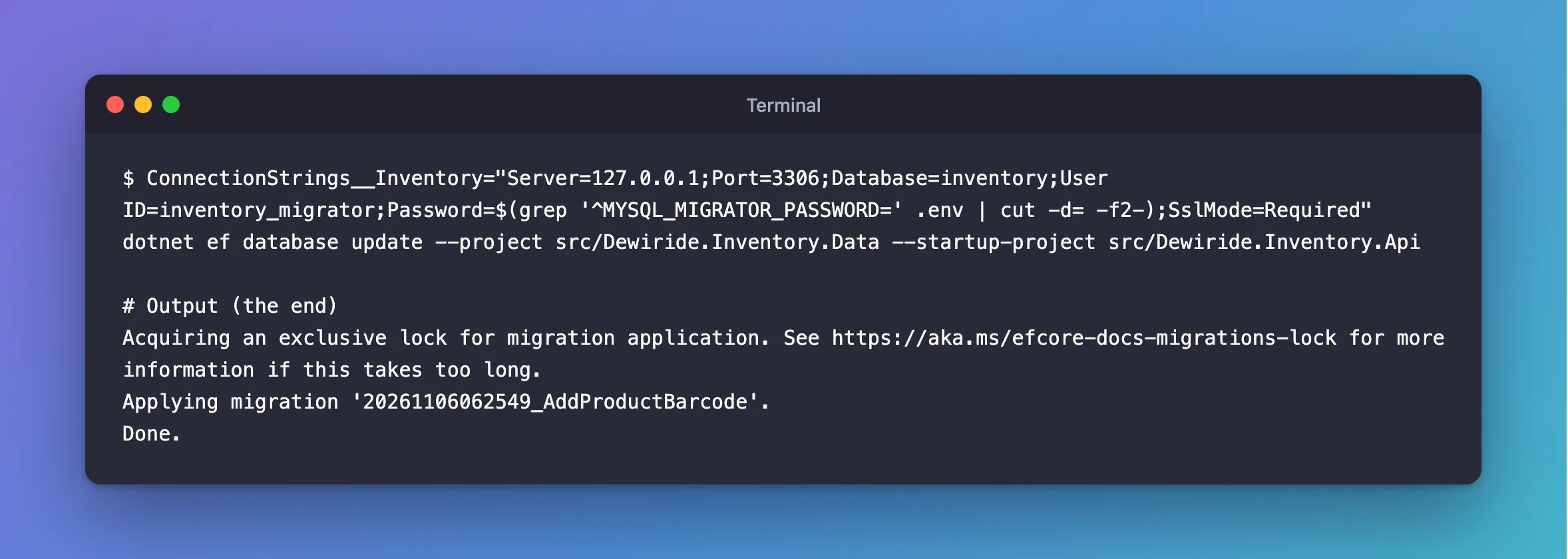
This is the one I'd use. It reads the password from a file, so it stays out of your shell history, and it also gets past a startup check that requires a connection string.
Way 2: The --connection Option
dotnet ef has an option for this. Here it is rolling that migration back:
dotnet ef database update AddStockMovementIdempotencyKey --project src/Dewiride.Inventory.Data --startup-project src/Dewiride.Inventory.Api --connection "Server=127.0.0.1;Port=3306;Database=inventory;User ID=inventory_migrator;Password=…;SslMode=Required"
Reverting migration '20261106062549_AddProductBarcode'.
Done.
The whole connection string is on the command line, so it's in your shell's history and visible to other users in ps while it runs. On your own computer that may not matter. On a shared server, or in a CI log, it does.
It also has a limit: your app's startup code still runs, so if it insists on a connection string, as this one does, then one has to be set anyway. In Development, user-secrets cover that. With nothing else set, the command stops before it uses --connection:
An error occurred while accessing the Microsoft.Extensions.Hosting services. Continuing without the application service provider. Error: The connection string 'ConnectionStrings:Inventory' is missing. In development, set it with dotnet user-secrets. Everywhere else, set the ConnectionStrings__Inventory environment variable.
Unable to create a 'DbContext' of type 'InventoryDbContext'. The exception 'Unable to resolve service for type 'Microsoft.EntityFrameworkCore.DbContextOptions`1[Dewiride.Inventory.Data.InventoryDbContext]' while attempting to activate 'Dewiride.Inventory.Data.InventoryDbContext'.' was thrown while attempting to create an instance. For the different patterns supported at design time, see https://go.microsoft.com/fwlink/?linkid=851728
So on a build server, use Way 1.
In Production
You'd rarely run dotnet ef on a server. Generate a SQL script or a bundle and run it as this account. A bundle takes the same environment variable.
Common Mistakes
| Mistake | What happens | Do this instead |
|---|---|---|
| Putting the migrator's password in the app's settings | A stolen app gets those rights | Give it only to this step |
--connection in a CI script | It can end up in the log | Use the environment variable |
| Leaving the variable set in PowerShell | The next dotnet run uses the migrator's account | Remove it |
Troubleshooting
| Symptom | Likely cause | Fix |
|---|---|---|
CREATE command denied | It's still using the app's account | Check the variable's name |
Unable to create a 'DbContext' of type… with --connection | Your startup code stopped first | Use the variable, or see the fix |
REFERENCES command denied, or INDEX | The account is missing a right | The list |
Access denied | A wrong password, or a REQUIRE SSL account with no TLS | The fix |
Conclusion
Set ConnectionStrings__Inventory for the one command, and dotnet ef uses that account. --connection works as well, but it leaves the password on the command line.
Additional Resources
- EF Core tools reference (.NET CLI) —
--connection. - Applying Migrations — scripts, bundles and when to use each.
