How to Run Code Before Every Turn in the Microsoft 365 Agents SDK in C#

Some checks belong in front of every route: is this person allowed, is the agent switched on, is this the right kind of conversation? Instead of repeating them in each handler, the Microsoft 365 Agents SDK lets you register a before-turn handler that runs before the routes on every turn, and stops the turn when it returns false.
Syntax
OnBeforeTurn(handler);

private async Task<bool> HandlerName(ITurnContext turnContext, ITurnState turnState, CancellationToken cancellationToken)
OnBeforeTurnis a method ofAgentApplication. Call it in your agent's constructor. You can register several handlers, and they run in the order you register them.handleris the method that runs. It gets the same three parameters as a route handler, and returnsTask<bool>.- Return
trueto carry on with the turn: the next before-turn handler runs, then the routes. - Return
falseto stop the turn: no route runs, and neither do the after-turn handlers. The SDK still saves the turn's state.
Before-turn handlers run for every activity your agent receives, messages or not, after the SDK loads the turn's state and before it tries the routes.
The Example
The agent for this post tells people how much leave they have left. That's private, so it should only answer in a one-to-one chat, never in a group chat where everyone can read the answer:
using Microsoft.Agents.Builder;
using Microsoft.Agents.Builder.App;
using Microsoft.Agents.Builder.State;
using Microsoft.Agents.Core.Models;

namespace BeforeTurnDemo;

public class LeaveAgent : AgentApplication
{
    public LeaveAgent(AgentApplicationOptions options) : base(options)
    {
        OnBeforeTurn(OnlyInPersonalChatAsync);
        OnActivity(ActivityTypes.Message, LeaveBalanceAsync);
    }

    private async Task<bool> OnlyInPersonalChatAsync(ITurnContext turnContext, ITurnState turnState, CancellationToken cancellationToken)
    {
        if (turnContext.Activity.Conversation.ConversationType == ConversationTypes.Personal)
        {
            return true;
        }

        if (turnContext.Activity.Type == ActivityTypes.Message)
        {
            await turnContext.SendActivityAsync("Leave balances are private, so I only answer in a one-to-one chat with you.", cancellationToken: cancellationToken);
        }

        return false;
    }

    private async Task LeaveBalanceAsync(ITurnContext turnContext, ITurnState turnState, CancellationToken cancellationToken)
    {
        await turnContext.SendActivityAsync("You have **12 days** of leave left this year.", cancellationToken: cancellationToken);
    }
}
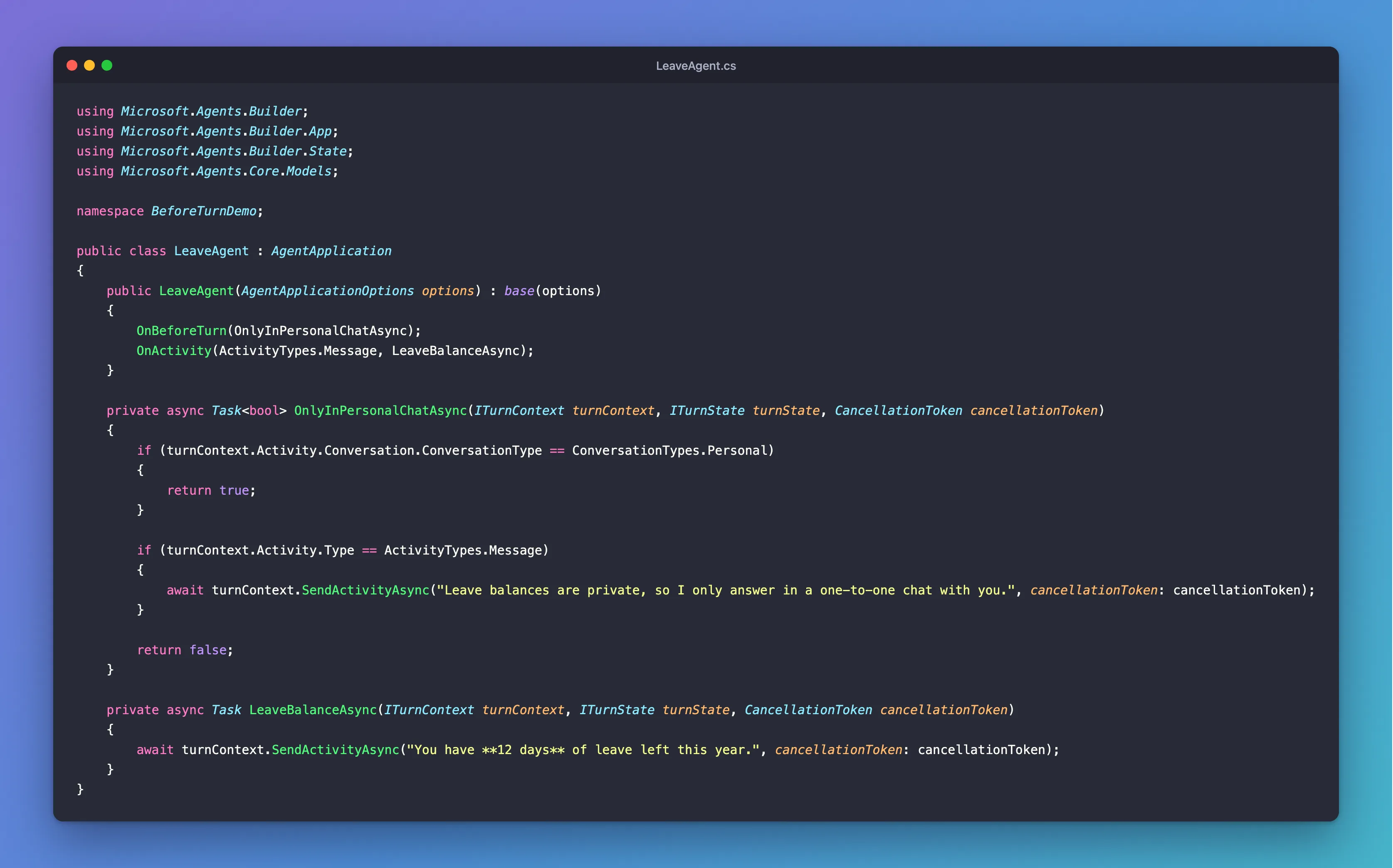
It's one class in an ASP.NET Core project with the Agents SDK, hosted with AddAgent<LeaveAgent>() and listening on port 3978. The leave balance is a fixed sentence, so the check is the only thing to look at.
Prerequisites
- The Microsoft 365 Agents Playground, to chat with the agent on your own machine.
agentsplayground --versionshould print0.2.30; if the command isn't found, install it withnpm install -g @microsoft/m365agentsplayground.
Step 1: Register the Before-Turn Handler
Register it in the constructor, next to the routes:
public LeaveAgent(AgentApplicationOptions options) : base(options)
{
    OnBeforeTurn(OnlyInPersonalChatAsync);
    OnActivity(ActivityTypes.Message, LeaveBalanceAsync);
}
The order of these two lines doesn't matter: before-turn handlers always run before the routes, whatever order you register them in.
Step 2: Check the Conversation and Stop the Turn
The handler looks at the conversation the activity came from:
private async Task<bool> OnlyInPersonalChatAsync(ITurnContext turnContext, ITurnState turnState, CancellationToken cancellationToken)
{
    if (turnContext.Activity.Conversation.ConversationType == ConversationTypes.Personal)
    {
        return true;
    }

    if (turnContext.Activity.Type == ActivityTypes.Message)
    {
        await turnContext.SendActivityAsync("Leave balances are private, so I only answer in a one-to-one chat with you.", cancellationToken: cancellationToken);
    }

    return false;
}
Conversation.ConversationTypeispersonalfor a one-to-one chat,groupChatfor a group chat andchannelfor a channel in a team. The SDK has constants for them inConversationTypes, in theMicrosoft.Agents.Core.Modelsnamespace.- A one-to-one chat returns
true, so the turn carries on to the message route. - Anything else returns
false. Only messages get the refusal, because a member joining a group chat isn't waiting for an answer, but every turn there stops.
Step 3: Try It in a One-to-One Chat
Run the agent with dotnet run, start the Agents Playground in a second terminal, and ask about your leave in Personal Chat, where the Playground opens:
agentsplayground -e http://localhost:3978/api/messages -c emulator
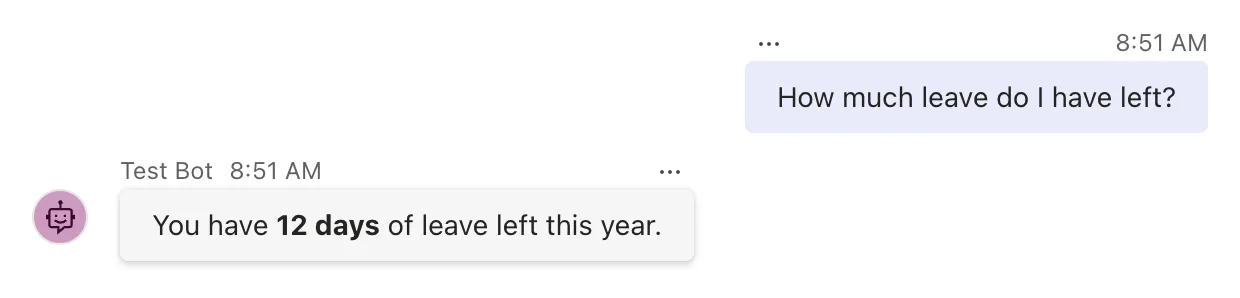
The before-turn handler returned true, and the message route answered.
Step 4: Try It in a Group Chat
Select Group Chat in the Playground's list of chats. In a group chat, the agent only receives messages that @mention it, as in Microsoft Teams, so type @, choose Test Bot from the list that appears, and ask the same question:
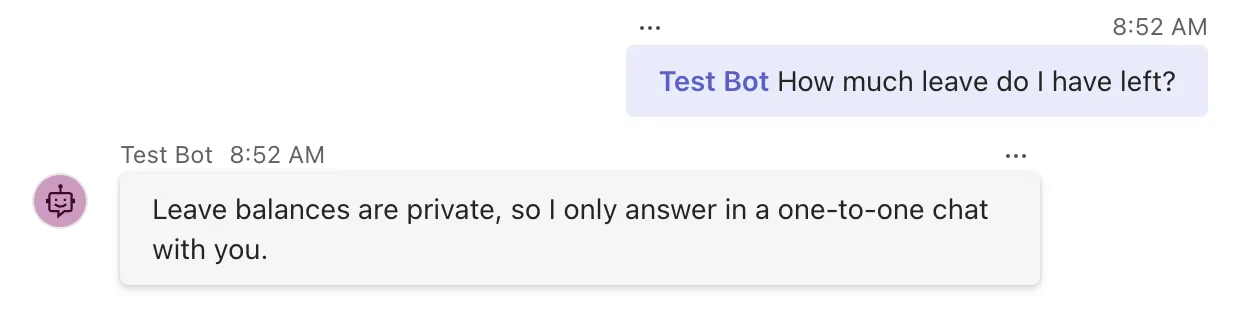
This time the activity's conversationType was groupChat, so the handler answered with the refusal and returned false, and the message route never ran. The leave balance stayed private.
Common Mistakes
| Mistake | What happens | Do this instead |
|---|---|---|
Forgetting return true on the normal path | Every turn stops, and the agent never answers | Return true unless you mean to stop the turn |
| Replying to every activity you stop | People get messages they didn't ask for, such as when someone joins a group chat | Reply only to messages |
Comparing with the string "personal" | It works, but a typo fails silently | Use ConversationTypes.Personal |
| Putting the check in every route | Easy to forget in the next route you add | Put it in one before-turn handler |
Troubleshooting
| Symptom | Likely cause | Fix |
|---|---|---|
| The agent never answers, even in a one-to-one chat | The handler returns false on every path | Check that it returns true for the turns that should go on |
| No answer and no refusal in a group chat | The message didn't @mention the agent, so it never arrived | Mention the agent: type @ and choose it |
| The refusal also appears in one-to-one chats | The conversation type isn't what you compare it with | Log turnContext.Activity.Conversation.ConversationType and check its value |
FAQ
Why doesn't the agent get group chat messages without a mention?
Microsoft Teams works that way: by default, agents in group chats and channels only receive messages that @mention them. An agent can ask for permission to receive all of them, through resource-specific consent in its app manifest. The Agents Playground behaves the same way, which is why Step 4 mentions the agent.
What happens to the state when a before-turn handler returns false?
The SDK saves it, as at the end of a normal turn. That lets your agent remember why it stopped a turn, for example to count how many times someone tried.
What else is a before-turn handler good for?
Anything that should happen before every route: writing each activity to your log, switching the agent off with a setting while you fix something, or checking that a person may use the agent before any route answers.
Do before-turn handlers run for activities that no route handles?
Yes. They run for every activity the agent receives, such as the conversationUpdate the Playground sends when it connects, before the SDK looks for a route.
Conclusion
Register a before-turn handler with OnBeforeTurn, and it runs before your routes on every turn. Return true to carry on, or false to stop the turn there, with no route and no after-turn handler. One handler that checks Conversation.ConversationType is enough to keep an agent's private answers out of group chats.
Additional Resources
- AgentApplication in Microsoft 365 Agents SDK: Turn lifecycle hooks — before-turn and after-turn handlers.
- AgentApplication.OnBeforeTurn method — what returning
falsedoes. - Channel and group chat conversations for agents — when Teams sends group chat messages to an agent.
