How to Run Code After Every Turn in the Microsoft 365 Agents SDK in C#

Some code belongs after the routes, on every turn: logging what happened, following up, or making sure the agent answered at all. The Microsoft 365 Agents SDK runs your after-turn handlers once the routes are done, with the turn's results still in hand.
Syntax
OnAfterTurn(handler);

private async Task<bool> HandlerName(ITurnContext turnContext, ITurnState turnState, CancellationToken cancellationToken)
OnAfterTurnis a method ofAgentApplication. Call it in your agent's constructor. You can register several handlers, and they run in the order you register them.handleris the method that runs. It gets the same three parameters as a route handler, and returnsTask<bool>.- Return
trueto finish the turn normally: the next after-turn handler runs, then the SDK saves the turn's state. - Return
falseto skip saving the state for this turn. The after-turn handlers after it don't run either.
After-turn handlers run when the routes are done, including when no route matched. They don't run when a before-turn handler stopped the turn, or when the turn threw an exception.
The Example
The agent for this post answers two questions about a shop, its opening hours and its address, and has no route for anything else. An after-turn handler makes sure no message goes unanswered:
using Microsoft.Agents.Builder;
using Microsoft.Agents.Builder.App;
using Microsoft.Agents.Builder.State;
using Microsoft.Agents.Core.Models;

namespace AfterTurnDemo;

public class OpeningHoursAgent : AgentApplication
{
    public OpeningHoursAgent(AgentApplicationOptions options) : base(options)
    {
        OnMessage("hours", HoursAsync);
        OnMessage("address", AddressAsync);
        OnAfterTurn(MakeSureWeAnsweredAsync);
    }

    private async Task HoursAsync(ITurnContext turnContext, ITurnState turnState, CancellationToken cancellationToken)
    {
        await turnContext.SendActivityAsync("We're open from 9:00 to 18:00, Monday to Saturday.", cancellationToken: cancellationToken);
    }

    private async Task AddressAsync(ITurnContext turnContext, ITurnState turnState, CancellationToken cancellationToken)
    {
        await turnContext.SendActivityAsync("You'll find us at 12 Market Street.", cancellationToken: cancellationToken);
    }

    private async Task<bool> MakeSureWeAnsweredAsync(ITurnContext turnContext, ITurnState turnState, CancellationToken cancellationToken)
    {
        if (turnContext.Activity.Type == ActivityTypes.Message && !turnContext.Responded)
        {
            await turnContext.SendActivityAsync("Sorry, I can only tell you our **hours** or our **address**.", cancellationToken: cancellationToken);
        }

        return true;
    }
}
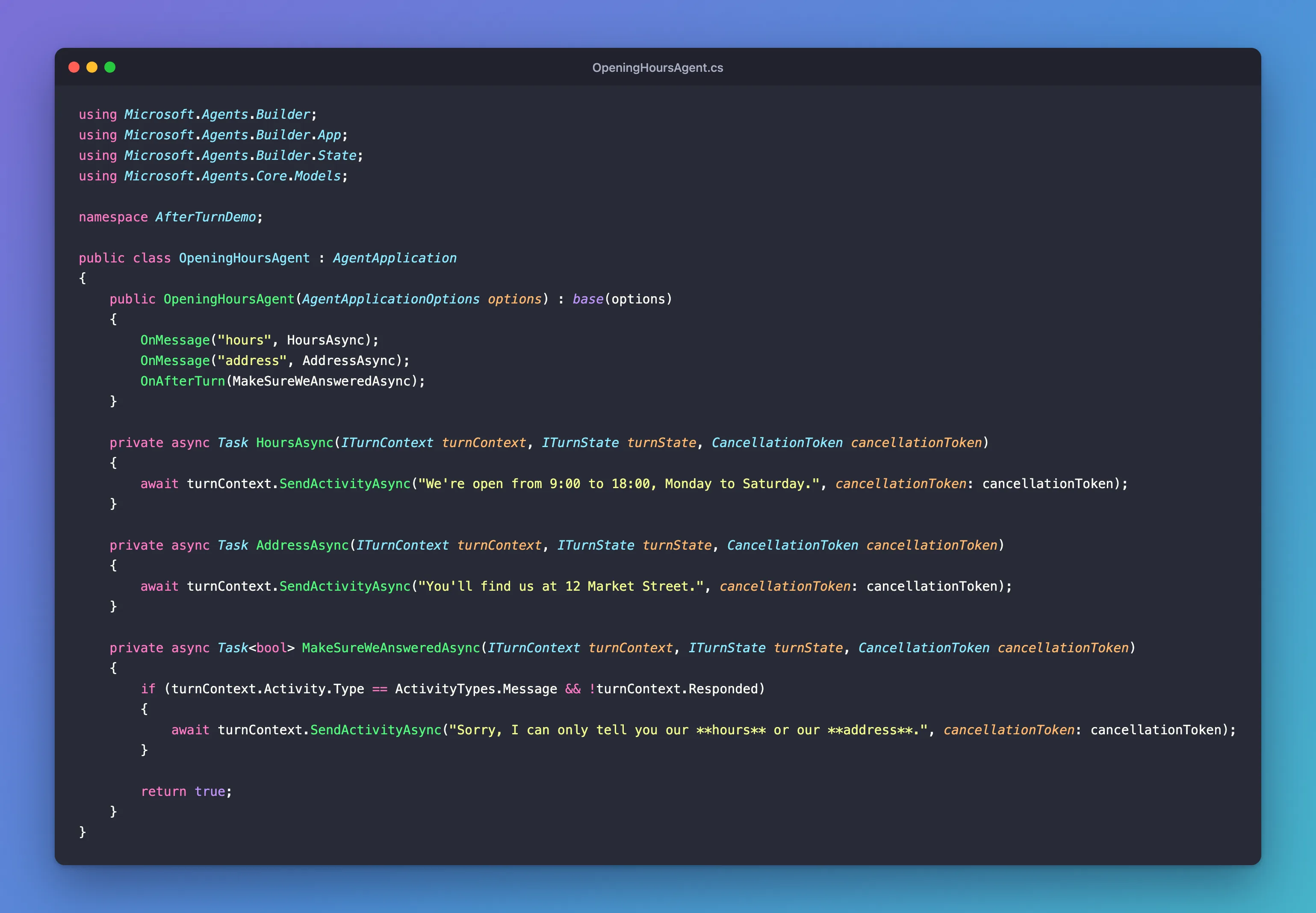
It's one class in an ASP.NET Core project with the Agents SDK, hosted with AddAgent<OpeningHoursAgent>() and listening on port 3978.
Prerequisites
- The Microsoft 365 Agents Playground, to chat with the agent on your own machine.
agentsplayground --versionshould print0.2.30; if the command isn't found, install it withnpm install -g @microsoft/m365agentsplayground.
Step 1: Register the After-Turn Handler
Register it in the constructor, with the routes:
public OpeningHoursAgent(AgentApplicationOptions options) : base(options)
{
    OnMessage("hours", HoursAsync);
    OnMessage("address", AddressAsync);
    OnAfterTurn(MakeSureWeAnsweredAsync);
}
After-turn handlers always run after the routes, whatever order you register them in.
Step 2: Check Whether the Agent Answered
The handler looks at what the turn did:
private async Task<bool> MakeSureWeAnsweredAsync(ITurnContext turnContext, ITurnState turnState, CancellationToken cancellationToken)
{
    if (turnContext.Activity.Type == ActivityTypes.Message && !turnContext.Responded)
    {
        await turnContext.SendActivityAsync("Sorry, I can only tell you our **hours** or our **address**.", cancellationToken: cancellationToken);
    }

    return true;
}
turnContext.Respondedistrueonce the agent has sent something in this turn. By the time an after-turn handler runs, it tells you whether any route answered.- Only messages get the fallback. Other activities, such as the
conversationUpdatethe Playground sends when it connects, aren't waiting for an answer. return truelets the turn finish normally, and the SDK saves the turn's state.
Step 3: Try It
Run the agent with dotnet run, start the Agents Playground in a second terminal, and send hours, then a question the agent has no route for, such as Is there parking nearby?:
agentsplayground -e http://localhost:3978/api/messages -c emulator
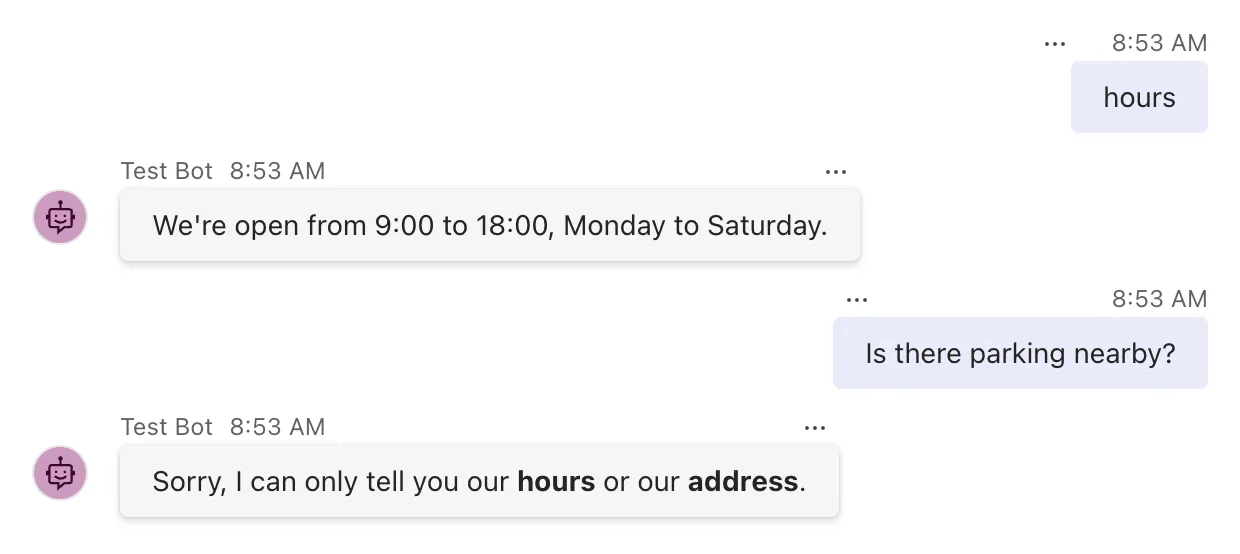
For hours, the route answered, Responded was true, and the after-turn handler did nothing. For the parking question, no route matched, so nothing had been sent when the after-turn handler ran, and it sent the fallback.
Common Mistakes
| Mistake | What happens | Do this instead |
|---|---|---|
Returning false by habit | The turn's state isn't saved, and later after-turn handlers are skipped | Return true unless you mean to skip saving the state |
| Expecting the after-turn handler to run after an exception | It doesn't run when the turn throws | Handle failures in the error handlers |
Expecting it to run when a before-turn handler returned false | A stopped turn skips the after-turn handlers | Do that work in the before-turn handler that stops the turn |
| Sending the fallback for every activity type | The agent answers events nobody is waiting on | Check ActivityTypes.Message first |
Troubleshooting
| Symptom | Likely cause | Fix |
|---|---|---|
| The fallback appears after normal answers too | The handler doesn't check Responded | Send it only when turnContext.Responded is false |
| The after-turn handler never runs | A before-turn handler returned false, or the turn threw | Check the log for the turn's errors and your before-turn handlers |
| State changes from the turn are lost | An after-turn handler returned false | Return true |
FAQ
Why not use a catch-all route instead?
A catch-all route answers when no route matches, and that's the usual way to answer unknown messages. The after-turn handler also catches the turns where a route ran but sent nothing, for example a search that found no result and forgot to say so, because it checks what was sent rather than which route ran.
When does returning false make sense?
When a turn's changes to the state shouldn't be kept, for example when you only want to save the state after the agent actually answered. The state itself has a post of its own, How to Save Conversation State in the Microsoft 365 Agents SDK in C#; most after-turn handlers simply return true.
Does Responded count typing indicators?
Yes. Responded becomes true after any activity the agent sends in the turn except trace activities, so a typing indicator counts as an answer. With typing turned on, check what your routes sent in another way.
Conclusion
Register an after-turn handler with OnAfterTurn, and it runs after your routes on every turn that wasn't stopped or broken by an exception. turnContext.Responded tells it whether the agent answered, which is all it takes to make sure every message gets a reply. Return true to let the SDK save the turn's state, or false to skip it.
Additional Resources
- AgentApplication in Microsoft 365 Agents SDK: Turn lifecycle hooks — before-turn and after-turn handlers.
- AgentApplication.OnAfterTurn method — what returning
falsedoes. - TurnEventHandler delegate — the handler's signature.
