How to Run an Office Script from Power Automate

An Office Script can do anything you'd do by hand in an Excel workbook, and a Power Automate flow can run it for you with the Run script action. The workbook doesn't even need to be open: the flow runs the script in its own Excel session.
The example is a workbook called Office Scripts Example.xlsx in my OneDrive, with a sheet named Flow. A script called Write a Greeting writes Hello from Power Automate! in cell A1 of that sheet, and a flow runs it.
Prerequisites
- A business Microsoft 365 licence. Microsoft's Run Office Scripts with Power Automate says you need one to use Office Scripts in Power Automate.
Step 1: Write the Script
In the workbook, create a script called Write a Greeting (How to Create and Run an Office Script in Excel) with this code:
function main(workbook: ExcelScript.Workbook) {
    // Write a greeting in cell A1 of the sheet named "Flow".
    const sheet = workbook.getWorksheet("Flow");
    sheet.getRange("A1").setValue("Hello from Power Automate!");
}
workbook.getWorksheet("Flow")gets the sheet by its name. In a flow, nobody has the workbook open, so there's no sheet you're looking at: Microsoft's Troubleshoot Office Scripts running in Power Automate saysgetActiveWorksheetreturns either the first worksheet in the workbook or the worksheet currently activated by the Worksheet.activate method. Naming the sheet makes the flow write in the same place every time.setValuewrites the text (How to Write Values to Cells with an Office Script).
New scripts are saved in your OneDrive, in Documents → Office Scripts. That's where Run script looks for them.
Step 2: Create the Flow
Create an instant cloud flow with the trigger Manually trigger a flow (How to Create an Instant Cloud Flow Inside a Solution in Power Automate). I called it Run an Office Script.
Step 3: Add Run script
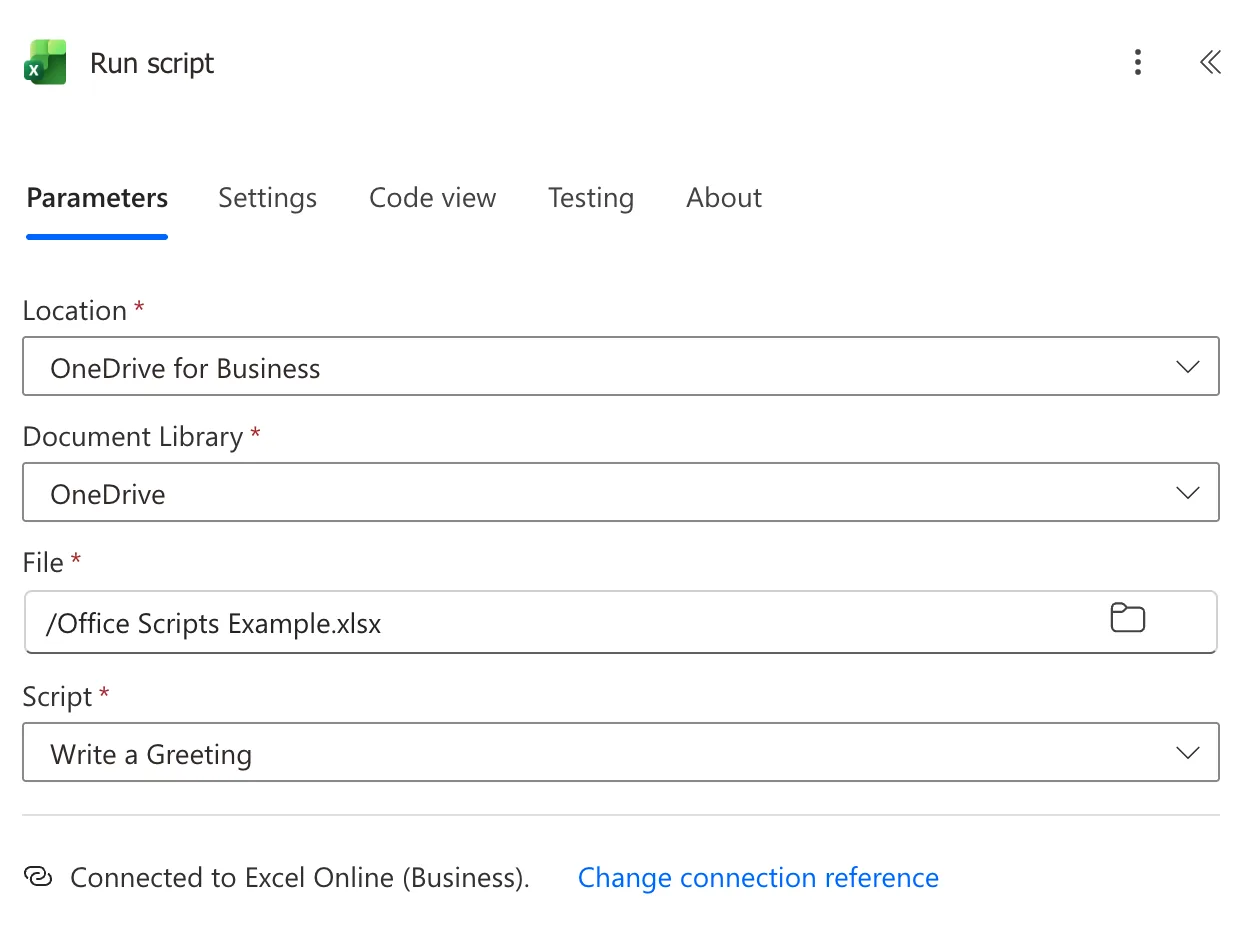
Under the trigger, select +, Add an action, search for Run script and select it under Excel Online (Business). Fill its four fields:
- Location: OneDrive for Business.
- Document Library: OneDrive.
- File: select the folder icon and pick the workbook, here /Office Scripts Example.xlsx. Microsoft's troubleshooting article says to use the file browser rather than type the name.
- Script: pick the script from the list, here Write a Greeting.
Step 4: Run the Flow
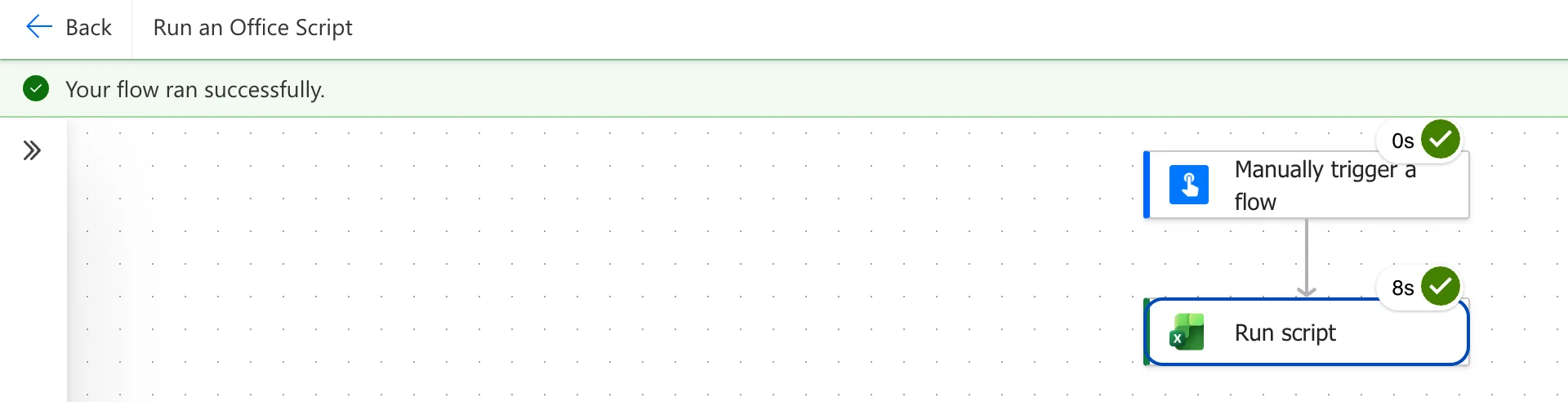
Save the flow, then select Test, Manually and Test, then Continue and Run flow (How to Test a Cloud Flow Manually in Power Automate). The run took 8 seconds, most of it for the script:
The Result
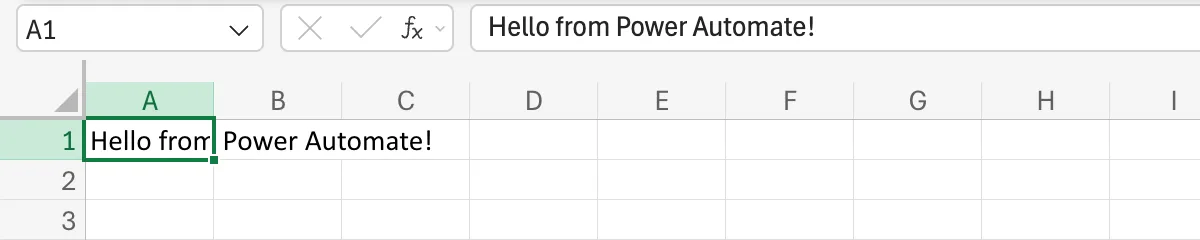
In the workbook, the Flow sheet's A1 now says Hello from Power Automate!:
Common Mistakes
| Mistake | What happens | Do this instead |
|---|---|---|
getActiveWorksheet() in a script for a flow | The flow writes in the first sheet, or the last one a script activated | getWorksheet("<name>") |
| Typing the workbook's path into File | Microsoft's troubleshooting article says to use the file browser | Pick it with the folder icon |
| Run script for a script saved in SharePoint | Run script lists only the scripts in your OneDrive | Run script from SharePoint library (How to Run an Office Script from a SharePoint Library in Power Automate) |
Troubleshooting
| Symptom | Likely cause | Fix |
|---|---|---|
| The script isn't in the Script list | It isn't in your OneDrive's Documents → Office Scripts folder | Use the action for scripts in SharePoint, or keep the script in the default place |
| fetch is not defined | Microsoft's Platform limits says external calls fail when a script runs from Power Automate | Make the call with a flow action instead |
| A BadGateway error | The same article says Run script doesn't support the ISO strict workbook format | Save the workbook as a standard Excel Workbook |
FAQ
Does the workbook have to be open?
No. Microsoft's troubleshooting article: Power Automate runs your script in the chosen Excel workbook on your behalf. The workbook might be closed when this happens.
How often can a flow run scripts?
Microsoft's limits article: Each user is limited to 1,600 calls to the Run script action per day, reset at midnight UTC, and a script call times out after 120 seconds.
Can the flow send the script values, or get one back?
Yes: How to Pass a Value to an Office Script from Power Automate and How to Return a Value from an Office Script to Power Automate.
Conclusion
Run script runs an Office Script from your OneDrive in a workbook you pick, without anyone opening it. Name sheets with getWorksheet in scripts for flows, so they write in the same place every time.
Additional Resources
- Run Office Scripts with Power Automate
- Troubleshoot Office Scripts running in Power Automate
- Platform limits and requirements with Office Scripts
