How to Run an MLflow Model Server with More Workers

By default, mlflow models serve starts one worker: one process that loads the model and answers requests one at a time. --workers starts more of them, so the server can work on several requests at once, each worker with its own copy of the model. This guide starts two and reads the lines that show them, with real output from MLflow 3.18.0.
Syntax
mlflow models serve -m MODEL_URI -p PORT --workers NUMBER --env-manager uv
| Part | What it means |
|---|---|
--workers NUMBER, -w NUMBER | How many worker processes to start; the default is 1 |
MLFLOW_MODELS_WORKERS | The number to use when the command has no --workers |
The CLI reference: "-w, --workers Number of uvicorn workers to handle requests when serving mlflow models (default: 1)."
Prerequisites
- An MLflow tracking server at
http://127.0.0.1:8080, such asmlflow server --port 8080. - A logged model to serve. This guide uses a linear regression on scikit-learn's California housing data, logged the same way as in How to Send a dataframe_split Request to an MLflow Model Server, with the address
models:/m-153ef7a5168f4818b7c892067a9b5a51.
Step 1: Start the Server with Two Workers
- macOS / Linux
- Windows (PowerShell)
export MLFLOW_TRACKING_URI=http://127.0.0.1:8080
uv run mlflow models serve -m "models:/m-153ef7a5168f4818b7c892067a9b5a51" -p 5001 --workers 2 --env-manager uv
$env:MLFLOW_TRACKING_URI = "http://127.0.0.1:8080"
uv run mlflow models serve -m "models:/m-153ef7a5168f4818b7c892067a9b5a51" -p 5001 --workers 2 --env-manager uv
2026/11/26 04:58:34 INFO mlflow.utils.environment: === Running command '['bash', '-c', 'source /Users/you/.mlflow/envs/mlflow-1a8495c475783fb241f6a7a3da8ec77fb2802018/bin/activate && exec uvicorn --host 127.0.0.1 --port 5001 --workers 2 mlflow.pyfunc.scoring_server.app:app']'
INFO:     Uvicorn running on http://127.0.0.1:5001 (Press CTRL+C to quit)
INFO:     Started parent process [15830]
INFO:     Started server process [15836]
INFO:     Waiting for application startup.
INFO:     Started server process [15835]
INFO:     Waiting for application startup.
INFO:     Application startup complete.
INFO:     Application startup complete.
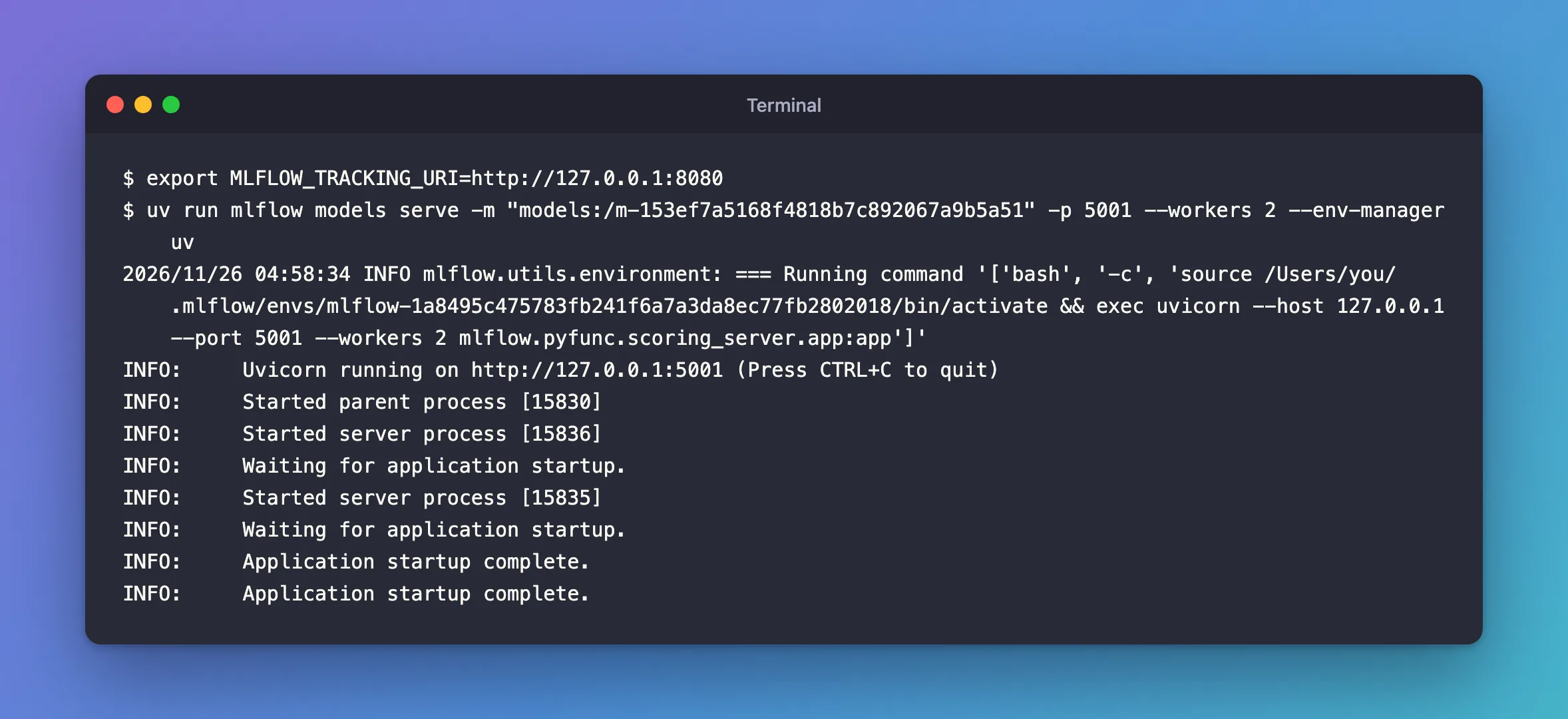
--workers 2in uvicorn's command: MLflow passed the number on.Started parent process [15830]: the process that listens on port 5001 and hands requests to the workers.- Two
Started server processlines: the workers, 15836 and 15835, each loading the model, which is why each ends with its ownApplication startup complete.
Step 2: Send a Request
- macOS / Linux
- Windows (PowerShell)
curl http://127.0.0.1:5001/invocations -H "Content-Type: application/json" --data @two_districts.json
{"predictions": [4.1316498270767426, 3.9766064387043514]}
Invoke-RestMethod http://127.0.0.1:5001/invocations -Method Post -ContentType "application/json" -InFile two_districts.json
predictions
-----------
{4.13164982707674, 3.97660643870435}
The answers don't change with the number of workers. two_districts.json holds two districts in the dataframe_split layout, from the guide linked above.
Common Mistakes
| Mistake | What happens | Do this instead |
|---|---|---|
| Many workers for a large model | Each worker loads its own copy, so memory grows with every worker | Start with a few, and watch the memory |
Troubleshooting
| Symptom | Likely cause | Fix |
|---|---|---|
Only one Started server process line | The command has no --workers, and MLFLOW_MODELS_WORKERS isn't set | Add --workers |
No Started parent process line | One worker: uvicorn runs it without a parent | Expected with --workers 1 |
FAQ
How many workers should I start?
One per request you want to handle at the same time, within your memory. In a Docker image from mlflow models build-docker, the default is different: one worker per CPU, as How to Set the Number of Workers in an MLflow Model Container shows.
Can I set it without the option?
Yes: MLFLOW_MODELS_WORKERS=2 in the terminal, or $env:MLFLOW_MODELS_WORKERS = "2" in PowerShell. The reference lists it as "Provide a default for --workers".
Conclusion
--workers 2 made mlflow models serve start uvicorn with a parent process and two worker processes, each with its own copy of the California housing model, and the model's answers were the same as with one worker.
Additional Resources
- mlflow models serve —
--workersandMLFLOW_MODELS_WORKERS. - uvicorn settings — what uvicorn's
--workersdoes.
