How to Run an MLflow Model in a Docker Container

An image from mlflow models build-docker serves its model on port 8080 inside the container. docker run starts it, and -p connects a port on your computer to that 8080, so requests reach the model the same way as with mlflow models serve. This guide runs one in the background, waits for it, asks it for a prediction, and stops it, with real output from MLflow 3.18.0 and Docker Desktop 4.100.1.
Syntax
docker run -d --name NAME --platform linux/amd64 -p 127.0.0.1:HOST_PORT:8080 IMAGE
| Part | What it means |
|---|---|
-d | Run in the background and print the container's ID |
--name NAME | A name to use in later commands, instead of the ID |
--platform linux/amd64 | The image's platform; MLflow builds every image for it, and saying so avoids a warning on Apple silicon |
-p 127.0.0.1:HOST_PORT:8080 | Connect HOST_PORT on your computer, and only on your computer, to the container's port 8080 |
IMAGE | The image's name, such as fitness-weight |
The build-docker reference runs it as docker run -p 5001:8080 "my-image-name". The same commands work in PowerShell.
Prerequisites
- Docker Desktop, running. It's free for personal use, education, non-commercial open source and small businesses, under Docker's licence terms.
- An image of a model, built with
mlflow models build-docker: How to Build a Docker Image for an MLflow Model. This guide usesfitness-weight, a linear regression that predicts a man's weight from his chin-ups, sit-ups and jumps, built frommodels:/m-74c4e5b1f02e48b4912c4d4fffe9a12bwith-n fitness-weight --env-manager local.
Step 1: Start the Container
docker run -d --name fitness-api --platform linux/amd64 -p 127.0.0.1:5002:8080 fitness-weight
370bb5839d1cbfab8e28466e3e023073c644c86a090ddd2bf1dac42b68710acf
The long number is the container's ID; fitness-api works the same in later commands. The container answers on http://127.0.0.1:5002, and only from this computer, because the port is published on 127.0.0.1.
Step 2: Wait Until It's Ready
Right after docker run, the container isn't listening yet:
curl -i http://127.0.0.1:5002/ping
curl: (52) Empty reply from server
For the next seconds, nginx answers but the model server behind it is still starting, so /ping gets 502 Bad Gateway. After about 20 seconds:
HTTP/1.1 200 OK
Server: nginx/1.26.3
Date: Thu, 26 Nov 2026 05:16:39 GMT
Content-Type: application/json
Content-Length: 1
Connection: keep-alive
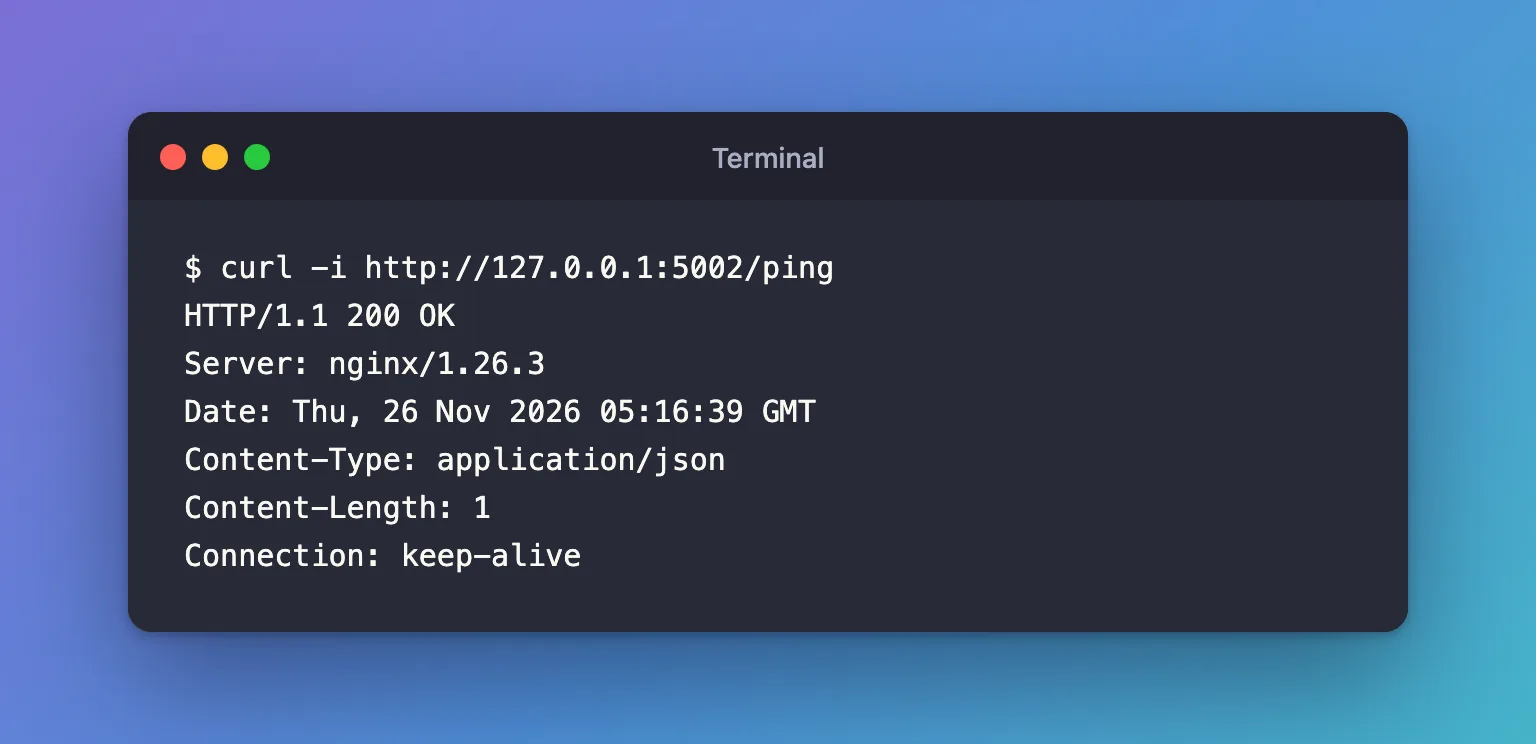
200 OK, from nginx: the model is loaded. A loop that asks /ping until it answers is in How to Check That an MLflow Model Server Is Running.
Step 3: Ask for a Prediction
- macOS / Linux
- Windows (PowerShell)
curl http://127.0.0.1:5002/invocations -H "Content-Type: application/json" --data '{"dataframe_records": [{"Chins": 5, "Situps": 162, "Jumps": 60}]}'
{"predictions": [176.17362115123967]}
Invoke-RestMethod http://127.0.0.1:5002/invocations -Method Post -ContentType 'application/json' -Body '{"dataframe_records": [{"Chins": 5, "Situps": 162, "Jumps": 60}]}'
predictions
-----------
{176.17362115124}
A predicted weight of about 176 pounds, the same request format as mlflow models serve.
Step 4: Read the Logs
docker logs fitness-api
172.17.0.1 - - [26/Nov/2026:05:16:19 +0000] "GET /ping HTTP/1.1" 502 157 "-" "curl/8.7.1"
INFO:     Uvicorn running on http://127.0.0.1:8000 (Press CTRL+C to quit)
INFO:     Started parent process [21]
...
INFO:     Started server process [33]
INFO:     Waiting for application startup.
INFO:     Application startup complete.
...
172.17.0.1 - - [26/Nov/2026:05:16:39 +0000] "GET /ping HTTP/1.1" 200 1 "-" "curl/8.7.1"
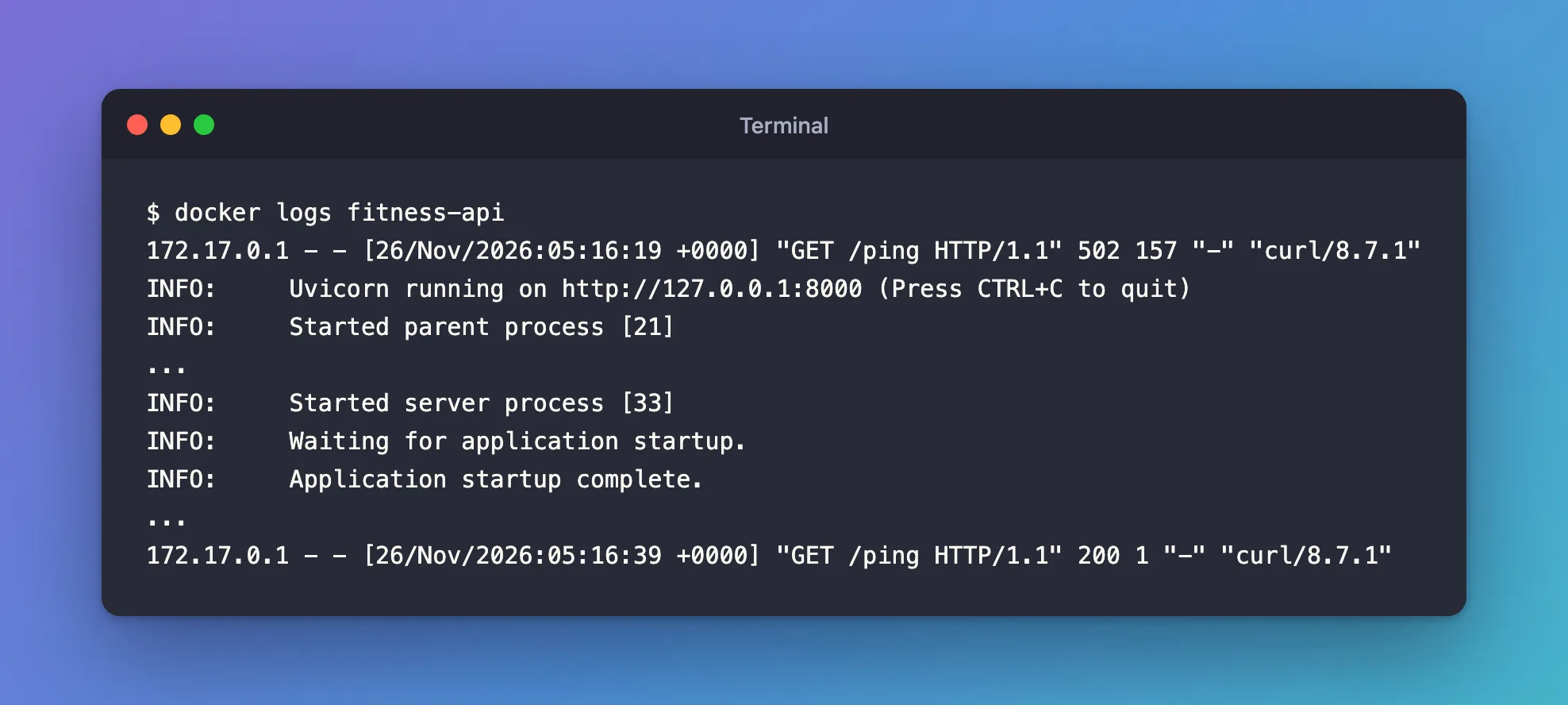
Two programs write here: nginx, with lines like "GET /ping HTTP/1.1" 502, and uvicorn, the model server on port 8000 inside the container, with its INFO: lines. The 502 lines are the requests that came before the model server was ready. The image starts one worker per CPU by default, ten on this computer: How to Set the Number of Workers in an MLflow Model Container.
Step 5: Stop and Remove the Container
docker stop fitness-api
docker rm fitness-api
fitness-api
fitness-api
docker stop asks the container to shut down, and docker rm deletes it. The image stays, ready for the next docker run.
Common Mistakes
| Mistake | What happens | Do this instead |
|---|---|---|
-p 5002:5002 | Nothing in the container listens on 5002 | The container's side is always 8080 |
-p 5002:8080 without 127.0.0.1 | The model is reachable from your whole network | -p 127.0.0.1:5002:8080 on your own computer |
Calling /health or /version on the container | 404 and {}: nginx passes on only /ping and /invocations | Fixed: An MLflow Model Container Answers 404 for /health and /version |
Troubleshooting
| Symptom | Likely cause | Fix |
|---|---|---|
curl: (52) Empty reply from server | The container is still starting | Wait a few seconds |
502 Bad Gateway | nginx is up, the model server isn't yet | Wait until /ping answers 200 |
WARNING: The requested image's platform (linux/amd64) does not match the detected host platform | --platform is missing on an Apple silicon Mac | Fixed: The requested image's platform does not match |
FAQ
Why does the model server say 127.0.0.1:8000?
That's inside the container: nginx listens on 8080 and passes requests to uvicorn on 8000. Only 8080 is meant to be published.
Does removing the container remove the model?
No: the model is in the image, and docker rm deletes only the container. The next docker run of fitness-weight serves it again.
Conclusion
docker run -d --name fitness-api --platform linux/amd64 -p 127.0.0.1:5002:8080 fitness-weight started the model's container in the background. /ping answered 200 after about 20 seconds, a prediction came back from /invocations, docker logs showed nginx and the model server's workers, and docker stop and docker rm removed the container, leaving the image.
Additional Resources
- docker container run —
-d,--name,-pand--platform. - mlflow models build-docker — how the image serves the model.
