How to Run an ASP.NET Core App as Production on Your Machine

A lot of what differs in production never runs on your machine, until you make it. dotnet run --no-launch-profile starts an ASP.NET Core app as Production, so you can see those differences before your users do.
Why Not Just Set the Variable?
dotnet run uses launchSettings.json, whose profile sets ASPNETCORE_ENVIRONMENT=Development, and Microsoft's documentation says "Environment values set in launchSettings.json override values set by the system environment." So a variable in your shell doesn't change it. Fixed: dotnet run -e Staging Still Starts in Development has the details.
Step 1: Run with No Profile
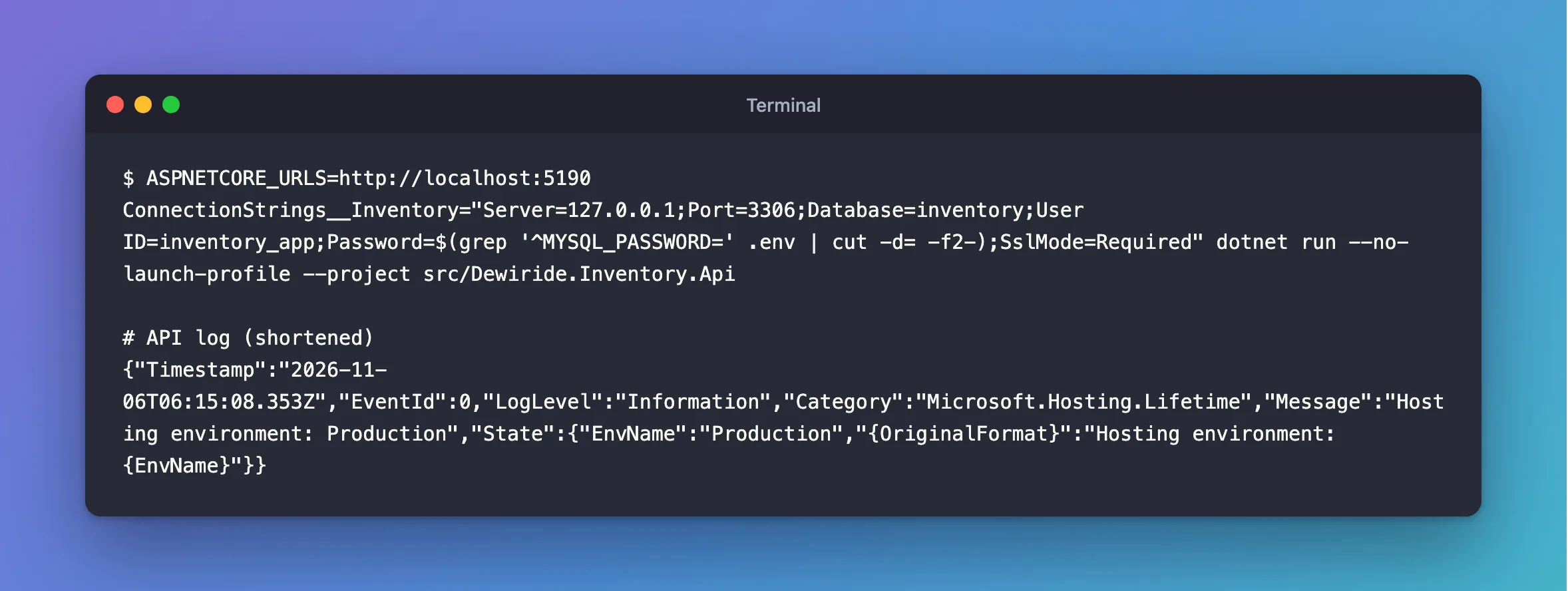
With no profile and no variable, the environment defaults to Production. User-secrets aren't read in Production, so the connection string has to come from an environment variable. ASPNETCORE_URLS sets the address, because the profile that used to set it isn't there:
- macOS / Linux
- Windows (PowerShell)
ASPNETCORE_URLS=http://localhost:5190 ConnectionStrings__Inventory="Server=127.0.0.1;Port=3306;Database=inventory;User ID=inventory_app;Password=$(grep '^MYSQL_PASSWORD=' .env | cut -d= -f2-);SslMode=Required" dotnet run --no-launch-profile --project src/Dewiride.Inventory.Api
$password = (Get-Content .env | Where-Object { $_ -like 'MYSQL_PASSWORD=*' }).Substring('MYSQL_PASSWORD='.Length)
$env:ASPNETCORE_URLS = "http://localhost:5190"
$env:ConnectionStrings__Inventory = "Server=127.0.0.1;Port=3306;Database=inventory;User ID=inventory_app;Password=$password;SslMode=Required"
dotnet run --no-launch-profile --project src/Dewiride.Inventory.Api
{"Timestamp":"2026-11-06T06:15:08.353Z","EventId":0,"LogLevel":"Information","Category":"Microsoft.Hosting.Lifetime","Message":"Hosting environment: Production","State":{"EnvName":"Production","{OriginalFormat}":"Hosting environment: {EnvName}"}}
Step 2: See What Changes
Here's what I saw on a real API:
With no connection string at all, it stops right away, because this app checks at startup. In Development, user-secrets hid that this was needed:
Unhandled exception. System.InvalidOperationException: The connection string 'ConnectionStrings:Inventory' is missing. In development, set it with dotnet user-secrets. Everywhere else, set the ConnectionStrings__Inventory environment variable.
Development-only endpoints are gone:
/openapi/v1.json 404
/scalar/v1 404
Everything in appsettings.Development.json is gone, such as verbose logging. Here, that means no SQL statements in the log.
Errors stop showing detail. Any IsDevelopment block in your own code stops running too. How to Run Code Only in Development in ASP.NET Core explains that.
What to Check While You're There
| Check | What you want to see |
|---|---|
| It starts | With a clear error if a setting is missing |
| The API's documentation | 404 |
| A bad request | A clean error, with no stack trace |
| The log | No passwords, and no personal data |
| Requests with the database stopped | A 503, not a hang |
The Other Ways
dotnet run can set it for one run, with the profile still in use for the rest:
dotnet run -e ASPNETCORE_ENVIRONMENT=Production --project src/Dewiride.Inventory.Api
For the closest match to a server, publish it and run that, with the same two variables set:
dotnet publish src/Dewiride.Inventory.Api -c Release -o publish
cd publish
dotnet Dewiride.Inventory.Api.dll
Start it from inside that folder. From anywhere else, appsettings.json is ignored, with no error.
Common Mistakes
| Mistake | What happens | Do this instead |
|---|---|---|
Setting ASPNETCORE_ENVIRONMENT in the shell only | The launch profile overrides it | Use --no-launch-profile |
| Expecting user-secrets to load | They're Development only | Use an environment variable |
| Leaving variables set in PowerShell | Later runs use them | Remove them when you're done |
Troubleshooting
| Symptom | Likely cause | Fix |
|---|---|---|
Hosting environment: Development | A profile, or a variable left over | The fix |
The connection string … is missing | User-secrets aren't read here | Set the variable |
| It listens on port 5000 | No URL was set | Set ASPNETCORE_URLS |
| Log levels look wrong from a published folder | It started in another folder | The fix |
Conclusion
dotnet run --no-launch-profile gives you Production, with no user-secrets and no developer pages. Run your app that way before you ship it, and check that what you see is what you want.
Additional Resources
- Use multiple environments in ASP.NET Core — how the environment is chosen.
- dotnet run —
--no-launch-profileand-e.
