How to Run a Ruby Script with bundle exec

A computer can have several versions of the same gem installed, and a Ruby script loads whichever it finds first. bundle exec runs a command with exactly the gems and versions the project's Gemfile.lock records, so the script behaves the same on every computer.
Syntax
bundle exec <command>
| Part | What it does |
|---|---|
bundle exec | Runs the command with the project's gems, at the versions in Gemfile.lock, and only those. |
<command> | The command to run, such as ruby main.rb, rake test or rails server. |
The Example
The example turns a line of Markdown into HTML with kramdown, a gem that converts Markdown, the plain-text format behind README files, into HTML.
Prerequisites
- Ruby, which comes with Bundler. This guide uses Ruby 4.0.10 and Bundler 4.1.0.
Step 1: Create the Project
mkdir bold-demo
cd bold-demo
bundle init
bundle add kramdown
How to Create a Gemfile with bundle init and How to Add a Gem to a Ruby Project with bundle add explain these two commands. The project now has a Gemfile and a Gemfile.lock that pins kramdown's exact version:
GEM
  remote: https://rubygems.org/
  specs:
    kramdown (2.6.1)
      rexml (>= 3.4.4)
    rexml (3.4.4)
Step 2: Write the Script
Create main.rb:
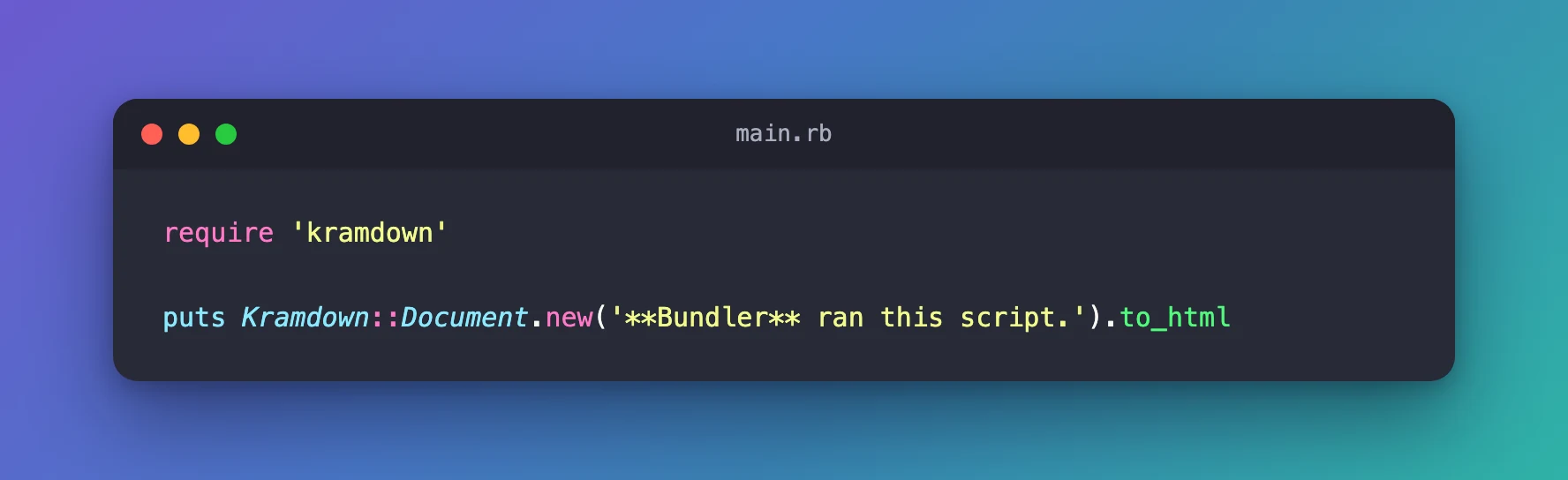
require 'kramdown'

puts Kramdown::Document.new('**Bundler** ran this script.').to_html
Step 3: Run It with bundle exec
bundle exec ruby main.rb
<p><strong>Bundler</strong> ran this script.</p>
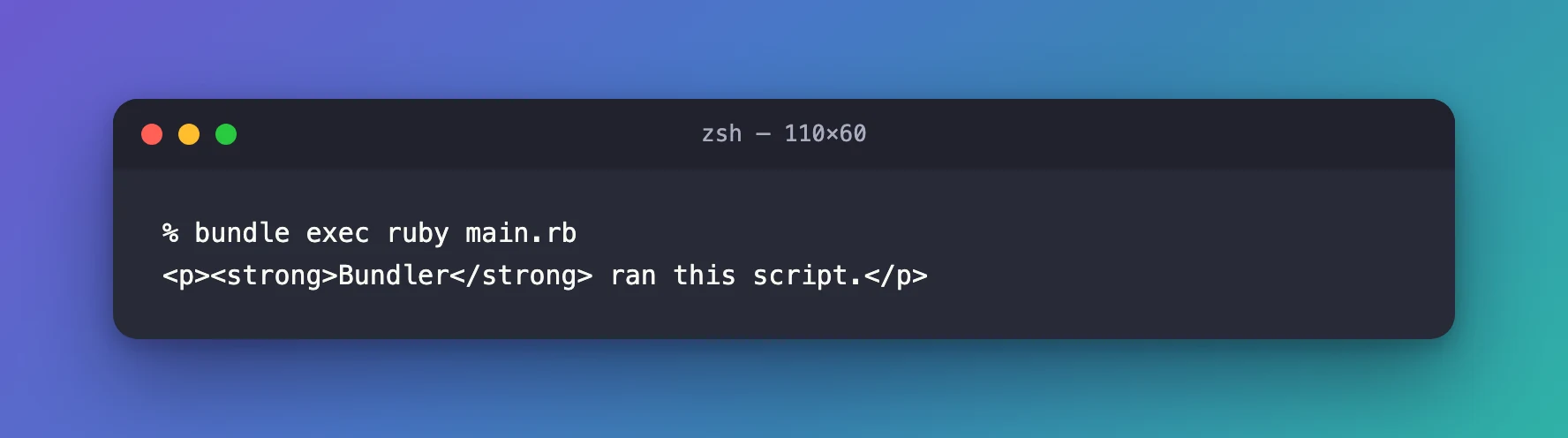
The command is the same in zsh, bash and PowerShell. require 'kramdown' loaded kramdown 2.6.1, the version Gemfile.lock names, and the double asterisks became <strong>.
What bundle exec Changes
Without it, ruby main.rb loads whatever versions of the gems it finds installed. Usually that works, but when another project installed a newer or older kramdown, the script can get that one instead. bundle exec removes the guesswork in two ways:
- It picks the locked versions. Every gem loads at the version in
Gemfile.lock, the same on every computer that runs the project. - It hides gems the project doesn't list. A
requireof a gem that isn't in theGemfilefails at once, so a missing entry shows up on your computer before it shows up on someone else's.
Common Mistakes
| Mistake | What happens | Do this instead |
|---|---|---|
Running bundle exec outside the project folder | Bundler can't find the Gemfile | cd into the project first |
Leaving out bundle exec when several versions of a gem are installed | The script may load a version the project didn't lock | Always run project code with bundle exec |
Expecting bundle exec to install missing gems | It only runs commands | Run bundle install first |
Troubleshooting
| Symptom | Likely cause | Fix |
|---|---|---|
Could not locate Gemfile | You're not in the project's folder | cd into the folder with the Gemfile |
cannot load such file -- bigdecimal (LoadError) | A gem needs a former default gem that the Gemfile doesn't list | Add it with bundle add bigdecimal |
FAQ
Do I need bundle exec for every command?
For commands that load the project's gems, such as ruby, rake or rspec, yes. Bundler's own commands, such as bundle add, don't need it.
What about the bin/ files Rails apps have?
Those are binstubs: small scripts that set up Bundler before running the command, so bin/rails behaves like bundle exec rails.
Conclusion
bundle exec <command> runs a command with exactly the gems and versions in Gemfile.lock, and nothing else. Use it for every command that loads your project's code.
Additional Resources
- bundle exec, in Bundler's documentation.
- kramdown on RubyGems.org, the gem from this example.
