How to Run a Java Program with Maven (exec:java)

Maven compiles Java code, but it doesn't run it on its own. The Exec Maven Plugin adds that: name the class to run in pom.xml, and mvn compile exec:java compiles the project and runs it in one command, with every library the project depends on already on the classpath.
Syntax
In pom.xml, inside <build><plugins>:
<plugin>
  <groupId>org.codehaus.mojo</groupId>
  <artifactId>exec-maven-plugin</artifactId>
  <version>3.7.0</version>
  <configuration>
    <mainClass><package>.<Class></mainClass>
  </configuration>
</plugin>
Then:
mvn compile exec:java ["-Dexec.args=<arguments>"]
| Part | What it does |
|---|---|
<mainClass> | The class whose main method runs, with its package, such as com.example.App. |
compile | Compiles the project first. exec:java only runs what's already compiled. |
exec:java | Runs the class inside Maven's own Java process, with the project's dependencies on the classpath. |
"-Dexec.args=<arguments>" | Optional. The arguments the program receives in args. Keep the quotes around the whole thing: PowerShell needs them. |
The Example
The example is a project named hello-exec whose App class greets the name it receives, or the whole world when it receives none.
Prerequisites
- A Java 25 JDK and Maven. This guide uses OpenJDK 25.0.5.1 and Maven 3.10.2.
Step 1: Write the Project
mkdir hello-exec
cd hello-exec
Create pom.xml. How to Create a Maven Project with a pom.xml explains its first part, and the <build> section is new:
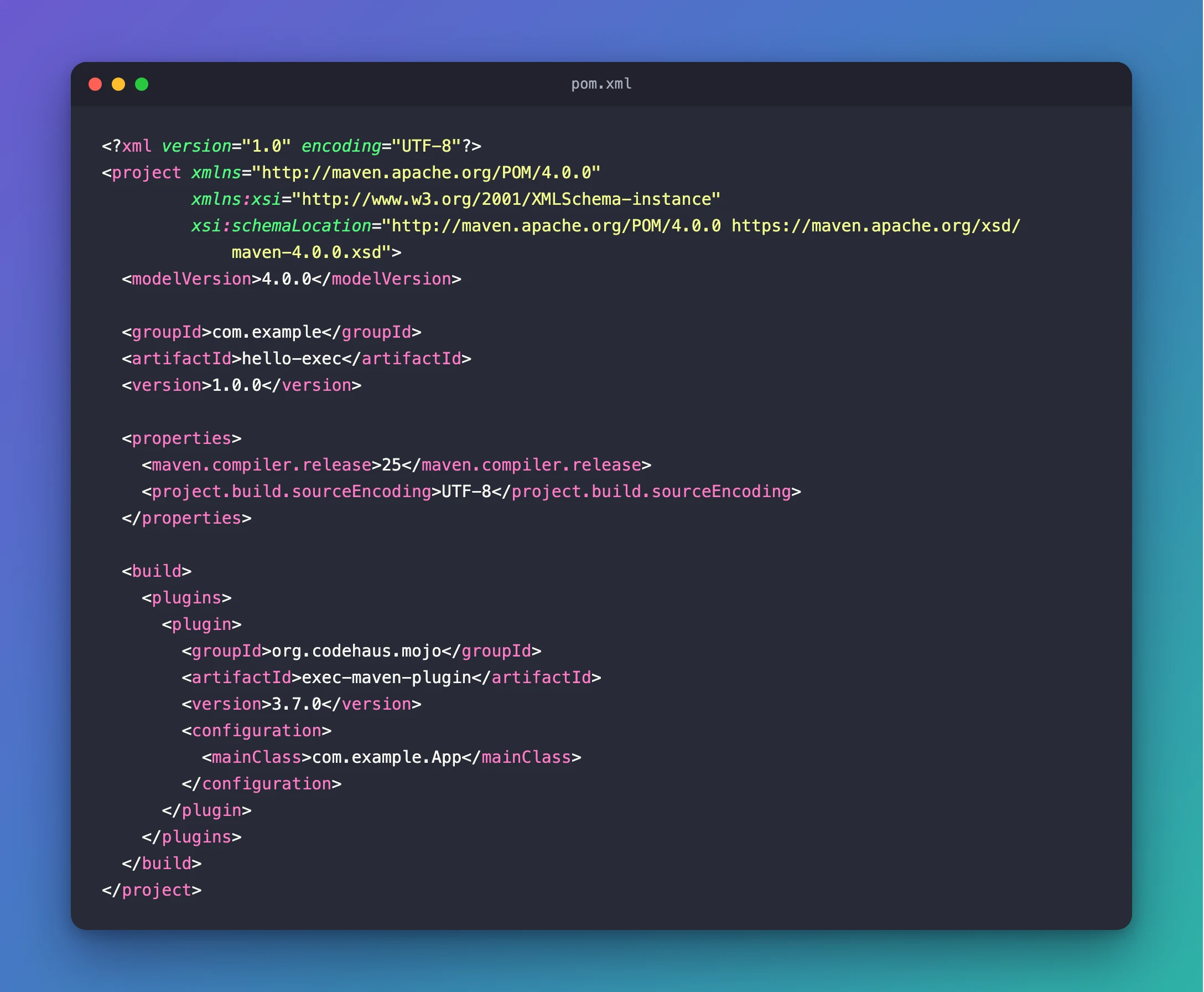
<?xml version="1.0" encoding="UTF-8"?>
<project xmlns="http://maven.apache.org/POM/4.0.0"
         xmlns:xsi="http://www.w3.org/2001/XMLSchema-instance"
         xsi:schemaLocation="http://maven.apache.org/POM/4.0.0 https://maven.apache.org/xsd/maven-4.0.0.xsd">
  <modelVersion>4.0.0</modelVersion>

  <groupId>com.example</groupId>
  <artifactId>hello-exec</artifactId>
  <version>1.0.0</version>

  <properties>
    <maven.compiler.release>25</maven.compiler.release>
    <project.build.sourceEncoding>UTF-8</project.build.sourceEncoding>
  </properties>

  <build>
    <plugins>
      <plugin>
        <groupId>org.codehaus.mojo</groupId>
        <artifactId>exec-maven-plugin</artifactId>
        <version>3.7.0</version>
        <configuration>
          <mainClass>com.example.App</mainClass>
        </configuration>
      </plugin>
    </plugins>
  </build>
</project>
And src/main/java/com/example/App.java:
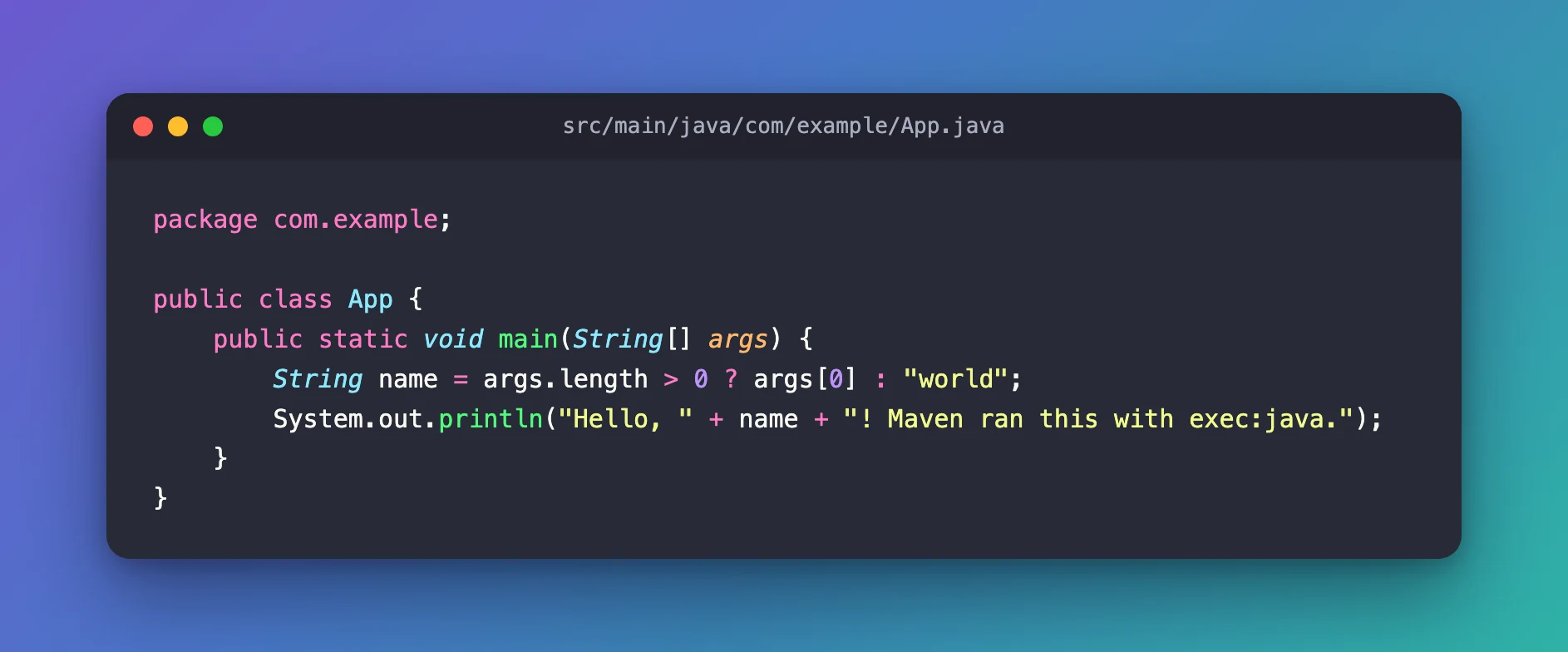
package com.example;

public class App {
    public static void main(String[] args) {
        String name = args.length > 0 ? args[0] : "world";
        System.out.println("Hello, " + name + "! Maven ran this with exec:java.");
    }
}
Step 2: Run It
mvn -q compile exec:java
Hello, world! Maven ran this with exec:java.
-q hides Maven's own messages, so only the program's output is left. The first run takes a few seconds longer while Maven downloads the plugins.
Step 3: Pass It Arguments
mvn -q compile exec:java "-Dexec.args=Ada"
Hello, Ada! Maven ran this with exec:java.
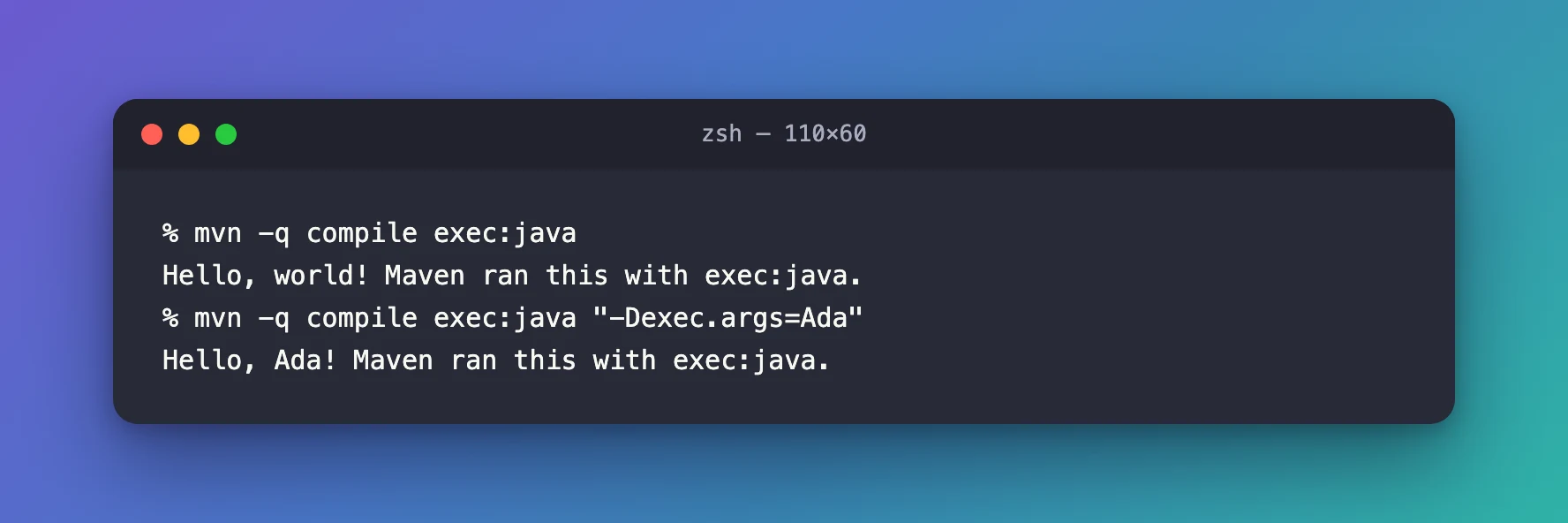
The quotes matter in PowerShell. Without them, PowerShell splits -Dexec.args=Ada at the period and Maven stops with [ERROR] Unknown lifecycle phase ".args=Ada". Fixed: Unknown lifecycle phase ".args=Ada" When Running Maven in PowerShell shows why. Quoted, the same line works in zsh, bash and PowerShell. Separate several arguments with spaces inside the quotes: "-Dexec.args=Ada Lovelace" gives the program two arguments.
Common Mistakes
| Mistake | What happens | Do this instead |
|---|---|---|
mvn exec:java without compile on a new project | Maven fails with An exception occurred while executing the Java class. com.example.App | Run mvn compile exec:java |
-Dexec.args=Ada without quotes in PowerShell | Unknown lifecycle phase ".args=Ada" | "-Dexec.args=Ada" |
A mainClass without its package | Maven can't find the class | Write it in full: com.example.App |
Troubleshooting
| Symptom | Likely cause | Fix |
|---|---|---|
An exception occurred while executing the Java class. com.example.App | The class isn't compiled, or mainClass names a class that doesn't exist | Add compile before exec:java, and check the name |
[ERROR] Unknown lifecycle phase ".args=…" | PowerShell split an unquoted -D argument | Quote the whole argument |
FAQ
What's the difference between exec:java and exec:exec?
exec:java runs the class inside Maven's own Java process. exec:exec starts a separate program, such as a new java process, which suits programs that change system settings or need their own JVM options.
Can I leave mainClass out of pom.xml?
Yes. Pass it instead, in quotes: mvn compile exec:java "-Dexec.mainClass=com.example.App". Putting it in pom.xml keeps the command short.
Conclusion
Add exec-maven-plugin with a mainClass to pom.xml, and mvn -q compile exec:java compiles and runs the program. Pass it arguments with "-Dexec.args=…", quoted, so the same command works in every shell.
Additional Resources
- exec:java, the goal and all its settings.
- Exec Maven Plugin, with examples of
exec:javaandexec:exec.
