How to Run a Flow Once a Month in Power Automate

A scheduled cloud flow runs by itself at the times you set. For once a month, give its Recurrence trigger a frequency of Month, a start date and time, and a time zone: it then runs on that day of every month, at that local time, through the clock changes.
The example is Monthly Reminder, a flow that runs at 9:00 AM UK time on the 1st of every month, starting on 1 January 2027. Its only action is a Compose with the text Send the monthly report today., a stand-in for whatever a monthly flow does.
Step 1: Create a Scheduled Cloud Flow
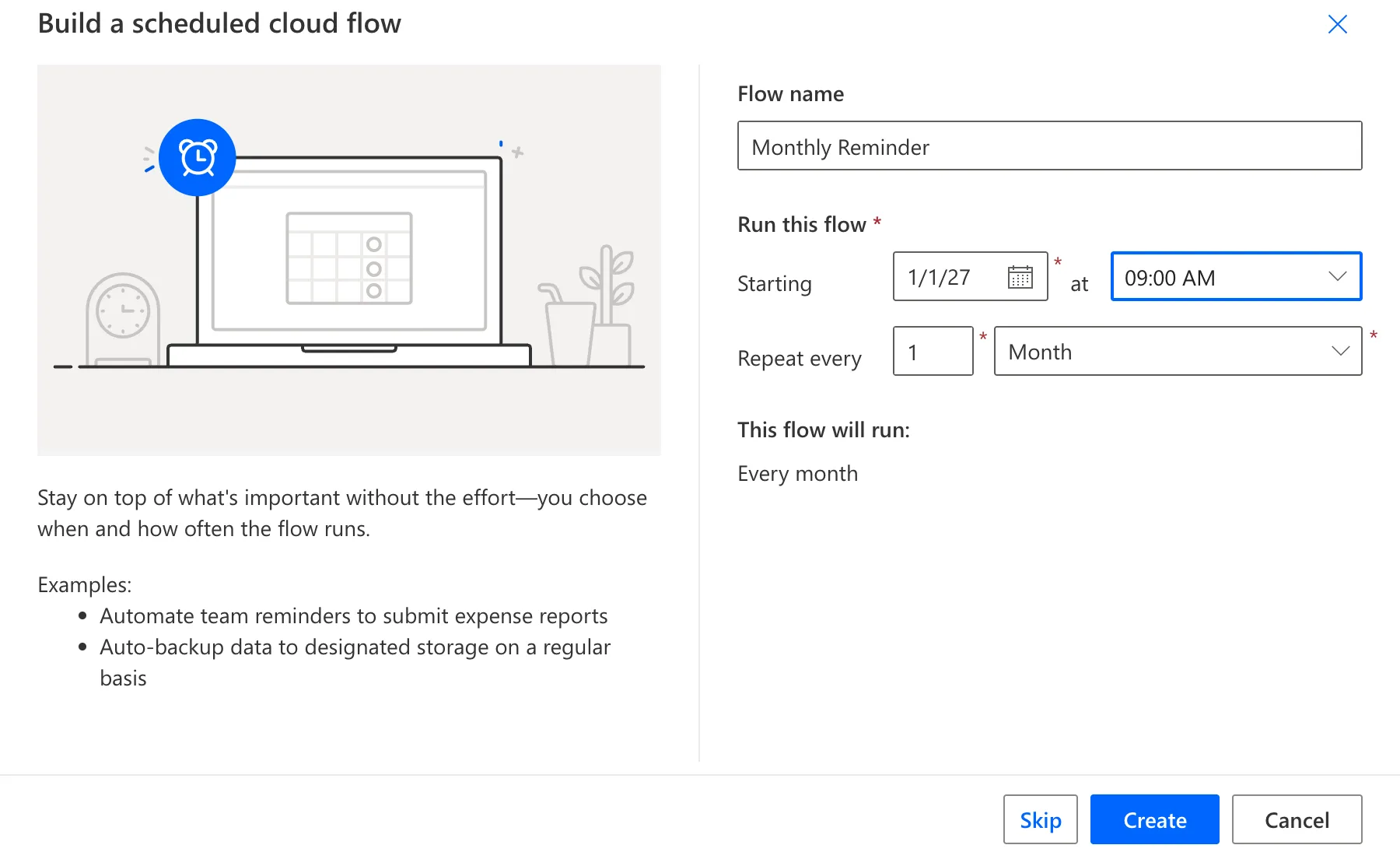
In Power Automate, select Create, then Scheduled cloud flow. In Build a scheduled cloud flow:
- Flow name: Monthly Reminder.
- Starting: the first date, here 1/1/27, and the time, 09:00 AM.
- Repeat every: 1 and Month.
The dialog sums it up under This flow will run: Every month. Select Create:
Step 2: Check the Recurrence Trigger
The flow opens with a Recurrence trigger. Select it to see what the dialog saved: Interval 1, Frequency Month, an empty Time zone, and Start time 2027-01-01T09:00:00.000Z:
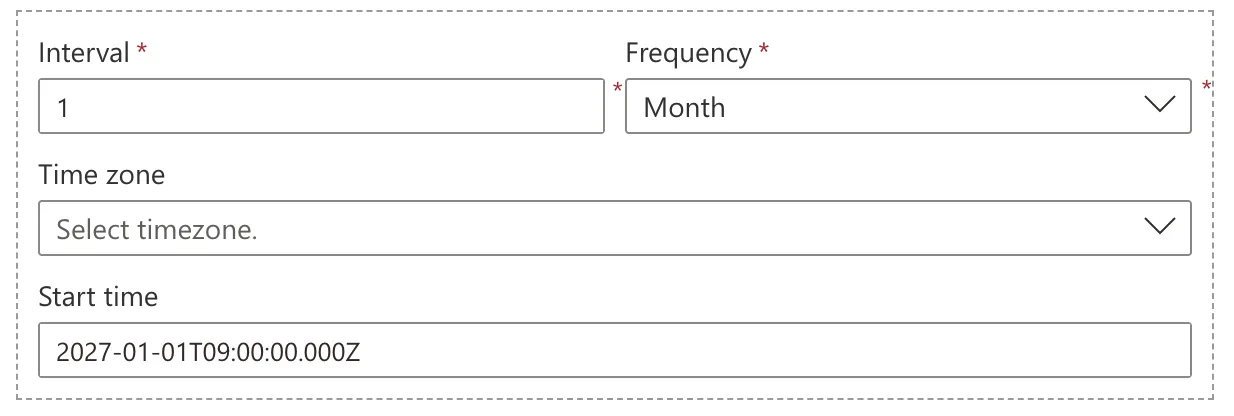
The Z at the end means UTC. The UK is on UTC in January, but from late March it's an hour ahead, so a UTC schedule would run at 10:00 AM UK time all summer. Microsoft's Recurrence trigger reference, for the trigger Power Automate shares with Azure Logic Apps, says: If you want the trigger to honor daylight saving time (DST), make sure that you select a time zone.
Step 3: Set the Time Zone and the Local Start Time
- Time zone: pick the zone the time is in. For the UK, (UTC+00:00) Dublin, Edinburgh, Lisbon, London.
- Start time: type the date and time in that zone, in the form
YYYY-MM-DDThh:mm:ss, without aZ:2027-01-01T09:00:00.
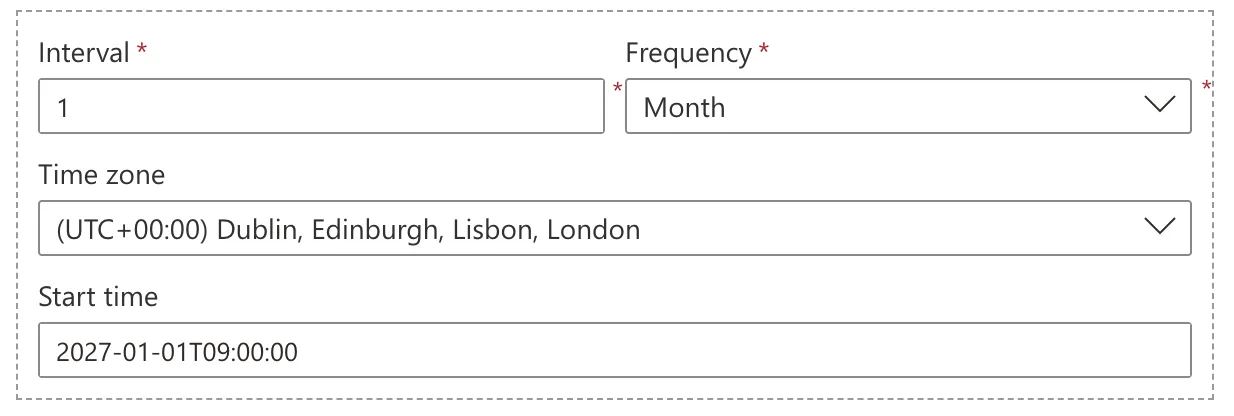
The Z has to go. Power Automate's own Run a cloud flow on a schedule shows the start time with a Z, but the trigger's reference says that when you select a time zone, you don't need to add a "Z"... If you do, Azure Logic Apps ignores the time zone value because the "Z" signifies a UTC time format.
Step 4: Add an Action and Save
A flow needs at least one action before it can be saved (Fixed: "Should at least contain one trigger and one action" When Saving a Flow in Power Automate). Add yours under the trigger; here it's a Compose called Reminder with Send the monthly report today. (How to Use the Compose Action in Power Automate). Then save and publish the flow (How to Save a Draft and Publish a Flow in Power Automate).
The trigger's Code view shows the schedule as it's stored. The London zone is saved as GMT Standard Time:
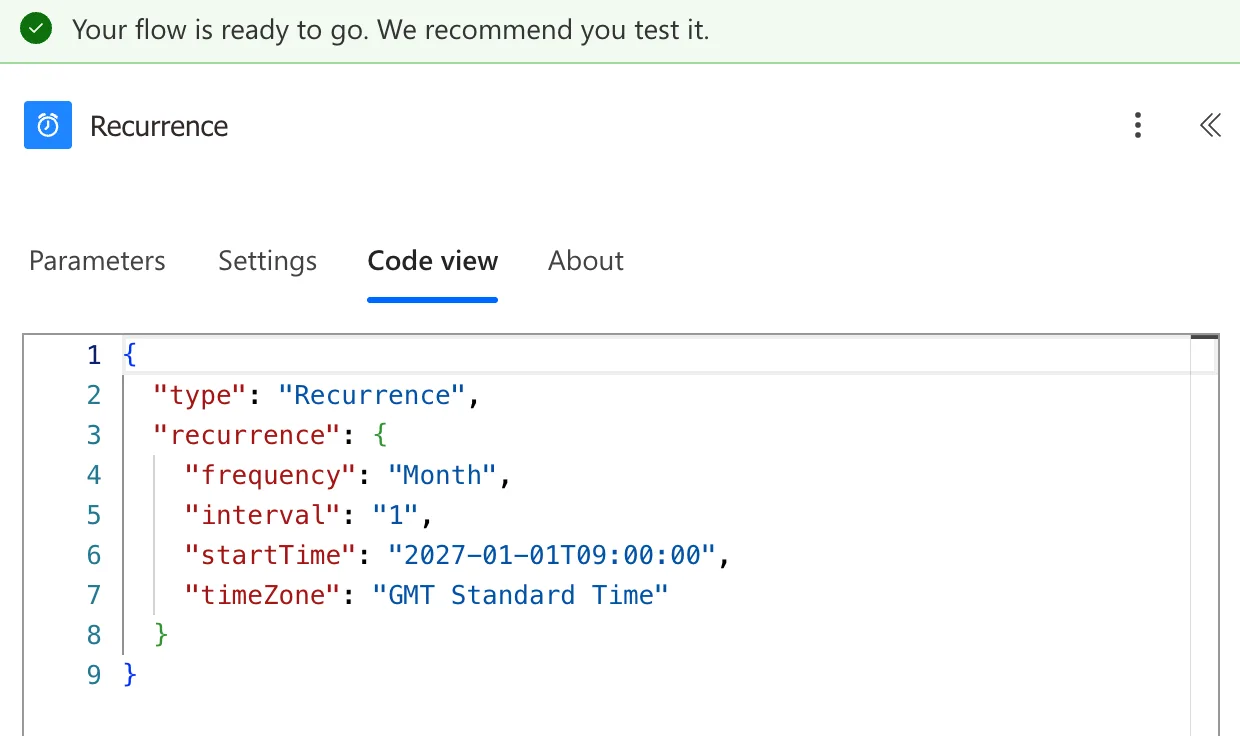
{
  "type": "Recurrence",
  "recurrence": {
    "frequency": "Month",
    "interval": "1",
    "startTime": "2027-01-01T09:00:00",
    "timeZone": "GMT Standard Time"
  }
}
Step 5: Try It Without Waiting a Month
You don't have to wait for the 1st to see the flow work. Select Test, Manually and Test, then Run flow (How to Test a Cloud Flow Manually in Power Automate). The flow runs once, now:
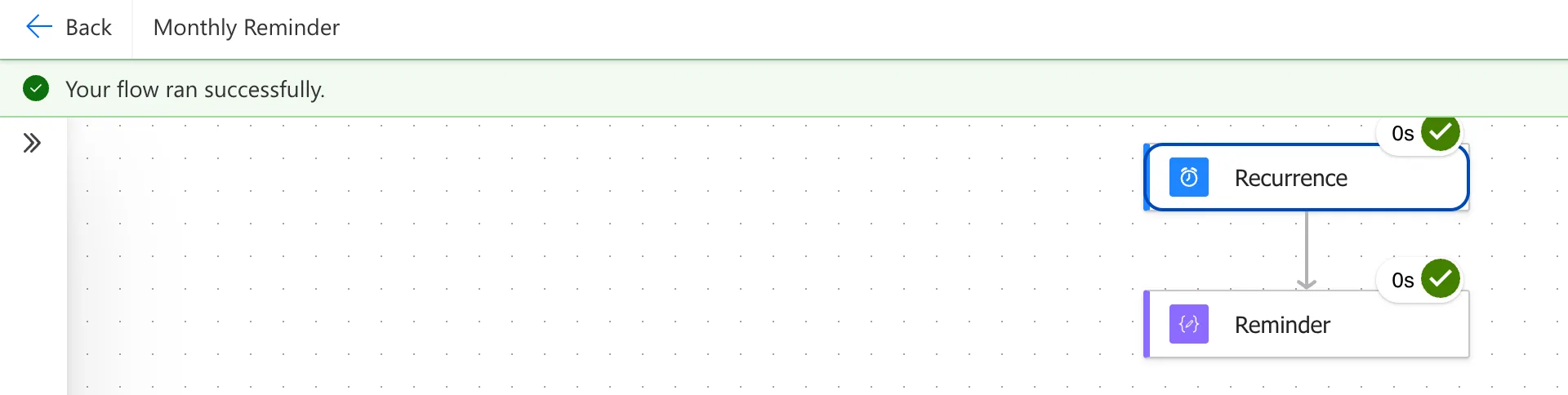
The test doesn't change the schedule: the first scheduled run is still 1 January 2027 at 9:00 AM, then the 1st of every month.
Common Mistakes
| Mistake | What happens | Do this instead |
|---|---|---|
| Leaving Time zone empty | The start time is UTC, so the local time moves when the clocks change | Pick the time zone |
A Z at the end of a start time with a time zone | The reference says the time zone is then ignored | 2027-01-01T09:00:00, no Z |
| A start date less than a month away | The reference says to set up the monthly recurrence at least one month in advance, or the first run might be skipped | Start at least a month ahead, or accept that the first one may be missed |
Troubleshooting
| Symptom | Likely cause | Fix |
|---|---|---|
| The flow ran an hour late after the clocks changed | No time zone, so the schedule is in UTC | Set Time zone, and remove the Z from Start time |
| The first month's run didn't happen | The monthly recurrence was set up less than a month before its start | The next month runs as usual; set up future schedules earlier |
| The flow ran as soon as it was saved | No Start time, so the first run is right away | Give it a start date and time |
FAQ
Which day of the month does it run on?
The start date's. The reference's example for Run every month says the schedule calculates future recurrences on the start date and time: a start on the 1st runs on the 1st.
What if the start time is already in the past?
The reference's table for the Recurrence trigger: it calculates run times based on the specified start time and discards past run times, and runs the first workload at the next future run time.
Can it run every two or three months?
Yes: Interval is how many months apart, from 1 to 16 for Month. Interval 3 runs once a quarter.
Conclusion
A scheduled cloud flow with Repeat every 1 Month runs once a month on its start date's day. Pick a Time zone and give Start time without a Z, and it runs at the same local time all year.
Additional Resources
- Run a cloud flow on a schedule
- Schedule and run recurring workflows with the Recurrence trigger
- Schedules for recurring workflow triggers
