How to Revert an Applied EF Core Migration

A migration is applied, and you need it undone: it was a mistake, or you want to test it again from the start. EF Core reverts migrations with the same command that applies them, dotnet ef database update, pointed at an earlier migration. This guide reverts one migration, then all of them, and shows the two things to check before you do it on a database you care about: whether Down can undo the data, and what it deletes.
How Reverting Works
Every migration has two methods: Up, which applies the change, and Down, which undoes it. EF Core's tools reference explains the target argument: "The migration argument specifies the state the database should be in after the command completes. If the database is currently at a newer migration, the command reverts every migration newer than the target by executing its Down operations."
So you don't name the migration to undo; you name the one to go back to.
Prerequisites
- A .NET C# project with applied EF Core migrations. The examples use EF Core 10 with Oracle's
MySql.EntityFrameworkCoreand MySQL 9.7, with theDbContextin a class library. dotnet ef: How to Install dotnet-ef as a Local Tool in a .NET C# Project.
Step 1: Revert the Last Migration
The last applied migration was MakeDescriptionRequired, and the one before it RestrictCategoryDelete. Update the database to the earlier one:
dotnet ef database update RestrictCategoryDelete --project src/Dewiride.Inventory.Data --startup-project src/Dewiride.Inventory.Api
Reverting migration '20261103044430_MakeDescriptionRequired'.
      ALTER TABLE `products` MODIFY `Description` longtext NULL;
      DELETE FROM `__EFMigrationsHistory`
      WHERE `MigrationId` = '20261103044430_MakeDescriptionRequired';
Done.
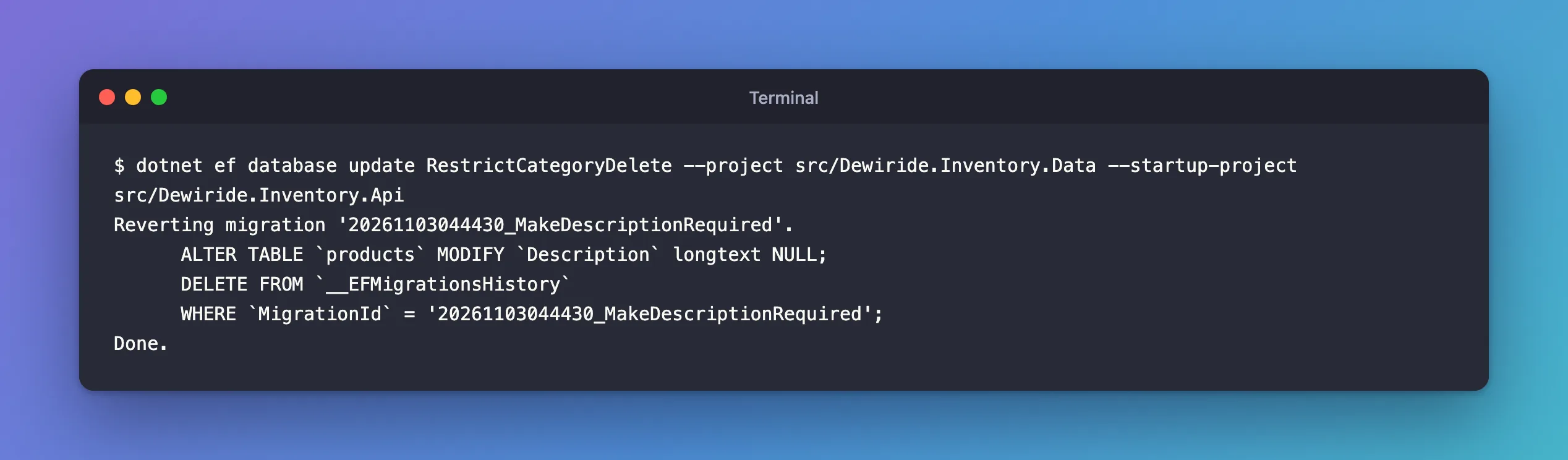
Two things happened: Down ran, making the column nullable again, and the migration's row left the history table. The migration still exists in the code, now pending:
20261103044319_RestrictCategoryDelete
20261103044430_MakeDescriptionRequired (Pending)
From here you can apply it again with dotnet ef database update, or remove it from the code with dotnet ef migrations remove; How to Remove the Last EF Core Migration covers that.
Step 2: Check What Down Does to the Data
Down undoes the schema. It doesn't always undo the data, and it doesn't always succeed:
- It can fail. A migration that turned an enum column from numbers into names had a generated
Downthat changed the column straight back toint, and reverting failed withIncorrect integer value: 'Adjustment' for column 'Type' at row 3. I had to write the reverse data conversion intoDownfirst; that fix has its own post. - It doesn't restore old values. The revert in Step 1 made
Descriptionnullable again, but the rows that the migration had filled with''stayed''. They don't go back toNULL. - It can delete data. A migration that created a table has a
Downthat drops it, with everything in it.
Read the Down method before reverting on any database with data worth keeping.
Step 3: Revert Everything
0 is a special target. The reference: "The number 0 is a special case that means before the first migration and causes all migrations to be reverted." On a development database:
dotnet ef database update 0 --project src/Dewiride.Inventory.Data --startup-project src/Dewiride.Inventory.Api
Reverting migration '20261103045135_AddMovementHistoryIndex'.
Reverting migration '20261103044948_StoreMovementTypeAsString'.
Reverting migration '20261103044922_AddStockMovements'.
      DROP TABLE `stock_movements`;
Reverting migration '20261103044319_RestrictCategoryDelete'.
Reverting migration '20261103044219_AddProductCheckConstraints'.
Reverting migration '20261103044154_SetUnitPricePrecision'.
Reverting migration '20261103044122_AddUniqueIndexes'.
Reverting migration '20261103043648_SetMaxLengths'.
Reverting migration '20261103043533_LowercaseTableNames'.
Reverting migration '20261103043401_CreateCatalogTables'.
      DROP TABLE `Products`;
      DROP TABLE `Categories`;
Done.
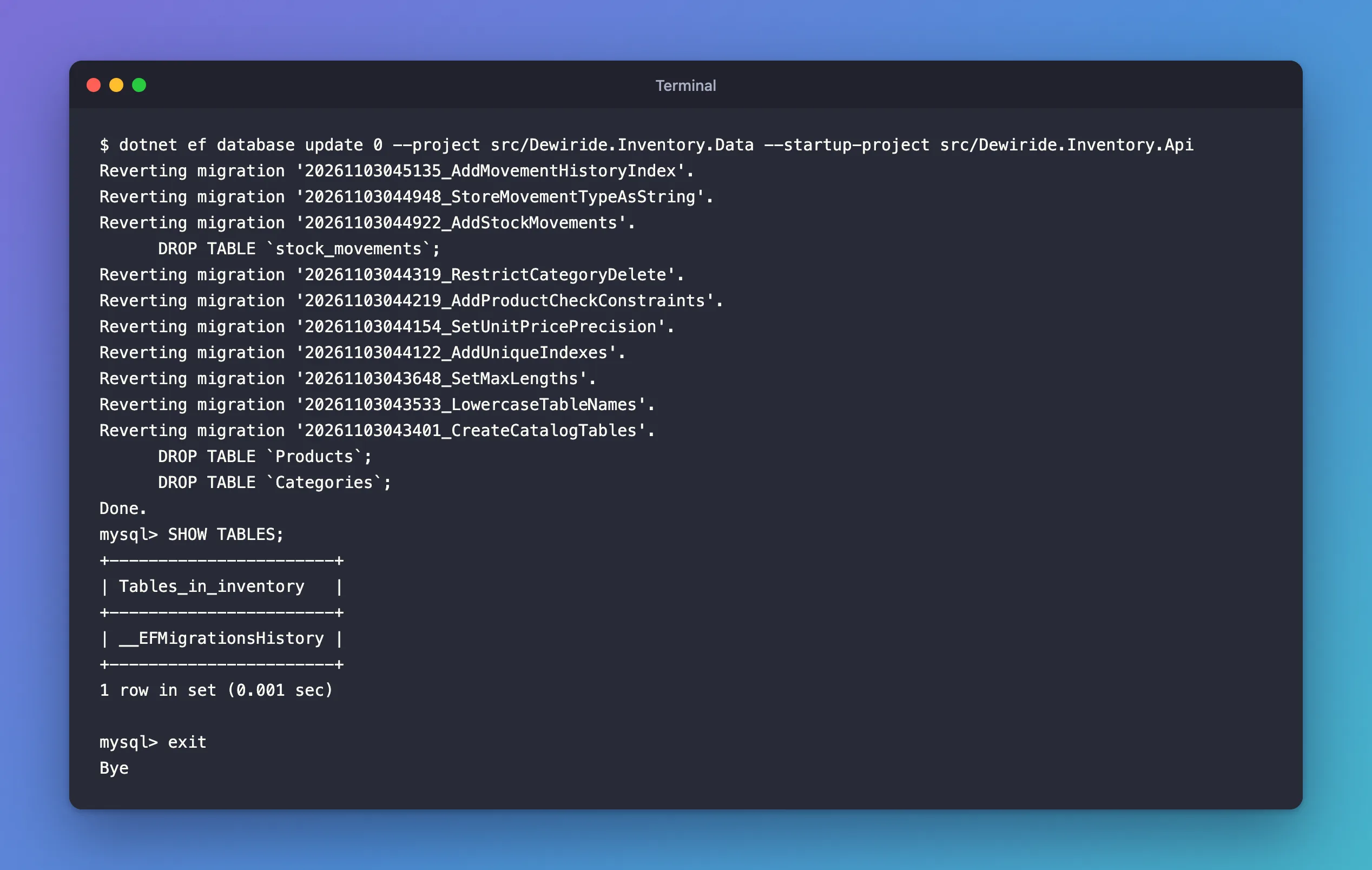
Newest first, every Down ran, and the tables were dropped. One table stays:
+-----------------------+
| Tables_in_inventory   |
+-----------------------+
| __EFMigrationsHistory |
+-----------------------+
1 row in set (0.001 sec)
The history table itself survives, empty. Running dotnet ef database update afterwards applied all ten migrations again, which is also a good test that every Up and Down works.
database update 0 dropped every table the migrations created, with all their rows. Use it only on a development database you can rebuild. On any other database, write a new migration instead of reverting.
Common Mistakes
| Mistake | What happens | Do this instead |
|---|---|---|
| Naming the migration you want to undo | That one stays applied; only newer ones revert | Name the migration before it |
Reverting without reading Down | Data loss, or a failure halfway | Read Down first |
| Reverting a shared or production database | Other systems lose data or columns they use | Add a new migration that undoes the change |
Expecting Down to restore old values | Converted or filled values stay as they are | Write the reverse conversion into Down |
Troubleshooting
| Symptom | Likely cause | Fix |
|---|---|---|
Incorrect integer value or similar while reverting | Down changes a type the current data can't fit | Convert the data in Down, before the AlterColumn |
Cannot drop index … needed in a foreign key constraint | Down drops an index before creating its replacement | Reorder Down |
| The revert stops halfway | MySQL commits each schema change, so earlier statements stay | Check the tables, fix Down, and run the command again |
FAQ
Is there a way to revert with a SQL script instead?
Yes: dotnet ef migrations script <newer> <older> generates a rollback script, which you can review and run yourself. How to Generate a SQL Script from EF Core Migrations shows one.
Does reverting need the migration's code?
Yes. Down lives in the migration file, so the code must still contain the migration. Revert before removing, never the other way round.
Conclusion
dotnet ef database update <migration> takes the database back to that migration by running every newer migration's Down method and deleting its history row; 0 reverts everything. Read Down before you run it: it can fail on data it didn't plan for, it doesn't restore converted values, and it drops whatever its Up created.
Additional Resources
- EF Core tools reference: dotnet ef database update
- Applying Migrations — command-line tools and SQL scripts.
