How to Return Problem Details Errors in ASP.NET Core

Out of the box, an ASP.NET Core API's errors are all different: an empty 404, a stack trace as plain text in Development, and a blank 500 in Production. Problem details is the standard JSON format for errors, and three lines in Program.cs give every failure that one shape. This guide adds them, with the real responses before and after.
Prerequisites
- An ASP.NET Core API. The examples use a .NET 10 minimal API, without problem details to begin with.
Step 1: See the Errors Without It
A category that doesn't exist. The body is empty, so a client gets nothing to show:
HTTP/1.1 404 Not Found
An exception, in Development. It's plain text with the stack trace, which is useful to you and useless to a client:
HTTP/1.1 500 Internal Server Error
Content-Type: text/plain; charset=utf-8

System.InvalidOperationException: Sequence contains no elements.
Broken JSON, also in Development, is plain text too:
HTTP/1.1 400 Bad Request
Content-Type: text/plain; charset=utf-8

Microsoft.AspNetCore.Http.BadHttpRequestException: Failed to read parameter "CategoryRequest request" from the request body as JSON.
In Production, the same exception gives a client nothing at all to go on:
HTTP/1.1 500 Internal Server Error
Step 2: Register the Service
// Answers every error with the same JSON shape, the standard "problem details" format.
builder.Services.AddProblemDetails();
ASP.NET Core's error handling page says this "registers the default IProblemDetailsService implementation", and lists the middleware that then produces the format. It does nothing without that middleware. With only this line, the same exception in Production still answers an empty 500:
HTTP/1.1 500 Internal Server Error
Step 3: Add the Two Middleware
var app = builder.Build();

// Turn unhandled exceptions into a problem response, with no stack trace outside Development.
app.UseExceptionHandler(new ExceptionHandlerOptions
{
    // In Development, a request the endpoint can't read, such as broken JSON, throws
    // BadHttpRequestException. That's the client's mistake, so keep its 400 instead of a 500.
    StatusCodeSelector = exception => exception is BadHttpRequestException badRequest
        ? badRequest.StatusCode
        : StatusCodes.Status500InternalServerError,
});

// Give error responses without a body, such as a plain 404, a problem details body.
app.UseStatusCodePages();
The page describes each one: ExceptionHandlerMiddleware "Generates a problem details response when a custom handler is not defined", and StatusCodePagesMiddleware "Generates a problem details response by default". Put them first, so they wrap everything after them.
StatusCodeSelector is there for one reason. Without it, broken JSON in Development answers 500 instead of 400.
Step 4: See the Same Errors
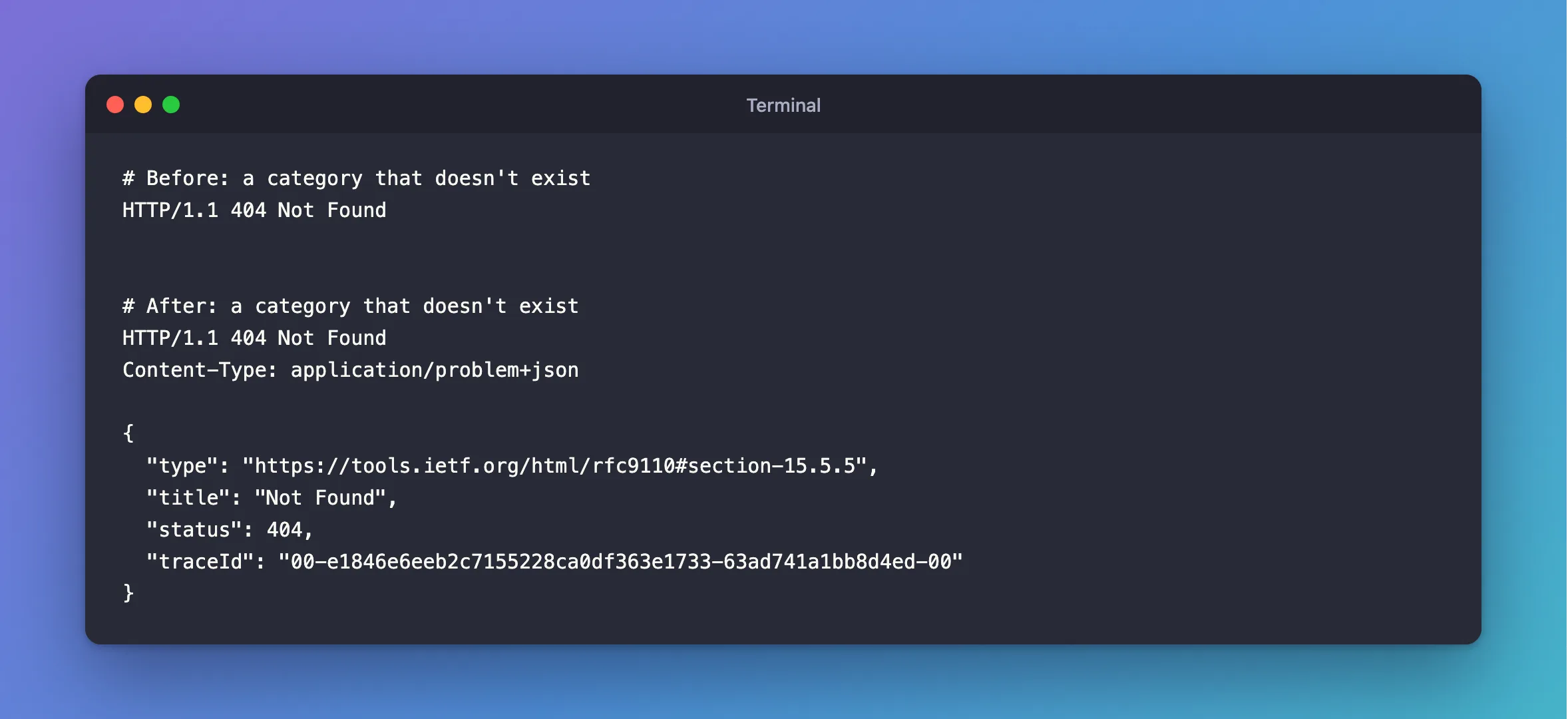
The missing category:
HTTP/1.1 404 Not Found
Content-Type: application/problem+json

{
  "type": "https://tools.ietf.org/html/rfc9110#section-15.5.5",
  "title": "Not Found",
  "status": 404,
  "traceId": "00-e1846e6eeb2c7155228ca0df363e1733-63ad741a1bb8d4ed-00"
}
The exception, now with the app running in Production. There's no stack trace, and the traceId lets you find the matching line in the log:
HTTP/1.1 500 Internal Server Error
Content-Type: application/problem+json

{
  "type": "https://tools.ietf.org/html/rfc9110#section-15.6.1",
  "title": "An error occurred while processing your request.",
  "status": 500,
  "traceId": "00-c08d8d010cf9b9a6b5d6d90b1bcc73ce-cb1b2923ebe7bc6c-00"
}
Broken JSON:
HTTP/1.1 400 Bad Request
Content-Type: application/problem+json

{
  "type": "https://tools.ietf.org/html/rfc9110#section-15.5.1",
  "title": "Bad Request",
  "status": 400,
  "traceId": "00-4c2f4f24c6aabc5896b8928b2872ed5e-d47cf9ee69f97006-00"
}
Step 5: Write Your Own Errors
For errors your code decides on, TypedResults.Problem uses the same format and adds your words:
return TypedResults.Problem(
    title: "A category with this name already exists.",
    detail: $"Choose a name other than '{name}'. Names that differ only in upper and lower case count as the same name.",
    statusCode: StatusCodes.Status409Conflict);
HTTP/1.1 409 Conflict
Content-Type: application/problem+json

{
  "type": "https://tools.ietf.org/html/rfc9110#section-15.5.10",
  "title": "A category with this name already exists.",
  "status": 409,
  "detail": "Choose a name other than 'Cables'. Names that differ only in upper and lower case count as the same name.",
  "traceId": "00-a799cbbcf3e0186618c7497522bb3aec-e3714fbd1c0dfb02-00"
}
Common Mistakes
| Mistake | What happens | Do this instead |
|---|---|---|
AddProblemDetails with no middleware | Errors stay empty, as Step 2 shows | Add UseExceptionHandler and UseStatusCodePages |
Adding UseExceptionHandler after other middleware | Exceptions from the earlier middleware miss it | Add it right after Build() |
Putting exception messages in detail | Internal details reach clients | Write your own text |
A client whose Accept header leaves out JSON | The page says the format applies only when application/json is accepted | Send Accept: application/json, or */* as curl does |
FAQ
What's the format based on?
RFC 9457, which replaced RFC 7807. The default type links point to the status code's section in RFC 9110, as you can see above.
Where does the validation error shape come from?
AddValidation uses the same format, with an extra errors object: How to Validate Minimal API Requests in .NET 10.
Conclusion
AddProblemDetails, UseExceptionHandler and UseStatusCodePages give every failure the same application/problem+json shape, with no stack trace and a traceId for the log. TypedResults.Problem adds your own errors to the same format, so clients handle them all with one piece of code.
Additional Resources
- Handle errors in ASP.NET Core APIs — problem details and the middleware.
- RFC 9457: Problem Details for HTTP APIs — the format.
