How to Return a Value from an Office Script to Power Automate

An Office Script can hand a value back to the flow that ran it. Give main a return type and return the value: the Run script action then offers it as dynamic content, named result, for the steps after it.
Syntax
function main(workbook: ExcelScript.Workbook): <type> {
    // ...
    return <value>;
}
From Microsoft's Pass data to and from scripts in Power Automate:
: <type>after the brackets: what the script returns, such asstring,numberorboolean, an array, or an object made of those. Acceptable types for returning data are the same as for parameters.return <value>;: the value the flow gets.- In the flow: Returned values are shown as dynamic content from the Run script action in the flow. The dynamic content is named "result".
Prerequisites
- A business Microsoft 365 licence. Microsoft's Run Office Scripts with Power Automate says you need one to use Office Scripts in Power Automate.
The Example
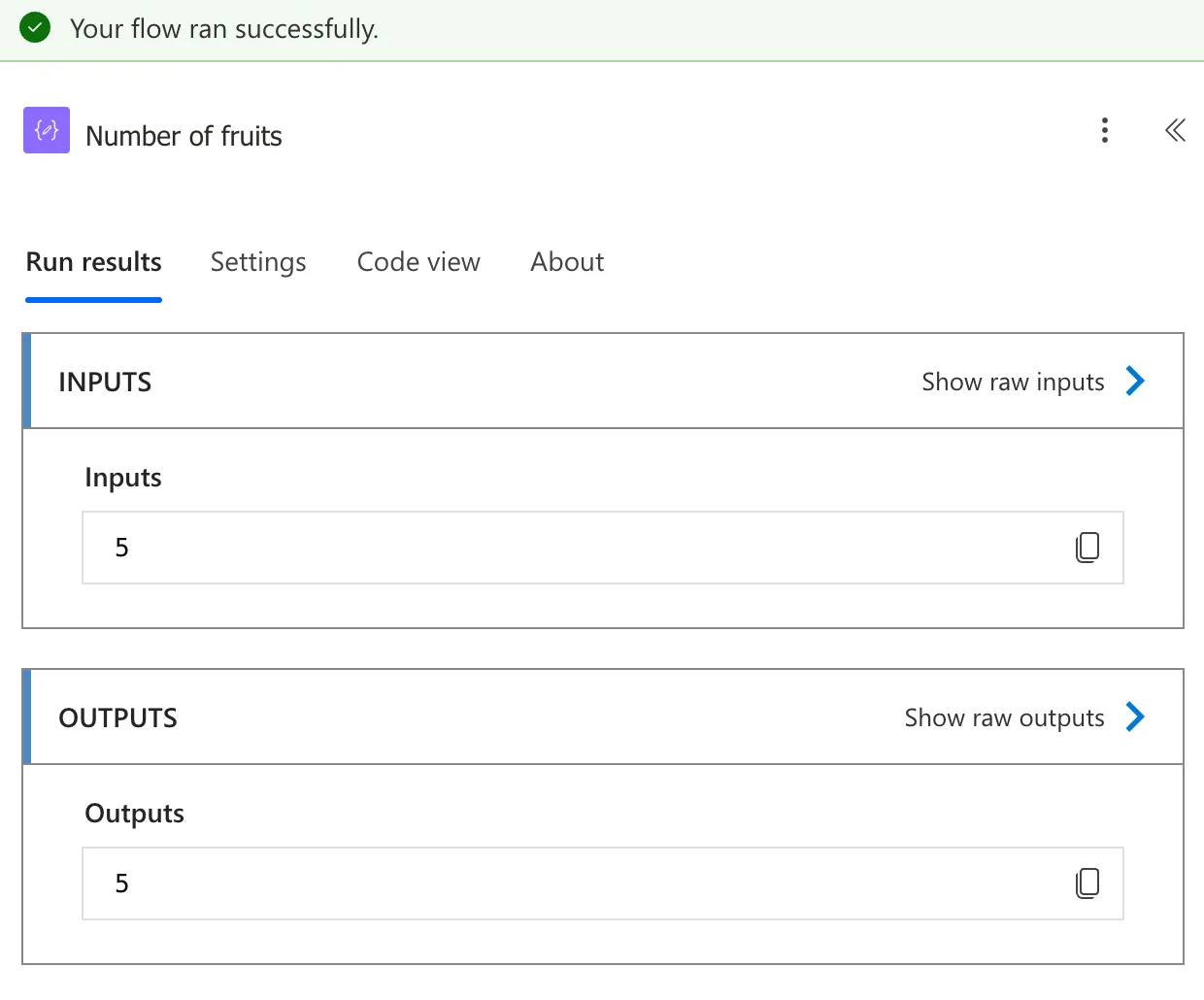
Office Scripts Example.xlsx, a workbook in my OneDrive, has a table called Fruits with five rows. A script called Count Fruits returns how many rows it has, and the flow shows the number in a Compose action.
Step 1: Write the Script
Create Count Fruits in the workbook (How to Create and Run an Office Script in Excel):
/**
 * Counts the rows in the Fruits table.
 * @returns The number of fruits in the table.
 */
function main(workbook: ExcelScript.Workbook): number {
    return workbook.getTable("Fruits").getRowCount();
}
: numbersays the script returns a number.getTable("Fruits").getRowCount()counts the table's rows, not counting the header.@returnsin the comment describes the value for whoever uses the script.
Step 2: Run the Script in the Flow
In a flow with the trigger Manually trigger a flow, add Run script from Excel Online (Business) and choose the workbook and Count Fruits (How to Run an Office Script from Power Automate).
Step 3: Use the Result
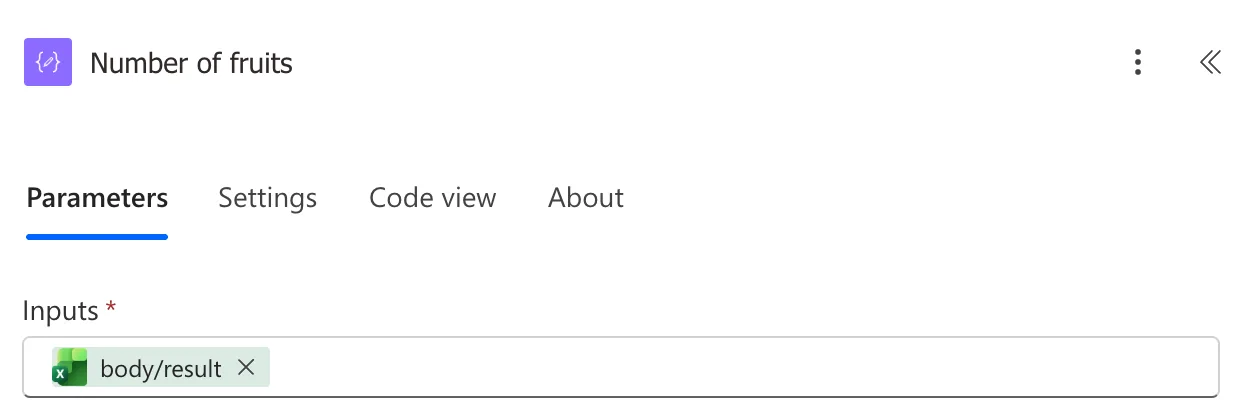
Add a Compose action after Run script, called Number of fruits (How to Use the Compose Action in Power Automate). Put the cursor in Inputs and pick the script's value from dynamic content. In my designer, it's listed under Run script as body/result:
In an expression, the same value is:
outputs('Run_script')?['body/result']
Run_script is the action's name, Run script, with underscores for its spaces.
The Result
Save the flow and test it (How to Test a Cloud Flow Manually in Power Automate). Number of fruits shows 5:
Common Mistakes
| Mistake | What happens | Do this instead |
|---|---|---|
| Adding the return type after the flow's action was set up | Microsoft says the action keeps the script's signature from when it was added, so there's no result | Delete the Run script action and add it again |
Returning a value of a type scripts can't return, such as a Date | Microsoft says the output doesn't show correctly | Return it as text, such as an ISO date |
Troubleshooting
| Symptom | Likely cause | Fix |
|---|---|---|
| No result in dynamic content | The script was added to the action before it returned anything | Add the action again |
| The number arrives as text | The script returned a string | Return a number |
FAQ
Can a script return several values?
Yes, in one object: declare an interface, such as { count: number; total: number }, and return an object of that type. Objects are allowed as long as their properties are supported types, the same rule as for inputs.
Can it return a list?
Yes. Arrays of the supported types can be returned, the same as they can be passed in.
Can the script take inputs too?
Yes: How to Pass a Value to an Office Script from Power Automate.
Conclusion
Give main a return type and return a value, and Run script offers it as result, or outputs('Run_script')?['body/result'] in an expression, for the rest of the flow.
