How to Return a Task Without async and await in C#

A method can return a Task without being async: it does its quick checks, then returns the Task another method gave it. Its checks then throw at the call itself, instead of waiting inside the task.
In an async method, an exception doesn't come out at the call. Microsoft's guide: Exceptions thrown in an async method are stored in the returned task and don't emerge until, for example, the task is awaited. Its advice: We recommend that you validate arguments and throw any corresponding exceptions, such as ArgumentException and ArgumentNullException, before entering the asynchronous parts of your methods.
Syntax
static Task<TResult> <MethodAsync>(<parameters>)
{
    <statements that check the arguments>
    return <OtherMethodAsync>(<arguments>);
}
| Part | What it is |
|---|---|
Task<TResult> without async | The method returns a task that it didn't create itself |
<statements that check the arguments> | Run at the call, so their exceptions reach the caller at once |
return <OtherMethodAsync>(<arguments>) | Hands back the task of the method that does the real work |
The Example
A console app called TaskPassThrough has a GetGreetingAsync method that checks the name, then returns the task of BuildGreetingAsync, which waits a moment and builds the greeting.
Prerequisites
- The .NET 10 SDK.
dotnet --versionprints a version that starts with10.0.
Step 1: Create a Console App
dotnet new console -n TaskPassThrough
cd TaskPassThrough
The template "Console App" was created successfully.

Processing post-creation actions...
Restoring /Users/you/source/TaskPassThrough/TaskPassThrough.csproj:
  Determining projects to restore...
  Restored /Users/you/source/TaskPassThrough/TaskPassThrough.csproj (in 48 ms).
Restore succeeded.
dotnet new console -n TaskPassThrough creates a folder named TaskPassThrough with a project file and a Program.cs, and cd moves into it. Everything this example uses is part of .NET, so there's no package to add. Open the folder in VS Code, or TaskPassThrough.csproj in Visual Studio.
Step 2: Write the Code
Replace everything in Program.cs. First the two calls:
// The check runs at the call, before any task exists.
try
{
    Task<string> task = GetGreetingAsync("");
}
catch (ArgumentException exception)
{
    Console.WriteLine($"Thrown at the call: {exception.Message}");
}

Console.WriteLine(await GetGreetingAsync("Asha"));
The first call isn't awaited: it only shows that the exception comes out of the call itself.
Then the two methods:
// No async and no await: it checks the name, then returns the other method's task.
static Task<string> GetGreetingAsync(string name)
{
    ArgumentException.ThrowIfNullOrEmpty(name);
    return BuildGreetingAsync(name);
}

static async Task<string> BuildGreetingAsync(string name)
{
    await Task.Delay(100);
    return $"Hello, {name}";
}
ArgumentException.ThrowIfNullOrEmpty(name)throws whennameisnullor empty.return BuildGreetingAsync(name);returns that method's task as it is.GetGreetingAsynchas noasync, so it has nothing toawait.
Step 3: Run It
Run it in VS Code's terminal, or press Ctrl+F5 in Visual Studio:
dotnet run
Thrown at the call: The value cannot be an empty string. (Parameter 'name')
Hello, Asha
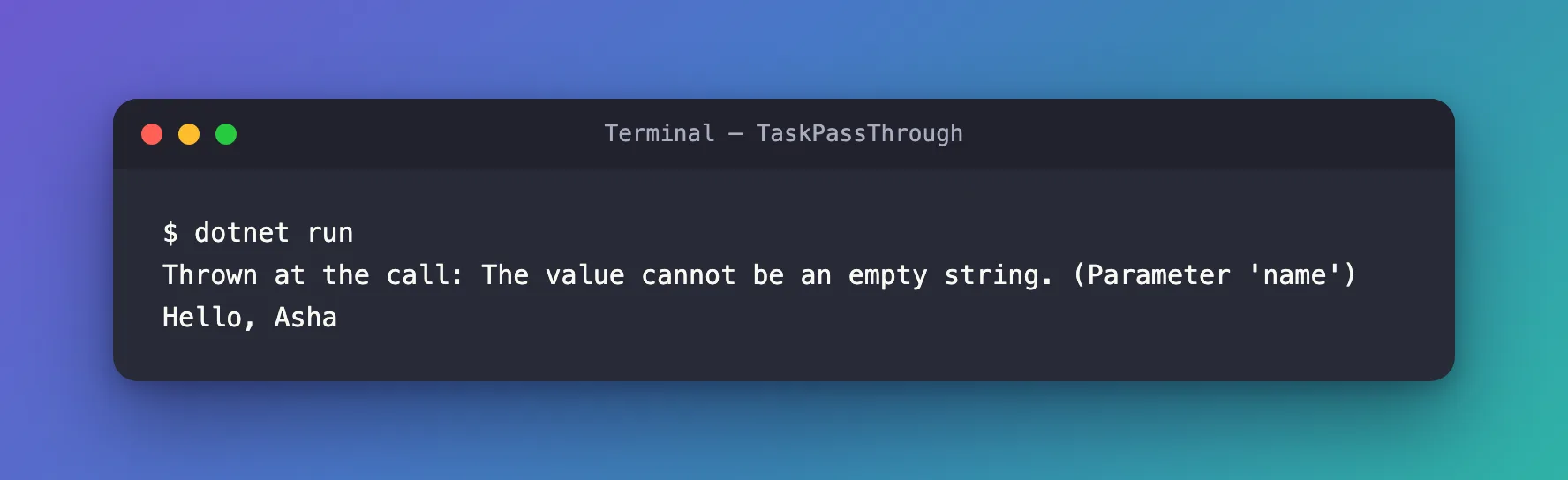
The empty name threw while GetGreetingAsync("") was being called, before any task existed. The second call returned a task, and the await waited for its greeting.
The Complete File
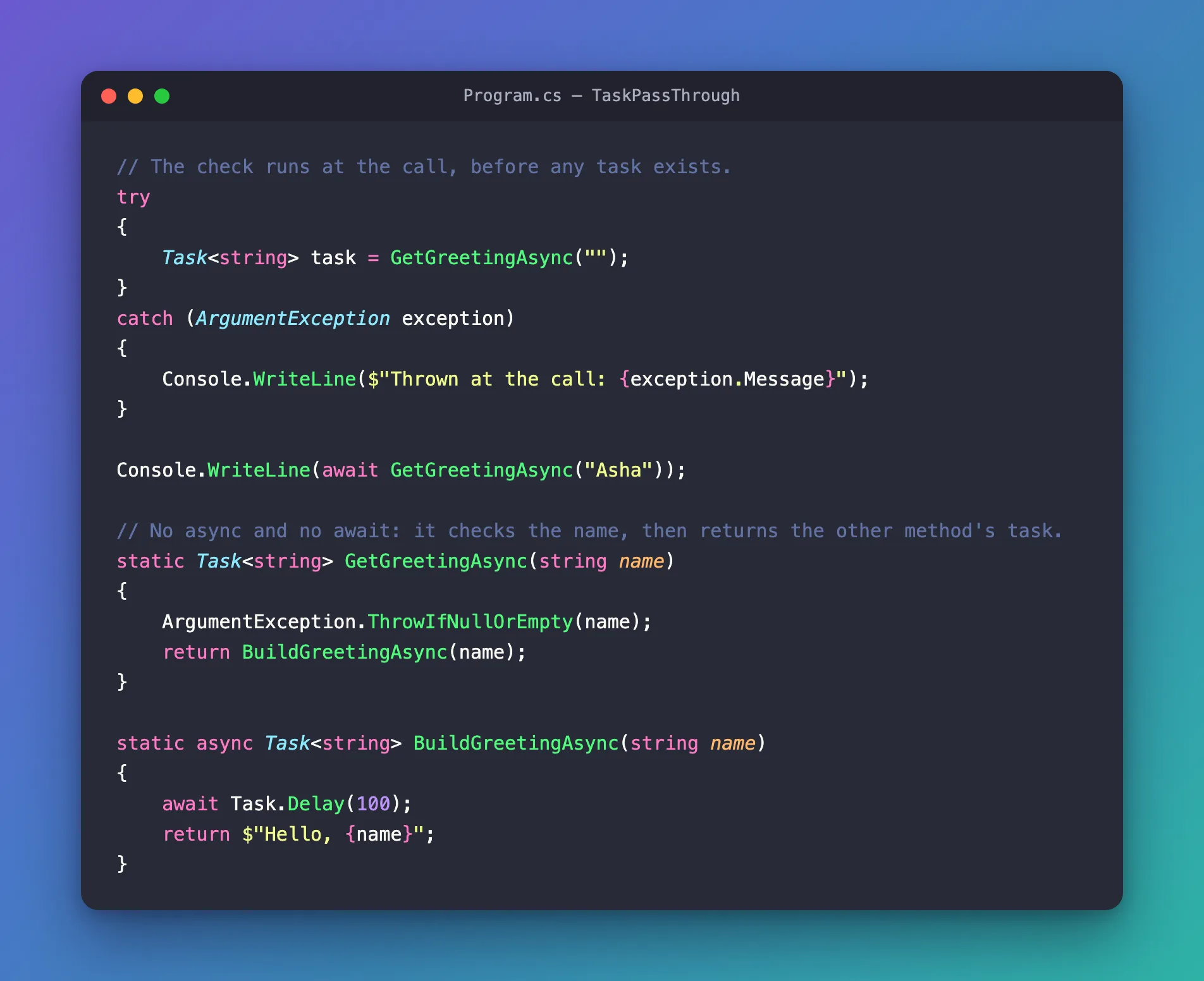
// The check runs at the call, before any task exists.
try
{
    Task<string> task = GetGreetingAsync("");
}
catch (ArgumentException exception)
{
    Console.WriteLine($"Thrown at the call: {exception.Message}");
}

Console.WriteLine(await GetGreetingAsync("Asha"));

// No async and no await: it checks the name, then returns the other method's task.
static Task<string> GetGreetingAsync(string name)
{
    ArgumentException.ThrowIfNullOrEmpty(name);
    return BuildGreetingAsync(name);
}

static async Task<string> BuildGreetingAsync(string name)
{
    await Task.Delay(100);
    return $"Hello, {name}";
}
Common Mistakes
| Mistake | What happens | Do this instead |
|---|---|---|
Returning a task from a method with a using declaration | using Resource resource = new(); and then return resource.ReadLaterAsync(); disposed the resource before the read finished: the output was Disposed and Read after the resource was disposed | Use async and return await there: the same method then gave Read finished |
Expecting an async method to throw at the call | With async added to GetGreetingAsync, the call with "" returned without an error, and the exception came out at the await: Thrown at the await: The value cannot be an empty string. (Parameter 'name') | Check the arguments in a method without async, as the example does |
FAQ
What if the result is already known?
Return a finished task with Task.FromResult: static Task<int> GetCountAsync() => Task.FromResult(3); gave 3 when awaited. The reference: Creates a Task<TResult> that's completed successfully with the specified result.
Conclusion
A method that only checks its arguments and passes on another method's task can return that Task without async and await, so its checks throw at the call. Keep async and await whenever something must happen after the task finishes, such as disposing what a using holds.
Additional Resources
- Creating and throwing exceptions — where async exceptions go, and where to check arguments.
- Implementing the Task-based Asynchronous Pattern — checking arguments outside the asynchronous part.
- Task.FromResult — a task that has already finished.
